Amazon Transcribe Reviews 2026: Details, Pricing, & Features | Subscribed.fyi
Sign in to review
Join our community of software reviewers on Subscribed.fyi

Continue With Google
Continue With LinkedIn
Continue Review with Email
Continue with Email
Enter your email to continue.
Continue
Enter your password
Enter your password to finish setting up your account.
Continue
Activate your email
Enter activation code we sent to your email.
Submit
Reset your password
Enter activation code we sent to your email.
Submit
Set your new password
Enter a new password for your account.
Submit
✨ Ask AI Search
Categories
For Business
Log in
Provide My Insights

Amazon Transcribe

4.6/5
(5)

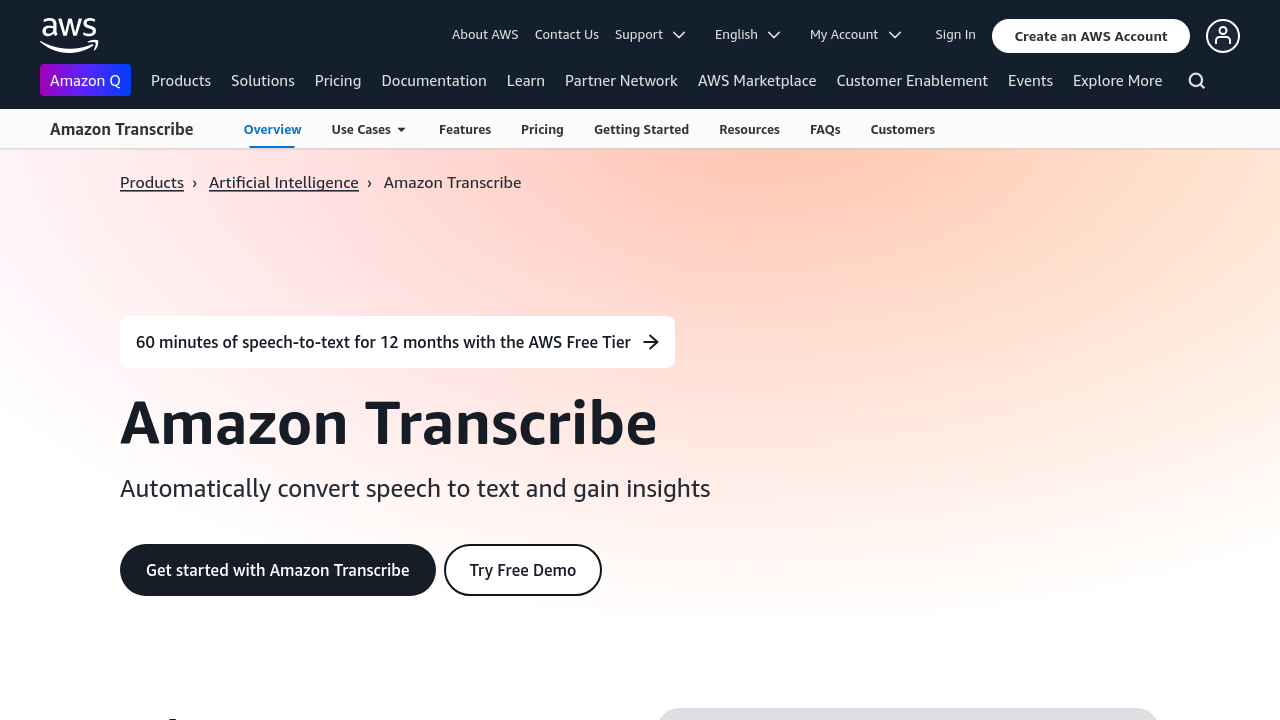
Amazon Transcribe is a cloud-based automatic speech recognition (ASR) service designed for developers to easily convert audio to text. It uses advanced deep learning technology to deliver accurate real-time transcriptions. Highly efficient and customizable, it supports diverse use cases like transcription of calls, meetings, and media content. Enhance productivity by integrating reliable speech-to-text capabilities into applications seamlessly.

Amazon Transcribe

4.6
5
Reviews
62%
Subscribed Score

Available for Claim - This listing is available to be claimed
Claim For Free

Unclaimed

Curated and listed by Subscribed Team

Claim For Free
Exclusive Perks
Exclusive Perks
Special offers and discounts available.
Save Time
Save Time
Focus on impact, not repetitive tasks.
Scales with You
Scales with You
Grows with your business needs.

Amazon Transcribe is a cloud-based automatic speech recognition service that empowers developers to convert audio files into text with exceptional accuracy. Leveraging advanced deep learning technologies, Amazon Transcribe streamlines the process of integrating speech-to-text capabilities into applications. By processing audio files stored on Amazon S3, it delivers clear and coherent transcriptions that meet diverse industry needs from media to healthcare.

Overview
Amazon Transcribe stands out in the Speech Recognition category, offering real-time and batch processing for converting spoken language into reliable, searchable text. Its support for custom vocabulary allows it to adapt to niche terminologies and specialized jargon, ensuring high accuracy even in challenging audio environments. Developers can easily integrate the service using its intuitive API, reducing development time while boosting productivity.

Key Features

  • Seamless integration with cloud storage for handling large volumes of audio.
  • Real-time transcription provides prompt text output.
  • Custom vocabulary support to improve recognition in specialized fields.
  • Adaptive deep learning ensures accuracy across diverse accents and noisy backgrounds.

With a fully managed service, Amazon Transcribe minimizes manual intervention and streamlines the transcription process. Its API-driven approach enables rapid implementation, making it an essential tool for businesses aiming to enhance communication, accessibility, and operational efficiency.

Who Benefits?

  • Developers integrating speech capabilities into applications.
  • Media professionals requiring efficient subtitling and captioning.
  • Customer service teams transcribing interactions for analysis.
  • Researchers and educators capturing spoken content accurately.

To experience the power of advanced voice recognition, visit the Amazon Transcribe homepage for complete product details and implementation guidance. Additionally, explore exclusive offers on the deals page at Amazon Transcribe Deals to get the best value.

Amazon Transcribe is part of a competitive ecosystem of speech recognition solutions. For those considering alternative options, alternatives include Otter.ai, Google Cloud Speech-to-Text, and IBM Watson Speech to Text. Each alternative provides unique features tailored to various transcription needs.

By choosing Amazon Transcribe, organizations benefit from technology that evolves to meet growing demands for transcription. Its innovative approach makes it not only a tool for converting audio into text, but also a strategic asset for data analysis. This reliable service supports modern business needs with simplicity and power efficiently.


Amazon Transcribe Summary

Amazon Transcribe is a cloud-based automatic speech recognition service that empowers developers to convert audio files into text with exceptional accuracy. Leveraging advanced deep learning technologies, Amazon Transcribe streamlines the process of integrating speech-to-text capabilities into applications. By processing audio files stored on Amazon S3, it delivers clear and coherent transcriptions that meet diverse industry needs from media to healthcare.

Overview
Amazon Transcribe stands out in the Speech Recognition category, offering real-time and batch processing for converting spoken language into reliable, searchable text. Its support for custom vocabulary allows it to adapt to niche terminologies and specialized jargon, ensuring high accuracy even in challenging audio environments. Developers can easily integrate the service using its intuitive API, reducing development time while boosting productivity.

Key Features

  • Seamless integration with cloud storage for handling large volumes of audio.
  • Real-time transcription provides prompt text output.
  • Custom vocabulary support to improve recognition in specialized fields.
  • Adaptive deep learning ensures accuracy across diverse accents and noisy backgrounds.

With a fully managed service, Amazon Transcribe minimizes manual intervention and streamlines the transcription process. Its API-driven approach enables rapid implementation, making it an essential tool for businesses aiming to enhance communication, accessibility, and operational efficiency.

Who Benefits?

  • Developers integrating speech capabilities into applications.
  • Media professionals requiring efficient subtitling and captioning.
  • Customer service teams transcribing interactions for analysis.
  • Researchers and educators capturing spoken content accurately.

To experience the power of advanced voice recognition, visit the Amazon Transcribe homepage for complete product details and implementation guidance. Additionally, explore exclusive offers on the deals page at Amazon Transcribe Deals to get the best value.

Amazon Transcribe is part of a competitive ecosystem of speech recognition solutions. For those considering alternative options, alternatives include Otter.ai, Google Cloud Speech-to-Text, and IBM Watson Speech to Text. Each alternative provides unique features tailored to various transcription needs.

By choosing Amazon Transcribe, organizations benefit from technology that evolves to meet growing demands for transcription. Its innovative approach makes it not only a tool for converting audio into text, but also a strategic asset for data analysis. This reliable service supports modern business needs with simplicity and power efficiently.

Amazon Transcribe reviews

Learn what people say about Amazon Transcribe

4.6
5 Reviews
62%
Subscribed Score

Lear more here about the Subscribed score on how it is composed. Learn more Click here

Overall rating

5
4
3
2
1
CX 5/6

How good is the customer support based on subscribed’s assessment

CX Icon
Security 0/6

How secure is the product based on Subscribed’s assessment?

Security Icon
Ease of Use 5/6

How easy is the product to use, based on Subscribed’s assessment?

EOU Icon
Value 5/6

What is the value for money based on Subscribed’s assessment?

coin Icon
Integration 3/6

How many integrations does the product offer?

gear Icon
Popularity 4/6

How popular is the product?

star
2 weeks ago
Share
What exceeded your expectations?
The biggest win for me is how easy it is to drop an audio file in S3 and get a transcript back without much setup. Being able to see different speakers with timestamps makes it a lot easier to skim long calls and find the part I actually care about.
What do you dislike about this product?
Accuracy is generally fine, but it still misses some proper names and dialects, so I always have to read through and clean things up. For shorter clips it can feel a bit slow, and if you push a lot of audio every day the cost starts to add up.
What new feature would you love to see added?
It helped me turn meetings and customer calls into something searchable so I can jump back to key decisions without replaying the whole audio. I’d love to see smoother handling of accents and better control over numbers and custom vocabulary so I spend less time fixing the output.
Final thoughts, wrap up what you think
It’s a solid option if you’re already on AWS and just need a reliable baseline transcript, as long as you’re okay with doing a quick review and cleanup afterwards.
Upvote
SAIF ULLAH Invitation
3 weeks ago
Share
What exceeded your expectations?
It is very helpful to have a full history of every transcription job in one place so we can go back and review past files easily. The primary advantage is that developers can integrate the API so our field workers can upload recordings directly from their phones for instant processing .
Have you experienced any bugs or errors?
Some of the advanced vocabulary mapping and custom language and model settings which makes the initial setup take a long time. Additionally , the AWS console interface feels somewhat dated and cluttered compared to modern , standalone transcription apps .
What could make it even better?
I think they could really benefit from adding more built-in video tutorials specifically for setting up the real-time streaming features.
Final thoughts, wrap up what you think
I recommend this product to colleagues and friends. This is a very dependable and powerful tool for anyone managing a lot of media content or needing high-scale speech recognition .
Upvote
ruhimirpuri Organic
Freelancer
3 weeks ago
Share
What was your first impression when you started using it?
Amazon Transcribe provides accurate and fast speech-to-text transcription, especially for clear audio files. I like how easily it integrates with other AWS services, which makes it useful for building automated workflows. My first impression was that it was powerful and reliable for converting audio into text.
What’s been frustrating in your experience?
The setup can be a bit complex for beginners who are not familiar with AWS services. Accuracy may also drop when audio quality is poor or when there are multiple speakers. Pricing can sometimes be confusing for new users.
What problem did this product solve for you?
Amazon Transcribe could improve by offering a simpler interface for non-technical users and better speaker recognition. It solved the problem of quickly converting recorded audio into written text, saving a lot of manual transcription time.
Final thoughts, wrap up what you think
I would recommend Amazon Transcribe because it is powerful and integrates well with other cloud services. It’s especially useful for developers and businesses that need automated transcription solutions.
Upvote
M Raza Akhter Organic
QA Engineer
3 weeks ago
Share
How does this compare to similar products you’ve tried?
Amazon Transcribe is known for being accurate, scalable, and easy to use with cloud workflows. It seems more reliable than other similar tools for quickly handling bigger transcription jobs.
What slows you down when using it?
Heavy accents or loud audio can make things less accurate. Big projects can also take longer and cost more to finish.
What new feature would you love to see added?
Better real-time accuracy and enhanced accent handling could help Amazon Transcribe expand. Smart editing and automatic summary creation would be fantastic additions.
Final thoughts, wrap up what you think
Because Amazon Transcribe is dependable and effective for large transcription tasks, I would give it a high rating. I would suggest it to friends and coworkers who require scalable speech-to-text assistance.
Upvote

Amazon Transcribe User Reviews

5 User Reviews

2 weeks ago
Share
What exceeded your expectations?
The biggest win for me is how easy it is to drop an audio file in S3 and get a transcript back without much setup. Being able to see different speakers with timestamps makes it a lot easier to skim long calls and find the part I actually care about.
What do you dislike about this product?
Accuracy is generally fine, but it still misses some proper names and dialects, so I always have to read through and clean things up. For shorter clips it can feel a bit slow, and if you push a lot of audio every day the cost starts to add up.
What new feature would you love to see added?
It helped me turn meetings and customer calls into something searchable so I can jump back to key decisions without replaying the whole audio. I’d love to see smoother handling of accents and better control over numbers and custom vocabulary so I spend less time fixing the output.
Final thoughts, wrap up what you think
It’s a solid option if you’re already on AWS and just need a reliable baseline transcript, as long as you’re okay with doing a quick review and cleanup afterwards.
Upvote
SAIF ULLAH Invitation
3 weeks ago
Share
What exceeded your expectations?
It is very helpful to have a full history of every transcription job in one place so we can go back and review past files easily. The primary advantage is that developers can integrate the API so our field workers can upload recordings directly from their phones for instant processing .
Have you experienced any bugs or errors?
Some of the advanced vocabulary mapping and custom language and model settings which makes the initial setup take a long time. Additionally , the AWS console interface feels somewhat dated and cluttered compared to modern , standalone transcription apps .
What could make it even better?
I think they could really benefit from adding more built-in video tutorials specifically for setting up the real-time streaming features.
Final thoughts, wrap up what you think
I recommend this product to colleagues and friends. This is a very dependable and powerful tool for anyone managing a lot of media content or needing high-scale speech recognition .
Upvote
ruhimirpuri Organic
Freelancer
3 weeks ago
Share
What was your first impression when you started using it?
Amazon Transcribe provides accurate and fast speech-to-text transcription, especially for clear audio files. I like how easily it integrates with other AWS services, which makes it useful for building automated workflows. My first impression was that it was powerful and reliable for converting audio into text.
What’s been frustrating in your experience?
The setup can be a bit complex for beginners who are not familiar with AWS services. Accuracy may also drop when audio quality is poor or when there are multiple speakers. Pricing can sometimes be confusing for new users.
What problem did this product solve for you?
Amazon Transcribe could improve by offering a simpler interface for non-technical users and better speaker recognition. It solved the problem of quickly converting recorded audio into written text, saving a lot of manual transcription time.
Final thoughts, wrap up what you think
I would recommend Amazon Transcribe because it is powerful and integrates well with other cloud services. It’s especially useful for developers and businesses that need automated transcription solutions.
Upvote
M Raza Akhter Organic
QA Engineer
3 weeks ago
Share
How does this compare to similar products you’ve tried?
Amazon Transcribe is known for being accurate, scalable, and easy to use with cloud workflows. It seems more reliable than other similar tools for quickly handling bigger transcription jobs.
What slows you down when using it?
Heavy accents or loud audio can make things less accurate. Big projects can also take longer and cost more to finish.
What new feature would you love to see added?
Better real-time accuracy and enhanced accent handling could help Amazon Transcribe expand. Smart editing and automatic summary creation would be fantastic additions.
Final thoughts, wrap up what you think
Because Amazon Transcribe is dependable and effective for large transcription tasks, I would give it a high rating. I would suggest it to friends and coworkers who require scalable speech-to-text assistance.
Upvote
saiprasanna sabinikari Invitation
Senior Test Engineer
3 weeks ago
Share
What exceeded your expectations?
I love the way how it transcribes the audio speech into text with accuracy. The best thing is it supports both live and pre recordings.
Have you experienced any bugs or errors?
None for now
What problem did this product solve for you?
It solved my manual transcribing problem by automatically converting speech to text. It saved my lots of time and energy
Final thoughts, wrap up what you think
9/10 as it reduces manual work.
Upvote
Reviews from G2, Capterra, Trustpilot
info Icon

These ratings come directly from third-party platforms like G2, Capterra, and Trustpilot. They reflect real user feedback collected independently on those sites.

Amazon Transcribe

Pricing Range
info Icon

This only an estimated pricing range, visit Amazon Transcribe pricing page to access all the information by clicking “Visit Now”.

$0.61-$61.2k / Month
Deals Available

This product comes with a special deal, see details

Visit Now
✨ Ask AI about pricing
62% Subscribed Score
info Icon

The Subscribed Score is an independent rating that combines user reviews, features, and value-for-money from multiple trusted sources. It’s designed as a quick benchmark, not a guarantee of individual experience.

Analysis

Amazon Transcribe is a cloud-based automatic speech recognition service that empowers developers to convert audio files into text with exceptional accuracy. Leveraging advanced deep learning technologies, Amazon Transcribe streamlines the process of integrating speech-to-text capabilities into applications. By processing audio files stored on Amazon S3, it delivers clear and coherent transcriptions that meet diverse industry needs from media to healthcare.

Overview
Amazon Transcribe stands out in the Speech Recognition category, offering real-time and batch processing for converting spoken language into reliable, searchable text. Its support for custom vocabulary allows it to adapt to niche terminologies and specialized jargon, ensuring high accuracy even in challenging audio environments. Developers can easily integrate the service using its intuitive API, reducing development time while boosting productivity.

Key Features

  • Seamless integration with cloud storage for handling large volumes of audio.
  • Real-time transcription provides prompt text output.
  • Custom vocabulary support to improve recognition in specialized fields.
  • Adaptive deep learning ensures accuracy across diverse accents and noisy backgrounds.

With a fully managed service, Amazon Transcribe minimizes manual intervention and streamlines the transcription process. Its API-driven approach enables rapid implementation, making it an essential tool for businesses aiming to enhance communication, accessibility, and operational efficiency.

Who Benefits?

  • Developers integrating speech capabilities into applications.
  • Media professionals requiring efficient subtitling and captioning.
  • Customer service teams transcribing interactions for analysis.
  • Researchers and educators capturing spoken content accurately.

To experience the power of advanced voice recognition, visit the Amazon Transcribe homepage for complete product details and implementation guidance. Additionally, explore exclusive offers on the deals page at Amazon Transcribe Deals to get the best value.

Amazon Transcribe is part of a competitive ecosystem of speech recognition solutions. For those considering alternative options, alternatives include Otter.ai, Google Cloud Speech-to-Text, and IBM Watson Speech to Text. Each alternative provides unique features tailored to various transcription needs.

By choosing Amazon Transcribe, organizations benefit from technology that evolves to meet growing demands for transcription. Its innovative approach makes it not only a tool for converting audio into text, but also a strategic asset for data analysis. This reliable service supports modern business needs with simplicity and power efficiently.

Pros
  • Efficient speech-to-text capability
  • Clear and accurate transcriptions
  • Ease of navigation and use
  • Saves time compared to typing
Cons
  • May skip words or punctuation errors
  • Requires clear speech for best results
  • Integration can be challenging
  • Learning curve for first-time users
Subscribed Score Metrics
22/36 Metric achieved
MetricsScore
Customer Support5/6
Security0/6
Ease of Use5/6
Value of Money5/6
Integration3/6
Popularity4/6
Radar Chart Table View
Ease of Use
Measures how simple and intuitive the product is to use, including setup, navigation, and overall user experience
5/6 Metric Checks
Security
Compares the product`s features, quality, and pricing to determine its overall cost-effectiveness.
0/6 Metric Checks
Value of Money
Assesses the product`s ability to protect data, prevent breaches, and comply with industry standards.
5/6 Metric Checks
Customer Support
Reflects the responsiveness, helpfulness, and quality of assistance provided by the product`s support team.
5/6 Metric Checks
Integrations
Evaluates how well the product connects with other tools and platforms, enabling seamless workflows.
3/6 Metric Checks
Amazon Transcribe Pricing Range
$0.61-$61.2k / Month

Amazon Transcribe Showcase
info Icon

A curated gallery of real screenshots and use cases from the product, so you can see how it works before trying it.

Amazon Transcribe Full Screen Icon
https://www.youtube.com/watch?v=QLTbeWxOQis
Full Screen Icon
Amazon Transcribe
Amazon Transcribe

What else exists next to Amazon Transcribe
info Icon

A list of platforms similar to Amazon Transcribe, helping you evaluate which tool best matches your needs.

Need to cancel Amazon Transcribe? Here is how
info Icon

Thinking about how to cancel Amazon Transcribe this is how you do it!

To cancel an Amazon Transcribe product:

  • Open AWS Marketplace console.
  • Manage subscriptions and select the product.
  • Cancel the subscription under Agreement.
  • Terminate any associated resources to stop billing.

How to Cancel the Amazon Transcribe

To cancel an Amazon Transcribe product:

  • Open AWS Marketplace console.
  • Manage subscriptions and select the product.
  • Cancel the subscription under Agreement.
  • Terminate any associated resources to stop billing.
Every else you need to know about Amazon Transcribe
info Icon

A collection of FAQs, guides, alternatives, and comparisons to help you quickly understand if Amazon Transcribe is right for you.

Pricing Range
info Icon

This only an estimated pricing range, visit Amazon Transcribe pricing page to access all the information by clicking “Visit Now”.

$0.61-$61.2k / Month
Visit Now
Deals Available

This product comes with a special deal, see details

This product comes with a special deal, see details