Hubspot CRM Reviews 2026: Details, Pricing, & Features | Subscribed.fyi
Sign in to review
Join our community of software reviewers on Subscribed.fyi

Continue With Google
Continue With LinkedIn
Continue Review with Email
Continue with Email
Enter your email to continue.
Continue
Enter your password
Enter your password to finish setting up your account.
Continue
Activate your email
Enter activation code we sent to your email.
Submit
Reset your password
Enter activation code we sent to your email.
Submit
Set your new password
Enter a new password for your account.
Submit
Categories
For Business
Log in
Provide My Insights
B2B Growth Most Loved Award award

Hubspot CRM Reviews, Pricing, Features & Alternatives (2026)

4.5/5
(4)

HubSpot CRM is an intuitive, scalable solution designed to streamline sales, marketing, and customer interactions for businesses of all sizes. It offers a centralized database for contact management, automation tools, pipeline tracking, and robust analytics, enhancing team efficiency and customer engagement. With easy integrations, customizable features, and tools for marketing ROI insights, HubSpot CRM creates personalized experiences while supporting growth. Its user-friendly interface and free CRM option make it accessible for startups, while advanced capabilities cater to growing enterprises.

B2B Growth Most Loved Award award

Hubspot CRM Overview

What is Hubspot CRM?

B2B Growth Most Loved Award award
B2B Growth
Most Loved Award
2026

All Awards

B2B Growth
Most Loved Award
2026
4.5
4
Reviews
80%
Subscribed Score

Available for Claim - This listing is available to be claimed
Claim Profile For Free

Unclaimed

Manage profile with subsig, and unlock 23+ social and review monitoring. Get partnership options with

Claim Profile For Free

Why teams choose Hubspot CRM

Key Features

Built for Flexibility
Adaptable for multiple use cases.
Affordable Pricing
Affordable Pricing
Transparent plans to fit any budget.
No-Code Simplicity
No-Code Simplicity
Launch without writing a single line of code.

Who is Hubspot CRM for?

HubSpot Sales Hub is a powerful tool designed to supercharge your sales process. Built on the renowned HubSpot CRM platform, Sales Hub brings together customer data, sales engagement tools, CPQ functionality, and advanced sales analytics in one unified solution. This integration allows growing teams to improve efficiency, close deals faster, and scale naturally without increasing complexity.

Key Features of HubSpot Sales Hub

  • Intuitive Sales CRM: Manage contacts, track communications, and streamline the sales pipeline through a centralized, customizable database where every customer interaction is visible in one place.
  • Sales Engagement Tools: Automate repetitive tasks, schedule meetings seamlessly, and communicate via integrated calling and email tools to reduce the manual workload.
  • Configure-Price-Quote (CPQ): Simplify the quoting process with robust product catalog management, visual configuration, and customizable pricing models, ensuring that each proposal is built precisely for client needs.
  • Actionable Sales Analytics: Leverage comprehensive dashboards and reporting capabilities to monitor pipeline performance, forecast revenue, and make data-driven decisions that drive sales growth.
  • Seamless Integrations: Connect effortlessly with popular email platforms, calendar systems, and third-party tools to create an end-to-end sales experience that adapts to your workflow.

HubSpot Sales Hub empowers sales teams with an easy-to-use interface and extensive customization to match real-world sales processes without lengthy development cycles. Its flexible architecture not only supports growth for small teams but also scales smoothly for enterprises, ensuring that every sales professional has timely access to critical insights and opportunities.

Why Choose HubSpot Sales Hub?

This solution streamlines sales operations and unifies interactions by integrating marketing, sales, and customer service data. By centralizing information, your team can improve follow-ups, prioritize leads intelligently, and bring a higher level of personalization to each customer engagement. Moreover, the built-in CPQ and mobile support ensure that your sales process remains agile, efficient, and responsive to changing market demands.

Who is HubSpot Sales Hub For?

  • Sales Leaders & Teams: Optimize pipeline management, automate routine follow-ups, and close deals faster with a tool that grows with your business.
  • Marketing & Customer Success Professionals: Gain comprehensive visibility into customer interactions and align cross-functional efforts for a smooth, supportive customer journey.
  • Enterprise Organizations: Scale without the hassle of complicated custom integrations by leveraging a system built to adapt to your evolving needs.

HubSpot Sales Hub is an indispensable solution in the Customer Relationship Management (CRM) category. To take advantage of exclusive offers, visit the HubSpot Sales Hub deals page. If you are exploring other options, consider Zoho CRM as a viable alternative. Whether you are a startup or a large enterprise, HubSpot Sales Hub simplifies and elevates your sales process for lasting success.


Hubspot CRM Summary

HubSpot Sales Hub is a powerful tool designed to supercharge your sales process. Built on the renowned HubSpot CRM platform, Sales Hub brings together customer data, sales engagement tools, CPQ functionality, and advanced sales analytics in one unified solution. This integration allows growing teams to improve efficiency, close deals faster, and scale naturally without increasing complexity.

Key Features of HubSpot Sales Hub

  • Intuitive Sales CRM: Manage contacts, track communications, and streamline the sales pipeline through a centralized, customizable database where every customer interaction is visible in one place.
  • Sales Engagement Tools: Automate repetitive tasks, schedule meetings seamlessly, and communicate via integrated calling and email tools to reduce the manual workload.
  • Configure-Price-Quote (CPQ): Simplify the quoting process with robust product catalog management, visual configuration, and customizable pricing models, ensuring that each proposal is built precisely for client needs.
  • Actionable Sales Analytics: Leverage comprehensive dashboards and reporting capabilities to monitor pipeline performance, forecast revenue, and make data-driven decisions that drive sales growth.
  • Seamless Integrations: Connect effortlessly with popular email platforms, calendar systems, and third-party tools to create an end-to-end sales experience that adapts to your workflow.

HubSpot Sales Hub empowers sales teams with an easy-to-use interface and extensive customization to match real-world sales processes without lengthy development cycles. Its flexible architecture not only supports growth for small teams but also scales smoothly for enterprises, ensuring that every sales professional has timely access to critical insights and opportunities.

Why Choose HubSpot Sales Hub?

This solution streamlines sales operations and unifies interactions by integrating marketing, sales, and customer service data. By centralizing information, your team can improve follow-ups, prioritize leads intelligently, and bring a higher level of personalization to each customer engagement. Moreover, the built-in CPQ and mobile support ensure that your sales process remains agile, efficient, and responsive to changing market demands.

Who is HubSpot Sales Hub For?

  • Sales Leaders & Teams: Optimize pipeline management, automate routine follow-ups, and close deals faster with a tool that grows with your business.
  • Marketing & Customer Success Professionals: Gain comprehensive visibility into customer interactions and align cross-functional efforts for a smooth, supportive customer journey.
  • Enterprise Organizations: Scale without the hassle of complicated custom integrations by leveraging a system built to adapt to your evolving needs.

HubSpot Sales Hub is an indispensable solution in the Customer Relationship Management (CRM) category. To take advantage of exclusive offers, visit the HubSpot Sales Hub deals page. If you are exploring other options, consider Zoho CRM as a viable alternative. Whether you are a startup or a large enterprise, HubSpot Sales Hub simplifies and elevates your sales process for lasting success.

Hubspot CRM reviews and insights

Learn what people say about Hubspot CRM

4.5
4 Reviews
80%
Subscribed Score

Lear more here about the Subscribed score on how it is composed. Learn more Click here

Overall rating

5
4
3
2
1
CX 4/6

How good is the customer support based on subscribed’s assessment

CX Icon
Security 4/6

How secure is the product based on Subscribed’s assessment?

Security Icon
Ease of Use 5/6

How easy is the product to use, based on Subscribed’s assessment?

EOU Icon
Value 4/6

What is the value for money based on Subscribed’s assessment?

coin Icon
Integration 5/6

How many integrations does the product offer?

gear Icon
Popularity 6/6

How popular is the product?

star
3 weeks ago
Share
How does this compare to similar products you’ve tried?
HubSpot CRM is more user-friendly and easier to set up compared to other CRMs I’ve used. It’s also more beginner-friendly, with a lot of features available even on the free tier, which makes it great for small to mid-sized teams.
What feels confusing or hard to use?
Some of the automation and workflow features can be a bit overwhelming at first. It takes time to understand how everything connects, especially when dealing with pipelines, sequences, and integrations.
What new feature would you love to see added?
I’d love to see simpler and more visual workflow automation tools, like a drag-and-drop flow builder that’s easier to understand at a glance. Better customization for reporting dashboards would also be helpful.
Final thoughts, wrap up what you think
Very Useful
Upvote
Marco Organic
Marketing
3 weeks ago
Share
What feature do you use most often?
I use the contacts tool the most for Hubspot. This is where we put all our client's contact information.
What’s been frustrating in your experience?
What is frustrating is that a lot of the tools are similar to the contacts tool. It would be a little confusing to navigate around.
What new feature would you love to see added?
I would love to see a contacts search tool that would automate this process. Right now we manually input everything in.
Final thoughts, wrap up what you think
I don't think there are other tools like this with more services in it that are good for professionals.
Upvote
Arbab Qayyum Invitation
4 weeks ago
Share
What do you like best about this product?
The fact that Hubspot CRM made it so easy to keep track of contacts and communications without things slipping through. The dashboard is clean and gives you all relevant insights at a glance. It is very easy to log activities and follow up with leads.
Have you experienced any bugs or errors?
I haven't personally experienced any bugs, but it can be a bit overwhelming when you're just starting. Automations can get confusing and take time to figure out properly
What could make it even better?
If advanced tools were simpler and more beginner-friendly, with smoother process for automation and workflows. This would reduce the learning curve for non-technical users.
Final thoughts, wrap up what you think
HubSpot is a great tool for keeping all contacts and leads organized, and it makes following up on tasks very efficient.
Upvote
Melville Organic
4 months ago
Share
How has it made your work/life easier?
Having contacts, deals, and email activity in one place reduced a lot of back and forth with sales.
What slows you down when using it?
Some settings are buried deep in the UI.
What could make it even better?
I’d like more control over exports without needing paid add ons
Final thoughts, wrap up what you think
8/10. It’s very solid for aligning sales, marketing, and analytics with minimal setup.
Upvote

Hubspot CRM User Reviews

4 User Reviews

Reviews from G2, Capterra, Trustpilot
info Icon

These ratings come directly from third-party platforms like G2, Capterra, and Trustpilot. They reflect real user feedback collected independently on those sites.

Hubspot CRM pricing

Pricing model

B2B Growth Most Loved Award award
Pricing Range
info Icon

This only an estimated pricing range, visit Hubspot CRM pricing page to access all the information by clicking “Visit Now”.

$0-3.6k / Month
Deals Available

This product comes with a special deal, see details

Visit Now
✨ Ask AI about pricing
80% Subscribed Score
info Icon

The Subscribed Score is an independent rating that combines user reviews, features, and value-for-money from multiple trusted sources. It’s designed as a quick benchmark, not a guarantee of individual experience.

Overview

HubSpot Sales Hub is a powerful tool designed to supercharge your sales process. Built on the renowned HubSpot CRM platform, Sales Hub brings together customer data, sales engagement tools, CPQ functionality, and advanced sales analytics in one unified solution. This integration allows growing teams to improve efficiency, close deals faster, and scale naturally without increasing complexity.

Key Features of HubSpot Sales Hub

  • Intuitive Sales CRM: Manage contacts, track communications, and streamline the sales pipeline through a centralized, customizable database where every customer interaction is visible in one place.
  • Sales Engagement Tools: Automate repetitive tasks, schedule meetings seamlessly, and communicate via integrated calling and email tools to reduce the manual workload.
  • Configure-Price-Quote (CPQ): Simplify the quoting process with robust product catalog management, visual configuration, and customizable pricing models, ensuring that each proposal is built precisely for client needs.
  • Actionable Sales Analytics: Leverage comprehensive dashboards and reporting capabilities to monitor pipeline performance, forecast revenue, and make data-driven decisions that drive sales growth.
  • Seamless Integrations: Connect effortlessly with popular email platforms, calendar systems, and third-party tools to create an end-to-end sales experience that adapts to your workflow.

HubSpot Sales Hub empowers sales teams with an easy-to-use interface and extensive customization to match real-world sales processes without lengthy development cycles. Its flexible architecture not only supports growth for small teams but also scales smoothly for enterprises, ensuring that every sales professional has timely access to critical insights and opportunities.

Why Choose HubSpot Sales Hub?

This solution streamlines sales operations and unifies interactions by integrating marketing, sales, and customer service data. By centralizing information, your team can improve follow-ups, prioritize leads intelligently, and bring a higher level of personalization to each customer engagement. Moreover, the built-in CPQ and mobile support ensure that your sales process remains agile, efficient, and responsive to changing market demands.

Who is HubSpot Sales Hub For?

  • Sales Leaders & Teams: Optimize pipeline management, automate routine follow-ups, and close deals faster with a tool that grows with your business.
  • Marketing & Customer Success Professionals: Gain comprehensive visibility into customer interactions and align cross-functional efforts for a smooth, supportive customer journey.
  • Enterprise Organizations: Scale without the hassle of complicated custom integrations by leveraging a system built to adapt to your evolving needs.

HubSpot Sales Hub is an indispensable solution in the Customer Relationship Management (CRM) category. To take advantage of exclusive offers, visit the HubSpot Sales Hub deals page. If you are exploring other options, consider Zoho CRM as a viable alternative. Whether you are a startup or a large enterprise, HubSpot Sales Hub simplifies and elevates your sales process for lasting success.

Where Hubspot CRM performs best

What users like
  • User-friendly and intuitive interface.
  • Excellent customization and automation tools.
  • Strong integration with third-party apps.
  • Helps streamline sales and marketing processes.

Where Hubspot CRM falls short

What users dislike
  • Advanced features can be costly.
  • Limited customization in free plans.
  • Sequencing and workflows can feel clunky.
  • Complexity increases for large-scale use.
Subscribed Score Metrics
28/36 Metric achieved
MetricsScore
Customer Support4/6
Security4/6
Ease of Use5/6
Value of Money4/6
Integration5/6
Popularity6/6
Radar Chart Table View
Ease of Use
Measures how simple and intuitive the product is to use, including setup, navigation, and overall user experience
5/6 Metric Checks
Security
Compares the product`s features, quality, and pricing to determine its overall cost-effectiveness.
4/6 Metric Checks
Value of Money
Assesses the product`s ability to protect data, prevent breaches, and comply with industry standards.
4/6 Metric Checks
Customer Support
Reflects the responsiveness, helpfulness, and quality of assistance provided by the product`s support team.
4/6 Metric Checks
Integrations
Evaluates how well the product connects with other tools and platforms, enabling seamless workflows.
5/6 Metric Checks
Hubspot CRM Pricing Range
$0-3.6k / Month

Hubspot CRM in action
info Icon

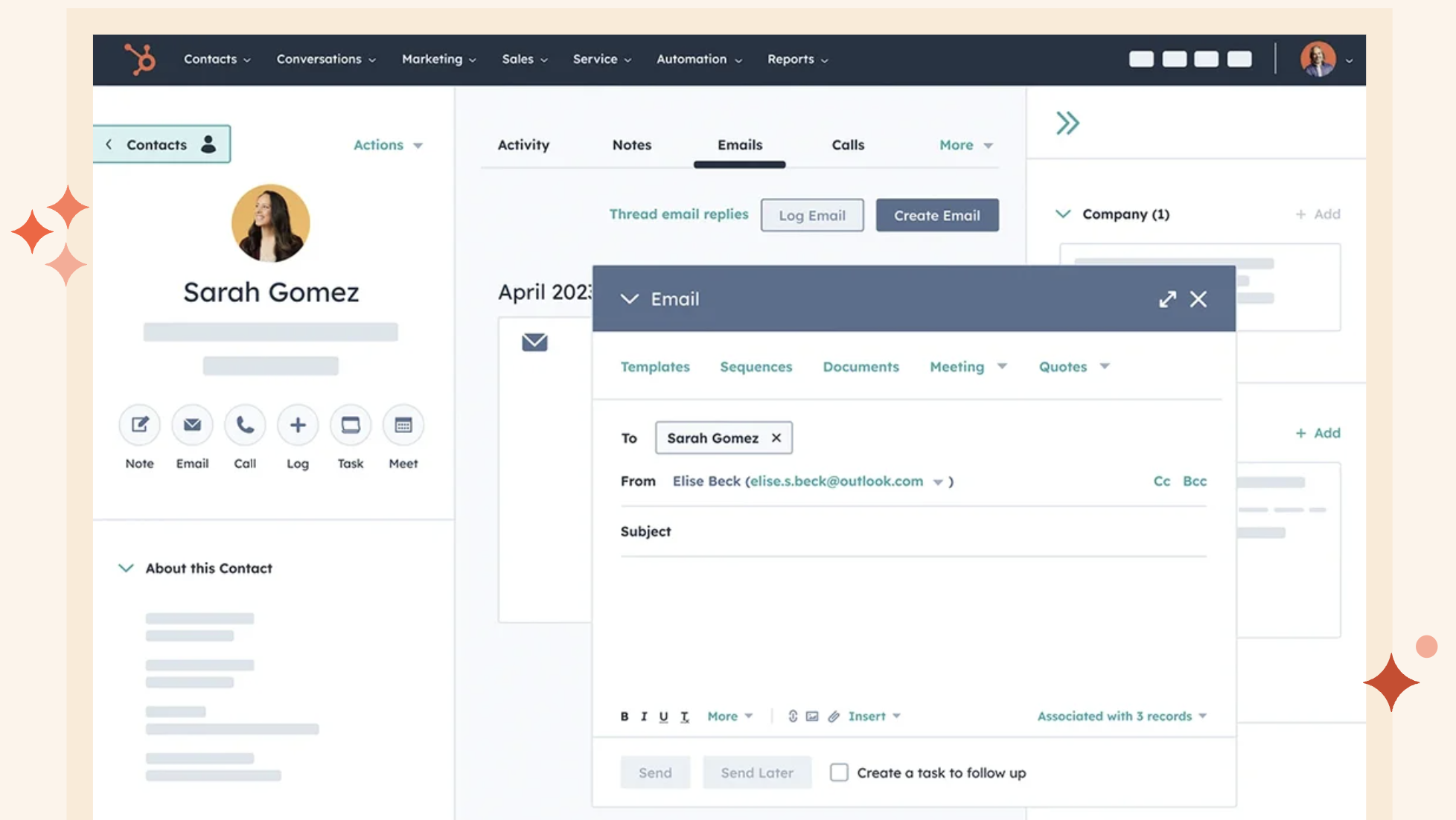
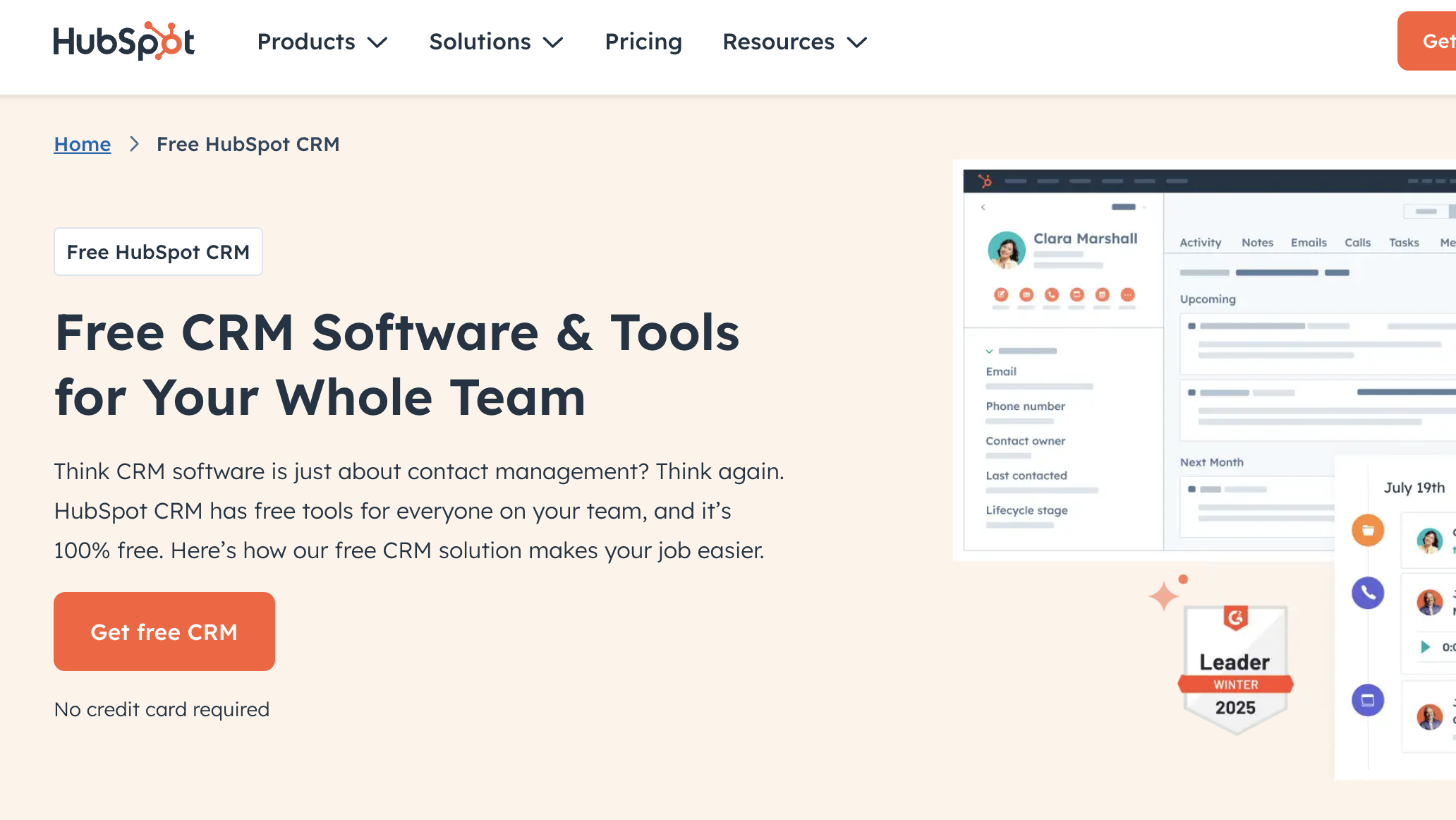
A curated gallery of real screenshots and use cases from the product, so you can see how it works before trying it.

Hubspot CRM screenshot Full Screen Icon
https://www.youtube.com/watch?v=06gPe3_6lck
Full Screen Icon
https://www.youtube.com/watch?v=Ihu9rr1wRa0
Full Screen Icon
Video thumbnail
Video thumbnail
Hubspot CRM screenshot

Alternatives to Hubspot CRM
info Icon

A list of platforms similar to Hubspot CRM, helping you evaluate which tool best matches your needs.

How to cancel Hubspot CRM

Need to cancel Hubspot CRM? Here is how
info Icon

Thinking about how to cancel Hubspot CRM this is how you do it!

To cancel a HubSpot CRM product, navigate to Account and Billing under your username, select the subscription, and click Cancel Auto Renewal. Provide cancellation reasons and confirm. All features will remain accessible until the end of the current billing cycle.

How to Cancel the Hubspot CRM

To cancel a HubSpot CRM product, navigate to Account and Billing under your username, select the subscription, and click Cancel Auto Renewal. Provide cancellation reasons and confirm. All features will remain accessible until the end of the current billing cycle.

FAQs about Hubspot CRM

Every else you need to know about Hubspot CRM
info Icon

A collection of FAQs, guides, alternatives, and comparisons to help you quickly understand if Hubspot CRM is right for you.

Manage your Hubspot CRM profile

Create profile

Want to list your product on Subscribed.fyi? Create a profile to reach more buyers.

Pricing Range
info Icon

This only an estimated pricing range, visit Hubspot CRM pricing page to access all the information by clicking “Visit Now”.

$0-3.6k / Month
Visit Now
Deals Available

This product comes with a special deal, see details

This product comes with a special deal, see details