Building with Model Context Protocol and Agentic Terminals
- AI Image Generators Software AI Writing Assistant Popular Tools AI Tools WebOps Platforms Bug Tracking & Feedback Software Web Development & Design
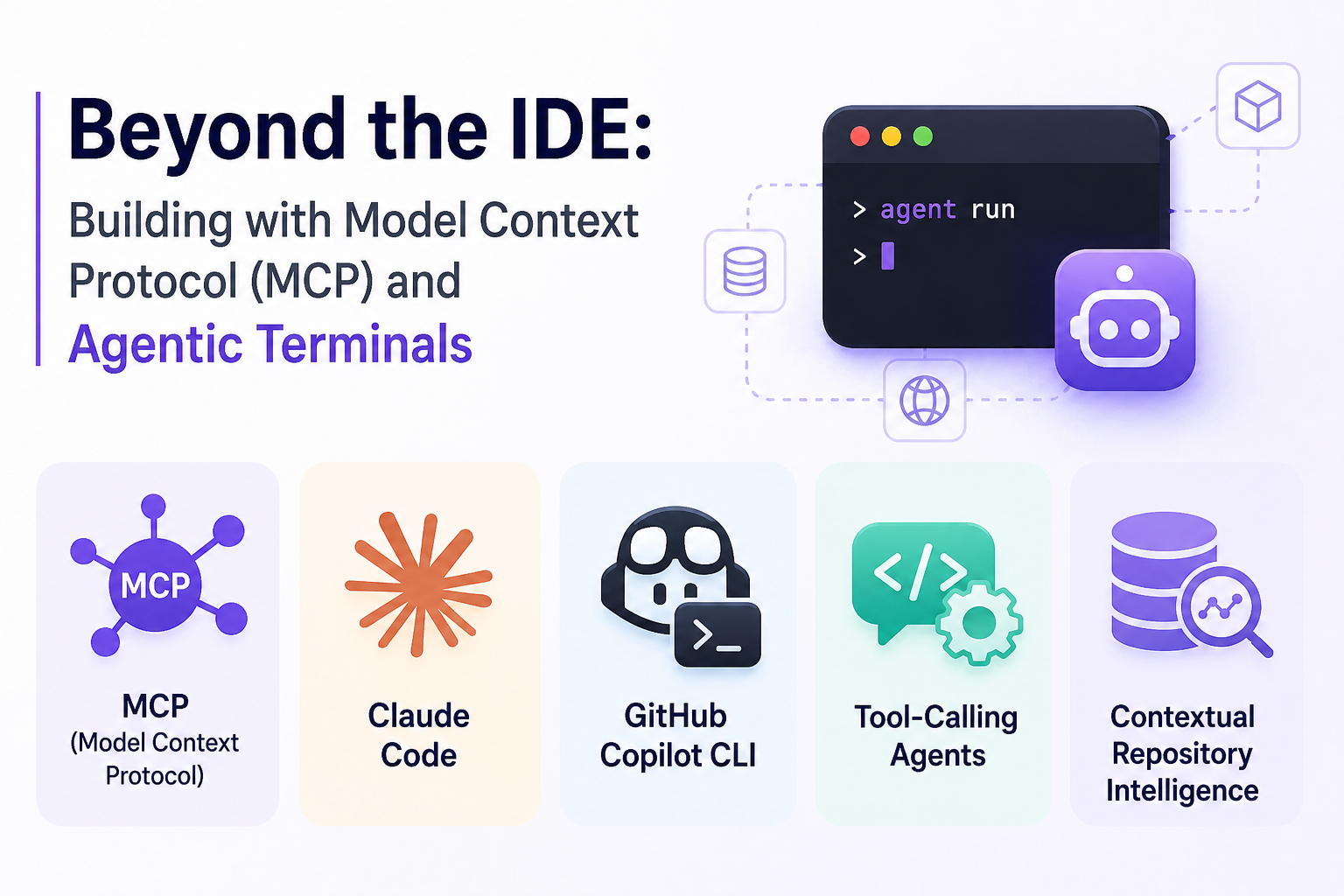
In mid 2026, the terminal has re-emerged as the primary interface for agentic development. Instead of relying on heavy graphical interfaces, developers now work alongside AI agents directly in the command line. With standards like MCP (Model Context Protocol) and tools such as Claude Code and GitHub Copilot CLI, the terminal is no longer just a utility. It is becoming a fully intelligent workspace.
Platforms like Subscribed.fyi make it easier to explore these tools, compare features, and understand how Tool Calling Agents and Contextual Repository Intelligence are reshaping workflows.
What is Model Context Protocol (MCP)
MCP or Model Context Protocol is a standardized way for AI agents to securely access external data sources. Instead of copying data into prompts, agents can query systems in real time. This includes databases, APIs, design tools, and project management platforms.
With MCP, an agent can:
- Read a Figma file and generate UI code
- Pull Jira tickets and prioritize tasks
- Query a database to debug production issues
This approach removes the friction of manual context switching. It also improves accuracy because the agent works with live data instead of outdated inputs.
Why the terminal is becoming the default interface
The return of the terminal is not nostalgia. It is driven by efficiency and automation. Terminal native tools allow developers to chain commands, automate workflows, and integrate AI directly into daily tasks.
Unlike IDE extensions, terminal tools are:
- Faster to execute
- Easier to script and automate
- More flexible across environments
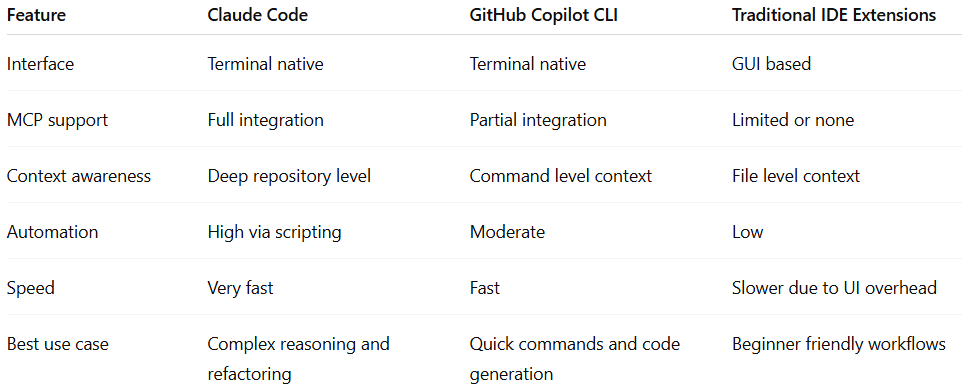
Tools like Claude Code focus on deep reasoning and repository understanding, while GitHub Copilot CLI excels at quick command generation and inline assistance. Both rely on MCP to expand their capabilities beyond static code suggestions.
Contextual repository intelligence in practice
Contextual Repository Intelligence means that AI agents understand not just individual files but the entire codebase. This includes structure, dependencies, commit history, and team conventions.
In real use cases:
- A developer debugging an API can ask the agent to trace the request flow across services
- A team can generate documentation automatically based on current code
- Refactoring tasks can be executed safely with awareness of dependencies
This level of intelligence is difficult to achieve in traditional IDE plugins, where context is often limited to open files.
Comparison of terminal tools and IDE extensions
Real world use cases
A startup team managing a SaaS platform uses MCP-enabled agents to connect their backend database, Git repository, and Jira board. Instead of switching tools, developers run a single terminal command to identify bugs, generate fixes, and update tickets.
Another example is a design-to-code pipeline. A frontend developer uses an MCP-enabled agent to pull Figma components and instantly convert them into reusable code. This reduces design handoff time from hours to minutes.
For DevOps teams, terminal agents can monitor logs, query infrastructure, and suggest optimizations in real time. This creates a more proactive workflow compared to reactive debugging.
Choosing between terminal agents and IDE tools
Terminal-based agents are better suited for experienced developers who value speed, automation, and flexibility. They are especially useful for large projects where understanding the full repository is critical.
IDE extensions still have value for onboarding and visual workflows. However, they often fall short when handling complex, multi-system interactions.
The shift is not about replacing IDEs completely. It is about moving core development tasks into environments where AI agents can operate with maximum context and minimal friction.
Conclusion
The rise of MCP and agentic terminals marks a major shift in how software is built. Tools like Claude Code and GitHub Copilot CLI show that the terminal is no longer just a developer tool. It is becoming the central hub for intelligent workflows powered by Tool Calling Agents and Contextual Repository Intelligence.
If you want to evaluate these tools and find the best fit for your workflow, platforms like Subscribed.fyi provide detailed comparisons, real user insights, and curated alternatives. Instead of guessing, you can make informed decisions and build smarter with the right AI-powered stack.
Relevant links