Sign in to review
Join our community of software reviewers on Subscribed.fyi

Continue With Google
Continue With LinkedIn
Continue Review with Email
Continue with Email
Enter your email to continue.
Continue
Enter your password
Enter your password to finish setting up your account.
Continue
Activate your email
Enter activation code we sent to your email.
Submit
Reset your password
Enter activation code we sent to your email.
Submit
Set your new password
Enter a new password for your account.
Submit
Log in
Provide My Insights
ChargeOver logo
ChargeOver logo

ChargeOver Reviews, Pricing, Features & Alternatives (2026)

ChargeOver is a subscription billing software designed to streamline recurring payment processes for businesses. It automates invoicing, payment collection, and dunning with customizable workflows and supports various billing models like metered, recurring, and one-off. With robust integrations, an intuitive API, and exceptional support, ChargeOver simplifies complex billing scenarios while ensuring flexibility. Its zero revenue fees and automation capabilities help businesses save time and scale effectively.

ChargeOver logo
ChargeOver logo
ChargeOver logo

ChargeOver Overview

What is ChargeOver?

N/A
★ ★ ★ ★ ★
0
Reviews

Available for Claim - This listing is available to be claimed
Claim Profile

Unclaimed

Claim this profile to manage it.

Claim Profile

Why teams choose ChargeOver

Key Features

Eco-Friendly
Eco-Friendly
Designed with sustainability in mind.
Secure by Design
Secure by Design
Data protection and compliance built in.
Seamless Integrations
Connect easily with your favorite tools.

Who is ChargeOver for?

ChargeOver is a comprehensive solution in the Subscription Management category, designed to help businesses manage recurring billing and subscription operations seamlessly. Ideal for both small and growing businesses, it automates the entire billing process, including invoicing, payment acceptance, and collection management. With native integrations for QuickBooks, Xero, Avalara, and Salesforce, among others, ChargeOver effortlessly connects with your existing tools, ensuring a smooth workflow.

ChargeOver emphasizes flexibility to cater to diverse billing needs, such as metered usage, recurring subscriptions, one-off charges, and complex hybrid setups. Its robust API, webhooks, and integration capabilities allow custom configurations, making it suitable for companies with unique billing models. With no revenue-sharing fees, ChargeOver ensures businesses retain more of their revenue while benefiting from powerful automation features.

Why Use ChargeOver?

Choosing ChargeOver offers several notable advantages:

  • Automated Billing: Streamline recurring billing processes with automatic invoicing, payment reminders, and dunning management to minimize overdue payments.
  • Flexible Customization: Tailor the invoicing, billing, and customer communication processes to align with your business requirements.
  • No Revenue Fees: Unlike some competitors, ChargeOver doesn’t charge a percentage of your revenue, allowing your business to grow without financial constraints.
  • Ease of Integration: Connect ChargeOver with popular systems like accounting software, payment gateways, and CRM tools for fully integrated billing management.
  • Exceptional Support: Benefit from a dedicated support team to assist with onboarding, daily operations, and technical needs, ensuring a positive user experience.

Who is ChargeOver For?

ChargeOver caters to a wide range of businesses looking to enhance their subscription billing operations:

  • SMBs: Small and medium-sized businesses seeking an affordable, scalable solution for automated invoicing and payments.
  • Enterprises: Organizations with complex billing workflows, including metered or usage-based models, can rely on ChargeOver’s flexibility.
  • SaaS and Subscription Services: Ideal for companies managing multiple subscription types or recurring customer billing models.

Explore exclusive deals to make the most of what ChargeOver has to offer. For alternatives, consider options like Billsby, Stripe Billing, and Chargebee.

ChargeOver Summary

ChargeOver is a comprehensive solution in the Subscription Management category, designed to help businesses manage recurring billing and subscription operations seamlessly. Ideal for both small and growing businesses, it automates the entire billing process, including invoicing, payment acceptance, and collection management. With native integrations for QuickBooks, Xero, Avalara, and Salesforce, among others, ChargeOver effortlessly connects with your existing tools, ensuring a smooth workflow.

ChargeOver emphasizes flexibility to cater to diverse billing needs, such as metered usage, recurring subscriptions, one-off charges, and complex hybrid setups. Its robust API, webhooks, and integration capabilities allow custom configurations, making it suitable for companies with unique billing models. With no revenue-sharing fees, ChargeOver ensures businesses retain more of their revenue while benefiting from powerful automation features.

Why Use ChargeOver?

Choosing ChargeOver offers several notable advantages:

  • Automated Billing: Streamline recurring billing processes with automatic invoicing, payment reminders, and dunning management to minimize overdue payments.
  • Flexible Customization: Tailor the invoicing, billing, and customer communication processes to align with your business requirements.
  • No Revenue Fees: Unlike some competitors, ChargeOver doesn’t charge a percentage of your revenue, allowing your business to grow without financial constraints.
  • Ease of Integration: Connect ChargeOver with popular systems like accounting software, payment gateways, and CRM tools for fully integrated billing management.
  • Exceptional Support: Benefit from a dedicated support team to assist with onboarding, daily operations, and technical needs, ensuring a positive user experience.

Who is ChargeOver For?

ChargeOver caters to a wide range of businesses looking to enhance their subscription billing operations:

  • SMBs: Small and medium-sized businesses seeking an affordable, scalable solution for automated invoicing and payments.
  • Enterprises: Organizations with complex billing workflows, including metered or usage-based models, can rely on ChargeOver’s flexibility.
  • SaaS and Subscription Services: Ideal for companies managing multiple subscription types or recurring customer billing models.

Explore exclusive deals to make the most of what ChargeOver has to offer. For alternatives, consider options like Billsby, Stripe Billing, and Chargebee.

ChargeOver reviews and insights

Learn what people say about ChargeOver

N/A ★ ★ ★ ★ ★
0 Reviews

No Reviews Yet!

Be the first to share your experience and help others in the community.

ChargeOver logo

ChargeOver User Reviews

0 User Reviews

Reviews from G2, Capterra, Trustpilot
info Icon

These ratings come directly from third-party platforms like G2, Capterra, and Trustpilot. They reflect real user feedback collected independently on those sites.

ChargeOver pricing

Pricing model

ChargeOver logo
Pricing Range
info Icon

This only an estimated pricing range, visit ChargeOver pricing page to access all the information by clicking “Visit Now”.

Not specified.
Deals Available

This product comes with a special deal, see details

Visit Now

Overview

ChargeOver is a comprehensive solution in the Subscription Management category, designed to help businesses manage recurring billing and subscription operations seamlessly. Ideal for both small and growing businesses, it automates the entire billing process, including invoicing, payment acceptance, and collection management. With native integrations for QuickBooks, Xero, Avalara, and Salesforce, among others, ChargeOver effortlessly connects with your existing tools, ensuring a smooth workflow.

ChargeOver emphasizes flexibility to cater to diverse billing needs, such as metered usage, recurring subscriptions, one-off charges, and complex hybrid setups. Its robust API, webhooks, and integration capabilities allow custom configurations, making it suitable for companies with unique billing models. With no revenue-sharing fees, ChargeOver ensures businesses retain more of their revenue while benefiting from powerful automation features.

Why Use ChargeOver?

Choosing ChargeOver offers several notable advantages:

  • Automated Billing: Streamline recurring billing processes with automatic invoicing, payment reminders, and dunning management to minimize overdue payments.
  • Flexible Customization: Tailor the invoicing, billing, and customer communication processes to align with your business requirements.
  • No Revenue Fees: Unlike some competitors, ChargeOver doesn’t charge a percentage of your revenue, allowing your business to grow without financial constraints.
  • Ease of Integration: Connect ChargeOver with popular systems like accounting software, payment gateways, and CRM tools for fully integrated billing management.
  • Exceptional Support: Benefit from a dedicated support team to assist with onboarding, daily operations, and technical needs, ensuring a positive user experience.

Who is ChargeOver For?

ChargeOver caters to a wide range of businesses looking to enhance their subscription billing operations:

  • SMBs: Small and medium-sized businesses seeking an affordable, scalable solution for automated invoicing and payments.
  • Enterprises: Organizations with complex billing workflows, including metered or usage-based models, can rely on ChargeOver’s flexibility.
  • SaaS and Subscription Services: Ideal for companies managing multiple subscription types or recurring customer billing models.

Explore exclusive deals to make the most of what ChargeOver has to offer. For alternatives, consider options like Billsby, Stripe Billing, and Chargebee.

Where ChargeOver performs best

What users like
  • Great customer support
  • Easy to set up and use
  • Flexible customization options
  • Automation saves time

Where ChargeOver falls short

What users dislike
  • Poor mobile app functionality
  • Limited dunning features
  • Lacks advanced invoice options
  • UI can be improved
ChargeOver Pricing Range
Not specified.

ChargeOver in action
info Icon

A curated gallery of real screenshots and use cases from the product, so you can see how it works before trying it.

ChargeOver screenshot 1 Full Screen Icon
ChargeOver screenshot 2 Full Screen Icon
https://www.youtube.com/watch?v=NwnP452VwVM
Full Screen Icon
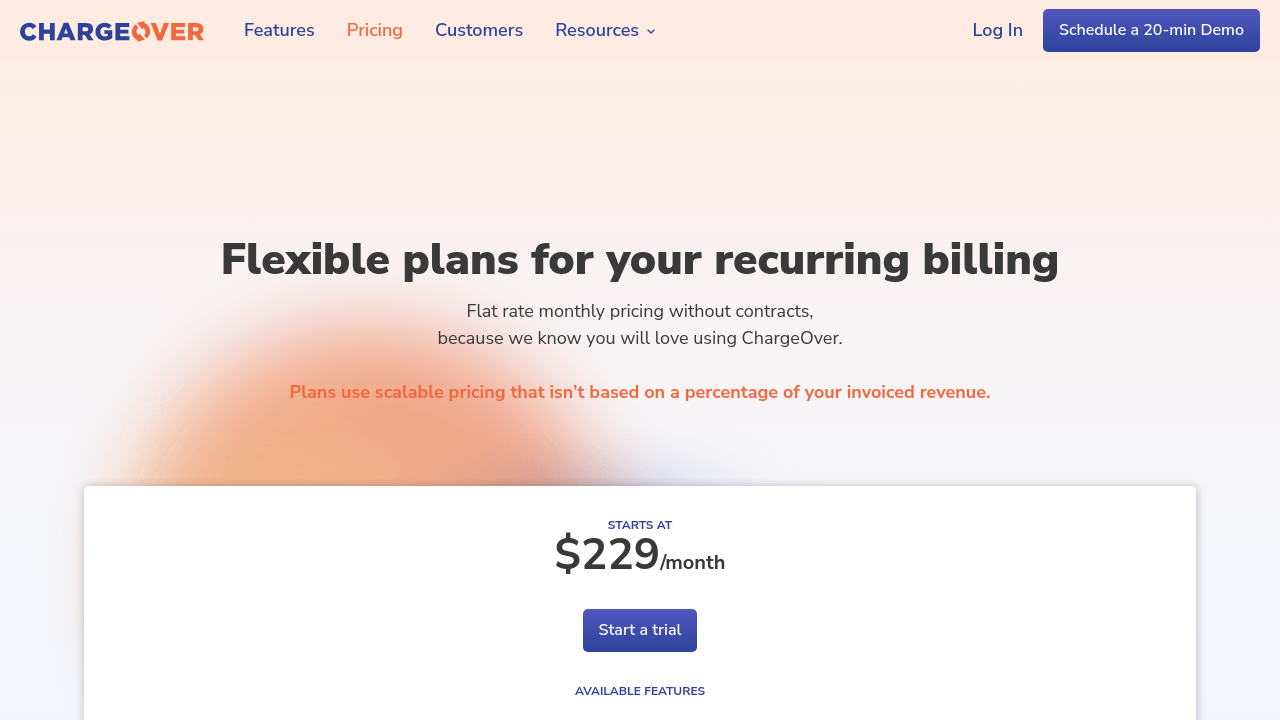
ChargeOver screenshot 1
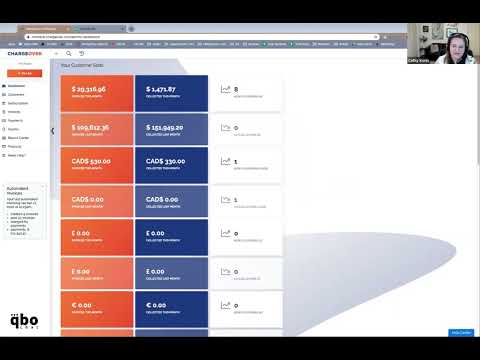
ChargeOver screenshot 2
Video thumbnail
ChargeOver screenshot 1
ChargeOver screenshot 2

Alternatives to ChargeOver
info Icon

A list of platforms similar to ChargeOver, helping you evaluate which tool best matches your needs.

How to cancel ChargeOver

Need to cancel ChargeOver? Here is how
info Icon

Thinking about how to cancel ChargeOver this is how you do it!

To cancel a ChargeOver subscription:

  • Locate the subscription.
  • Click the three vertical dots.
  • Select "Cancel Subscription."
  • Provide a reason and choose a cancellation date.

How to Cancel the ChargeOver

To cancel a ChargeOver subscription:

  • Locate the subscription.
  • Click the three vertical dots.
  • Select "Cancel Subscription."
  • Provide a reason and choose a cancellation date.

Manage your ChargeOver profile

Create profile

Want to list your product on Subscribed.fyi? Create a profile to reach more buyers.

Pricing Range
info Icon

This only an estimated pricing range, visit ChargeOver pricing page to access all the information by clicking “Visit Now”.

Not specified.
Visit Now
Deals Available

This product comes with a special deal, see details

This product comes with a special deal, see details