Microsoft 365 Reviews 2026: Details, Pricing, & Features | Subscribed.fyi
Sign in to review
Join our community of software reviewers on Subscribed.fyi

Continue With Google
Continue With LinkedIn
Continue Review with Email
Continue with Email
Enter your email to continue.
Continue
Enter your password
Enter your password to finish setting up your account.
Continue
Activate your email
Enter activation code we sent to your email.
Submit
Reset your password
Enter activation code we sent to your email.
Submit
Set your new password
Enter a new password for your account.
Submit
✨ Ask AI Search
Categories
For Business
Log in
Provide My Insights

Microsoft 365

4.7/5
(6)

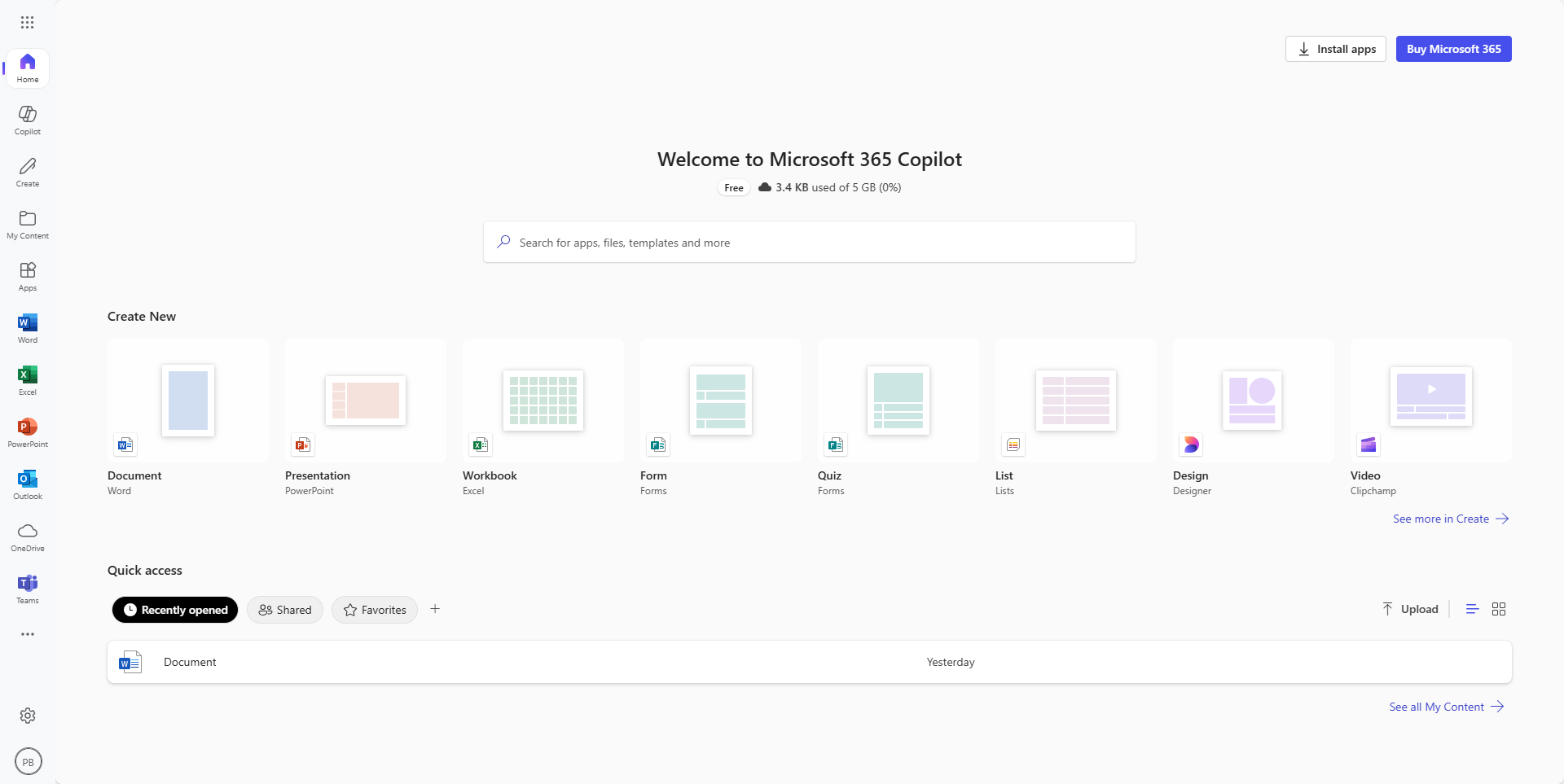
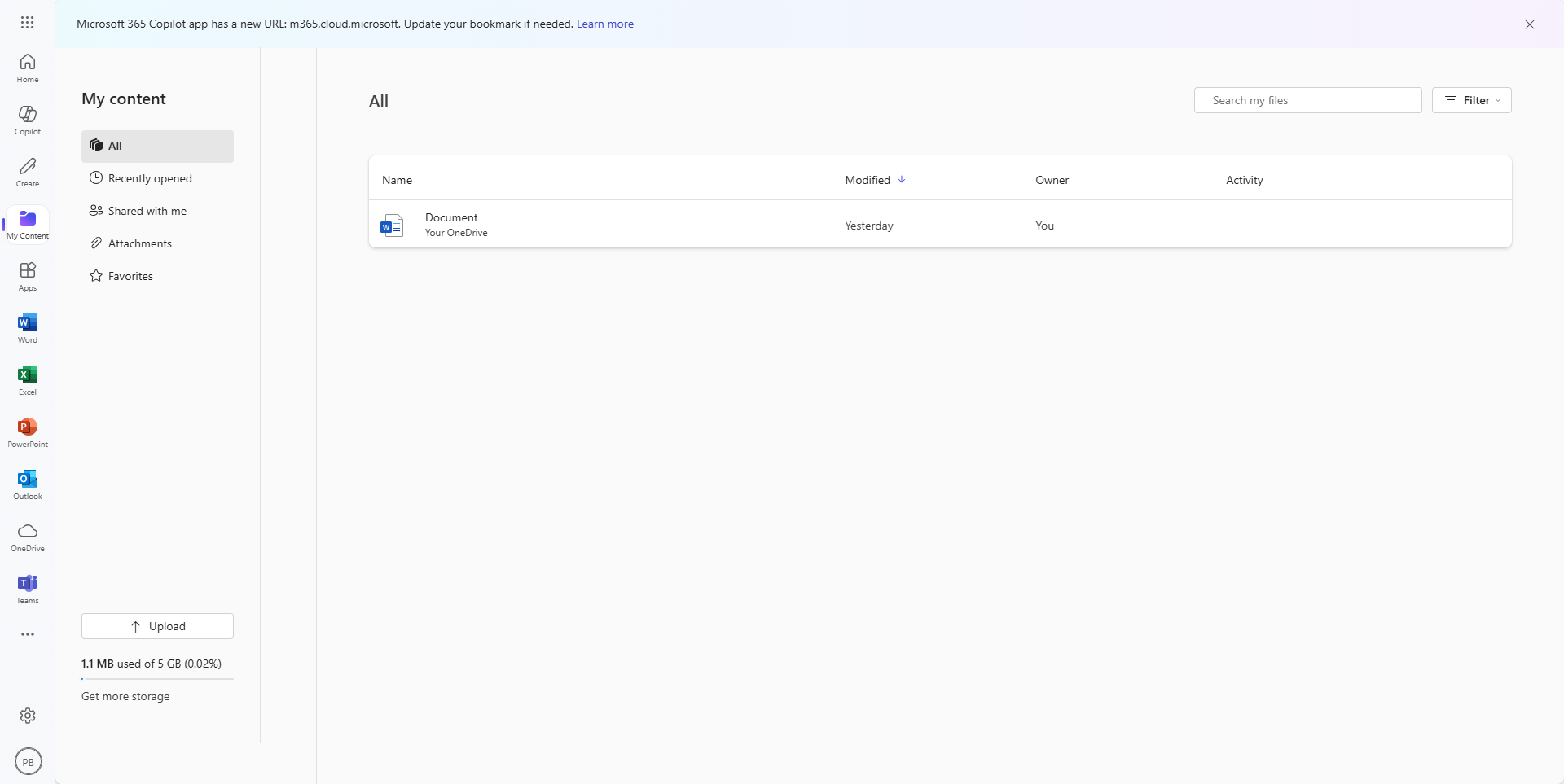
Microsoft 365 is a comprehensive suite of productivity tools and cloud services, offering applications like Word, Excel, and Teams, along with cloud storage and advanced security features. Ideal for individuals, teams, businesses, and educational institutions, it facilitates efficient collaboration and productivity.

Microsoft 365

4.7
6
Reviews
88%
Subscribed Score

Available for Claim - This listing is available to be claimed
Claim For Free

Unclaimed

Curated and listed by Subscribed Team

Claim For Free
Works Anywhere
Works Anywhere
Accessible from any device, anytime.
Plug & Play Setup
Plug & Play Setup
Get started in minutes, not weeks.
Smart Automation
Smart Automation
Save time with AI-powered workflows.

What is Microsoft 365?

Microsoft 365 is a comprehensive suite of productivity tools and cloud services offered by Microsoft. Formerly known as Office 365, Microsoft 365 combines familiar applications like Word, Excel, and PowerPoint with collaboration services, cloud storage, and advanced security features. It is designed to empower individuals and organizations to create, collaborate, and manage their work efficiently in the modern digital landscape.

Why Use Microsoft 365?

In the realm of productivity and collaboration software, Microsoft 365 excels by:

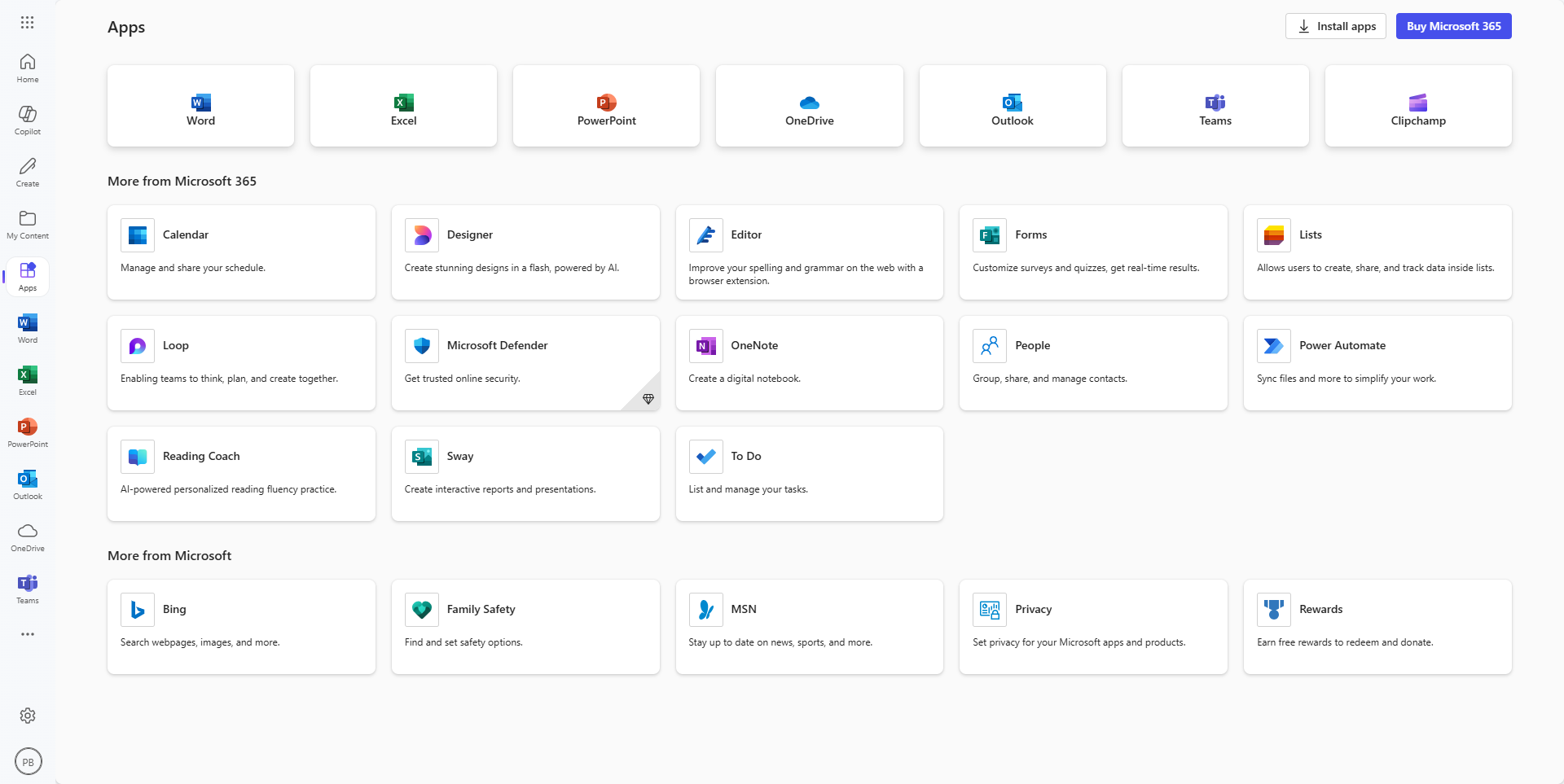
  • Office Applications: Microsoft 365 includes the latest versions of popular office applications such as Word, Excel, PowerPoint, and Outlook, enabling users to create, edit, and share documents seamlessly.
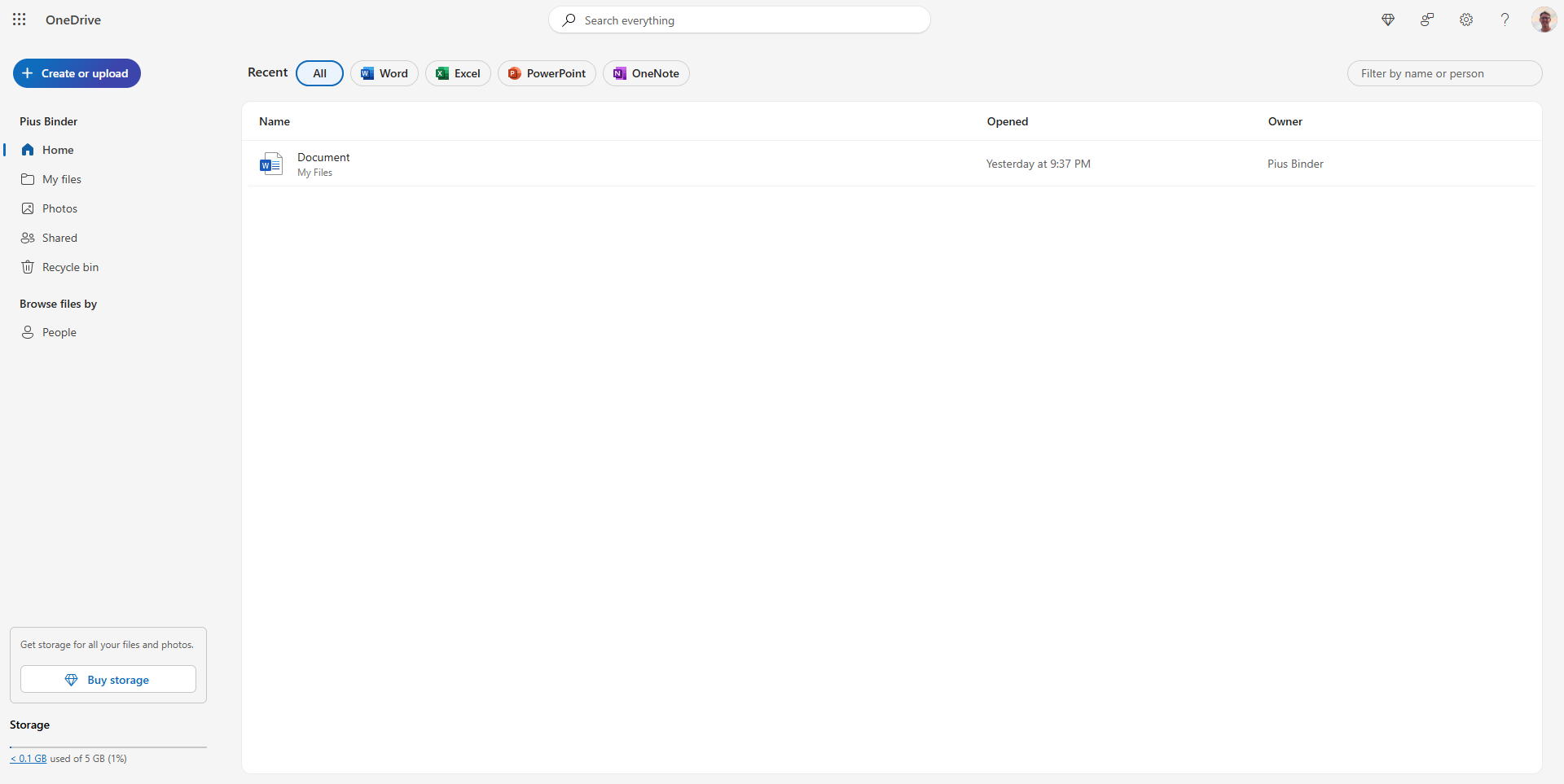
  • Cloud Storage with OneDrive: Users benefit from cloud storage with OneDrive, allowing them to access documents, files, and photos from any device, collaborate in real time, and ensure data consistency.
  • Collaboration Tools: Microsoft 365 provides collaborative features through applications like Microsoft Teams, facilitating real-time communication, video conferencing, and project collaboration for teams.
  • Advanced Security Features: Security is a priority with Microsoft 365, offering advanced features such as threat protection, information protection, and identity management to safeguard user data and communications.

Who is Microsoft 365 For?

Microsoft 365 is suitable for a diverse range of users, including:

  • Business Professionals: Business professionals use Microsoft 365 for creating and sharing documents, managing emails, and collaborating with colleagues using integrated productivity tools.
  • Teams and Organizations: Microsoft 365 is ideal for teams and organizations of all sizes, providing a centralized platform for communication, collaboration, and document management.
  • Educational Institutions: Educational institutions leverage Microsoft 365 to support online learning, facilitate collaboration among students and educators, and enhance the overall educational experience.
  • Individuals: Individuals benefit from Microsoft 365 for personal use, enjoying access to a suite of productivity tools and cloud services to organize and manage personal tasks and projects.

Microsoft 365 is a versatile and integrated solution for individuals and organizations seeking a comprehensive suite of productivity tools and cloud services. Whether you’re a business professional, part of a team, an educator, or an individual user, Microsoft 365 provides the tools needed to enhance collaboration, productivity, and overall work efficiency.


Microsoft 365 Summary

What is Microsoft 365?

Microsoft 365 is a comprehensive suite of productivity tools and cloud services offered by Microsoft. Formerly known as Office 365, Microsoft 365 combines familiar applications like Word, Excel, and PowerPoint with collaboration services, cloud storage, and advanced security features. It is designed to empower individuals and organizations to create, collaborate, and manage their work efficiently in the modern digital landscape.

Why Use Microsoft 365?

In the realm of productivity and collaboration software, Microsoft 365 excels by:

  • Office Applications: Microsoft 365 includes the latest versions of popular office applications such as Word, Excel, PowerPoint, and Outlook, enabling users to create, edit, and share documents seamlessly.
  • Cloud Storage with OneDrive: Users benefit from cloud storage with OneDrive, allowing them to access documents, files, and photos from any device, collaborate in real time, and ensure data consistency.
  • Collaboration Tools: Microsoft 365 provides collaborative features through applications like Microsoft Teams, facilitating real-time communication, video conferencing, and project collaboration for teams.
  • Advanced Security Features: Security is a priority with Microsoft 365, offering advanced features such as threat protection, information protection, and identity management to safeguard user data and communications.

Who is Microsoft 365 For?

Microsoft 365 is suitable for a diverse range of users, including:

  • Business Professionals: Business professionals use Microsoft 365 for creating and sharing documents, managing emails, and collaborating with colleagues using integrated productivity tools.
  • Teams and Organizations: Microsoft 365 is ideal for teams and organizations of all sizes, providing a centralized platform for communication, collaboration, and document management.
  • Educational Institutions: Educational institutions leverage Microsoft 365 to support online learning, facilitate collaboration among students and educators, and enhance the overall educational experience.
  • Individuals: Individuals benefit from Microsoft 365 for personal use, enjoying access to a suite of productivity tools and cloud services to organize and manage personal tasks and projects.

Microsoft 365 is a versatile and integrated solution for individuals and organizations seeking a comprehensive suite of productivity tools and cloud services. Whether you’re a business professional, part of a team, an educator, or an individual user, Microsoft 365 provides the tools needed to enhance collaboration, productivity, and overall work efficiency.

Microsoft 365 reviews

Learn what people say about Microsoft 365

4.7
6 Reviews
88%
Subscribed Score

Lear more here about the Subscribed score on how it is composed. Learn more Click here

Overall rating

5
4
3
2
1
CX 4/6

How good is the customer support based on subscribed’s assessment

CX Icon
Security 5/6

How secure is the product based on Subscribed’s assessment?

Security Icon
Ease of Use 6/6

How easy is the product to use, based on Subscribed’s assessment?

EOU Icon
Value 4/6

What is the value for money based on Subscribed’s assessment?

coin Icon
Integration 6/6

How many integrations does the product offer?

gear Icon
Popularity 6/6

How popular is the product?

star
SAIF ULLAH Organic
1 week ago
Share
What do you like best about this product?
I use different features of microsoft 365 in my different tasks. it really helpful in different office tasks.
What’s been frustrating in your experience?
Its premium cost is too much for normal users. make it cost effective and also make it easy to use because using its features need some experience and guideline.
What new feature would you love to see added?
Enhance the user experience, add Ai powered features then i think it will be smooth.
Final thoughts, wrap up what you think
I recommend Microsoft 365 to my friends that are needed like data entry and office work.
Upvote
ruhimirpuri Organic
Freelancer
1 week ago
Share
What exceeded your expectations?
Microsoft 365 offers a powerful suite of tools like Word, Excel, and PowerPoint that work well together. The cloud storage and collaboration features make it easy to work on files from anywhere and share them with others. The reliability and professional features exceeded my expectations.
Have you experienced any bugs or errors?
The subscription cost can feel expensive for some users. Occasionally, updates or syncing issues with cloud storage can cause minor disruptions. Some features across apps can also feel complex for beginners.
What new feature would you love to see added?
Microsoft 365 could become even better by adding more AI-powered productivity tools and simplifying certain workflows between apps. Improved collaboration features and smoother integration with third-party tools would also add value.
Final thoughts, wrap up what you think
I would recommend Microsoft 365 because it provides a comprehensive set of professional tools that are widely used and reliable. It’s especially valuable for productivity, collaboration, and document management.
Upvote
Elizabeth Hermance Invitation
Wordpress developer
See My Portfolio
1 week ago
Share
What’s the biggest benefit you’ve noticed?
For day-to-day work, Microsoft 365 makes a lot of things easier. Email, documents, spreadsheets, meetings, and file storage are all connected, so I do not have to jump around as much.
What do you dislike about this product?
What I do not love is that it can sometimes feel too big and a little messy. There are a lot of apps and settings, and once in a while syncing or login issues get annoying.
If you could change one thing, what would it be?
I would make the whole experience feel more unified. Some parts work really well together, but other parts still feel like separate products instead of one smooth system.
Final thoughts, wrap up what you think
I would rate it a 9 because it is useful for almost any kind of office or business work. I am not giving it a 10 because it can still feel heavy and more complicated than it should.
Upvote
M Raza Akhter Organic
QA Engineer
1 week ago
Share
What feature do you use most often?
Microsoft 365 is unique in its proper integration between the applications such as Word, Excel, and Teams, and sharing documents and teamwork is extremely easy. My most frequent use of tools is Excel and Teams to manage data and exchange materials every day
What slows you down when using it?
There are those that are heavy and sluggish at times when handling big files. The two interfaces in Web and desktop versions are also confusing sometimes.
What new feature would you love to see added?
Microsoft 365 is highly elastic and capable of being enhanced further with improved AI-based automation of documents, emails, and meetings. I would like to have smarter cross app task tracking which automatically links emails, chats, and files into workable processes.
Final thoughts, wrap up what you think
I would score it high on the basis that Microsoft 365 is a dependable, cross-compatibility, and all-inclusive productivity tool. It has a powerful collaboration tools and a professional ecosystem, which I would recommend to colleagues and friends.
Upvote

Microsoft 365 User Reviews

6 User Reviews

SAIF ULLAH Organic
1 week ago
Share
What do you like best about this product?
I use different features of microsoft 365 in my different tasks. it really helpful in different office tasks.
What’s been frustrating in your experience?
Its premium cost is too much for normal users. make it cost effective and also make it easy to use because using its features need some experience and guideline.
What new feature would you love to see added?
Enhance the user experience, add Ai powered features then i think it will be smooth.
Final thoughts, wrap up what you think
I recommend Microsoft 365 to my friends that are needed like data entry and office work.
Upvote
ruhimirpuri Organic
Freelancer
1 week ago
Share
What exceeded your expectations?
Microsoft 365 offers a powerful suite of tools like Word, Excel, and PowerPoint that work well together. The cloud storage and collaboration features make it easy to work on files from anywhere and share them with others. The reliability and professional features exceeded my expectations.
Have you experienced any bugs or errors?
The subscription cost can feel expensive for some users. Occasionally, updates or syncing issues with cloud storage can cause minor disruptions. Some features across apps can also feel complex for beginners.
What new feature would you love to see added?
Microsoft 365 could become even better by adding more AI-powered productivity tools and simplifying certain workflows between apps. Improved collaboration features and smoother integration with third-party tools would also add value.
Final thoughts, wrap up what you think
I would recommend Microsoft 365 because it provides a comprehensive set of professional tools that are widely used and reliable. It’s especially valuable for productivity, collaboration, and document management.
Upvote
Elizabeth Hermance Invitation
Wordpress developer
See My Portfolio
1 week ago
Share
What’s the biggest benefit you’ve noticed?
For day-to-day work, Microsoft 365 makes a lot of things easier. Email, documents, spreadsheets, meetings, and file storage are all connected, so I do not have to jump around as much.
What do you dislike about this product?
What I do not love is that it can sometimes feel too big and a little messy. There are a lot of apps and settings, and once in a while syncing or login issues get annoying.
If you could change one thing, what would it be?
I would make the whole experience feel more unified. Some parts work really well together, but other parts still feel like separate products instead of one smooth system.
Final thoughts, wrap up what you think
I would rate it a 9 because it is useful for almost any kind of office or business work. I am not giving it a 10 because it can still feel heavy and more complicated than it should.
Upvote
M Raza Akhter Organic
QA Engineer
1 week ago
Share
What feature do you use most often?
Microsoft 365 is unique in its proper integration between the applications such as Word, Excel, and Teams, and sharing documents and teamwork is extremely easy. My most frequent use of tools is Excel and Teams to manage data and exchange materials every day
What slows you down when using it?
There are those that are heavy and sluggish at times when handling big files. The two interfaces in Web and desktop versions are also confusing sometimes.
What new feature would you love to see added?
Microsoft 365 is highly elastic and capable of being enhanced further with improved AI-based automation of documents, emails, and meetings. I would like to have smarter cross app task tracking which automatically links emails, chats, and files into workable processes.
Final thoughts, wrap up what you think
I would score it high on the basis that Microsoft 365 is a dependable, cross-compatibility, and all-inclusive productivity tool. It has a powerful collaboration tools and a professional ecosystem, which I would recommend to colleagues and friends.
Upvote
Kavinda Aludeniya Organic
Software Engineer
See My Portfolio
1 week ago
Share
How has it made your work/life easier?
Microsoft 365 is a most wanted tool in my day to day works. it offers various valuable tools like Word, Excel, Outlook and Teams. It is very easy to manage documents and do my daily tasks.
What do you dislike about this product?
The monthly subscription fee is little bit higher.
What’s still missing for your needs?
The MS 365 apps should develop with more lighter. Also should integrate with AI features to simplify the tasks.
Final thoughts, wrap up what you think
MS 365 is a very useful tool for improve our productivity. It have many tools. We can do everything from single subscription instead of many other tools subscriptions.
Upvote
saiprasanna sabinikari Incentivized
Senior Test Engineer
1 week ago
Share
How does this compare to similar products you’ve tried?
I think world wakes up and sleeps using the MS 365 apps we all mostly people in corporate survive by using MS 365 outlook, OneNote, teams, word, excel. Using these all are the biggest pros.
What feels confusing or hard to use?
Nothing for now
Is there a workflow that could be simpler?
It already made most of our work simpler and happy using this for now.
Final thoughts, wrap up what you think
MS 365 alone does wonders It's integration with many products additionally like AI tools such as copilot also makes life easy just a prompt and the content generation made easy email sending's, teams meeting notes, overviews and much more. So, I highly recommend this to everyone
Upvote
Reviews from G2, Capterra, Trustpilot
info Icon

These ratings come directly from third-party platforms like G2, Capterra, and Trustpilot. They reflect real user feedback collected independently on those sites.

Microsoft 365

Pricing Range
info Icon

This only an estimated pricing range, visit Microsoft 365 pricing page to access all the information by clicking “Visit Now”.

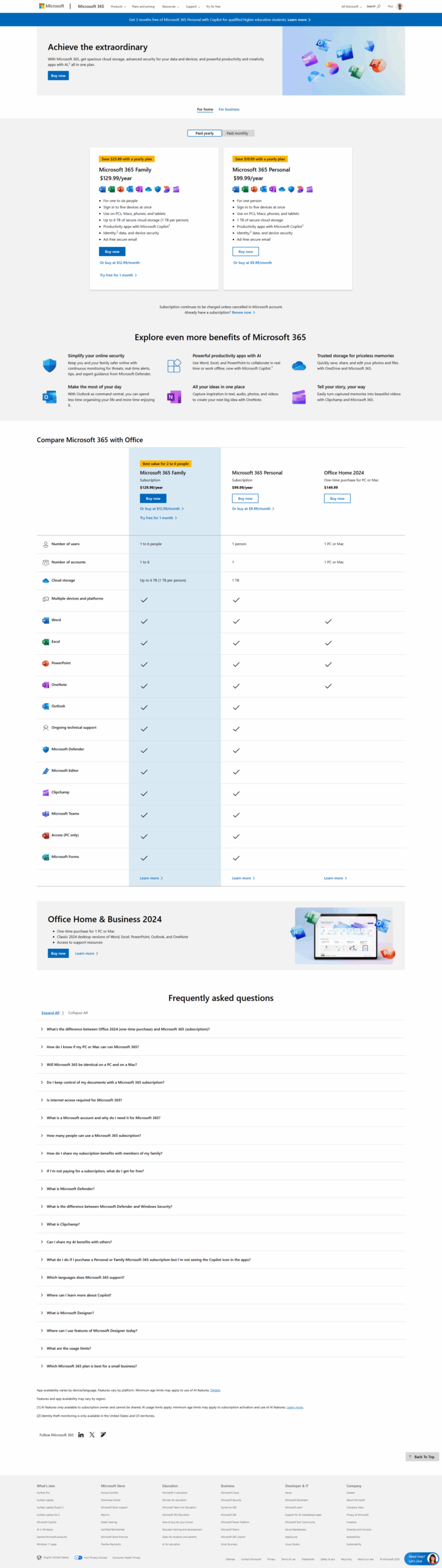
$14-$24 / Month
Deals Available

This product comes with a special deal, see details

Visit Now
✨ Ask AI about pricing
88% Subscribed Score
info Icon

The Subscribed Score is an independent rating that combines user reviews, features, and value-for-money from multiple trusted sources. It’s designed as a quick benchmark, not a guarantee of individual experience.

Analysis

What is Microsoft 365?

Microsoft 365 is a comprehensive suite of productivity tools and cloud services offered by Microsoft. Formerly known as Office 365, Microsoft 365 combines familiar applications like Word, Excel, and PowerPoint with collaboration services, cloud storage, and advanced security features. It is designed to empower individuals and organizations to create, collaborate, and manage their work efficiently in the modern digital landscape.

Why Use Microsoft 365?

In the realm of productivity and collaboration software, Microsoft 365 excels by:

  • Office Applications: Microsoft 365 includes the latest versions of popular office applications such as Word, Excel, PowerPoint, and Outlook, enabling users to create, edit, and share documents seamlessly.
  • Cloud Storage with OneDrive: Users benefit from cloud storage with OneDrive, allowing them to access documents, files, and photos from any device, collaborate in real time, and ensure data consistency.
  • Collaboration Tools: Microsoft 365 provides collaborative features through applications like Microsoft Teams, facilitating real-time communication, video conferencing, and project collaboration for teams.
  • Advanced Security Features: Security is a priority with Microsoft 365, offering advanced features such as threat protection, information protection, and identity management to safeguard user data and communications.

Who is Microsoft 365 For?

Microsoft 365 is suitable for a diverse range of users, including:

  • Business Professionals: Business professionals use Microsoft 365 for creating and sharing documents, managing emails, and collaborating with colleagues using integrated productivity tools.
  • Teams and Organizations: Microsoft 365 is ideal for teams and organizations of all sizes, providing a centralized platform for communication, collaboration, and document management.
  • Educational Institutions: Educational institutions leverage Microsoft 365 to support online learning, facilitate collaboration among students and educators, and enhance the overall educational experience.
  • Individuals: Individuals benefit from Microsoft 365 for personal use, enjoying access to a suite of productivity tools and cloud services to organize and manage personal tasks and projects.

Microsoft 365 is a versatile and integrated solution for individuals and organizations seeking a comprehensive suite of productivity tools and cloud services. Whether you’re a business professional, part of a team, an educator, or an individual user, Microsoft 365 provides the tools needed to enhance collaboration, productivity, and overall work efficiency.

Pros
  • Seamless app and cloud integration
  • Collaboration tools with real-time updates
  • Wide range of productivity features
  • Access across multiple devices
Cons
  • Subscription costs can be high
  • Occasional syncing issues
  • Limited integration with non-Microsoft tools
  • Complexity for new users
Subscribed Score Metrics
31/36 Metric achieved
MetricsScore
Customer Support4/6
Security5/6
Ease of Use6/6
Value of Money4/6
Integration6/6
Popularity6/6
Radar Chart Table View
Ease of Use
Measures how simple and intuitive the product is to use, including setup, navigation, and overall user experience
6/6 Metric Checks
Security
Compares the product`s features, quality, and pricing to determine its overall cost-effectiveness.

5/6 Metric Checks
Value of Money
Assesses the product`s ability to protect data, prevent breaches, and comply with industry standards.
4/6 Metric Checks
Customer Support
Reflects the responsiveness, helpfulness, and quality of assistance provided by the product`s support team.
4/6 Metric Checks
Integrations
Evaluates how well the product connects with other tools and platforms, enabling seamless workflows.
6/6 Metric Checks
Microsoft 365 Pricing Range
$14-$24 / Month

Microsoft 365 Showcase
info Icon

A curated gallery of real screenshots and use cases from the product, so you can see how it works before trying it.

Full Screen Icon
Full Screen Icon
Full Screen Icon
Full Screen Icon
Full Screen Icon
Full Screen Icon
Full Screen Icon
Full Screen Icon
Full Screen Icon
Full Screen Icon

What else exists next to Microsoft 365
info Icon

A list of platforms similar to Microsoft 365, helping you evaluate which tool best matches your needs.

Need to cancel Microsoft 365? Here is how
info Icon

Thinking about how to cancel Microsoft 365 this is how you do it!

Steps to Cancel Microsoft 365 Subscription.

Canceling your Microsoft 365 subscription is a simple process. For detailed instructions, please refer to the official Microsoft support page: Microsoft 365 Subscription Cancellation Guide.

How to Cancel the Microsoft 365

Steps to Cancel Microsoft 365 Subscription.

Canceling your Microsoft 365 subscription is a simple process. For detailed instructions, please refer to the official Microsoft support page: Microsoft 365 Subscription Cancellation Guide.

Every else you need to know about Microsoft 365
info Icon

A collection of FAQs, guides, alternatives, and comparisons to help you quickly understand if Microsoft 365 is right for you.

Pricing Range
info Icon

This only an estimated pricing range, visit Microsoft 365 pricing page to access all the information by clicking “Visit Now”.

$14-$24 / Month
Visit Now
Deals Available

This product comes with a special deal, see details

This product comes with a special deal, see details