Notability Overview of Reviews & Product Details - 2025
Log in to leave your review.
Join our community of software reviewers on Subscribed.fyi

Continue With Google
Continue With LinkedIn
Continue With X.xom
Continue Review with Email
Continue with Email
Enter your email to continue.
Continue
Enter your password
Enter your password to finish setting up your account.
Continue
Reset your password
Enter activation code we sent to your email.
Submit
Set your new password
Enter a new password for your account.
Submit
✨ Ask AI Search
Categories
For Business
Log in
Share Insight

Notability

Notability is a versatile note-taking app designed for students, professionals, and creatives. It allows users to write, draw, annotate PDFs, and record audio with intuitive tools. Its features include synchronization across devices, organizational tools like tags, and the ability to combine text, handwriting, and multimedia. Ideal for enhancing productivity and capturing ideas, Notability stands out for its seamless user experience.

Notability

N/A
0
Reviews
72%
Subscribed Score

Available for Claim - This listing is available to be claimed
Claim This Site

Unclaimed

Curated and listed by Subscribed Team

Claim This Site
Real-Time Updates
Real-Time Updates
See changes instantly, no delays.
No-Code Simplicity
No-Code Simplicity
Launch without writing a single line of code.
Scales with You
Scales with You
Grows with your business needs.

Notability Overview

Notability is a comprehensive digital note-taking app, standing out in the competitive Note Taking category. Designed for users across various professions, it offers a versatile platform for creating, organizing, and editing notes digitally. Ideal for students, educators, creatives, and professionals, Notability combines robust functionality with user-friendly features to ensure productivity in note management. Explore exclusive deals to get started.

Why Use Notability?

Choosing Notability offers a range of benefits:

  • Comprehensive Note-Taking Tools: Notability supports handwriting, text, and drawing. Accompanied by tools like highlighters, shape creators, and pressure-sensitive pens, it’s adaptable for a variety of tasks.
  • Audio Synchronization: A standout feature, audio recording syncs with handwritten notes, allowing users to revisit specific parts of lectures or meetings.
  • PDF Annotation: Easily annotate and edit PDFs, making it valuable for contract reviews, design feedback, or study materials.
  • Seamless Organization: Organize notes with folders and tags for effortless retrieval and management.
  • Cloud Syncing: Cross-device synchronization ensures notes are available anytime on Apple devices.

Who is Notability For?

Notability is designed for a diverse audience:

  • Students and Educators: Perfect for creating lecture notes, study guides, or annotating class materials.
  • Professionals: Useful for managing meeting notes, sketching, or brainstorming sessions.
  • Creatives: Facilitate storyboarding, illustrating, or project planning.
  • Families: Streamline planning, organizing tasks, or sharing notes across members.

With its robust functionality, mobility, and intuitive design, Notability is well-suited for various applications, allowing users to optimize productivity in their personal and professional lives.

Alternative Options

For other premium note-taking apps, consider: Microsoft OneNotePlottr, or Monday.com.

Notability Summary

Notability Overview

Notability is a comprehensive digital note-taking app, standing out in the competitive Note Taking category. Designed for users across various professions, it offers a versatile platform for creating, organizing, and editing notes digitally. Ideal for students, educators, creatives, and professionals, Notability combines robust functionality with user-friendly features to ensure productivity in note management. Explore exclusive deals to get started.

Why Use Notability?

Choosing Notability offers a range of benefits:

  • Comprehensive Note-Taking Tools: Notability supports handwriting, text, and drawing. Accompanied by tools like highlighters, shape creators, and pressure-sensitive pens, it’s adaptable for a variety of tasks.
  • Audio Synchronization: A standout feature, audio recording syncs with handwritten notes, allowing users to revisit specific parts of lectures or meetings.
  • PDF Annotation: Easily annotate and edit PDFs, making it valuable for contract reviews, design feedback, or study materials.
  • Seamless Organization: Organize notes with folders and tags for effortless retrieval and management.
  • Cloud Syncing: Cross-device synchronization ensures notes are available anytime on Apple devices.

Who is Notability For?

Notability is designed for a diverse audience:

  • Students and Educators: Perfect for creating lecture notes, study guides, or annotating class materials.
  • Professionals: Useful for managing meeting notes, sketching, or brainstorming sessions.
  • Creatives: Facilitate storyboarding, illustrating, or project planning.
  • Families: Streamline planning, organizing tasks, or sharing notes across members.

With its robust functionality, mobility, and intuitive design, Notability is well-suited for various applications, allowing users to optimize productivity in their personal and professional lives.

Alternative Options

For other premium note-taking apps, consider: Microsoft OneNotePlottr, or Monday.com.

Notability reviews

Learn what people say about Notability

N/A
0 Reviews
72%
Subscribed Score

Lear more here about the Subscribed score on how it is composed. Learn more Click here

Overall rating

5
4
3
2
1
CX 5/6

How good is the customer support based on subscribed’s assessment

CX Icon
Security 4/6

How secure is the product based on Subscribed’s assessment?

Security Icon
Ease of Use 6/6

How easy is the product to use, based on Subscribed’s assessment?

EOU Icon
Value 4/6

What is the value for money based on Subscribed’s assessment?

coin Icon
Integration 3/6

How many integrations does the product offer?

gear Icon
Popularity 4/6

How popular is the product?

star

No Reviews Yet!

Be the first to share your experience and help others in the community.

Reviews from G2, Capterra, Trustpilot
info Icon

These ratings come directly from third-party platforms like G2, Capterra, and Trustpilot. They reflect real user feedback collected independently on those sites.

This is coming soon with our subscribed-x launch, the human ai software evolution, stay tuned

Notability

Pricing Range
info Icon

This only an estimated pricing range, visit Notability pricing page to access all the information by clicking “Visit Now”.

$2.99 / Month
Deals Available

This product comes with a special deal, see details

Visit Now
✨ Ask AI about pricing
72% Subscribed Score
info Icon

The Subscribed Score is an independent rating that combines user reviews, features, and value-for-money from multiple trusted sources. It’s designed as a quick benchmark, not a guarantee of individual experience.

Analysis

Notability Overview

Notability is a comprehensive digital note-taking app, standing out in the competitive Note Taking category. Designed for users across various professions, it offers a versatile platform for creating, organizing, and editing notes digitally. Ideal for students, educators, creatives, and professionals, Notability combines robust functionality with user-friendly features to ensure productivity in note management. Explore exclusive deals to get started.

Why Use Notability?

Choosing Notability offers a range of benefits:

  • Comprehensive Note-Taking Tools: Notability supports handwriting, text, and drawing. Accompanied by tools like highlighters, shape creators, and pressure-sensitive pens, it’s adaptable for a variety of tasks.
  • Audio Synchronization: A standout feature, audio recording syncs with handwritten notes, allowing users to revisit specific parts of lectures or meetings.
  • PDF Annotation: Easily annotate and edit PDFs, making it valuable for contract reviews, design feedback, or study materials.
  • Seamless Organization: Organize notes with folders and tags for effortless retrieval and management.
  • Cloud Syncing: Cross-device synchronization ensures notes are available anytime on Apple devices.

Who is Notability For?

Notability is designed for a diverse audience:

  • Students and Educators: Perfect for creating lecture notes, study guides, or annotating class materials.
  • Professionals: Useful for managing meeting notes, sketching, or brainstorming sessions.
  • Creatives: Facilitate storyboarding, illustrating, or project planning.
  • Families: Streamline planning, organizing tasks, or sharing notes across members.

With its robust functionality, mobility, and intuitive design, Notability is well-suited for various applications, allowing users to optimize productivity in their personal and professional lives.

Alternative Options

For other premium note-taking apps, consider: Microsoft OneNotePlottr, or Monday.com.

Pros
  • User-friendly and intuitive interface
  • Supports synchronization across devices
  • Audio recording syncs with notes
  • Effective organization with folders and tags
Cons
  • Lack of Windows OS support
  • Subscription model criticism
  • Limited real-time collaboration
  • Slow cloud syncing at times
Subscribed Score Metrics
26/36 Metric achieved
MetricsScore
Customer Support5/6
Security4/6
Ease of Use6/6
Value of Money4/6
Integration3/6
Popularity4/6
Radar Chart Table View
Ease of Use
Measures how simple and intuitive the product is to use, including setup, navigation, and overall user experience
6/6 Metric Checks
Security
Compares the product`s features, quality, and pricing to determine its overall cost-effectiveness.
4/6 Metric Checks
Value of Money
Assesses the product`s ability to protect data, prevent breaches, and comply with industry standards.
4/6 Metric Checks
Customer Support
Reflects the responsiveness, helpfulness, and quality of assistance provided by the product`s support team.
5/6 Metric Checks
Integrations
Evaluates how well the product connects with other tools and platforms, enabling seamless workflows.
3/6 Metric Checks
Notability Pricing Range
$2.99 / Month

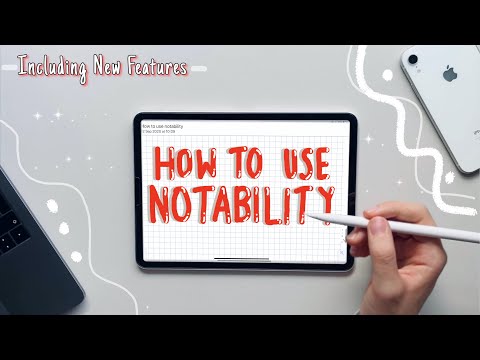
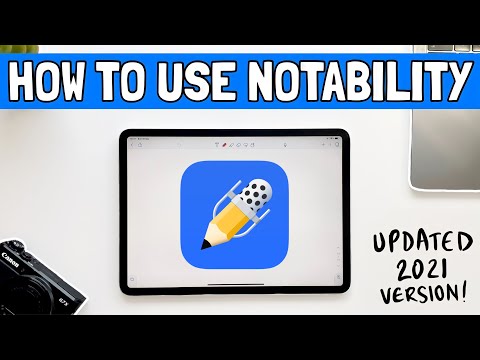
Notability Showcase
info Icon

A curated gallery of real screenshots and use cases from the product, so you can see how it works before trying it.

Notability Full Screen Icon
https://www.youtube.com/watch?v=lQjrQWIeotw
Full Screen Icon
https://www.youtube.com/watch?v=vtnSaD1dyaY
Full Screen Icon
Notability
Notability

What else exists next to Notability
info Icon

A list of platforms similar to Notability, helping you evaluate which tool best matches your needs.

Need to cancel Notability? Here is how
info Icon

Thinking about how to cancel Notability this is how you do it!

To cancel a Notability subscription:

  • Go to account.apple.com and sign in with your Apple ID.
  • Navigate to the Subscriptions section.
  • Find the Notability subscription and tap ‘Cancel Subscription’.
  • Confirm the cancellation.

This process applies since Notability subscriptions are managed through Apple’s subscription services.

How to Cancel the Notability

To cancel a Notability subscription:

  • Go to account.apple.com and sign in with your Apple ID.
  • Navigate to the Subscriptions section.
  • Find the Notability subscription and tap ‘Cancel Subscription’.
  • Confirm the cancellation.

This process applies since Notability subscriptions are managed through Apple’s subscription services.

Every else you need to know about Notability
info Icon

A collection of FAQs, guides, alternatives, and comparisons to help you quickly understand if Notability is right for you.

Pricing Range
info Icon

This only an estimated pricing range, visit Notability pricing page to access all the information by clicking “Visit Now”.

$2.99 / Month
Deals Available

This product comes with a special deal, see details

This product comes with a special deal, see details

Visit Now