Project management tools like , Notion, Basecamp, Lark, Slack, Asana and Trello.
AI chatbot tools like ChatGPT, Grok, Perplexity, Claude, Gemini and Copilot.
Marketing analytics platforms like Google Analytics, Similarweb and Semrush.
CRM systems like HubSpot, Apollo.io Pipedrive, Zoho CRM, and Salesforce.
VPNs, SSO providers, and password managers like NordVPN, Okta, and LastPass.
Email marketing and campaign tools like MailerLite, Instantly, and Mailchimp.
Website builders, hosting tools like Hostinger, Webflow, Framer, and Shopify
HR and recruiting software like ATS platforms, BambooHR, Workday, and Lever.
Automate finances with confidence like Quickbooks, Stripe, Brex, and Mercury.
Design and editing tools like Figma, Canva, Adobe Creative Cloud, CapCut.
Workflow automation tools like Zapier, Make, Clay, and Reclaim.ai.
No-code and AI-native dev tools like Cursor, Windsurf, Lovable and Bubble.
Chat to find tools, compare options,
Discover the best-performing
Add your software and get discovered.
Take ownership of your Subscribed.fyi listing.
Learn MoreCurated and listed by Subscribed Team
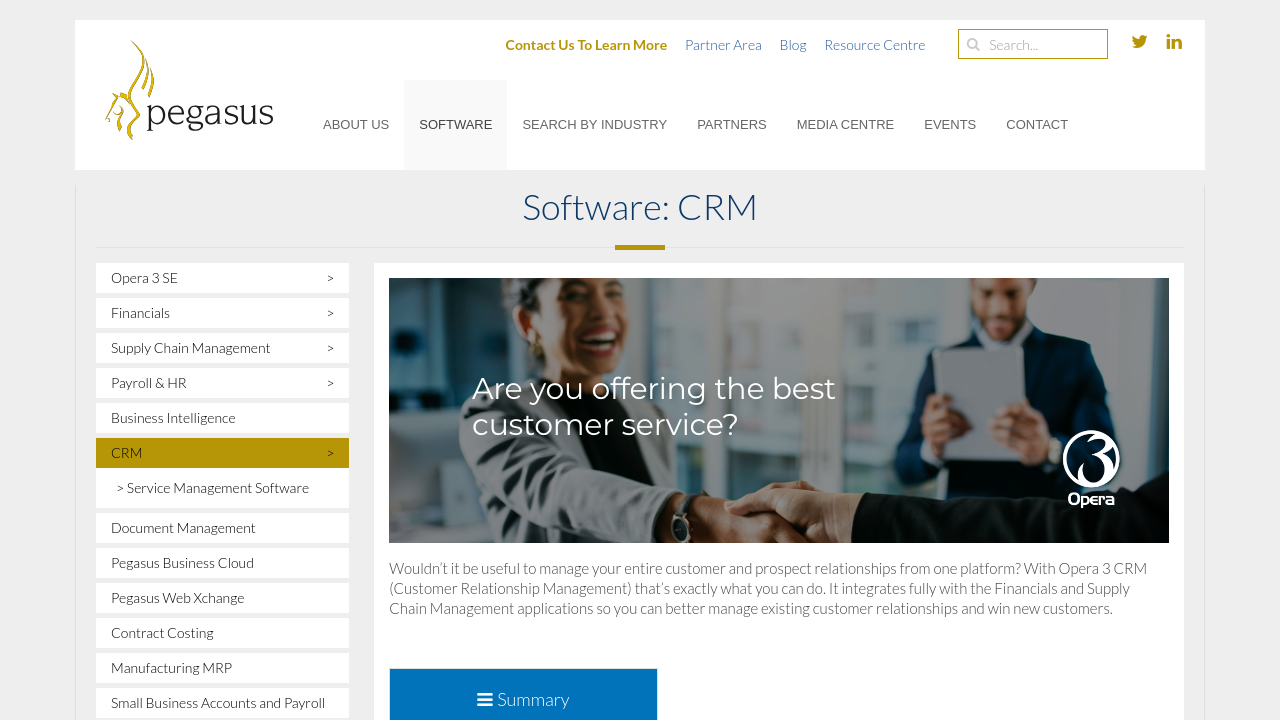
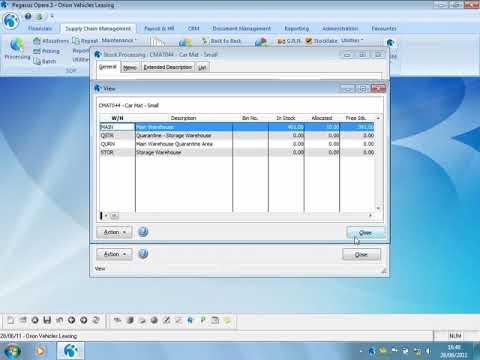
Opera 3 is an integrated software solution designed for businesses seeking to streamline their operations through a unified system. Combining functions such as accounting, payroll, customer relationship management, document management, supply chain management, as well as financial, human resources, and business intelligence modules, Opera 3 provides an all-in-one platform that adapts to diverse business needs. It stands out in the Customer Relationship Management category by offering enhanced visibility and control over essential business processes.
With Opera 3, companies can simplify day-to-day management by integrating critical functions under a single interface. This consolidated approach helps reduce complexity and enables smoother data flow across departments. Whether it is managing payroll details, overseeing supply chain logistics, or keeping track of customer interactions, Opera 3 is built to provide the flexibility to support growth and operational efficiency.
Key Features of Opera 3
Opera 3 is an ideal choice for organizations looking to consolidate their processes into one cohesive system. The platform’s design simplifies the complexities of managing various functions, helping businesses focus on what matters most – their growth and customer satisfaction. Its robust integration capabilities allow companies to import and process critical data seamlessly, saving valuable time and reducing potential errors.
Businesses interested in maximizing their operational efficiency can explore exclusive offers by visiting the Opera 3 deals page. This dedicated page provides access to special promotions and further details, making it easier to assess how Opera 3 can transform your business operations.
Alternatives to Opera 3
For organizations that are considering different solutions, here are a few noteworthy alternatives:
By choosing Opera 3, companies can enjoy a comprehensive solution that brings clarity, efficiency, and integration across every department. Whether your focus is on automating payroll, managing customer relationships, or optimizing your supply chain, Opera 3 helps you harness the power of integrated technology to achieve your business objectives.

Opera 3 is an integrated software solution designed for businesses seeking to streamline their operations through a unified system. Combining functions such as accounting, payroll, customer relationship management, document management, supply chain management, as well as financial, human resources, and business intelligence modules, Opera 3 provides an all-in-one platform that adapts to diverse business needs. It stands out in the Customer Relationship Management category by offering enhanced visibility and control over essential business processes.
With Opera 3, companies can simplify day-to-day management by integrating critical functions under a single interface. This consolidated approach helps reduce complexity and enables smoother data flow across departments. Whether it is managing payroll details, overseeing supply chain logistics, or keeping track of customer interactions, Opera 3 is built to provide the flexibility to support growth and operational efficiency.
Key Features of Opera 3
Opera 3 is an ideal choice for organizations looking to consolidate their processes into one cohesive system. The platform’s design simplifies the complexities of managing various functions, helping businesses focus on what matters most – their growth and customer satisfaction. Its robust integration capabilities allow companies to import and process critical data seamlessly, saving valuable time and reducing potential errors.
Businesses interested in maximizing their operational efficiency can explore exclusive offers by visiting the Opera 3 deals page. This dedicated page provides access to special promotions and further details, making it easier to assess how Opera 3 can transform your business operations.
Alternatives to Opera 3
For organizations that are considering different solutions, here are a few noteworthy alternatives:
By choosing Opera 3, companies can enjoy a comprehensive solution that brings clarity, efficiency, and integration across every department. Whether your focus is on automating payroll, managing customer relationships, or optimizing your supply chain, Opera 3 helps you harness the power of integrated technology to achieve your business objectives.

Learn what people say about Opera 3
Be the first to share your experience and help others in the community.
Opera 3 is an integrated software solution designed for businesses seeking to streamline their operations through a unified system. Combining functions such as accounting, payroll, customer relationship management, document management, supply chain management, as well as financial, human resources, and business intelligence modules, Opera 3 provides an all-in-one platform that adapts to diverse business needs. It stands out in the Customer Relationship Management category by offering enhanced visibility and control over essential business processes.
With Opera 3, companies can simplify day-to-day management by integrating critical functions under a single interface. This consolidated approach helps reduce complexity and enables smoother data flow across departments. Whether it is managing payroll details, overseeing supply chain logistics, or keeping track of customer interactions, Opera 3 is built to provide the flexibility to support growth and operational efficiency.
Key Features of Opera 3
Opera 3 is an ideal choice for organizations looking to consolidate their processes into one cohesive system. The platform’s design simplifies the complexities of managing various functions, helping businesses focus on what matters most – their growth and customer satisfaction. Its robust integration capabilities allow companies to import and process critical data seamlessly, saving valuable time and reducing potential errors.
Businesses interested in maximizing their operational efficiency can explore exclusive offers by visiting the Opera 3 deals page. This dedicated page provides access to special promotions and further details, making it easier to assess how Opera 3 can transform your business operations.
Alternatives to Opera 3
For organizations that are considering different solutions, here are a few noteworthy alternatives:
By choosing Opera 3, companies can enjoy a comprehensive solution that brings clarity, efficiency, and integration across every department. Whether your focus is on automating payroll, managing customer relationships, or optimizing your supply chain, Opera 3 helps you harness the power of integrated technology to achieve your business objectives.

To cancel an Opera 3 product, you generally need to contact your ERP supplier or support consultants, as there is no direct user interface for cancellation within the software. Here are the key steps:
For specific procedures, consult your supplier or support documentation.
To cancel an Opera 3 product, you generally need to contact your ERP supplier or support consultants, as there is no direct user interface for cancellation within the software. Here are the key steps:
For specific procedures, consult your supplier or support documentation.