Zapier Reviews 2026: Details, Pricing, & Features | Subscribed.fyi
Sign in to review
Join our community of software reviewers on Subscribed.fyi

Continue With Google
Continue With LinkedIn
Continue Review with Email
Continue with Email
Enter your email to continue.
Continue
Enter your password
Enter your password to finish setting up your account.
Continue
Activate your email
Enter activation code we sent to your email.
Submit
Reset your password
Enter activation code we sent to your email.
Submit
Set your new password
Enter a new password for your account.
Submit
✨ Ask AI Search
Categories
For Business
Log in
Provide My Insights

Zapier

4.5/5
(4)

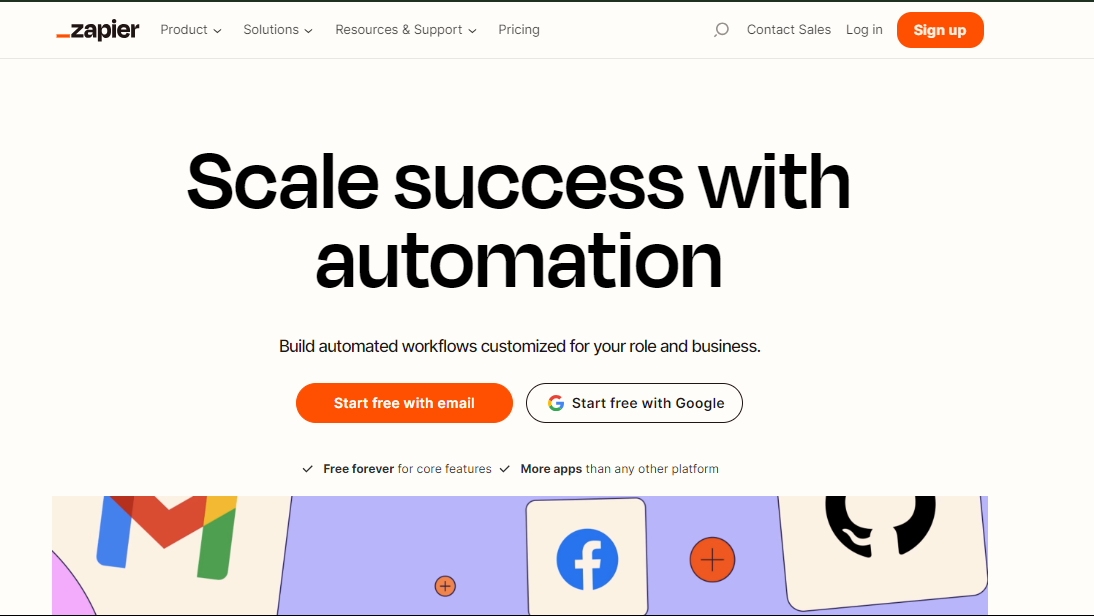
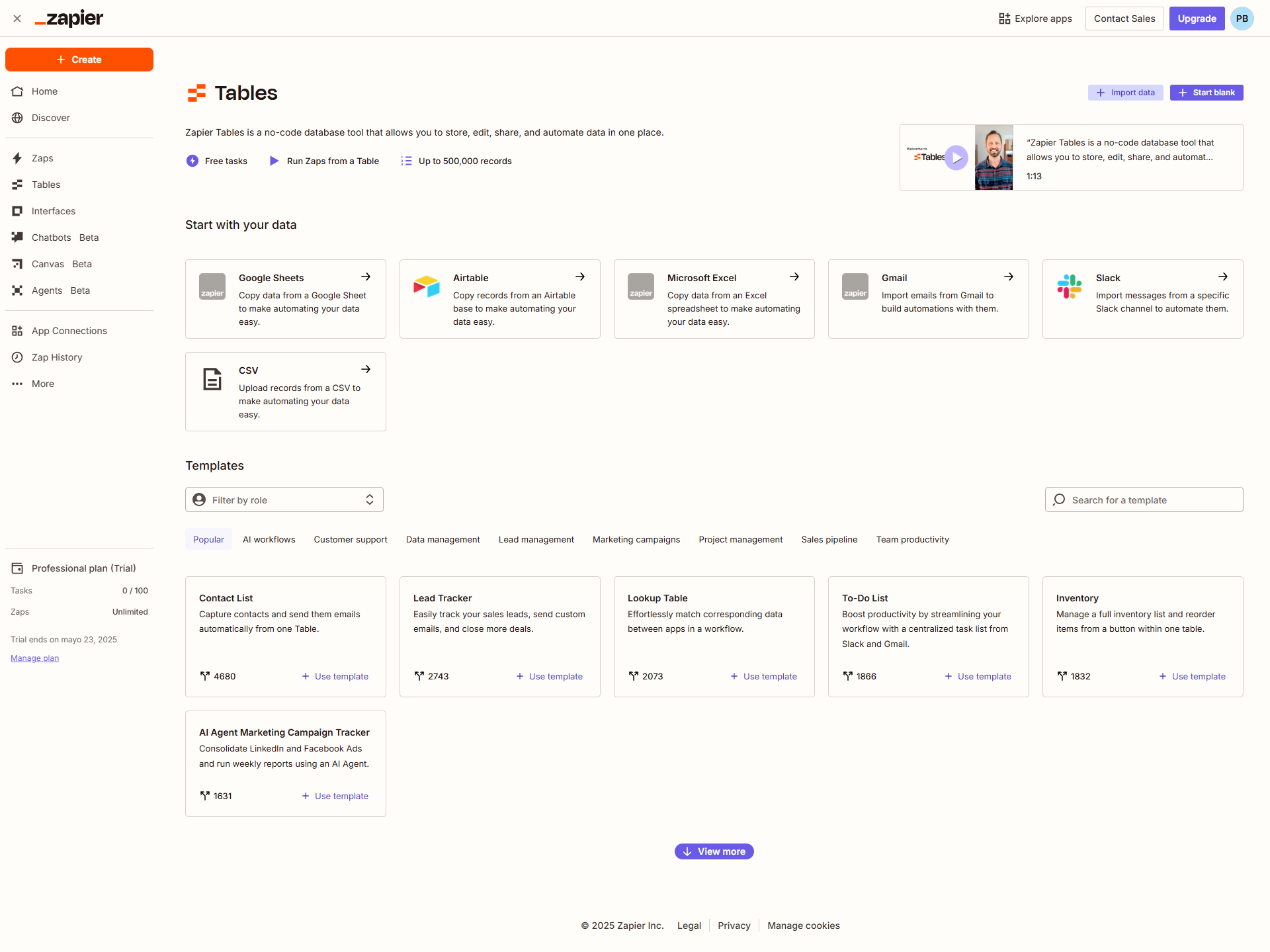
Zapier is an automation platform that connects apps, automating workflows to boost productivity. With its intuitive interface and vast integration options, it empowers users to create seamless connections between their favorite tools.

Zapier

4.5
4
Reviews
85%
Subscribed Score

Available for Claim - This listing is available to be claimed
Claim For Free

Unclaimed

Curated and listed by Subscribed Team

Claim For Free
Plug & Play Setup
Plug & Play Setup
Get started in minutes, not weeks.
No-Code Simplicity
No-Code Simplicity
Launch without writing a single line of code.
Fully Customizable
Fully Customizable
Tailor it to your brand and workflow.

Zapier is a web-based platform in the Automation Tools category that allows users to effortlessly connect and automate workflows between their favorite applications, removing the hassle of manual task management. With its intuitive interface and extensive app integrations, Zapier boosts productivity by automating repetitive tasks and streamlining data flow. If you’re exploring alternatives, consider options like Taplio, Claude AI, IFTTT, and Supermove. Ready to enhance your automation? Don’t miss out on exclusive deals!

Key Features of Zapier:

  • Automated Workflows (Zaps): Zapier allows users to create automated workflows, known as Zaps, which connect two or more apps to trigger actions automatically based on predefined triggers and actions.
  • Extensive App Integration: Zapier supports a vast library of app integrations, spanning across categories such as productivity, CRM, marketing, e-commerce, and more. Users can connect their favorite apps to create customized and efficient workflows.
  • Trigger and Action Events: Define trigger events that initiate automated actions in other connected apps. This can include creating tasks, sending emails, updating databases, and more, based on specific triggers within the connected applications.
  • Multi-Step Zaps: Complex workflows can be created using multi-step Zaps, allowing users to string together multiple actions to achieve more sophisticated automation processes.
  • Conditional Logic: Zapier offers conditional logic to create rules and filters, ensuring that automated actions are executed only under specific circumstances, providing flexibility and customization.
  • Real-Time Data Transfer: Zapier facilitates real-time data transfer between connected apps, ensuring that information is synchronized and up-to-date across various platforms.
  • Task History and Monitoring: Users can track the execution and status of their Zaps through task history, providing insights into the performance of automated workflows.

Who Uses Zapier?

Zapier caters to a diverse user base, including:

  • Business Professionals: Streamline workflows and improve efficiency by automating routine tasks across various business applications.
  • Marketers: Automate marketing tasks, such as lead generation, social media posting, and email campaigns, to enhance productivity and campaign effectiveness.
  • E-commerce Owners: Simplify order processing, inventory management, and customer communication by automating tasks across e-commerce platforms and other tools.
  • Individuals and Freelancers: Increase personal productivity by automating repetitive tasks, managing to-do lists, and integrating favorite apps without manual intervention.

In conclusion, Zapier is a versatile automation platform that empowers users to connect their favorite apps and create seamless, automated workflows. Whether used for business processes, marketing, or personal productivity, Zapier provides a flexible and intuitive solution for automating tasks and streamlining data flow across diverse applications.


Zapier Summary

Zapier is a web-based platform in the Automation Tools category that allows users to effortlessly connect and automate workflows between their favorite applications, removing the hassle of manual task management. With its intuitive interface and extensive app integrations, Zapier boosts productivity by automating repetitive tasks and streamlining data flow. If you’re exploring alternatives, consider options like Taplio, Claude AI, IFTTT, and Supermove. Ready to enhance your automation? Don’t miss out on exclusive deals!

Key Features of Zapier:

  • Automated Workflows (Zaps): Zapier allows users to create automated workflows, known as Zaps, which connect two or more apps to trigger actions automatically based on predefined triggers and actions.
  • Extensive App Integration: Zapier supports a vast library of app integrations, spanning across categories such as productivity, CRM, marketing, e-commerce, and more. Users can connect their favorite apps to create customized and efficient workflows.
  • Trigger and Action Events: Define trigger events that initiate automated actions in other connected apps. This can include creating tasks, sending emails, updating databases, and more, based on specific triggers within the connected applications.
  • Multi-Step Zaps: Complex workflows can be created using multi-step Zaps, allowing users to string together multiple actions to achieve more sophisticated automation processes.
  • Conditional Logic: Zapier offers conditional logic to create rules and filters, ensuring that automated actions are executed only under specific circumstances, providing flexibility and customization.
  • Real-Time Data Transfer: Zapier facilitates real-time data transfer between connected apps, ensuring that information is synchronized and up-to-date across various platforms.
  • Task History and Monitoring: Users can track the execution and status of their Zaps through task history, providing insights into the performance of automated workflows.

Who Uses Zapier?

Zapier caters to a diverse user base, including:

  • Business Professionals: Streamline workflows and improve efficiency by automating routine tasks across various business applications.
  • Marketers: Automate marketing tasks, such as lead generation, social media posting, and email campaigns, to enhance productivity and campaign effectiveness.
  • E-commerce Owners: Simplify order processing, inventory management, and customer communication by automating tasks across e-commerce platforms and other tools.
  • Individuals and Freelancers: Increase personal productivity by automating repetitive tasks, managing to-do lists, and integrating favorite apps without manual intervention.

In conclusion, Zapier is a versatile automation platform that empowers users to connect their favorite apps and create seamless, automated workflows. Whether used for business processes, marketing, or personal productivity, Zapier provides a flexible and intuitive solution for automating tasks and streamlining data flow across diverse applications.

Zapier reviews

Learn what people say about Zapier

4.5
4 Reviews
85%
Subscribed Score

Lear more here about the Subscribed score on how it is composed. Learn more Click here

Overall rating

5
4
3
2
1
CX 4/6

How good is the customer support based on subscribed’s assessment

CX Icon
Security 5/6

How secure is the product based on Subscribed’s assessment?

Security Icon
Ease of Use 5/6

How easy is the product to use, based on Subscribed’s assessment?

EOU Icon
Value 4/6

What is the value for money based on Subscribed’s assessment?

coin Icon
Integration 6/6

How many integrations does the product offer?

gear Icon
Popularity 6/6

How popular is the product?

star
SAIF ULLAH Invitation
1 week ago
Share
How has it made your work/life easier?
Zapier is used for making automation workflows. It help me to making many workflows. It is really good application.
Have you experienced any bugs or errors?
It is difficult to handle the bug's in the workflow, It have limited credit in free tier, and too much high price's.
What could make it even better?
The main thing that make it even better is automation. We can use it as a low code. It help to make automation.
Final thoughts, wrap up what you think
I will not recommend my friend to use it because it have too much pricing for paid tier, free tier are limited. So, that's why.
Upvote
Hamza Rauf Organic
Full Stack Developer
See My Portfolio
1 week ago
Share
How does this compare to similar products you’ve tried?
Through Zapier, we can build complex, multi-app workflows without writing a single line of code. It is not a simple app connector, but a full-scale AI orchestration layer.
Have you experienced any bugs or errors?
When linear workflows become complex and non-linear, like when loops or advanced data transformations come in, it can feel clunky compared to its competitors, like Make or n8n.
If you could change one thing, what would it be?
I see Zapier evolving from a connector for apps into a full-scale Autonomous Operations Hub. And instead of just alerting you when a Zap breaks due to an API change, Zapier could use AI to perform a fix.
Final thoughts, wrap up what you think
Zapier remains the leader for no-code automation because it has the lowest barrier to entry and the largest ecosystem of supported apps.
Upvote
Elizabeth Hermance Invitation
Wordpress developer
See My Portfolio
1 week ago
Share
What exceeded your expectations?
The biggest benefit for me is not having to do the same small tasks over and over. When apps can pass info to each other automatically, it saves time and makes the workflow feel a lot smoother.
Is there something that almost made you stop using it?
What I do notice is that when automations get more complicated, it can take a little time to figure out where something broke.
If you could change one thing, what would it be?
I would not say I found anything major.
Final thoughts, wrap up what you think
For me this is a 9. It is very useful and can remove a lot of manual work, but I still think complex automations could be easier to manage.
Upvote
M Raza Akhter Organic
QA Engineer
1 week ago
Share
How has it made your work/life easier?
What makes Zapier a unique product is that it is simple to integrate various applications and automate tedious processes without writing a single line of code. It has simplified work by saving time and minimising manual labor in routine work process.
What’s been frustrating in your experience?
Zaps can be linked together and the workflow involved is difficult to debug and manage, particularly when it is complex. High such as pricing may also be experienced since automation requires scale.
What’s still missing for your needs?
Zapier can be further improved to better workflow visualization and inbuilt debugging tools. The last thing that I need is more comprehensive real time monitoring and better error reporting of complex automations.
Final thoughts, wrap up what you think
I would give it a high rating since Zapier helps save a lot of time by automating the repetitive tasks in various applications. I would recommend it to other workers and friends that would like to simplify the processes without having to write codes.
Upvote

Zapier User Reviews

4 User Reviews

SAIF ULLAH Invitation
1 week ago
Share
How has it made your work/life easier?
Zapier is used for making automation workflows. It help me to making many workflows. It is really good application.
Have you experienced any bugs or errors?
It is difficult to handle the bug's in the workflow, It have limited credit in free tier, and too much high price's.
What could make it even better?
The main thing that make it even better is automation. We can use it as a low code. It help to make automation.
Final thoughts, wrap up what you think
I will not recommend my friend to use it because it have too much pricing for paid tier, free tier are limited. So, that's why.
Upvote
Hamza Rauf Organic
Full Stack Developer
See My Portfolio
1 week ago
Share
How does this compare to similar products you’ve tried?
Through Zapier, we can build complex, multi-app workflows without writing a single line of code. It is not a simple app connector, but a full-scale AI orchestration layer.
Have you experienced any bugs or errors?
When linear workflows become complex and non-linear, like when loops or advanced data transformations come in, it can feel clunky compared to its competitors, like Make or n8n.
If you could change one thing, what would it be?
I see Zapier evolving from a connector for apps into a full-scale Autonomous Operations Hub. And instead of just alerting you when a Zap breaks due to an API change, Zapier could use AI to perform a fix.
Final thoughts, wrap up what you think
Zapier remains the leader for no-code automation because it has the lowest barrier to entry and the largest ecosystem of supported apps.
Upvote
Elizabeth Hermance Invitation
Wordpress developer
See My Portfolio
1 week ago
Share
What exceeded your expectations?
The biggest benefit for me is not having to do the same small tasks over and over. When apps can pass info to each other automatically, it saves time and makes the workflow feel a lot smoother.
Is there something that almost made you stop using it?
What I do notice is that when automations get more complicated, it can take a little time to figure out where something broke.
If you could change one thing, what would it be?
I would not say I found anything major.
Final thoughts, wrap up what you think
For me this is a 9. It is very useful and can remove a lot of manual work, but I still think complex automations could be easier to manage.
Upvote
M Raza Akhter Organic
QA Engineer
1 week ago
Share
How has it made your work/life easier?
What makes Zapier a unique product is that it is simple to integrate various applications and automate tedious processes without writing a single line of code. It has simplified work by saving time and minimising manual labor in routine work process.
What’s been frustrating in your experience?
Zaps can be linked together and the workflow involved is difficult to debug and manage, particularly when it is complex. High such as pricing may also be experienced since automation requires scale.
What’s still missing for your needs?
Zapier can be further improved to better workflow visualization and inbuilt debugging tools. The last thing that I need is more comprehensive real time monitoring and better error reporting of complex automations.
Final thoughts, wrap up what you think
I would give it a high rating since Zapier helps save a lot of time by automating the repetitive tasks in various applications. I would recommend it to other workers and friends that would like to simplify the processes without having to write codes.
Upvote
Reviews from G2, Capterra, Trustpilot
info Icon

These ratings come directly from third-party platforms like G2, Capterra, and Trustpilot. They reflect real user feedback collected independently on those sites.

Zapier

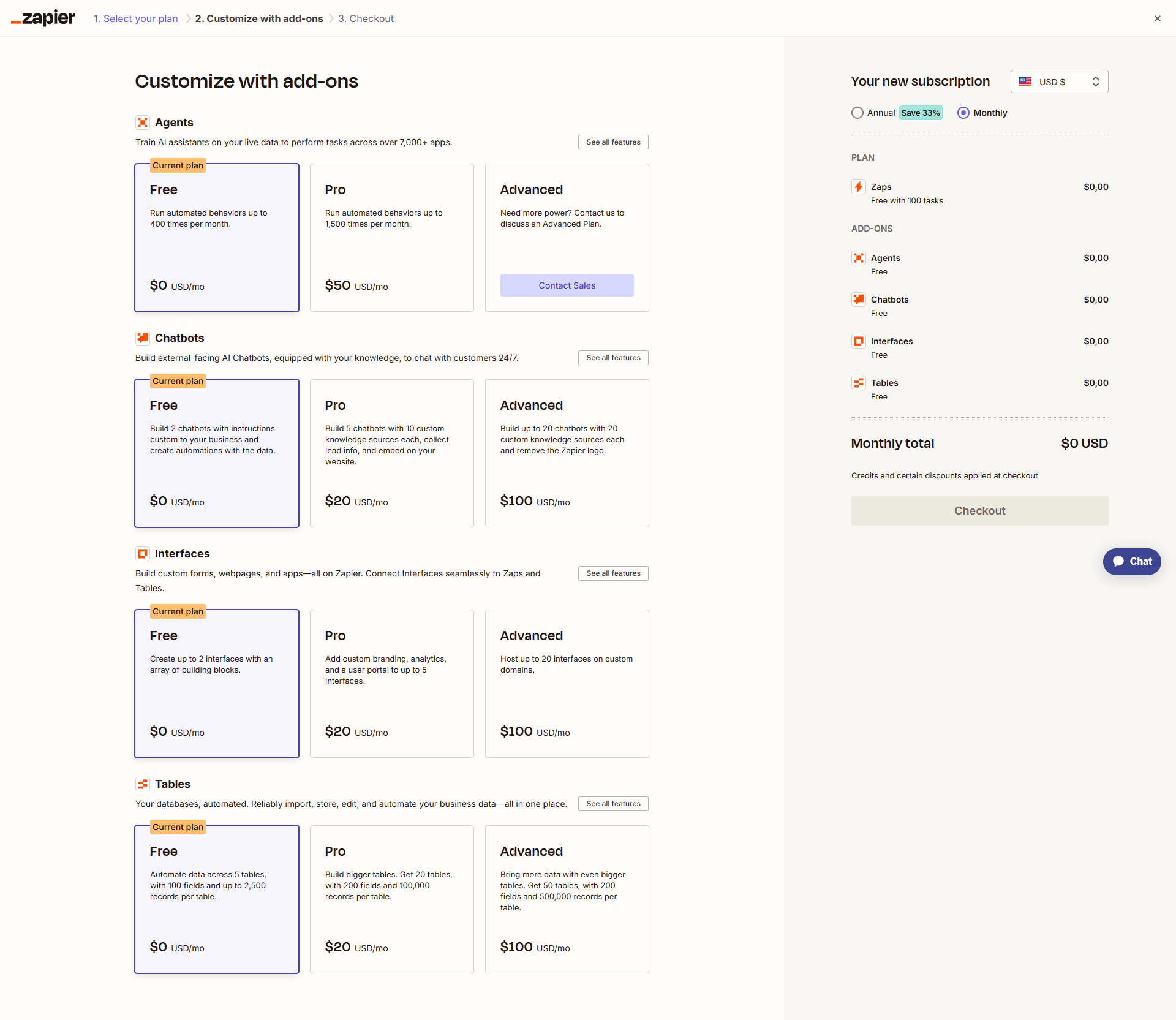
Pricing Range
info Icon

This only an estimated pricing range, visit Zapier pricing page to access all the information by clicking “Visit Now”.

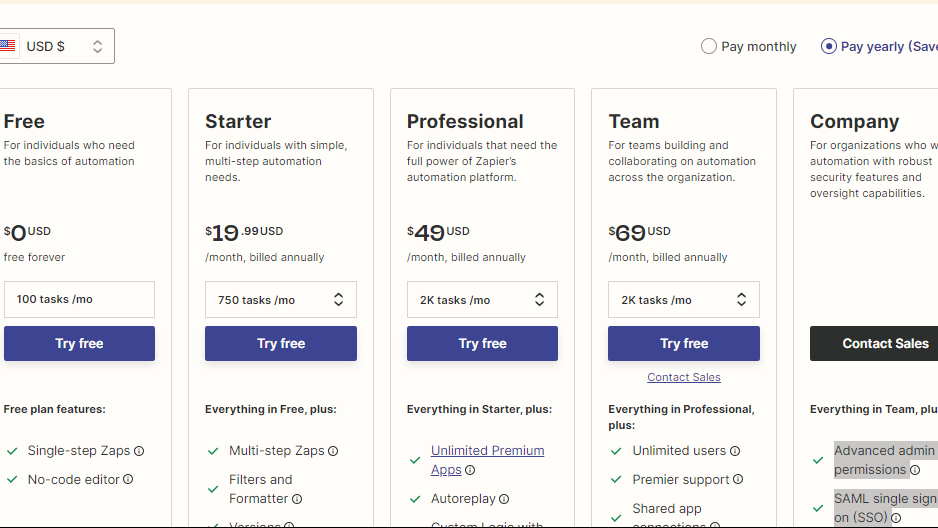
$9.99-$79 / Month
Deals Available

This product comes with a special deal, see details

Visit Now
✨ Ask AI about pricing
85% Subscribed Score
info Icon

The Subscribed Score is an independent rating that combines user reviews, features, and value-for-money from multiple trusted sources. It’s designed as a quick benchmark, not a guarantee of individual experience.

Analysis

Zapier is a web-based platform in the Automation Tools category that allows users to effortlessly connect and automate workflows between their favorite applications, removing the hassle of manual task management. With its intuitive interface and extensive app integrations, Zapier boosts productivity by automating repetitive tasks and streamlining data flow. If you’re exploring alternatives, consider options like Taplio, Claude AI, IFTTT, and Supermove. Ready to enhance your automation? Don’t miss out on exclusive deals!

Key Features of Zapier:

  • Automated Workflows (Zaps): Zapier allows users to create automated workflows, known as Zaps, which connect two or more apps to trigger actions automatically based on predefined triggers and actions.
  • Extensive App Integration: Zapier supports a vast library of app integrations, spanning across categories such as productivity, CRM, marketing, e-commerce, and more. Users can connect their favorite apps to create customized and efficient workflows.
  • Trigger and Action Events: Define trigger events that initiate automated actions in other connected apps. This can include creating tasks, sending emails, updating databases, and more, based on specific triggers within the connected applications.
  • Multi-Step Zaps: Complex workflows can be created using multi-step Zaps, allowing users to string together multiple actions to achieve more sophisticated automation processes.
  • Conditional Logic: Zapier offers conditional logic to create rules and filters, ensuring that automated actions are executed only under specific circumstances, providing flexibility and customization.
  • Real-Time Data Transfer: Zapier facilitates real-time data transfer between connected apps, ensuring that information is synchronized and up-to-date across various platforms.
  • Task History and Monitoring: Users can track the execution and status of their Zaps through task history, providing insights into the performance of automated workflows.

Who Uses Zapier?

Zapier caters to a diverse user base, including:

  • Business Professionals: Streamline workflows and improve efficiency by automating routine tasks across various business applications.
  • Marketers: Automate marketing tasks, such as lead generation, social media posting, and email campaigns, to enhance productivity and campaign effectiveness.
  • E-commerce Owners: Simplify order processing, inventory management, and customer communication by automating tasks across e-commerce platforms and other tools.
  • Individuals and Freelancers: Increase personal productivity by automating repetitive tasks, managing to-do lists, and integrating favorite apps without manual intervention.

In conclusion, Zapier is a versatile automation platform that empowers users to connect their favorite apps and create seamless, automated workflows. Whether used for business processes, marketing, or personal productivity, Zapier provides a flexible and intuitive solution for automating tasks and streamlining data flow across diverse applications.

Pros
  • Streamlines workflows and saves time
  • Offers a wide range of app integrations
  • User-friendly with no coding required
  • Excellent for automating repetitive tasks
Cons
  • Higher pricing for advanced features
  • Limited functionality in free plan
  • Initial learning curve for beginners
  • Support can feel inadequate for some issues
Subscribed Score Metrics
30/36 Metric achieved
MetricsScore
Customer Support4/6
Security5/6
Ease of Use5/6
Value of Money4/6
Integration6/6
Popularity6/6
Radar Chart Table View
Ease of Use
Measures how simple and intuitive the product is to use, including setup, navigation, and overall user experience
5/6 Metric Checks
Security
Compares the product`s features, quality, and pricing to determine its overall cost-effectiveness.
5/6 Metric Checks
Value of Money
Assesses the product`s ability to protect data, prevent breaches, and comply with industry standards.
4/6 Metric Checks
Customer Support
Reflects the responsiveness, helpfulness, and quality of assistance provided by the product`s support team.
4/6 Metric Checks
Integrations
Evaluates how well the product connects with other tools and platforms, enabling seamless workflows.
6/6 Metric Checks
Zapier Pricing Range
$9.99-$79 / Month

Zapier Showcase
info Icon

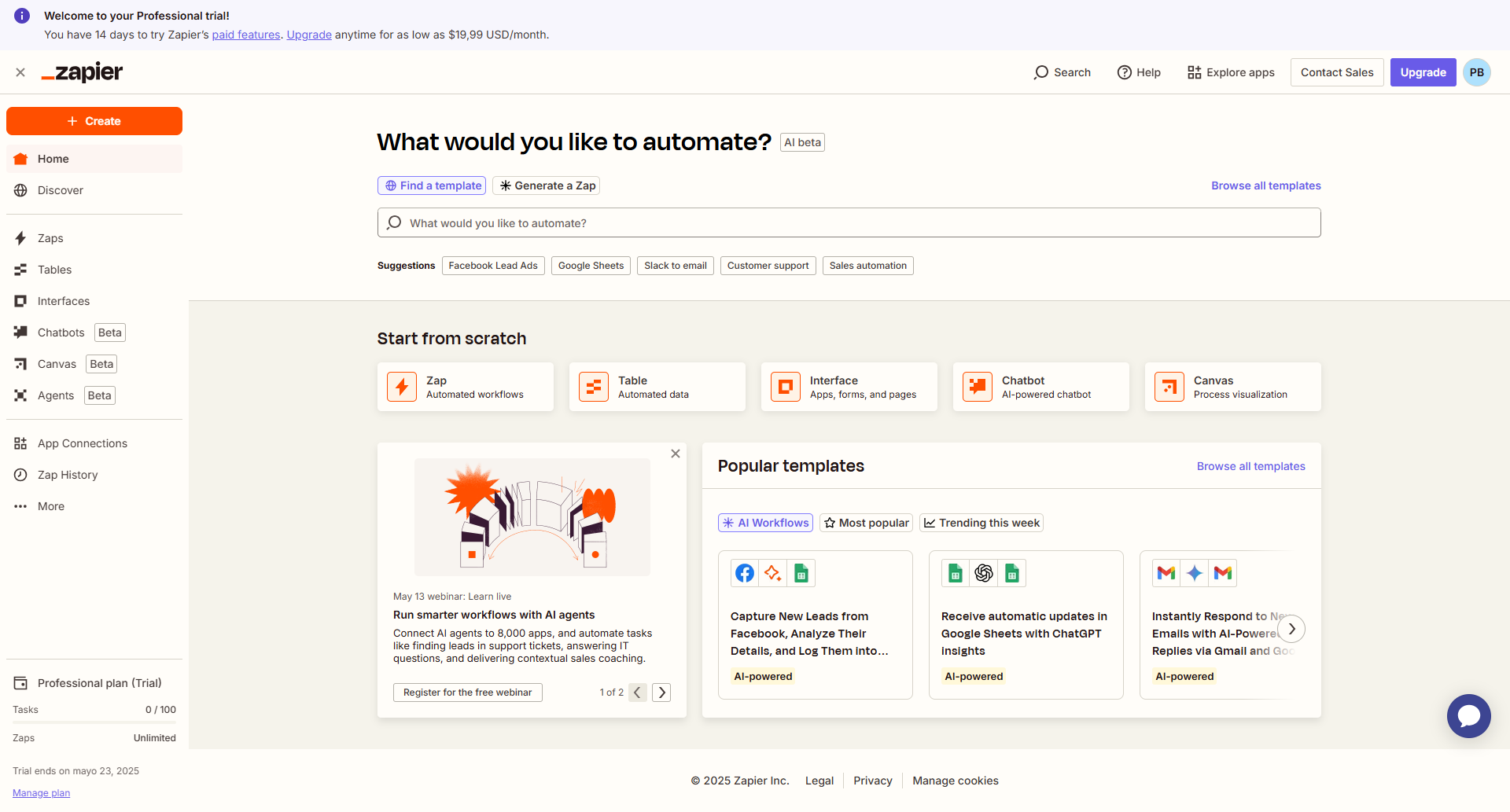
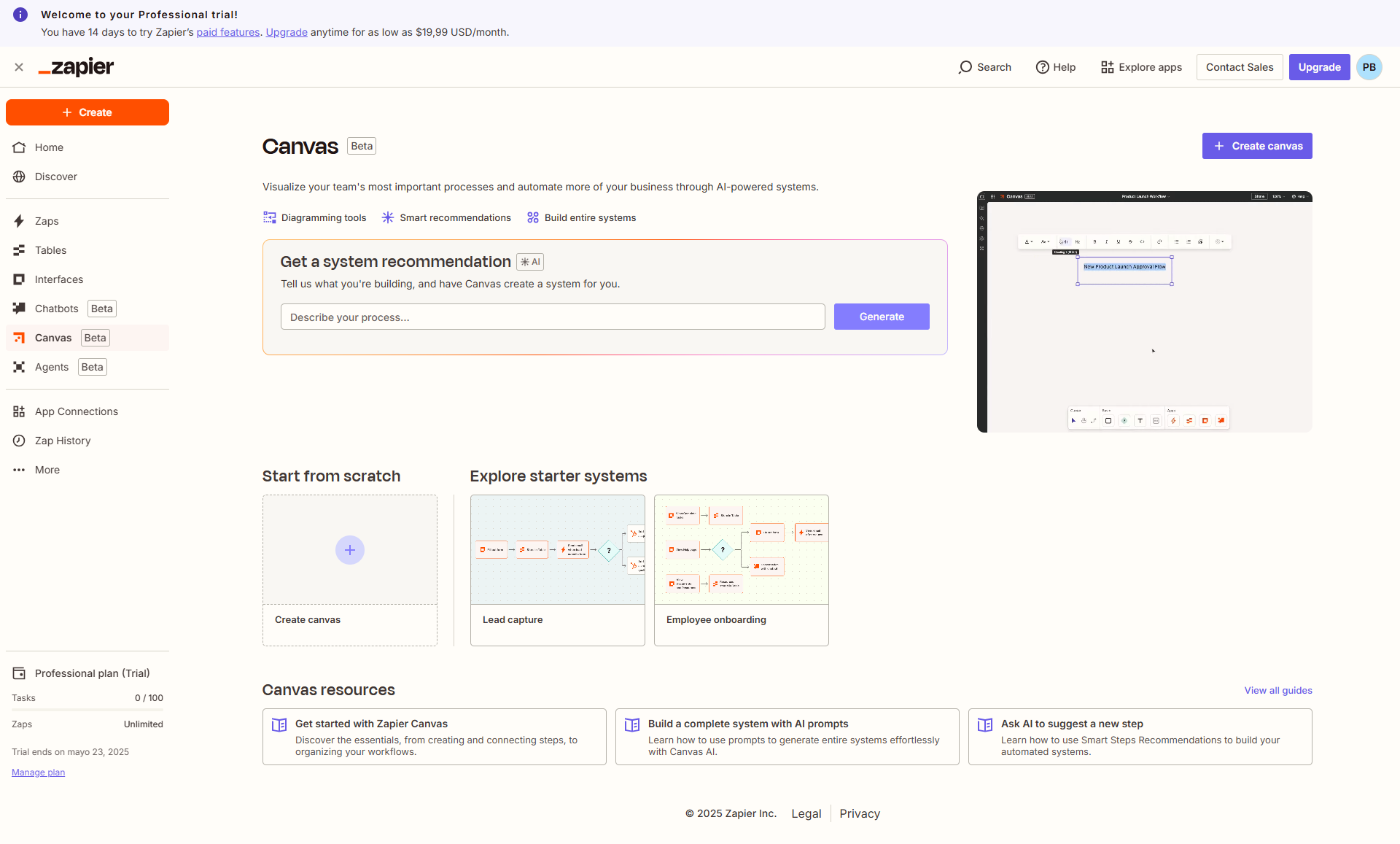
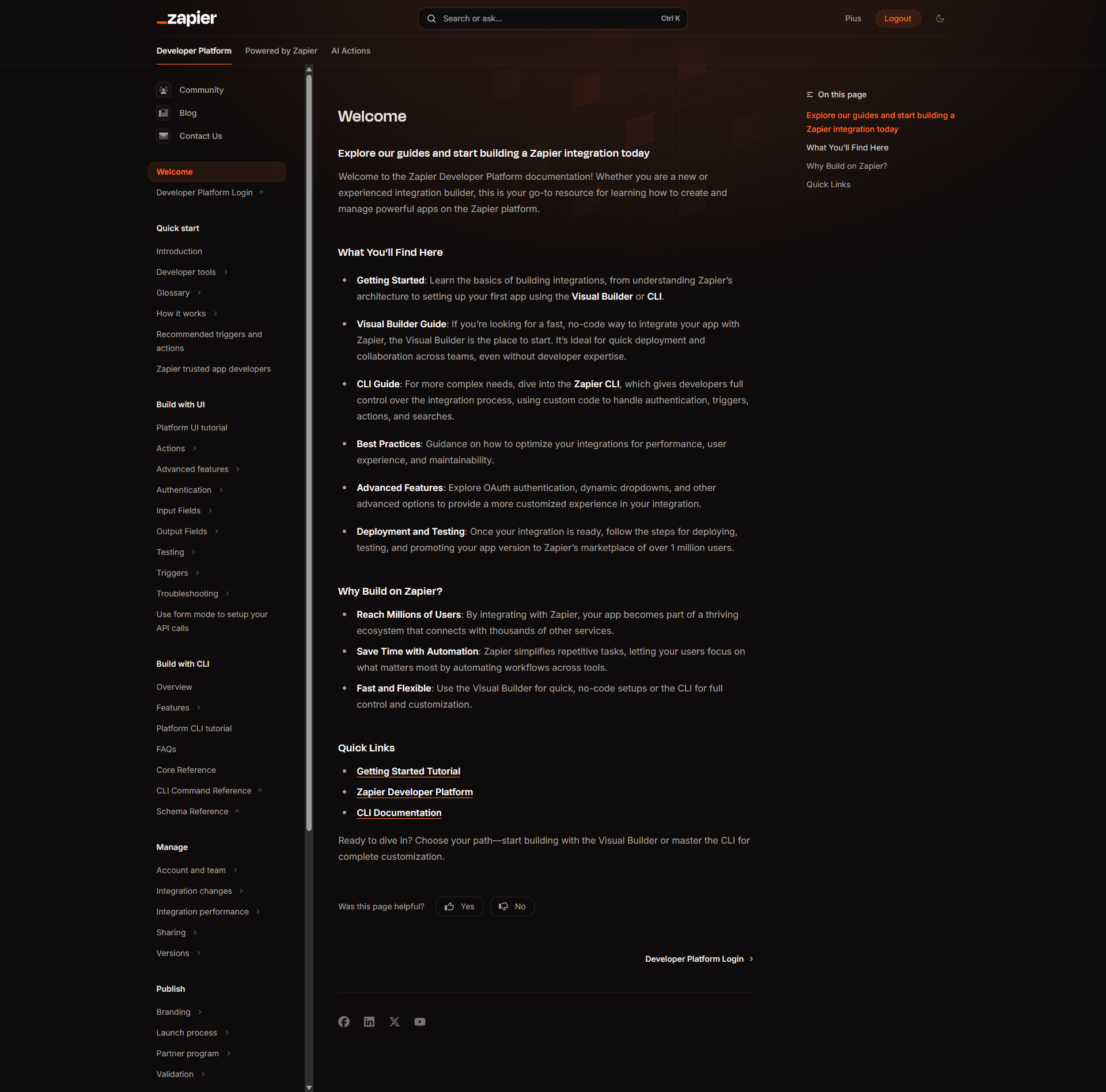
A curated gallery of real screenshots and use cases from the product, so you can see how it works before trying it.

Full Screen Icon
Full Screen Icon
Full Screen Icon
Full Screen Icon
Full Screen Icon
Full Screen Icon
Full Screen Icon
Full Screen Icon
Full Screen Icon
Full Screen Icon
https://www.youtube.com/watch?v=S3L1Kw087JI?feature=oembed
Full Screen Icon

What else exists next to Zapier
info Icon

A list of platforms similar to Zapier, helping you evaluate which tool best matches your needs.

Need to cancel Zapier? Here is how
info Icon

Thinking about how to cancel Zapier this is how you do it!

Steps to Cancel Zapier Subscription

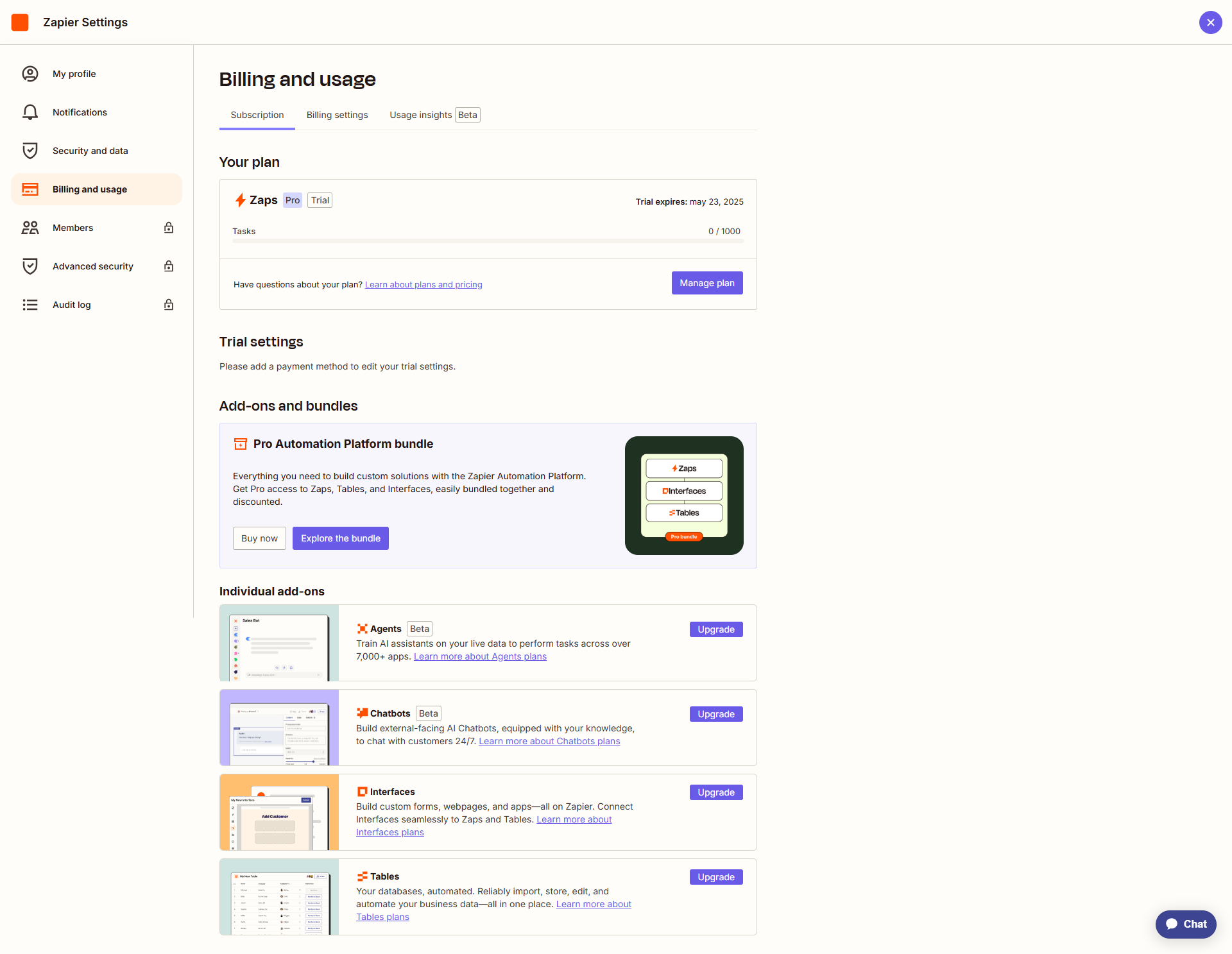
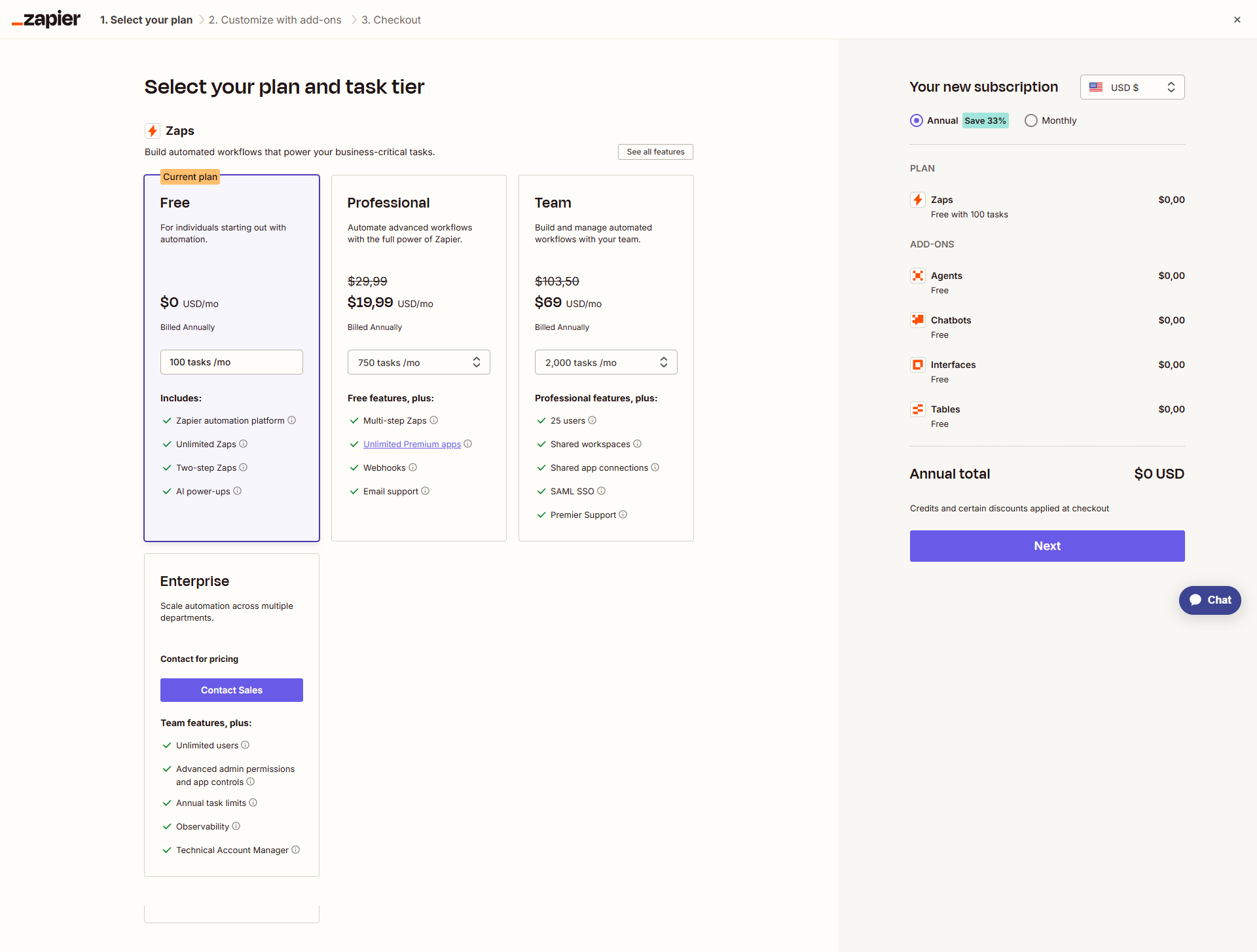
To change or cancel your Zapier plan, visit the plans and pricing page, select your desired plan, billing cycle, and payment method. Upgrades take effect immediately, while downgrades occur at the end of the billing cycle. You can stop a downgrade before the cycle ends, change billing cycles, and cancel your plan with potential refunds. For detailed instructions, Click here.

How to Cancel the Zapier

Steps to Cancel Zapier Subscription

To change or cancel your Zapier plan, visit the plans and pricing page, select your desired plan, billing cycle, and payment method. Upgrades take effect immediately, while downgrades occur at the end of the billing cycle. You can stop a downgrade before the cycle ends, change billing cycles, and cancel your plan with potential refunds. For detailed instructions, Click here.

Every else you need to know about Zapier
info Icon

A collection of FAQs, guides, alternatives, and comparisons to help you quickly understand if Zapier is right for you.

Pricing Range
info Icon

This only an estimated pricing range, visit Zapier pricing page to access all the information by clicking “Visit Now”.

$9.99-$79 / Month
Visit Now
Deals Available

This product comes with a special deal, see details

This product comes with a special deal, see details