Sign in to review
Join our community of software reviewers on Subscribed.fyi

Continue With Google
Continue With LinkedIn
Continue Review with Email
Continue with Email
Enter your email to continue.
Continue
Enter your password
Enter your password to finish setting up your account.
Continue
Activate your email
Enter activation code we sent to your email.
Submit
Reset your password
Enter activation code we sent to your email.
Submit
Set your new password
Enter a new password for your account.
Submit
Log in
Provide My Insights
PDF Reader Pro logo
PDF Reader Pro logo

PDF Reader Pro Reviews, Pricing, Features & Alternatives (2026)

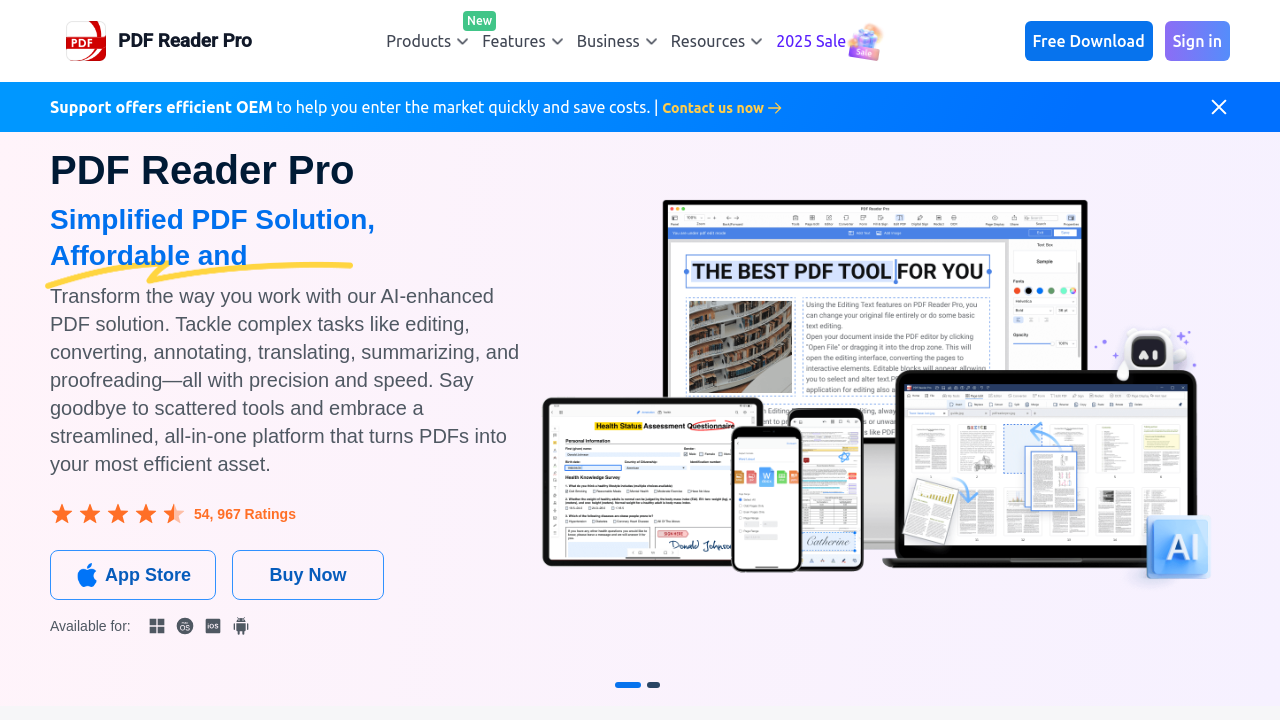
PDF Reader Pro is a versatile and affordable PDF solution designed for Mac, Windows, iOS, and Android devices. It offers powerful features like editing, annotating, form filling, OCR, AI tools, and file conversion, making it a top alternative to premium PDF software. Ideal for SMBs, educators, and IT professionals, it enhances productivity by simplifying document workflows. Join over 200M users leveraging its capabilities for smarter document management.

PDF Reader Pro logo
PDF Reader Pro logo
PDF Reader Pro logo

PDF Reader Pro Overview

What is PDF Reader Pro?

N/A
★ ★ ★ ★ ★
0
Reviews

Available for Claim - This listing is available to be claimed
Claim Profile

Unclaimed

Claim this profile to manage it.

Claim Profile

Why teams choose PDF Reader Pro

Key Features

No-Code Simplicity
No-Code Simplicity
Launch without writing a single line of code.
Save Time
Save Time
Focus on impact, not repetitive tasks.
Built for Flexibility
Adaptable for multiple use cases.

Who is PDF Reader Pro for?

PDF Reader Pro is an exceptional solution in the PDF Editing and Management category, offering a comprehensive platform for editing, annotating, converting, and managing PDF files across devices and operating systems. Designed as an advanced alternative to traditional PDF software, it caters to diverse needs, whether for individual use or collaborative team environments. Explore exclusive deals. For other solutions, consider iLovePDF.

Why Use PDF Reader Pro?

Choosing PDF Reader Pro for your PDF needs offers several compelling benefits:

  • All-in-One Functionality: Packed with editing tools, PDF Reader Pro lets you convert PDFs to Word, Excel, PPT, and more, as well as merge, split, and organize files seamlessly.
  • AI-Powered Features: With AI summarizing, translating, proofreading, and rewriting (Mac only), users can optimize content review and modifications with ease.
  • OCR and Document Collaboration: Utilize OCR technology for scanned documents, and access collaborative features like digital signatures, annotation tools, and form filling.
  • Cost-Efficient Licensing: Its one-time purchase option provides lifetime value without recurring costs. Team licenses simplify management and reduce IT expenses.
  • Cross-Platform Support: Compatible with Windows, macOS, iOS, and Android, this tool ensures flexibility for users on any device.

Who is PDF Reader Pro For?

PDF Reader Pro is designed to meet the needs of these key user groups:

  • Individuals: Ideal for professionals and students seeking an easy-to-use PDF tool for converting, editing, and signing documents.
  • Small to Medium Businesses: Teams can collaborate efficiently using features like shared licenses, secure password protection, and file management tools.
  • Developers: Software development kits (ComPDFkit/SDKs) provide seamless integration of PDF functionalities into other systems, reducing costs and boosting productivity.
  • Education Sector: Discounted educational plans make it accessible for educators and learners alike.

PDF Reader Pro delivers unmatched value in PDF management by combining robust features, AI-powered efficiency, and cost-effectiveness. Whether you’re an individual user, a team, or a developer, it’s an essential tool to streamline your PDF workflows and enhance productivity. Visit PDF Reader Pro to learn more or unlock deals today.

PDF Reader Pro Summary

PDF Reader Pro is an exceptional solution in the PDF Editing and Management category, offering a comprehensive platform for editing, annotating, converting, and managing PDF files across devices and operating systems. Designed as an advanced alternative to traditional PDF software, it caters to diverse needs, whether for individual use or collaborative team environments. Explore exclusive deals. For other solutions, consider iLovePDF.

Why Use PDF Reader Pro?

Choosing PDF Reader Pro for your PDF needs offers several compelling benefits:

  • All-in-One Functionality: Packed with editing tools, PDF Reader Pro lets you convert PDFs to Word, Excel, PPT, and more, as well as merge, split, and organize files seamlessly.
  • AI-Powered Features: With AI summarizing, translating, proofreading, and rewriting (Mac only), users can optimize content review and modifications with ease.
  • OCR and Document Collaboration: Utilize OCR technology for scanned documents, and access collaborative features like digital signatures, annotation tools, and form filling.
  • Cost-Efficient Licensing: Its one-time purchase option provides lifetime value without recurring costs. Team licenses simplify management and reduce IT expenses.
  • Cross-Platform Support: Compatible with Windows, macOS, iOS, and Android, this tool ensures flexibility for users on any device.

Who is PDF Reader Pro For?

PDF Reader Pro is designed to meet the needs of these key user groups:

  • Individuals: Ideal for professionals and students seeking an easy-to-use PDF tool for converting, editing, and signing documents.
  • Small to Medium Businesses: Teams can collaborate efficiently using features like shared licenses, secure password protection, and file management tools.
  • Developers: Software development kits (ComPDFkit/SDKs) provide seamless integration of PDF functionalities into other systems, reducing costs and boosting productivity.
  • Education Sector: Discounted educational plans make it accessible for educators and learners alike.

PDF Reader Pro delivers unmatched value in PDF management by combining robust features, AI-powered efficiency, and cost-effectiveness. Whether you’re an individual user, a team, or a developer, it’s an essential tool to streamline your PDF workflows and enhance productivity. Visit PDF Reader Pro to learn more or unlock deals today.

PDF Reader Pro reviews and insights

Learn what people say about PDF Reader Pro

N/A ★ ★ ★ ★ ★
0 Reviews

No Reviews Yet!

Be the first to share your experience and help others in the community.

PDF Reader Pro logo

PDF Reader Pro User Reviews

0 User Reviews

Reviews from G2, Capterra, Trustpilot
info Icon

These ratings come directly from third-party platforms like G2, Capterra, and Trustpilot. They reflect real user feedback collected independently on those sites.

PDF Reader Pro pricing

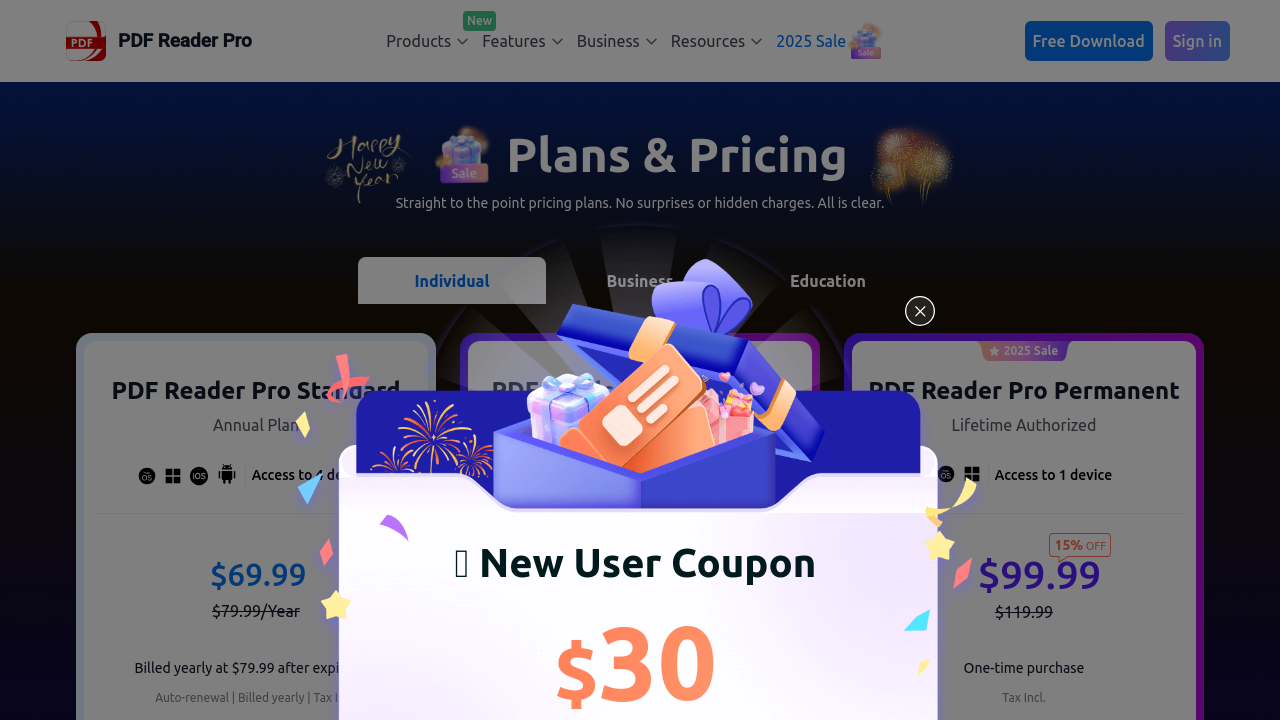
Pricing model

PDF Reader Pro logo
Pricing Range
info Icon

This only an estimated pricing range, visit PDF Reader Pro pricing page to access all the information by clicking “Visit Now”.

Not specified
Deals Available

This product comes with a special deal, see details

Visit Now

Overview

PDF Reader Pro is an exceptional solution in the PDF Editing and Management category, offering a comprehensive platform for editing, annotating, converting, and managing PDF files across devices and operating systems. Designed as an advanced alternative to traditional PDF software, it caters to diverse needs, whether for individual use or collaborative team environments. Explore exclusive deals. For other solutions, consider iLovePDF.

Why Use PDF Reader Pro?

Choosing PDF Reader Pro for your PDF needs offers several compelling benefits:

  • All-in-One Functionality: Packed with editing tools, PDF Reader Pro lets you convert PDFs to Word, Excel, PPT, and more, as well as merge, split, and organize files seamlessly.
  • AI-Powered Features: With AI summarizing, translating, proofreading, and rewriting (Mac only), users can optimize content review and modifications with ease.
  • OCR and Document Collaboration: Utilize OCR technology for scanned documents, and access collaborative features like digital signatures, annotation tools, and form filling.
  • Cost-Efficient Licensing: Its one-time purchase option provides lifetime value without recurring costs. Team licenses simplify management and reduce IT expenses.
  • Cross-Platform Support: Compatible with Windows, macOS, iOS, and Android, this tool ensures flexibility for users on any device.

Who is PDF Reader Pro For?

PDF Reader Pro is designed to meet the needs of these key user groups:

  • Individuals: Ideal for professionals and students seeking an easy-to-use PDF tool for converting, editing, and signing documents.
  • Small to Medium Businesses: Teams can collaborate efficiently using features like shared licenses, secure password protection, and file management tools.
  • Developers: Software development kits (ComPDFkit/SDKs) provide seamless integration of PDF functionalities into other systems, reducing costs and boosting productivity.
  • Education Sector: Discounted educational plans make it accessible for educators and learners alike.

PDF Reader Pro delivers unmatched value in PDF management by combining robust features, AI-powered efficiency, and cost-effectiveness. Whether you’re an individual user, a team, or a developer, it’s an essential tool to streamline your PDF workflows and enhance productivity. Visit PDF Reader Pro to learn more or unlock deals today.

Where PDF Reader Pro performs best

What users like
  • Ease of use across platforms.
  • Ability to merge and split PDFs.
  • Affordable pricing options.
  • Supports electronic signatures.

Where PDF Reader Pro falls short

What users dislike
  • Slows down with large files.
  • Limited features in free version.
  • Lacks advanced cloud integration.
  • Occasional ad disruptions on mobile.
PDF Reader Pro Pricing Range
Not specified

PDF Reader Pro in action
info Icon

A curated gallery of real screenshots and use cases from the product, so you can see how it works before trying it.

PDF Reader Pro screenshot 1 Full Screen Icon
PDF Reader Pro screenshot 2 Full Screen Icon
https://www.youtube.com/watch?v=fKjSlCxqMAo
Full Screen Icon
https://www.youtube.com/watch?v=ZfkMOMOX6LI
Full Screen Icon
PDF Reader Pro screenshot 1
PDF Reader Pro screenshot 2
Video thumbnail
Video thumbnail
PDF Reader Pro screenshot 1
PDF Reader Pro screenshot 2

Alternatives to PDF Reader Pro
info Icon

A list of platforms similar to PDF Reader Pro, helping you evaluate which tool best matches your needs.

empty stats

No Alternatives Found

Looks like we cannot found any other relevant product at this moment

How to cancel PDF Reader Pro

Need to cancel PDF Reader Pro? Here is how
info Icon

Thinking about how to cancel PDF Reader Pro this is how you do it!

To cancel a PDF Reader Pro subscription:

  • Open PDF Reader Pro.
  • Go to Settings.
  • Select Manage Subscription.
  • Tap Cancel Subscription and follow prompts.

How to Cancel the PDF Reader Pro

To cancel a PDF Reader Pro subscription:

  • Open PDF Reader Pro.
  • Go to Settings.
  • Select Manage Subscription.
  • Tap Cancel Subscription and follow prompts.

Manage your PDF Reader Pro profile

Create profile

Want to list your product on Subscribed.fyi? Create a profile to reach more buyers.

Pricing Range
info Icon

This only an estimated pricing range, visit PDF Reader Pro pricing page to access all the information by clicking “Visit Now”.

Not specified
Visit Now
Deals Available

This product comes with a special deal, see details

This product comes with a special deal, see details