Sign in to review
Join our community of software reviewers on Subscribed.fyi

Continue With Google
Continue With LinkedIn
Continue Review with Email
Continue with Email
Enter your email to continue.
Continue
Enter your password
Enter your password to finish setting up your account.
Continue
Activate your email
Enter activation code we sent to your email.
Submit
Reset your password
Enter activation code we sent to your email.
Submit
Set your new password
Enter a new password for your account.
Submit
Log in
Provide My Insights
MechanicDesk logo
MechanicDesk logo

MechanicDesk Reviews, Pricing, Features & Alternatives (2026)

MechanicDesk is a powerful, cloud-based software designed for automotive and mechanical workshop management. It offers tools for booking, invoicing, inventory control, scheduling, reporting, and customer management in an intuitive and streamlined interface. With support for multisite operations and Xero integration, it simplifies workshop workflows for businesses of all sizes. Its customizable features and excellent customer support make it a reliable solution for operational efficiency.

MechanicDesk logo
MechanicDesk logo
MechanicDesk logo

MechanicDesk Overview

What is MechanicDesk?

N/A
★ ★ ★ ★ ★
0
Reviews

Available for Claim - This listing is available to be claimed
Claim Profile

Unclaimed

Claim this profile to manage it.

Claim Profile

Why teams choose MechanicDesk

Key Features

Plug & Play Setup
Plug & Play Setup
Get started in minutes, not weeks.
Secure by Design
Secure by Design
Data protection and compliance built in.
Real-Time Updates
Real-Time Updates
See changes instantly, no delays.

Who is MechanicDesk for?

MechanicDesk is a robust, cloud-based Auto Repair Software solution tailored for mechanical, automotive, marine, and electrical workshops. Designed to centralize and streamline business operations, this software offers features like job tracking, appointment scheduling, invoicing, stock management, customer and vehicle profiling, reporting, and even point-of-sale functionalities. Its seamless integration with third-party tools like Xero and Repco augments its utility, making it a versatile tool for workshop management. Explore exclusive deals. For more options, consider Shopmonkey, NAPA TRACS, and ARI.

Why Use MechanicDesk?

Choosing MechanicDesk offers several benefits:

  • Comprehensive Features: MechanicDesk combines essential workshop functions into one platform. From managing bookings to generating reports, it eliminates the need for multiple tools.
  • Efficient Job Management: Track jobs, monitor technician clock-ins, and generate invoices seamlessly to improve operational efficiency.
  • Inventory and Supplier Management: Simplify stock control, manage supplier details, and monitor spare part usage in real-time.
  • Multisite Functionality: Ideal for businesses with multiple locations, enabling uniform management across all sites.
  • User-Friendly Interface: The software is intuitive and easy to adopt, minimizing the learning curve for teams.

Who is MechanicDesk For?

MechanicDesk caters to a broad audience within the automotive and mechanical industries:

  • Small to Midsize Workshops: Its affordable pricing plans and scalability make it ideal for businesses at various stages of growth.
  • Fleet Management Providers: Businesses servicing multiple vehicles can track maintenance and ensure operational efficiency.
  • Service Providers: From auto shops and marine mechanics to electrical repair services, it offers tailored tools for specialized needs.
  • Mobile Mechanics: Flexibility to manage operations on-the-go using mobile apps makes it a valuable tool for mobile service providers.

MechanicDesk stands as an all-in-one solution for workshops seeking to improve efficiency, leverage integrated tools, and provide seamless customer service. Whether you’re an independent mechanic or managing multiple sites, MechanicsDesk simplifies operations, ensuring cost-effectiveness and scalability for growing needs.

MechanicDesk Summary

MechanicDesk is a robust, cloud-based Auto Repair Software solution tailored for mechanical, automotive, marine, and electrical workshops. Designed to centralize and streamline business operations, this software offers features like job tracking, appointment scheduling, invoicing, stock management, customer and vehicle profiling, reporting, and even point-of-sale functionalities. Its seamless integration with third-party tools like Xero and Repco augments its utility, making it a versatile tool for workshop management. Explore exclusive deals. For more options, consider Shopmonkey, NAPA TRACS, and ARI.

Why Use MechanicDesk?

Choosing MechanicDesk offers several benefits:

  • Comprehensive Features: MechanicDesk combines essential workshop functions into one platform. From managing bookings to generating reports, it eliminates the need for multiple tools.
  • Efficient Job Management: Track jobs, monitor technician clock-ins, and generate invoices seamlessly to improve operational efficiency.
  • Inventory and Supplier Management: Simplify stock control, manage supplier details, and monitor spare part usage in real-time.
  • Multisite Functionality: Ideal for businesses with multiple locations, enabling uniform management across all sites.
  • User-Friendly Interface: The software is intuitive and easy to adopt, minimizing the learning curve for teams.

Who is MechanicDesk For?

MechanicDesk caters to a broad audience within the automotive and mechanical industries:

  • Small to Midsize Workshops: Its affordable pricing plans and scalability make it ideal for businesses at various stages of growth.
  • Fleet Management Providers: Businesses servicing multiple vehicles can track maintenance and ensure operational efficiency.
  • Service Providers: From auto shops and marine mechanics to electrical repair services, it offers tailored tools for specialized needs.
  • Mobile Mechanics: Flexibility to manage operations on-the-go using mobile apps makes it a valuable tool for mobile service providers.

MechanicDesk stands as an all-in-one solution for workshops seeking to improve efficiency, leverage integrated tools, and provide seamless customer service. Whether you’re an independent mechanic or managing multiple sites, MechanicsDesk simplifies operations, ensuring cost-effectiveness and scalability for growing needs.

MechanicDesk reviews and insights

Learn what people say about MechanicDesk

N/A ★ ★ ★ ★ ★
0 Reviews

No Reviews Yet!

Be the first to share your experience and help others in the community.

MechanicDesk logo

MechanicDesk User Reviews

0 User Reviews

Reviews from G2, Capterra, Trustpilot
info Icon

These ratings come directly from third-party platforms like G2, Capterra, and Trustpilot. They reflect real user feedback collected independently on those sites.

MechanicDesk pricing

Pricing model

MechanicDesk logo
Pricing Range
info Icon

This only an estimated pricing range, visit MechanicDesk pricing page to access all the information by clicking “Visit Now”.

$70-215 / Month
Deals Available

This product comes with a special deal, see details

Visit Now

Overview

MechanicDesk is a robust, cloud-based Auto Repair Software solution tailored for mechanical, automotive, marine, and electrical workshops. Designed to centralize and streamline business operations, this software offers features like job tracking, appointment scheduling, invoicing, stock management, customer and vehicle profiling, reporting, and even point-of-sale functionalities. Its seamless integration with third-party tools like Xero and Repco augments its utility, making it a versatile tool for workshop management. Explore exclusive deals. For more options, consider Shopmonkey, NAPA TRACS, and ARI.

Why Use MechanicDesk?

Choosing MechanicDesk offers several benefits:

  • Comprehensive Features: MechanicDesk combines essential workshop functions into one platform. From managing bookings to generating reports, it eliminates the need for multiple tools.
  • Efficient Job Management: Track jobs, monitor technician clock-ins, and generate invoices seamlessly to improve operational efficiency.
  • Inventory and Supplier Management: Simplify stock control, manage supplier details, and monitor spare part usage in real-time.
  • Multisite Functionality: Ideal for businesses with multiple locations, enabling uniform management across all sites.
  • User-Friendly Interface: The software is intuitive and easy to adopt, minimizing the learning curve for teams.

Who is MechanicDesk For?

MechanicDesk caters to a broad audience within the automotive and mechanical industries:

  • Small to Midsize Workshops: Its affordable pricing plans and scalability make it ideal for businesses at various stages of growth.
  • Fleet Management Providers: Businesses servicing multiple vehicles can track maintenance and ensure operational efficiency.
  • Service Providers: From auto shops and marine mechanics to electrical repair services, it offers tailored tools for specialized needs.
  • Mobile Mechanics: Flexibility to manage operations on-the-go using mobile apps makes it a valuable tool for mobile service providers.

MechanicDesk stands as an all-in-one solution for workshops seeking to improve efficiency, leverage integrated tools, and provide seamless customer service. Whether you’re an independent mechanic or managing multiple sites, MechanicsDesk simplifies operations, ensuring cost-effectiveness and scalability for growing needs.

Where MechanicDesk performs best

What users like
  • Easy to use, intuitive interface
  • Comprehensive features for workshops
  • Strong customer support with quick responses
  • Good integration with accounting systems

Where MechanicDesk falls short

What users dislike
  • Some features require improvement
  • Mobile app experience is problematic
  • Customizations are limited
  • Occasional lags and connection issues
MechanicDesk Pricing Range
$70-215 / Month

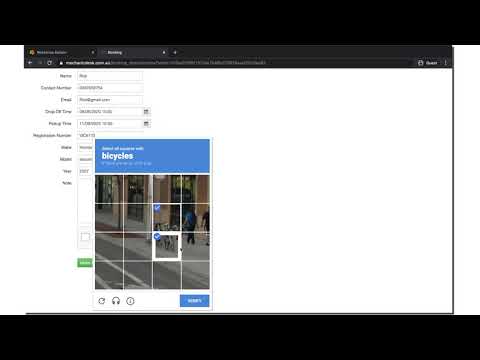
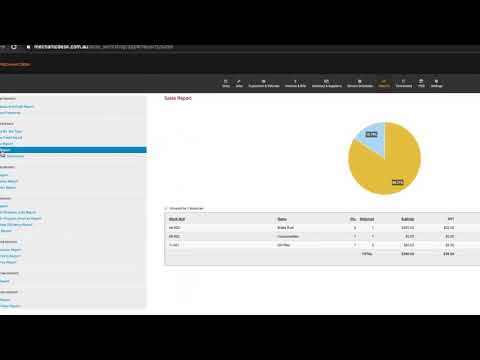
MechanicDesk in action
info Icon

A curated gallery of real screenshots and use cases from the product, so you can see how it works before trying it.

MechanicDesk screenshot 1 Full Screen Icon
https://www.youtube.com/watch?v=izmtlsvZJC8
Full Screen Icon
https://www.youtube.com/watch?v=OUmlCWu8mRs
Full Screen Icon
MechanicDesk screenshot 1
Video thumbnail
Video thumbnail
MechanicDesk screenshot 1

Alternatives to MechanicDesk
info Icon

A list of platforms similar to MechanicDesk, helping you evaluate which tool best matches your needs.

How to cancel MechanicDesk

Need to cancel MechanicDesk? Here is how
info Icon

Thinking about how to cancel MechanicDesk this is how you do it!

To cancel a MechanicDesk product, log in and contact support. You can also send an email to request cancellation. Ensure all payments are settled as per terms.

How to Cancel the MechanicDesk

To cancel a MechanicDesk product, log in and contact support. You can also send an email to request cancellation. Ensure all payments are settled as per terms.

Manage your MechanicDesk profile

Create profile

Want to list your product on Subscribed.fyi? Create a profile to reach more buyers.

Pricing Range
info Icon

This only an estimated pricing range, visit MechanicDesk pricing page to access all the information by clicking “Visit Now”.

$70-215 / Month
Visit Now
Deals Available

This product comes with a special deal, see details

This product comes with a special deal, see details