Sign in to review
Join our community of software reviewers on Subscribed.fyi

Continue With Google
Continue With LinkedIn
Continue Review with Email
Continue with Email
Enter your email to continue.
Continue
Enter your password
Enter your password to finish setting up your account.
Continue
Activate your email
Enter activation code we sent to your email.
Submit
Reset your password
Enter activation code we sent to your email.
Submit
Set your new password
Enter a new password for your account.
Submit
Log in
Provide My Insights
Simplenote logo
Simplenote logo

Simplenote Reviews, Pricing, Features & Alternatives (2026)

4/5
(1)

Simplenote is a user-friendly note-taking app designed for simplicity and efficiency. It offers seamless syncing across devices, Markdown support, easy note organization with tags, and a clean, distraction-free interface. Available on multiple platforms, it’s ideal for quick, accessible note management while staying lightweight.

Simplenote logo
Simplenote logo
Simplenote logo

Simplenote Overview

What is Simplenote?

4
★ ★ ★ ★ ★
1
Reviews

Available for Claim - This listing is available to be claimed
Claim Profile

Unclaimed

Claim this profile to manage it.

Claim Profile

Why teams choose Simplenote

Key Features

Eco-Friendly
Eco-Friendly
Designed with sustainability in mind.
Plug & Play Setup
Plug & Play Setup
Get started in minutes, not weeks.
Scales with You
Scales with You
Grows with your business needs.

Who is Simplenote for?

Simplenote Overview

Simplenote is a minimalist note-taking solution designed to keep your thoughts organized and accessible across devices. Categorized under Personal Productivity, it combines simplicity with functionality, making it ideal for users who prioritize efficiency in note management. Leveraging cloud synchronization, Simplenote ensures your notes are always updated, whether you’re using a mobile device, desktop, or web app. Its core features include Markdown support, tagging capabilities for organization, sharing options, and revision history. Explore exclusive deals.

Why Use Simplenote?

Simplenote offers several unique benefits that cater to diverse productivity needs:

  • Cross-Platform Synchronization: Seamlessly use Simplenote on iOS, Android, Windows, Mac, Linux, or via its web app. Notes automatically sync in real-time, providing uninterrupted access.
  • Distraction-Free Interface: The app stands out for its clutter-free design, allowing users to focus solely on their content without unnecessary features getting in the way.
  • Tagging and Organization: Use tags to streamline your note categorization for easy retrieval, avoiding the hassle of manually organizing folders.
  • Markdown Support: Enhance your notes with Markdown formatting, ideal for adding structured text elements like bullet points, headers, and more.
  • Collaboration and Sharing: Effortlessly share notes via public links, making Simplenote a tool for both personal use and teamwork.
  • Free and Ad-Free: All features of Simplenote are provided at no cost, without intrusive advertisements, enhancing the user experience and productivity.

Who is Simplenote For?

Simplenote is perfect for a range of users, including:

  • Students: Take notes during lectures or prepare study materials using Simplenote’s easy-to-use interface and cross-device synchronization.
  • Professionals: Organize meeting notes, to-do lists, and project plans, while sharing notes with colleagues for seamless collaboration.
  • Writers: Focus on writing without distractions, using Markdown support for headings, lists, and other formatting needs.
  • Anyone Seeking Organization: Simplenote’s lightweight design makes it ideal for anyone looking to stay organized without complicated features.

For alternative note-taking options, consider Microsoft OneNote, Bear, and Standard Notes.

Simplenote Summary

Simplenote Overview

Simplenote is a minimalist note-taking solution designed to keep your thoughts organized and accessible across devices. Categorized under Personal Productivity, it combines simplicity with functionality, making it ideal for users who prioritize efficiency in note management. Leveraging cloud synchronization, Simplenote ensures your notes are always updated, whether you’re using a mobile device, desktop, or web app. Its core features include Markdown support, tagging capabilities for organization, sharing options, and revision history. Explore exclusive deals.

Why Use Simplenote?

Simplenote offers several unique benefits that cater to diverse productivity needs:

  • Cross-Platform Synchronization: Seamlessly use Simplenote on iOS, Android, Windows, Mac, Linux, or via its web app. Notes automatically sync in real-time, providing uninterrupted access.
  • Distraction-Free Interface: The app stands out for its clutter-free design, allowing users to focus solely on their content without unnecessary features getting in the way.
  • Tagging and Organization: Use tags to streamline your note categorization for easy retrieval, avoiding the hassle of manually organizing folders.
  • Markdown Support: Enhance your notes with Markdown formatting, ideal for adding structured text elements like bullet points, headers, and more.
  • Collaboration and Sharing: Effortlessly share notes via public links, making Simplenote a tool for both personal use and teamwork.
  • Free and Ad-Free: All features of Simplenote are provided at no cost, without intrusive advertisements, enhancing the user experience and productivity.

Who is Simplenote For?

Simplenote is perfect for a range of users, including:

  • Students: Take notes during lectures or prepare study materials using Simplenote’s easy-to-use interface and cross-device synchronization.
  • Professionals: Organize meeting notes, to-do lists, and project plans, while sharing notes with colleagues for seamless collaboration.
  • Writers: Focus on writing without distractions, using Markdown support for headings, lists, and other formatting needs.
  • Anyone Seeking Organization: Simplenote’s lightweight design makes it ideal for anyone looking to stay organized without complicated features.

For alternative note-taking options, consider Microsoft OneNote, Bear, and Standard Notes.

Simplenote reviews and insights

Learn what people say about Simplenote

4 ★ ★ ★ ★ ★
1 Reviews
Gochmurad Eyyamberdiyev Тестирование пользователей включено
8 months ago
Share
Как это облегчило вашу работу/жизнь?
A very convenient and easy-to-use notepad. Well, that's clear from the app's name.
Вы сталкивались с какими-либо ошибками или сбоями?
The appearance of my text notes doesn't change. So, you could add group covers or just notes.
Какую проблему решил для вас этот продукт?
As I wrote before, the design needs to be improved at least a little. Of course, don't complicate the design, but make it more attractive.
Final thoughts, wrap up what you think
For a free notepad, it's pretty good, but it could be better. There are better alternatives, though.
Upvote
Simplenote logo

Simplenote User Reviews

1 User Reviews

Reviews from G2, Capterra, Trustpilot
info Icon

These ratings come directly from third-party platforms like G2, Capterra, and Trustpilot. They reflect real user feedback collected independently on those sites.

Simplenote pricing

Pricing model

Simplenote logo
Pricing Range
info Icon

This only an estimated pricing range, visit Simplenote pricing page to access all the information by clicking “Visit Now”.

$19.99 / Month
Deals Available

This product comes with a special deal, see details

Visit Now

Overview

Simplenote Overview

Simplenote is a minimalist note-taking solution designed to keep your thoughts organized and accessible across devices. Categorized under Personal Productivity, it combines simplicity with functionality, making it ideal for users who prioritize efficiency in note management. Leveraging cloud synchronization, Simplenote ensures your notes are always updated, whether you’re using a mobile device, desktop, or web app. Its core features include Markdown support, tagging capabilities for organization, sharing options, and revision history. Explore exclusive deals.

Why Use Simplenote?

Simplenote offers several unique benefits that cater to diverse productivity needs:

  • Cross-Platform Synchronization: Seamlessly use Simplenote on iOS, Android, Windows, Mac, Linux, or via its web app. Notes automatically sync in real-time, providing uninterrupted access.
  • Distraction-Free Interface: The app stands out for its clutter-free design, allowing users to focus solely on their content without unnecessary features getting in the way.
  • Tagging and Organization: Use tags to streamline your note categorization for easy retrieval, avoiding the hassle of manually organizing folders.
  • Markdown Support: Enhance your notes with Markdown formatting, ideal for adding structured text elements like bullet points, headers, and more.
  • Collaboration and Sharing: Effortlessly share notes via public links, making Simplenote a tool for both personal use and teamwork.
  • Free and Ad-Free: All features of Simplenote are provided at no cost, without intrusive advertisements, enhancing the user experience and productivity.

Who is Simplenote For?

Simplenote is perfect for a range of users, including:

  • Students: Take notes during lectures or prepare study materials using Simplenote’s easy-to-use interface and cross-device synchronization.
  • Professionals: Organize meeting notes, to-do lists, and project plans, while sharing notes with colleagues for seamless collaboration.
  • Writers: Focus on writing without distractions, using Markdown support for headings, lists, and other formatting needs.
  • Anyone Seeking Organization: Simplenote’s lightweight design makes it ideal for anyone looking to stay organized without complicated features.

For alternative note-taking options, consider Microsoft OneNote, Bear, and Standard Notes.

Where Simplenote performs best

What users like
  • Simple and user-friendly interface
  • Syncs notes across multiple devices
  • Free with no ads
  • Fast and reliable for quick note-taking

Where Simplenote falls short

What users dislike
  • Limited formatting options
  • No folder or organization tools
  • Concerns about note security
  • Lacks ability to embed attachments
Simplenote Pricing Range
$19.99 / Month

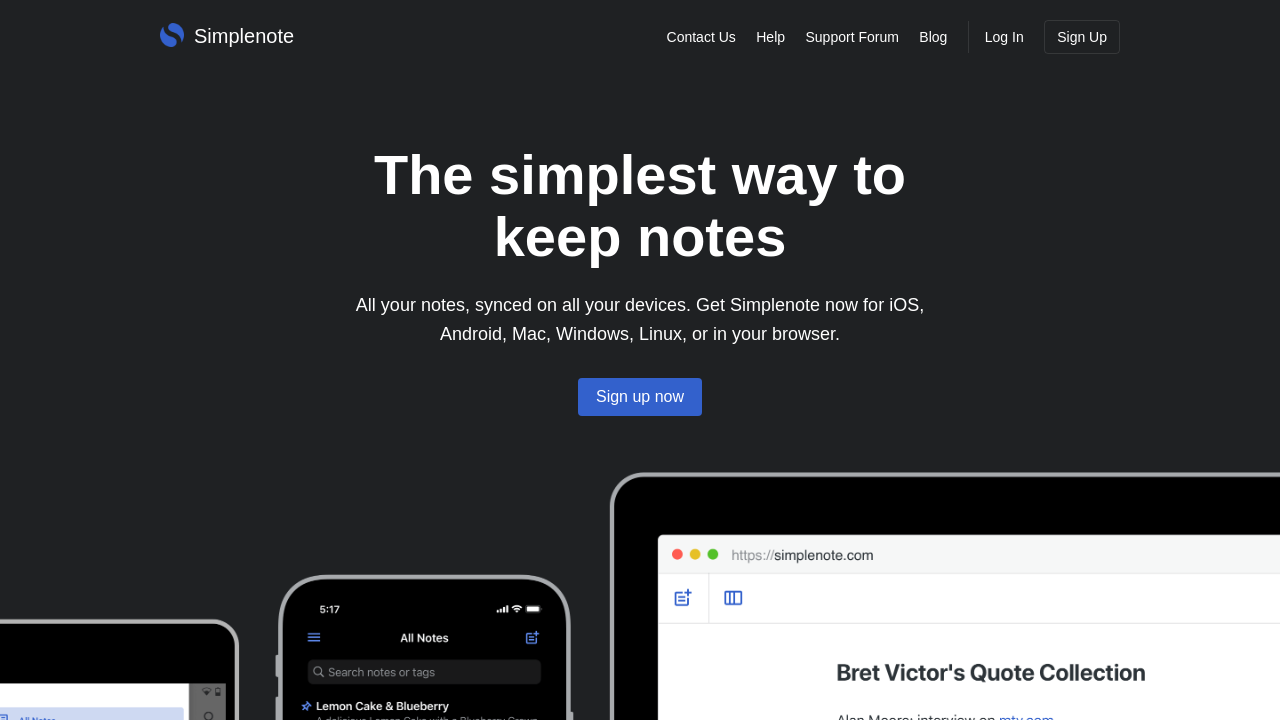
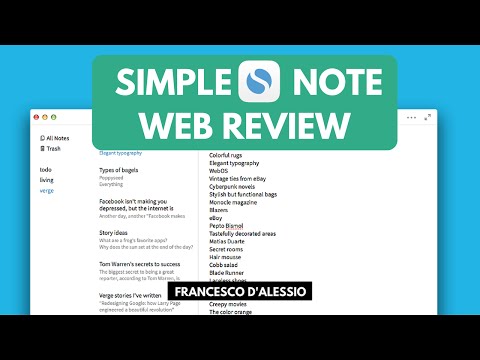
Simplenote in action
info Icon

A curated gallery of real screenshots and use cases from the product, so you can see how it works before trying it.

Simplenote screenshot 1 Full Screen Icon
https://www.youtube.com/watch?v=uDpJBSb_3Ak
Full Screen Icon
https://www.youtube.com/watch?v=_4LMBEr6nHo
Full Screen Icon
Simplenote screenshot 1
Video thumbnail
Video thumbnail
Simplenote screenshot 1

Alternatives to Simplenote
info Icon

A list of platforms similar to Simplenote, helping you evaluate which tool best matches your needs.

How to cancel Simplenote

Need to cancel Simplenote? Here is how
info Icon

Thinking about how to cancel Simplenote this is how you do it!

To cancel a Simplenote product, you typically need to access your account settings. However, Simplenote is a free service, so there might not be a specific cancellation process for subscriptions. If you have a paid feature or integration, check the relevant service’s cancellation instructions.

How to Cancel the Simplenote

To cancel a Simplenote product, you typically need to access your account settings. However, Simplenote is a free service, so there might not be a specific cancellation process for subscriptions. If you have a paid feature or integration, check the relevant service’s cancellation instructions.

Manage your Simplenote profile

Create profile

Want to list your product on Subscribed.fyi? Create a profile to reach more buyers.

Pricing Range
info Icon

This only an estimated pricing range, visit Simplenote pricing page to access all the information by clicking “Visit Now”.

$19.99 / Month
Visit Now
Deals Available

This product comes with a special deal, see details

This product comes with a special deal, see details