Xodo Reviews 2026: Details, Pricing, & Features | Subscribed.fyi
Sign in to review
Join our community of software reviewers on Subscribed.fyi

Continue With Google
Continue With LinkedIn
Continue Review with Email
Continue with Email
Enter your email to continue.
Continue
Enter your password
Enter your password to finish setting up your account.
Continue
Activate your email
Enter activation code we sent to your email.
Submit
Reset your password
Enter activation code we sent to your email.
Submit
Set your new password
Enter a new password for your account.
Submit
✨ Ask AI Search
Categories
For Business
Log in
Provide Insight

Build your reputation. Monitor every review and mention across 23+ platforms in one place

Learn More
Platforms

Subscribed Profile

Create Profile

Add your software and get discovered.

Claim For Free

Take ownership of your Subscribed.fyi listing.

Learn More

Xodo

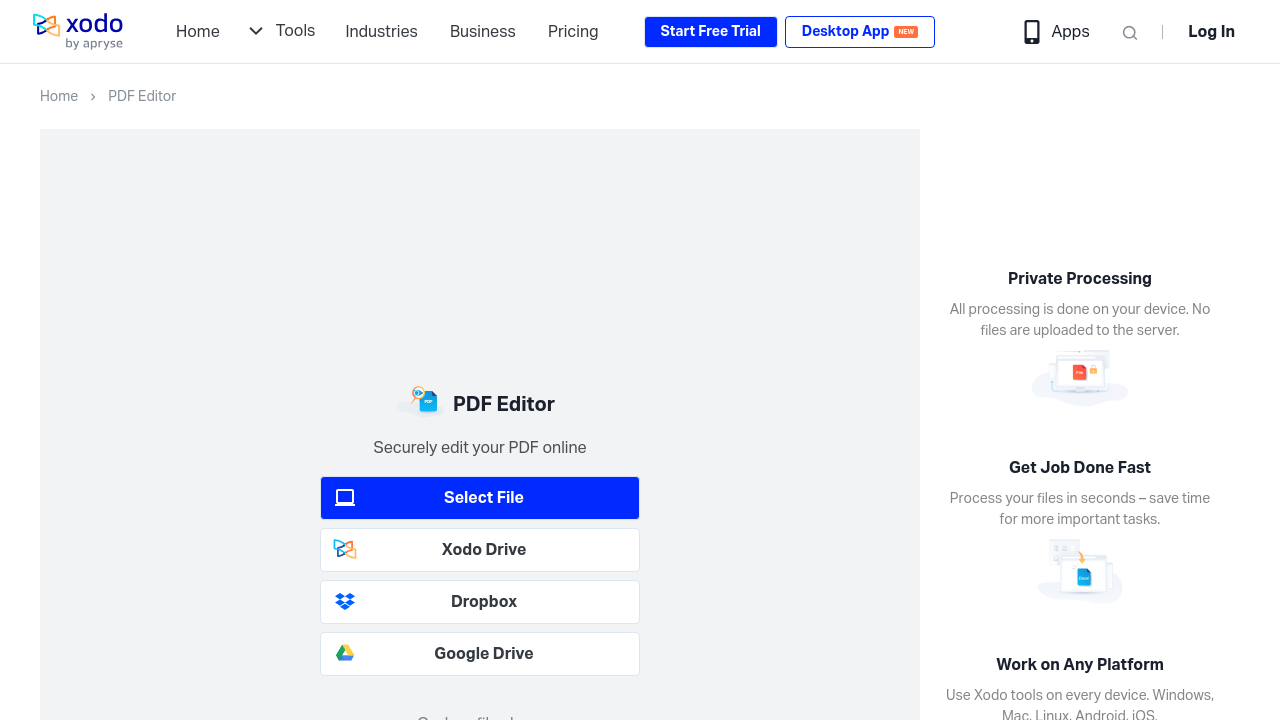
Xodo is an all-in-one PDF solution designed to streamline document workflows with over 30 powerful tools for editing, annotating, converting, merging, e-signing, and more. It offers seamless cross-platform support on web, mobile, and desktop, ensuring efficiency and accessibility. With a focus on security and simplicity, Xodo serves individuals and businesses alike to manage PDFs effortlessly.

Xodo

N/A
0
Reviews
67%
Subscribed Score

Available for Claim - This listing is available to be claimed
Claim For Free

Unclaimed

Curated and listed by Subscribed Team

Claim For Free
Real-Time Updates
Real-Time Updates
See changes instantly, no delays.
Trusted by Thousands
Proven by professionals worldwide.
Smart Automation
Smart Automation
Save time with AI-powered workflows.

Xodo is a comprehensive tool in the PDF Editing and Management category, offering over 30 advanced features to streamline workflows and address all your PDF needs. With its versatile platform, available on web, iOS, Android, and Windows, users can convert, edit, annotate, merge, compress, sign documents, and more, ensuring a seamless and secure document management experience. Explore exclusive deals. For alternatives, consider Foxit PDF Editor.

Why Use Xodo?

Choosing Xodo brings multiple benefits, providing a powerful and efficient platform for diverse PDF requirements:

  • All-in-One PDF Solution: Xodo integrates over 30 essential tools, including editing, annotating, e-signing, and compressing PDFs, into one user-friendly interface, simplifying document management.
  • Cross-Platform Functionality: Work seamlessly across multiple devices, from web browsers to native apps on iOS, Android, and Windows, ensuring accessibility wherever you are.
  • Business and Productivity Enhancements: With bulk file conversion, Xodo Drive storage (up to 5GB), and features like the AskPDF AI tool, users can speed up processes and improve workflow efficiency.
  • Secure and Reliable: Designed as a secure platform, Xodo ensures your files and data remain protected, making it ideal for individual and business use.

Who is Xodo For?

Xodo caters to a variety of users, ensuring smooth document handling for all:

  • Professionals: From researchers to consultants, Xodo supports efficient document collaboration, annotations, and updates directly within PDFs.
  • Small Business Owners: Entrepreneurs rely on Xodo for comprehensive document management, e-signature tools, and cloud-based storage, all in one cost-effective solution.
  • Students and Educators: With features like annotations, editing, and digital organization, Xodo simplifies academic tasks like research and coursework.
  • Remote Teams: Xodo is ideal for teams working remotely, offering options to merge, share, and annotate documents collaboratively across platforms.

Xodo is a versatile and efficient platform for anyone needing reliable and advanced PDF editing tools. Its extensive suite of features empowers users to handle document tasks effortlessly while ensuring data security and accessibility.


Xodo Summary

Xodo is a comprehensive tool in the PDF Editing and Management category, offering over 30 advanced features to streamline workflows and address all your PDF needs. With its versatile platform, available on web, iOS, Android, and Windows, users can convert, edit, annotate, merge, compress, sign documents, and more, ensuring a seamless and secure document management experience. Explore exclusive deals. For alternatives, consider Foxit PDF Editor.

Why Use Xodo?

Choosing Xodo brings multiple benefits, providing a powerful and efficient platform for diverse PDF requirements:

  • All-in-One PDF Solution: Xodo integrates over 30 essential tools, including editing, annotating, e-signing, and compressing PDFs, into one user-friendly interface, simplifying document management.
  • Cross-Platform Functionality: Work seamlessly across multiple devices, from web browsers to native apps on iOS, Android, and Windows, ensuring accessibility wherever you are.
  • Business and Productivity Enhancements: With bulk file conversion, Xodo Drive storage (up to 5GB), and features like the AskPDF AI tool, users can speed up processes and improve workflow efficiency.
  • Secure and Reliable: Designed as a secure platform, Xodo ensures your files and data remain protected, making it ideal for individual and business use.

Who is Xodo For?

Xodo caters to a variety of users, ensuring smooth document handling for all:

  • Professionals: From researchers to consultants, Xodo supports efficient document collaboration, annotations, and updates directly within PDFs.
  • Small Business Owners: Entrepreneurs rely on Xodo for comprehensive document management, e-signature tools, and cloud-based storage, all in one cost-effective solution.
  • Students and Educators: With features like annotations, editing, and digital organization, Xodo simplifies academic tasks like research and coursework.
  • Remote Teams: Xodo is ideal for teams working remotely, offering options to merge, share, and annotate documents collaboratively across platforms.

Xodo is a versatile and efficient platform for anyone needing reliable and advanced PDF editing tools. Its extensive suite of features empowers users to handle document tasks effortlessly while ensuring data security and accessibility.
Xodo reviews

Learn what people say about Xodo

N/A
0 Reviews
67%
Subscribed Score

Lear more here about the Subscribed score on how it is composed. Learn more Click here

Overall rating

5
4
3
2
1
CX 3/6

How good is the customer support based on subscribed’s assessment

CX Icon
Security 4/6

How secure is the product based on Subscribed’s assessment?

Security Icon
Ease of Use 5/6

How easy is the product to use, based on Subscribed’s assessment?

EOU Icon
Value 5/6

What is the value for money based on Subscribed’s assessment?

coin Icon
Integration 3/6

How many integrations does the product offer?

gear Icon
Popularity 4/6

How popular is the product?

star

No Reviews Yet!

Be the first to share your experience and help others in the community.

Xodo User Reviews

0 User Reviews

Reviews from G2, Capterra, Trustpilot
info Icon

These ratings come directly from third-party platforms like G2, Capterra, and Trustpilot. They reflect real user feedback collected independently on those sites.

Xodo

Pricing Range
info Icon

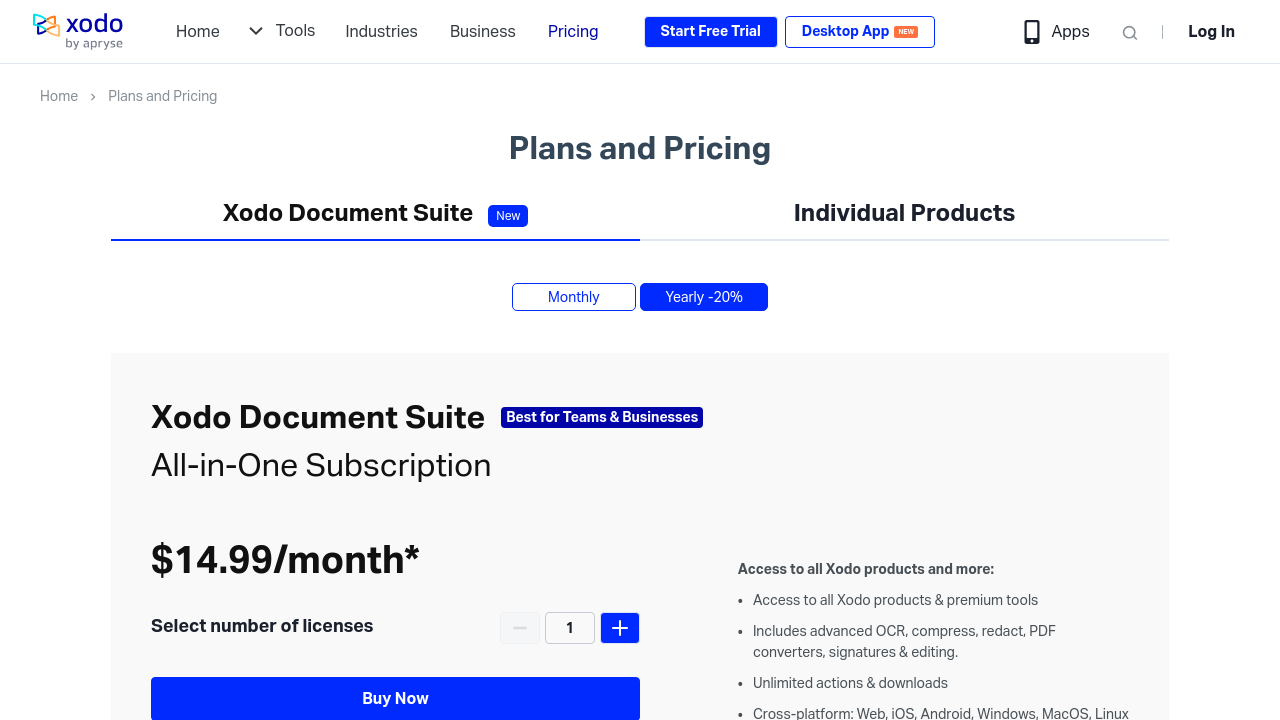
This only an estimated pricing range, visit Xodo pricing page to access all the information by clicking “Visit Now”.

$9.99-$14.99 / Month
Deals Available

This product comes with a special deal, see details

Visit Now
✨ Ask AI about pricing
67% Subscribed Score
info Icon

The Subscribed Score is an independent rating that combines user reviews, features, and value-for-money from multiple trusted sources. It’s designed as a quick benchmark, not a guarantee of individual experience.

Analysis

Xodo is a comprehensive tool in the PDF Editing and Management category, offering over 30 advanced features to streamline workflows and address all your PDF needs. With its versatile platform, available on web, iOS, Android, and Windows, users can convert, edit, annotate, merge, compress, sign documents, and more, ensuring a seamless and secure document management experience. Explore exclusive deals. For alternatives, consider Foxit PDF Editor.

Why Use Xodo?

Choosing Xodo brings multiple benefits, providing a powerful and efficient platform for diverse PDF requirements:

  • All-in-One PDF Solution: Xodo integrates over 30 essential tools, including editing, annotating, e-signing, and compressing PDFs, into one user-friendly interface, simplifying document management.
  • Cross-Platform Functionality: Work seamlessly across multiple devices, from web browsers to native apps on iOS, Android, and Windows, ensuring accessibility wherever you are.
  • Business and Productivity Enhancements: With bulk file conversion, Xodo Drive storage (up to 5GB), and features like the AskPDF AI tool, users can speed up processes and improve workflow efficiency.
  • Secure and Reliable: Designed as a secure platform, Xodo ensures your files and data remain protected, making it ideal for individual and business use.

Who is Xodo For?

Xodo caters to a variety of users, ensuring smooth document handling for all:

  • Professionals: From researchers to consultants, Xodo supports efficient document collaboration, annotations, and updates directly within PDFs.
  • Small Business Owners: Entrepreneurs rely on Xodo for comprehensive document management, e-signature tools, and cloud-based storage, all in one cost-effective solution.
  • Students and Educators: With features like annotations, editing, and digital organization, Xodo simplifies academic tasks like research and coursework.
  • Remote Teams: Xodo is ideal for teams working remotely, offering options to merge, share, and annotate documents collaboratively across platforms.

Xodo is a versatile and efficient platform for anyone needing reliable and advanced PDF editing tools. Its extensive suite of features empowers users to handle document tasks effortlessly while ensuring data security and accessibility.

Pros
  • Efficient annotation tools
  • Cross-platform compatibility
  • Smooth writing experience
  • Mobile app convenience
Cons
  • High subscription cost
  • Occasional performance issues
  • Limited text editing features
  • Slow cloud syncing
Subscribed Score Metrics
24/36 Metric achieved
MetricsScore
Customer Support3/6
Security4/6
Ease of Use5/6
Value of Money5/6
Integration3/6
Popularity4/6
Radar Chart Table View
Ease of Use
Measures how simple and intuitive the product is to use, including setup, navigation, and overall user experience
5/6 Metric Checks
Security
Compares the product`s features, quality, and pricing to determine its overall cost-effectiveness.
4/6 Metric Checks
Value of Money
Assesses the product`s ability to protect data, prevent breaches, and comply with industry standards.
5/6 Metric Checks
Customer Support
Reflects the responsiveness, helpfulness, and quality of assistance provided by the product`s support team.
3/6 Metric Checks
Integrations
Evaluates how well the product connects with other tools and platforms, enabling seamless workflows.
3/6 Metric Checks
Xodo Pricing Range
$9.99-$14.99 / Month

Xodo Showcase
info Icon

A curated gallery of real screenshots and use cases from the product, so you can see how it works before trying it.

Xodo Full Screen Icon
https://www.youtube.com/watch?v=lbVeJ7cuVtk
Full Screen Icon
https://www.youtube.com/watch?v=x1-FOx4UHiw
Full Screen Icon
Xodo
Xodo

What else exists next to Xodo
info Icon

A list of platforms similar to Xodo, helping you evaluate which tool best matches your needs.

Need to cancel Xodo? Here is how
info Icon

Thinking about how to cancel Xodo this is how you do it!

To cancel a Xodo subscription:

  • Log in to your Xodo account.
  • Go to account settings and select billing.
  • Cancel your subscription there. You will retain access until the end of your billing cycle.

How to Cancel the Xodo

To cancel a Xodo subscription:

  • Log in to your Xodo account.
  • Go to account settings and select billing.
  • Cancel your subscription there. You will retain access until the end of your billing cycle.
Every else you need to know about Xodo
info Icon

A collection of FAQs, guides, alternatives, and comparisons to help you quickly understand if Xodo is right for you.

Pricing Range
info Icon

This only an estimated pricing range, visit Xodo pricing page to access all the information by clicking “Visit Now”.

$9.99-$14.99 / Month
Visit Now
Deals Available

This product comes with a special deal, see details

This product comes with a special deal, see details