Timeclock 365 Reviews 2026: Details, Pricing, & Features | Subscribed.fyi
Sign in to review
Join our community of software reviewers on Subscribed.fyi

Continue With Google
Continue With LinkedIn
Continue Review with Email
Continue with Email
Enter your email to continue.
Continue
Enter your password
Enter your password to finish setting up your account.
Continue
Activate your email
Enter activation code we sent to your email.
Submit
Reset your password
Enter activation code we sent to your email.
Submit
Set your new password
Enter a new password for your account.
Submit
Categories
For Business
Log in
Provide My Insights

Timeclock 365 Reviews, Pricing, Features & Alternatives (2026)

Timeclock 365 is a comprehensive, easy-to-use time tracking and employee attendance software compatible with Microsoft 365. It offers features such as project management, real-time alerts, and automatic payroll integration. With support for remote access and detailed reporting, it simplifies workforce management and ensures accurate time tracking. Ideal for businesses seeking smarter, efficient solutions for employee management.

Timeclock 365 Overview

What is Timeclock 365?

N/A
0
Reviews
58%
Subscribed Score

Available for Claim - This listing is available to be claimed
Claim Profile For Free

Unclaimed

Manage profile with subsig, and unlock 23+ social and review monitoring. Get partnership options with

Claim Profile For Free

Why teams choose Timeclock 365

Key Features

Seamless Integrations
Connect easily with your favorite tools.
Smart Automation
Smart Automation
Save time with AI-powered workflows.
Expert Support
Expert Support
Help available when you need it.

Who is Timeclock 365 for?

TimeClock 365 is an innovative solution under the Time and Attendance Management category. Designed for seamless time tracking, attendance, and workforce management, it smoothly integrates with Microsoft 365, making it a robust tool for small to mid-sized businesses. Its added project management features and door access control make it a comprehensive platform for organizational efficiency. Discover special offers. For alternatives, explore platforms like DeelRippling, and Connecteam.

Why Use TimeClock 365?

Implementing TimeClock 365 offers several key advantages:

  • Microsoft 365 Integration: TimeClock 365 integrates seamlessly with Microsoft 365, enabling a unified, efficient time and productivity management experience for organizations already leveraging Microsoft’s suite.
  • Flexible Accessibility: The platform supports both on-site and remote usage. Track employee activities in real-time and manage time-offs without the hassle of spreadsheets.
  • Automatic Payroll Sync: Avoid manual calculations as the system auto-syncs data to most payroll software, ensuring effortless salary processing.
  • Comprehensive Reporting: Generate customized reports according to your employees’ contracts, including work hours, overtime, and project assignments for better decision-making.
  • Real-Time Alerts: Stay informed about employee activities with automated notifications regarding attendance and time-off requests.

Who is TimeClock 365 For?

TimeClock 365 caters to various organizational needs:

  • SMBs and Enterprises: Ideal for businesses of all sizes seeking to streamline time tracking and attendance processes.
  • Human Resources Teams: HR professionals can leverage the system to manage payroll, employee leaves, and approvals efficiently.
  • Project Managers: Offers tools to ensure project timelines are met by monitoring employee productivity and tasks in a centralized system.
  • Remote Work Setups: Perfect for hybrid or remote teams with its accessible mobile and web platforms.

TimeClock 365 delivers an intuitive and feature-packed solution for organizations seeking to optimize workforce management, enhance productivity, and simplify payroll processing. The platform’s interoperability with Microsoft 365 ensures it is an essential tool for tech-savvy teams aiming for efficiency.


Timeclock 365 Summary

TimeClock 365 is an innovative solution under the Time and Attendance Management category. Designed for seamless time tracking, attendance, and workforce management, it smoothly integrates with Microsoft 365, making it a robust tool for small to mid-sized businesses. Its added project management features and door access control make it a comprehensive platform for organizational efficiency. Discover special offers. For alternatives, explore platforms like DeelRippling, and Connecteam.

Why Use TimeClock 365?

Implementing TimeClock 365 offers several key advantages:

  • Microsoft 365 Integration: TimeClock 365 integrates seamlessly with Microsoft 365, enabling a unified, efficient time and productivity management experience for organizations already leveraging Microsoft’s suite.
  • Flexible Accessibility: The platform supports both on-site and remote usage. Track employee activities in real-time and manage time-offs without the hassle of spreadsheets.
  • Automatic Payroll Sync: Avoid manual calculations as the system auto-syncs data to most payroll software, ensuring effortless salary processing.
  • Comprehensive Reporting: Generate customized reports according to your employees’ contracts, including work hours, overtime, and project assignments for better decision-making.
  • Real-Time Alerts: Stay informed about employee activities with automated notifications regarding attendance and time-off requests.

Who is TimeClock 365 For?

TimeClock 365 caters to various organizational needs:

  • SMBs and Enterprises: Ideal for businesses of all sizes seeking to streamline time tracking and attendance processes.
  • Human Resources Teams: HR professionals can leverage the system to manage payroll, employee leaves, and approvals efficiently.
  • Project Managers: Offers tools to ensure project timelines are met by monitoring employee productivity and tasks in a centralized system.
  • Remote Work Setups: Perfect for hybrid or remote teams with its accessible mobile and web platforms.

TimeClock 365 delivers an intuitive and feature-packed solution for organizations seeking to optimize workforce management, enhance productivity, and simplify payroll processing. The platform’s interoperability with Microsoft 365 ensures it is an essential tool for tech-savvy teams aiming for efficiency.

Timeclock 365 reviews and insights

Learn what people say about Timeclock 365

N/A
0 Reviews
58%
Subscribed Score

Lear more here about the Subscribed score on how it is composed. Learn more Click here

Overall rating

5
4
3
2
1
CX 3/6

How good is the customer support based on subscribed’s assessment

CX Icon
Security 3/6

How secure is the product based on Subscribed’s assessment?

Security Icon
Ease of Use 4/6

How easy is the product to use, based on Subscribed’s assessment?

EOU Icon
Value 4/6

What is the value for money based on Subscribed’s assessment?

coin Icon
Integration 4/6

How many integrations does the product offer?

gear Icon
Popularity 3/6

How popular is the product?

star

No Reviews Yet!

Be the first to share your experience and help others in the community.

Timeclock 365 User Reviews

0 User Reviews

Reviews from G2, Capterra, Trustpilot
info Icon

These ratings come directly from third-party platforms like G2, Capterra, and Trustpilot. They reflect real user feedback collected independently on those sites.

Timeclock 365 pricing

Pricing model

Pricing Range
info Icon

This only an estimated pricing range, visit Timeclock 365 pricing page to access all the information by clicking “Visit Now”.

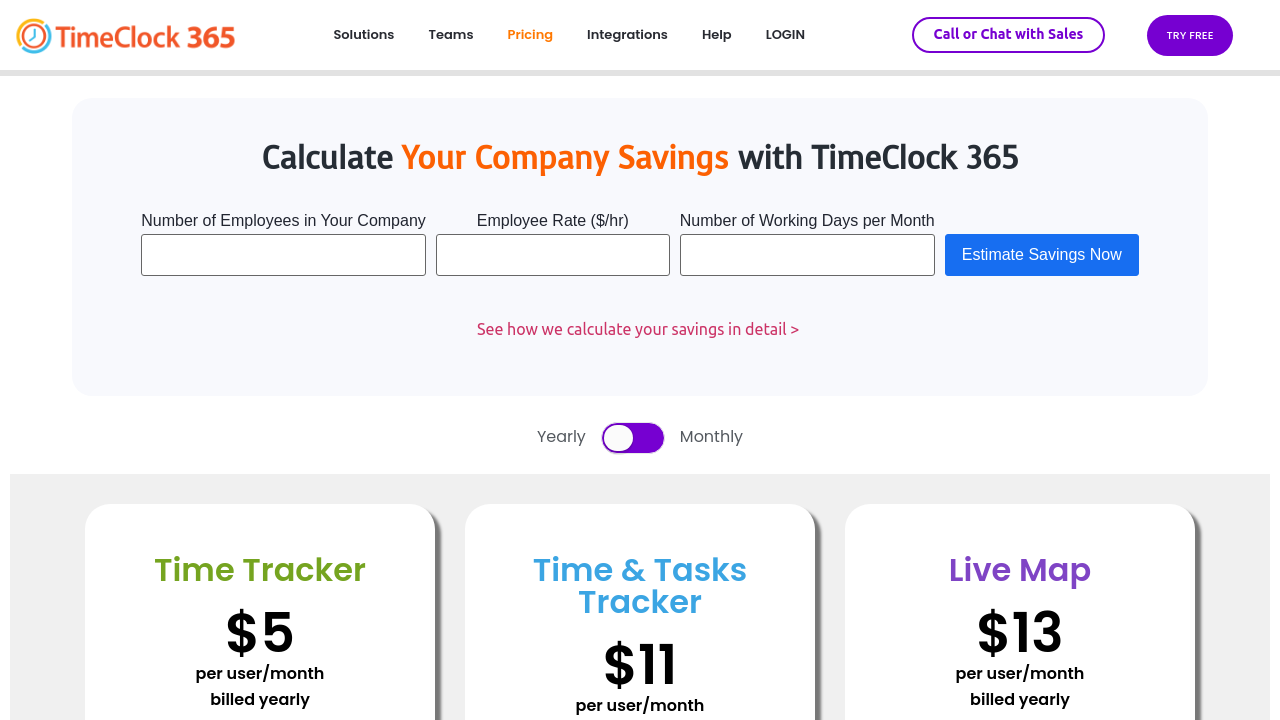
$6-$15 / Month
Deals Available

This product comes with a special deal, see details

Visit Now
✨ Ask AI about pricing
58% Subscribed Score
info Icon

The Subscribed Score is an independent rating that combines user reviews, features, and value-for-money from multiple trusted sources. It’s designed as a quick benchmark, not a guarantee of individual experience.

Overview

TimeClock 365 is an innovative solution under the Time and Attendance Management category. Designed for seamless time tracking, attendance, and workforce management, it smoothly integrates with Microsoft 365, making it a robust tool for small to mid-sized businesses. Its added project management features and door access control make it a comprehensive platform for organizational efficiency. Discover special offers. For alternatives, explore platforms like DeelRippling, and Connecteam.

Why Use TimeClock 365?

Implementing TimeClock 365 offers several key advantages:

  • Microsoft 365 Integration: TimeClock 365 integrates seamlessly with Microsoft 365, enabling a unified, efficient time and productivity management experience for organizations already leveraging Microsoft’s suite.
  • Flexible Accessibility: The platform supports both on-site and remote usage. Track employee activities in real-time and manage time-offs without the hassle of spreadsheets.
  • Automatic Payroll Sync: Avoid manual calculations as the system auto-syncs data to most payroll software, ensuring effortless salary processing.
  • Comprehensive Reporting: Generate customized reports according to your employees’ contracts, including work hours, overtime, and project assignments for better decision-making.
  • Real-Time Alerts: Stay informed about employee activities with automated notifications regarding attendance and time-off requests.

Who is TimeClock 365 For?

TimeClock 365 caters to various organizational needs:

  • SMBs and Enterprises: Ideal for businesses of all sizes seeking to streamline time tracking and attendance processes.
  • Human Resources Teams: HR professionals can leverage the system to manage payroll, employee leaves, and approvals efficiently.
  • Project Managers: Offers tools to ensure project timelines are met by monitoring employee productivity and tasks in a centralized system.
  • Remote Work Setups: Perfect for hybrid or remote teams with its accessible mobile and web platforms.

TimeClock 365 delivers an intuitive and feature-packed solution for organizations seeking to optimize workforce management, enhance productivity, and simplify payroll processing. The platform’s interoperability with Microsoft 365 ensures it is an essential tool for tech-savvy teams aiming for efficiency.

Where Timeclock 365 performs best

What users like
  • Easy to use and deploy
  • Supports mobile and web platforms
  • Integrates with third-party tools
  • Helpful customer support

Where Timeclock 365 falls short

What users dislike
  • Poor handling of customer support issues
  • Frequent bugs after updates
  • Mobile app crashes occasionally
  • Implementation takes longer than expected
Subscribed Score Metrics
21/36 Metric achieved
MetricsScore
Customer Support3/6
Security3/6
Ease of Use4/6
Value of Money4/6
Integration4/6
Popularity3/6
Radar Chart Table View
Ease of Use
Measures how simple and intuitive the product is to use, including setup, navigation, and overall user experience
4/6 Metric Checks
Security
Compares the product`s features, quality, and pricing to determine its overall cost-effectiveness.
3/6 Metric Checks
Value of Money
Assesses the product`s ability to protect data, prevent breaches, and comply with industry standards.
4/6 Metric Checks
Customer Support
Reflects the responsiveness, helpfulness, and quality of assistance provided by the product`s support team.
3/6 Metric Checks
Integrations
Evaluates how well the product connects with other tools and platforms, enabling seamless workflows.
4/6 Metric Checks
Timeclock 365 Pricing Range
$6-$15 / Month

Timeclock 365 in action
info Icon

A curated gallery of real screenshots and use cases from the product, so you can see how it works before trying it.

Timeclock 365 Full Screen Icon
https://www.youtube.com/watch?v=hHCYtZgXfnc
Full Screen Icon
https://www.youtube.com/watch?v=Ec3RgNCjm3Q
Full Screen Icon
Timeclock 365
Timeclock 365
Video thumbnail
Video thumbnail
Timeclock 365
Timeclock 365

Alternatives to Timeclock 365
info Icon

A list of platforms similar to Timeclock 365, helping you evaluate which tool best matches your needs.

How to cancel Timeclock 365

Need to cancel Timeclock 365? Here is how
info Icon

Thinking about how to cancel Timeclock 365 this is how you do it!

To cancel a TimeClock 365 subscription, log in to your account and navigate to the relevant settings or contact support directly for assistance. Details on cancellation procedures are available through their support system.

How to Cancel the Timeclock 365

To cancel a TimeClock 365 subscription, log in to your account and navigate to the relevant settings or contact support directly for assistance. Details on cancellation procedures are available through their support system.

FAQs about Timeclock 365

Every else you need to know about Timeclock 365
info Icon

A collection of FAQs, guides, alternatives, and comparisons to help you quickly understand if Timeclock 365 is right for you.

Manage your Timeclock 365 profile

Create profile

Want to list your product on Subscribed.fyi? Create a profile to reach more buyers.

Pricing Range
info Icon

This only an estimated pricing range, visit Timeclock 365 pricing page to access all the information by clicking “Visit Now”.

$6-$15 / Month
Visit Now
Deals Available

This product comes with a special deal, see details

This product comes with a special deal, see details