Match My Email Reviews 2026: Details, Pricing, & Features | Subscribed.fyi
Sign in to review
Join our community of software reviewers on Subscribed.fyi

Continue With Google
Continue With LinkedIn
Continue Review with Email
Continue with Email
Enter your email to continue.
Continue
Enter your password
Enter your password to finish setting up your account.
Continue
Activate your email
Enter activation code we sent to your email.
Submit
Reset your password
Enter activation code we sent to your email.
Submit
Set your new password
Enter a new password for your account.
Submit
Categories
For Business
Log in
Provide My Insights

Match My Email Reviews, Pricing, Features & Alternatives (2026)

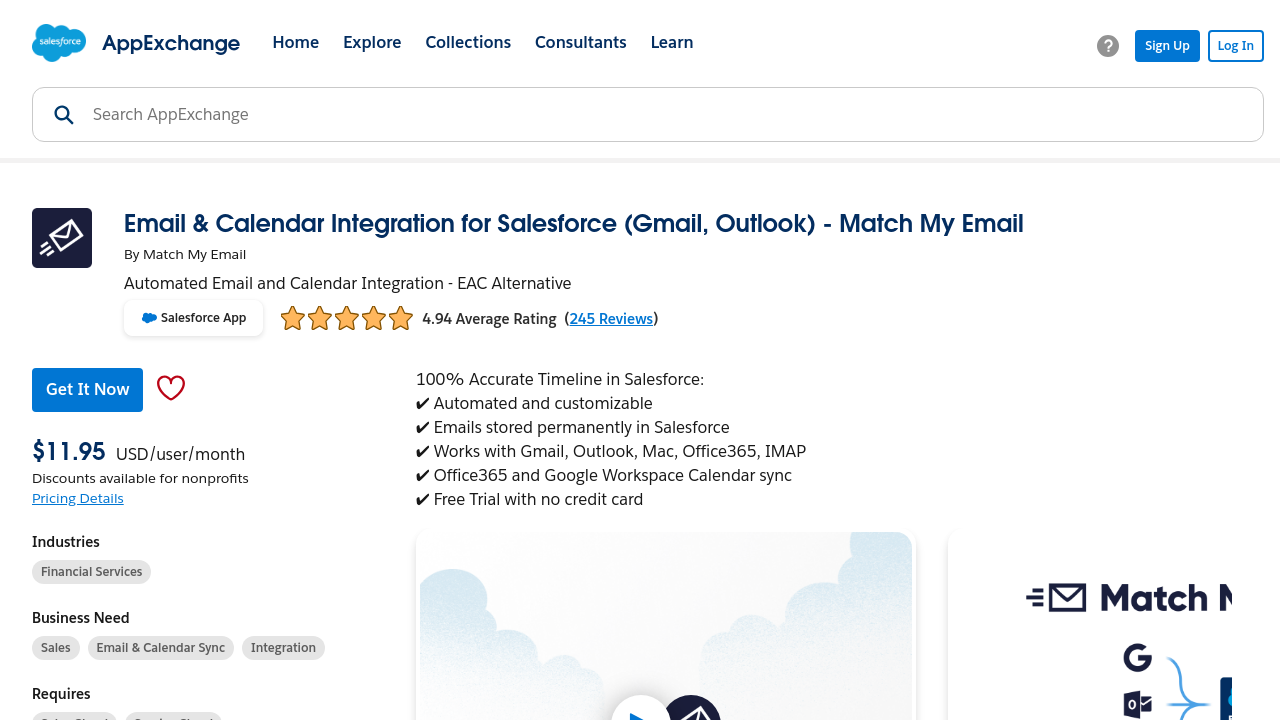
Match My Email is an advanced Salesforce email and calendar integration tool that automates data capture and syncs emails seamlessly. It provides permanent email storage directly in Salesforce, unlike other tools, ensuring accurate records and better data control. With customizable settings and precise matching options, it supports complex use cases while saving time and reducing manual efforts. Offering robust reporting and cost-effective pricing, it is a reliable choice for businesses of all sizes.

Match My Email Overview

What is Match My Email?

N/A
0
Reviews
74%
Subscribed Score

Available for Claim - This listing is available to be claimed
Claim Profile For Free

Unclaimed

Manage profile with subsig, and unlock 23+ social and review monitoring. Get partnership options with

Claim Profile For Free

Why teams choose Match My Email

Key Features

Expert Support
Expert Support
Help available when you need it.
Data-Driven Insights
Make better decisions with analytics.
Save Time
Save Time
Focus on impact, not repetitive tasks.

Who is Match My Email for?

Match My Email is a powerful cloud integration solution built to intelligently sync emails and calendars from popular platforms like Office 365 and Gmail directly with your Salesforce records. Designed as an advanced alternative to other automated email-capturing tools, Match My Email helps transform Salesforce into a comprehensive system of record for all customer correspondence.

This solution seamlessly integrates with your existing Salesforce environment to store email data permanently. Unlike tools that may only hold data for a limited time, Match My Email logs every email and event, ensuring that your organization retains a full historical record. With this capability, businesses operating in industries that require long-term data accuracy can maintain compliance and enhance operational transparency.

Match My Email also empowers Salesforce administrators with the ability to generate native reports from email data directly within Salesforce. This robust reporting capability enables organizations to analyze their communication trends without the limitations of preconfigured report groups. Additionally, the tool’s extensive customization options allow you to tailor the integration logic to your unique organizational needs. Whether it’s matching multiple email addresses, aligning emails with custom objects, or leveraging precision matching through specific tags, Match My Email fits seamlessly into your workflow.

Some of the key benefits of choosing Match My Email include:

  • Permanent Data Storage: Never worry about losing critical communication details as your email data is stored indefinitely within Salesforce.
  • Native Salesforce Reporting: Utilize Salesforce’s standard reports and flows to gain deeper insights into your customer interactions.
  • Custom Integration Options: Enjoy extensive configuration options that allow for accurate and relevant email capture, matching emails even from multiple addresses or based on unique criteria.
  • Hands-Free Operation: Once set up, the app runs completely in the background, ensuring efficient email and calendar sync without extra effort from your team.

For businesses looking to integrate their email communications effortlessly into Salesforce, Match My Email offers an affordable, scalable solution that caters to organizations of all sizes. The pricing is designed to grow with your business, making it an attractive choice for small to medium-sized enterprises as well as larger organizations.

Explore exclusive deals for Match My Email and discover how this robust solution can streamline your Salesforce communication processes. It is a standout option within the Salesforce Tools category, delivering the efficiency and customization that modern businesses demand.

Alternatives

Match My Email Summary

Match My Email is a powerful cloud integration solution built to intelligently sync emails and calendars from popular platforms like Office 365 and Gmail directly with your Salesforce records. Designed as an advanced alternative to other automated email-capturing tools, Match My Email helps transform Salesforce into a comprehensive system of record for all customer correspondence.

This solution seamlessly integrates with your existing Salesforce environment to store email data permanently. Unlike tools that may only hold data for a limited time, Match My Email logs every email and event, ensuring that your organization retains a full historical record. With this capability, businesses operating in industries that require long-term data accuracy can maintain compliance and enhance operational transparency.

Match My Email also empowers Salesforce administrators with the ability to generate native reports from email data directly within Salesforce. This robust reporting capability enables organizations to analyze their communication trends without the limitations of preconfigured report groups. Additionally, the tool’s extensive customization options allow you to tailor the integration logic to your unique organizational needs. Whether it’s matching multiple email addresses, aligning emails with custom objects, or leveraging precision matching through specific tags, Match My Email fits seamlessly into your workflow.

Some of the key benefits of choosing Match My Email include:

  • Permanent Data Storage: Never worry about losing critical communication details as your email data is stored indefinitely within Salesforce.
  • Native Salesforce Reporting: Utilize Salesforce’s standard reports and flows to gain deeper insights into your customer interactions.
  • Custom Integration Options: Enjoy extensive configuration options that allow for accurate and relevant email capture, matching emails even from multiple addresses or based on unique criteria.
  • Hands-Free Operation: Once set up, the app runs completely in the background, ensuring efficient email and calendar sync without extra effort from your team.

For businesses looking to integrate their email communications effortlessly into Salesforce, Match My Email offers an affordable, scalable solution that caters to organizations of all sizes. The pricing is designed to grow with your business, making it an attractive choice for small to medium-sized enterprises as well as larger organizations.

Explore exclusive deals for Match My Email and discover how this robust solution can streamline your Salesforce communication processes. It is a standout option within the Salesforce Tools category, delivering the efficiency and customization that modern businesses demand.

Alternatives

Match My Email reviews and insights

Learn what people say about Match My Email

N/A
0 Reviews
74%
Subscribed Score

Lear more here about the Subscribed score on how it is composed. Learn more Click here

Overall rating

5
4
3
2
1
CX 5/6

How good is the customer support based on subscribed’s assessment

CX Icon
Security 4/6

How secure is the product based on Subscribed’s assessment?

Security Icon
Ease of Use 5/6

How easy is the product to use, based on Subscribed’s assessment?

EOU Icon
Value 5/6

What is the value for money based on Subscribed’s assessment?

coin Icon
Integration 4/6

How many integrations does the product offer?

gear Icon
Popularity 4/6

How popular is the product?

star

No Reviews Yet!

Be the first to share your experience and help others in the community.

Match My Email User Reviews

0 User Reviews

Reviews from G2, Capterra, Trustpilot
info Icon

These ratings come directly from third-party platforms like G2, Capterra, and Trustpilot. They reflect real user feedback collected independently on those sites.

Match My Email pricing

Pricing model

Pricing Range
info Icon

This only an estimated pricing range, visit Match My Email pricing page to access all the information by clicking “Visit Now”.

Not specified
Deals Available

This product comes with a special deal, see details

Visit Now
✨ Ask AI about pricing
74% Subscribed Score
info Icon

The Subscribed Score is an independent rating that combines user reviews, features, and value-for-money from multiple trusted sources. It’s designed as a quick benchmark, not a guarantee of individual experience.

Overview

Match My Email is a powerful cloud integration solution built to intelligently sync emails and calendars from popular platforms like Office 365 and Gmail directly with your Salesforce records. Designed as an advanced alternative to other automated email-capturing tools, Match My Email helps transform Salesforce into a comprehensive system of record for all customer correspondence.

This solution seamlessly integrates with your existing Salesforce environment to store email data permanently. Unlike tools that may only hold data for a limited time, Match My Email logs every email and event, ensuring that your organization retains a full historical record. With this capability, businesses operating in industries that require long-term data accuracy can maintain compliance and enhance operational transparency.

Match My Email also empowers Salesforce administrators with the ability to generate native reports from email data directly within Salesforce. This robust reporting capability enables organizations to analyze their communication trends without the limitations of preconfigured report groups. Additionally, the tool’s extensive customization options allow you to tailor the integration logic to your unique organizational needs. Whether it’s matching multiple email addresses, aligning emails with custom objects, or leveraging precision matching through specific tags, Match My Email fits seamlessly into your workflow.

Some of the key benefits of choosing Match My Email include:

  • Permanent Data Storage: Never worry about losing critical communication details as your email data is stored indefinitely within Salesforce.
  • Native Salesforce Reporting: Utilize Salesforce’s standard reports and flows to gain deeper insights into your customer interactions.
  • Custom Integration Options: Enjoy extensive configuration options that allow for accurate and relevant email capture, matching emails even from multiple addresses or based on unique criteria.
  • Hands-Free Operation: Once set up, the app runs completely in the background, ensuring efficient email and calendar sync without extra effort from your team.

For businesses looking to integrate their email communications effortlessly into Salesforce, Match My Email offers an affordable, scalable solution that caters to organizations of all sizes. The pricing is designed to grow with your business, making it an attractive choice for small to medium-sized enterprises as well as larger organizations.

Explore exclusive deals for Match My Email and discover how this robust solution can streamline your Salesforce communication processes. It is a standout option within the Salesforce Tools category, delivering the efficiency and customization that modern businesses demand.

Alternatives

Where Match My Email performs best

What users like
  • Automates email syncing with Salesforce
  • Saves time and ensures record accuracy
  • Seamless integration and minimal user input
  • Reliable customer support

Where Match My Email falls short

What users dislike
  • Manually linking emails can be time-consuming
  • Issues with syncing multiple email addresses
  • Email attachments like logos use Salesforce storage
  • Glitches or missed email matches occasionally
Subscribed Score Metrics
27/36 Metric achieved
MetricsScore
Customer Support5/6
Security4/6
Ease of Use5/6
Value of Money5/6
Integration4/6
Popularity4/6
Radar Chart Table View
Ease of Use
Measures how simple and intuitive the product is to use, including setup, navigation, and overall user experience
5/6 Metric Checks
Security
Compares the product`s features, quality, and pricing to determine its overall cost-effectiveness.
4/6 Metric Checks
Value of Money
Assesses the product`s ability to protect data, prevent breaches, and comply with industry standards.
5/6 Metric Checks
Customer Support
Reflects the responsiveness, helpfulness, and quality of assistance provided by the product`s support team.
5/6 Metric Checks
Integrations
Evaluates how well the product connects with other tools and platforms, enabling seamless workflows.
4/6 Metric Checks
Match My Email Pricing Range
Not specified

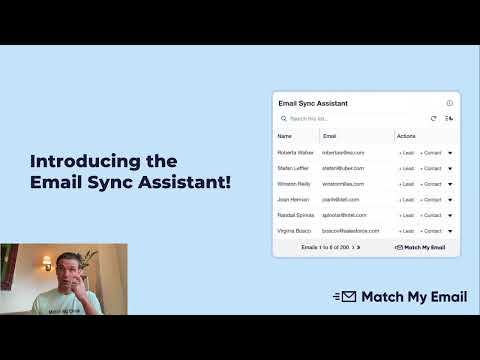
Match My Email in action
info Icon

A curated gallery of real screenshots and use cases from the product, so you can see how it works before trying it.

Match My Email Full Screen Icon
https://www.youtube.com/watch?v=_XlmLqNjn5c
Full Screen Icon
https://www.youtube.com/watch?v=z6jW0Z39MKw
Full Screen Icon
Match My Email
Match My Email
Video thumbnail
Video thumbnail
Match My Email
Match My Email

Alternatives to Match My Email
info Icon

A list of platforms similar to Match My Email, helping you evaluate which tool best matches your needs.

empty stats

No Alternatives Found

Looks like we cannot found any other relevant product at this moment

✨ Ask All alternative with AI

How to cancel Match My Email

Need to cancel Match My Email? Here is how
info Icon

Thinking about how to cancel Match My Email this is how you do it!

To cancel Match My Email, a Cloud Admin must log in and navigate to the Control Panel. From there, select "Company" and choose "Close Account." Uninstalling from Salesforce requires a System Administrator to remove the package from installed applications.

How to Cancel the Match My Email

To cancel Match My Email, a Cloud Admin must log in and navigate to the Control Panel. From there, select "Company" and choose "Close Account." Uninstalling from Salesforce requires a System Administrator to remove the package from installed applications.

FAQs about Match My Email

Every else you need to know about Match My Email
info Icon

A collection of FAQs, guides, alternatives, and comparisons to help you quickly understand if Match My Email is right for you.

Manage your Match My Email profile

Create profile

Want to list your product on Subscribed.fyi? Create a profile to reach more buyers.

Pricing Range
info Icon

This only an estimated pricing range, visit Match My Email pricing page to access all the information by clicking “Visit Now”.

Not specified
Visit Now
Deals Available

This product comes with a special deal, see details

This product comes with a special deal, see details