SmartDraw Reviews 2026: Details, Pricing, & Features | Subscribed.fyi
Sign in to review
Join our community of software reviewers on Subscribed.fyi

Continue With Google
Continue With LinkedIn
Continue Review with Email
Continue with Email
Enter your email to continue.
Continue
Enter your password
Enter your password to finish setting up your account.
Continue
Activate your email
Enter activation code we sent to your email.
Submit
Reset your password
Enter activation code we sent to your email.
Submit
Set your new password
Enter a new password for your account.
Submit
✨ Ask AI Search
Categories
For Business
Log in
Provide My Insights

SmartDraw

4.5/5
(2)

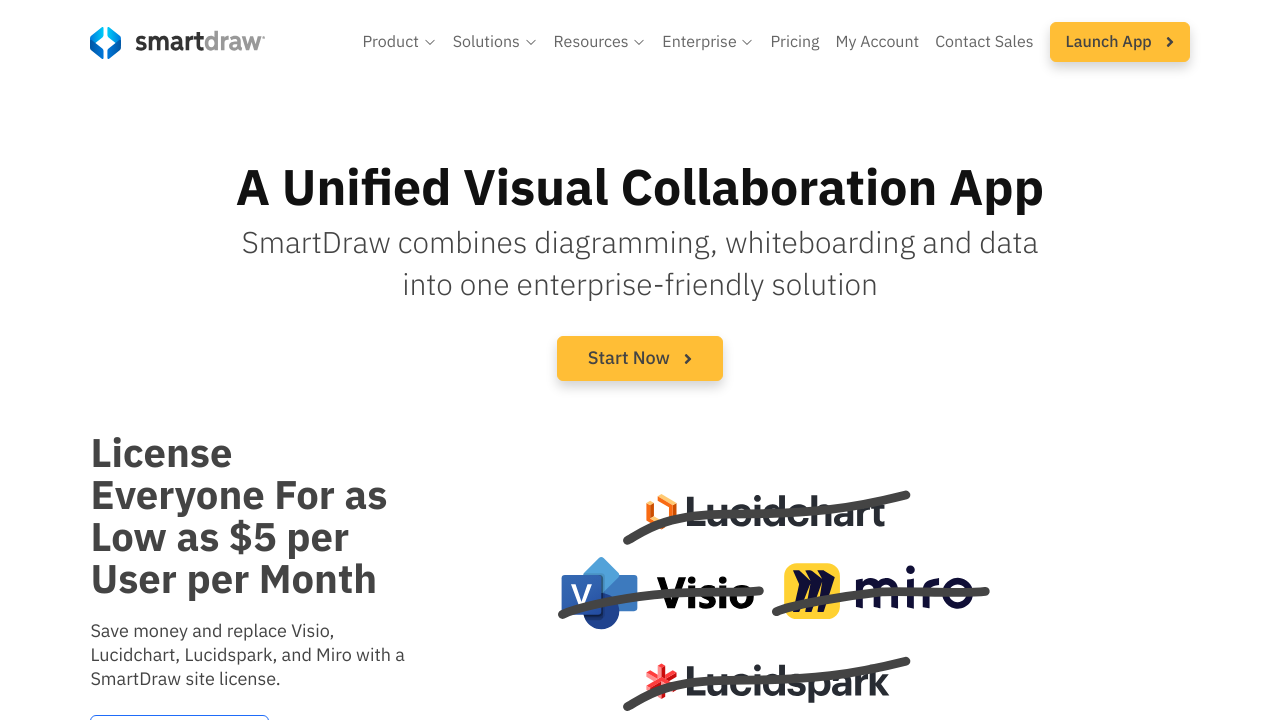
SmartDraw is an intuitive diagramming and visual collaboration tool designed for teams to plan, execute, and review projects seamlessly. It offers over 70 diagram types, including flowcharts, org charts, and floor plans, with robust data visualization features. SmartDraw integrates with popular tools and platforms while providing enterprise-level security and administration. Its unified platform simplifies workflow management, enabling real-time collaboration and cost efficiency.

SmartDraw

4.5
2
Reviews
80%
Subscribed Score

Available for Claim - This listing is available to be claimed
Claim For Free

Unclaimed

Curated and listed by Subscribed Team

Claim For Free
Real-Time Updates
Real-Time Updates
See changes instantly, no delays.
Secure by Design
Secure by Design
Data protection and compliance built in.
Eco-Friendly
Eco-Friendly
Designed with sustainability in mind.

SmartDraw is an all-in-one visual collaboration solution within the Diagram and Flowchart Tools category. Designed for enterprises and teams alike, it combines diagramming, whiteboarding, and data visualization into one seamless environment. Whether you’re constructing complex flowcharts, planning floor layouts, or visualizing data for presentations, SmartDraw offers a robust platform to bring your ideas to life.

SmartDraw’s intuitive interface and extensive library of templates make creating over 70 types of diagrams a straightforward process. Users can leverage drag-and-drop functionality to build diagrams ranging from process maps and network diagrams to organizational charts and mind maps. The software also supports seamless import of files from popular competitors, empowering teams to transition their existing work effortlessly.

In today’s interconnected workspace, collaboration is essential. SmartDraw enables real-time teamwork, allowing you to brainstorm ideas simultaneously with colleagues, annotate visuals during discussions, and save your work securely in integrated environments such as OneDrive, SharePoint, and Google Drive. Added enterprise-friendly features like single sign-on (SSO) and flexible licensing options simplify administration while maintaining a high level of security and reliability.

SmartDraw not only streamlines the process of creating stunning visuals but also simplifies data integration. Direct connections to cloud services like AWS and Azure allow you to generate diagrams based on your existing configuration data. This integration helps bridge the gap between technical infrastructure and visual planning, ensuring that your diagrams accurately reflect real-time system architectures and workflows.

Why Use SmartDraw?

  1. Unified Visual Workplace: Create a wide range of diagrams using one solution, reducing the need for multiple tools.
  2. Easy Collaboration: Work with your team in real-time and integrate with your preferred file storage systems.
  3. Data-Driven Visuals: Quickly generate visuals from complex data, enhancing clarity in project planning and decision-making.
  4. Enterprise Features: Benefit from robust administration, simplified licensing, and top-notch security standards.

Who Is SmartDraw For?

  • Business teams looking for rapid, presentation-quality visuals.
  • IT professionals seeking to map out networks, organizational structures, or data-driven diagrams.
  • Project managers needing to visualize complex workflows and processes to enhance communication.
  • Enterprises wanting a scalable solution that integrates well with existing digital infrastructures.

Discover exclusive deals on SmartDraw offers and elevate your visual planning experience. If you’re exploring alternatives, you may also consider Creately, Monday.com, and Wrike for diverse diagramming and workflow management solutions. SmartDraw is specifically engineered to streamline the creation of impactful visuals while offering the flexibility and collaboration tools that modern enterprises demand.


SmartDraw Summary

SmartDraw is an all-in-one visual collaboration solution within the Diagram and Flowchart Tools category. Designed for enterprises and teams alike, it combines diagramming, whiteboarding, and data visualization into one seamless environment. Whether you’re constructing complex flowcharts, planning floor layouts, or visualizing data for presentations, SmartDraw offers a robust platform to bring your ideas to life.

SmartDraw’s intuitive interface and extensive library of templates make creating over 70 types of diagrams a straightforward process. Users can leverage drag-and-drop functionality to build diagrams ranging from process maps and network diagrams to organizational charts and mind maps. The software also supports seamless import of files from popular competitors, empowering teams to transition their existing work effortlessly.

In today’s interconnected workspace, collaboration is essential. SmartDraw enables real-time teamwork, allowing you to brainstorm ideas simultaneously with colleagues, annotate visuals during discussions, and save your work securely in integrated environments such as OneDrive, SharePoint, and Google Drive. Added enterprise-friendly features like single sign-on (SSO) and flexible licensing options simplify administration while maintaining a high level of security and reliability.

SmartDraw not only streamlines the process of creating stunning visuals but also simplifies data integration. Direct connections to cloud services like AWS and Azure allow you to generate diagrams based on your existing configuration data. This integration helps bridge the gap between technical infrastructure and visual planning, ensuring that your diagrams accurately reflect real-time system architectures and workflows.

Why Use SmartDraw?

  1. Unified Visual Workplace: Create a wide range of diagrams using one solution, reducing the need for multiple tools.
  2. Easy Collaboration: Work with your team in real-time and integrate with your preferred file storage systems.
  3. Data-Driven Visuals: Quickly generate visuals from complex data, enhancing clarity in project planning and decision-making.
  4. Enterprise Features: Benefit from robust administration, simplified licensing, and top-notch security standards.

Who Is SmartDraw For?

  • Business teams looking for rapid, presentation-quality visuals.
  • IT professionals seeking to map out networks, organizational structures, or data-driven diagrams.
  • Project managers needing to visualize complex workflows and processes to enhance communication.
  • Enterprises wanting a scalable solution that integrates well with existing digital infrastructures.

Discover exclusive deals on SmartDraw offers and elevate your visual planning experience. If you’re exploring alternatives, you may also consider Creately, Monday.com, and Wrike for diverse diagramming and workflow management solutions. SmartDraw is specifically engineered to streamline the creation of impactful visuals while offering the flexibility and collaboration tools that modern enterprises demand.

SmartDraw reviews

Learn what people say about SmartDraw

4.5
2 Reviews
80%
Subscribed Score

Lear more here about the Subscribed score on how it is composed. Learn more Click here

Overall rating

5
4
3
2
1
CX 4/6

How good is the customer support based on subscribed’s assessment

CX Icon
Security 4/6

How secure is the product based on Subscribed’s assessment?

Security Icon
Ease of Use 5/6

How easy is the product to use, based on Subscribed’s assessment?

EOU Icon
Value 4/6

What is the value for money based on Subscribed’s assessment?

coin Icon
Integration 5/6

How many integrations does the product offer?

gear Icon
Popularity 6/6

How popular is the product?

star
Bersufekad Mihret User Test Enabled
Software Engineer
6 days ago
Share
How has it made your work/life easier?
Two things I love about SmartDraw: extensive template library, auto-formatting and integrates with popular cloud storage.
What slows you down when using it?
The trade-offs: desktop version feels dated, and fewer collaboration features than cloud-native alternatives. Just things to be aware of.
What problem did this product solve for you?
Improve real-time collaboration and modernize the desktop application.
Final thoughts, wrap up what you think
Solid for professionals needing structured, template-driven diagram creation.
Upvote
M Raza Akhter Organic
QA Engineer
1 week ago
Share
How has it made your work/life easier?
SmartDraw is unique in its premade templates, straightforward diagram making and professional appearance. It has simplified work since it assists in developing flowcharts and process diagrams fast without having to begin afresh.
What feature doesn’t work as expected?
The interface is somewhat out of date as compared to newer diagram tools. There is also lack of smoothness and advancement of collaboration features as expected.
How could the product save you more time or money?
SmartDraw may be enhanced with enhanced real time collaboration and cloud based sharing facilities. A smarter automation and customisation of templates would assist in saving time on repetitive work on diagrams.
Final thoughts, wrap up what you think
I would recommend it highly since SmartDraw is applicable in creating clear diagrams in a shorter time and with fewer efforts. I would suggest it to my colleagues and friends who require an effort-free flowchart, planning, and visual documentation tool.
Upvote

SmartDraw User Reviews

2 User Reviews

Bersufekad Mihret User Test Enabled
Software Engineer
6 days ago
Share
How has it made your work/life easier?
Two things I love about SmartDraw: extensive template library, auto-formatting and integrates with popular cloud storage.
What slows you down when using it?
The trade-offs: desktop version feels dated, and fewer collaboration features than cloud-native alternatives. Just things to be aware of.
What problem did this product solve for you?
Improve real-time collaboration and modernize the desktop application.
Final thoughts, wrap up what you think
Solid for professionals needing structured, template-driven diagram creation.
Upvote
M Raza Akhter Organic
QA Engineer
1 week ago
Share
How has it made your work/life easier?
SmartDraw is unique in its premade templates, straightforward diagram making and professional appearance. It has simplified work since it assists in developing flowcharts and process diagrams fast without having to begin afresh.
What feature doesn’t work as expected?
The interface is somewhat out of date as compared to newer diagram tools. There is also lack of smoothness and advancement of collaboration features as expected.
How could the product save you more time or money?
SmartDraw may be enhanced with enhanced real time collaboration and cloud based sharing facilities. A smarter automation and customisation of templates would assist in saving time on repetitive work on diagrams.
Final thoughts, wrap up what you think
I would recommend it highly since SmartDraw is applicable in creating clear diagrams in a shorter time and with fewer efforts. I would suggest it to my colleagues and friends who require an effort-free flowchart, planning, and visual documentation tool.
Upvote
Reviews from G2, Capterra, Trustpilot
info Icon

These ratings come directly from third-party platforms like G2, Capterra, and Trustpilot. They reflect real user feedback collected independently on those sites.

SmartDraw

Pricing Range
info Icon

This only an estimated pricing range, visit SmartDraw pricing page to access all the information by clicking “Visit Now”.

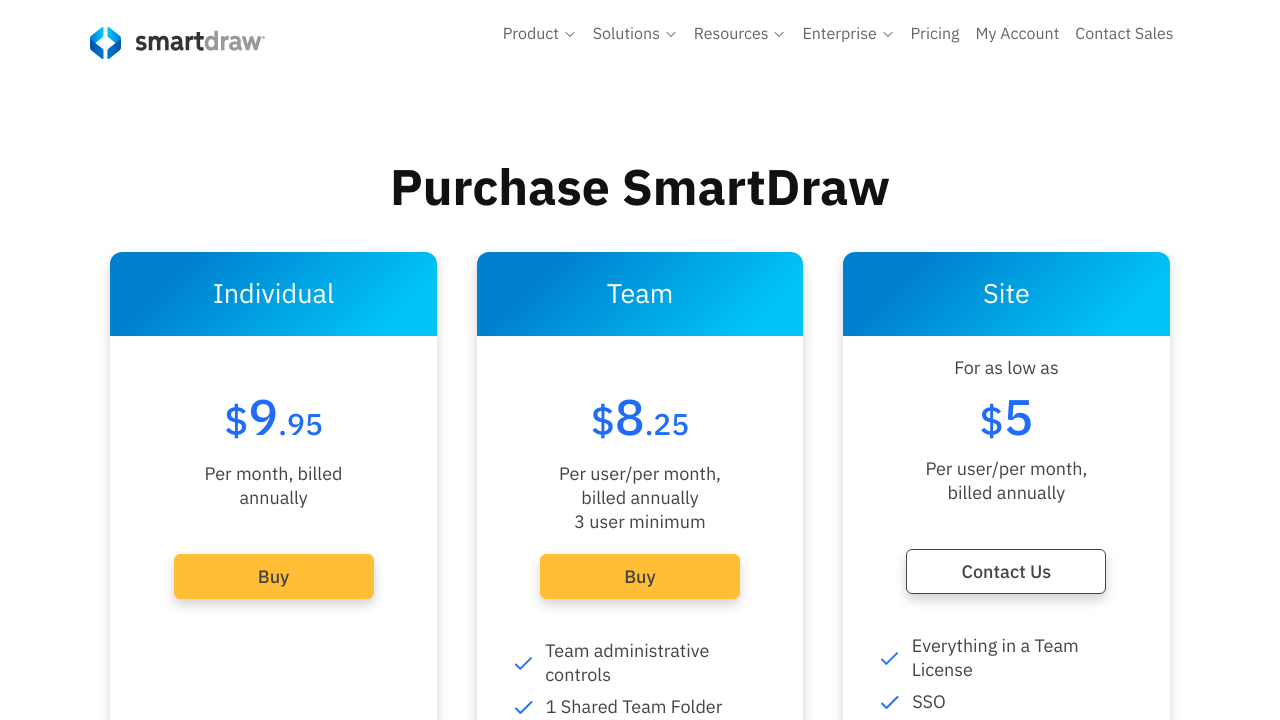
$1-$9.95 / Month
Deals Available

This product comes with a special deal, see details

Visit Now
✨ Ask AI about pricing
80% Subscribed Score
info Icon

The Subscribed Score is an independent rating that combines user reviews, features, and value-for-money from multiple trusted sources. It’s designed as a quick benchmark, not a guarantee of individual experience.

Analysis

SmartDraw is an all-in-one visual collaboration solution within the Diagram and Flowchart Tools category. Designed for enterprises and teams alike, it combines diagramming, whiteboarding, and data visualization into one seamless environment. Whether you’re constructing complex flowcharts, planning floor layouts, or visualizing data for presentations, SmartDraw offers a robust platform to bring your ideas to life.

SmartDraw’s intuitive interface and extensive library of templates make creating over 70 types of diagrams a straightforward process. Users can leverage drag-and-drop functionality to build diagrams ranging from process maps and network diagrams to organizational charts and mind maps. The software also supports seamless import of files from popular competitors, empowering teams to transition their existing work effortlessly.

In today’s interconnected workspace, collaboration is essential. SmartDraw enables real-time teamwork, allowing you to brainstorm ideas simultaneously with colleagues, annotate visuals during discussions, and save your work securely in integrated environments such as OneDrive, SharePoint, and Google Drive. Added enterprise-friendly features like single sign-on (SSO) and flexible licensing options simplify administration while maintaining a high level of security and reliability.

SmartDraw not only streamlines the process of creating stunning visuals but also simplifies data integration. Direct connections to cloud services like AWS and Azure allow you to generate diagrams based on your existing configuration data. This integration helps bridge the gap between technical infrastructure and visual planning, ensuring that your diagrams accurately reflect real-time system architectures and workflows.

Why Use SmartDraw?

  1. Unified Visual Workplace: Create a wide range of diagrams using one solution, reducing the need for multiple tools.
  2. Easy Collaboration: Work with your team in real-time and integrate with your preferred file storage systems.
  3. Data-Driven Visuals: Quickly generate visuals from complex data, enhancing clarity in project planning and decision-making.
  4. Enterprise Features: Benefit from robust administration, simplified licensing, and top-notch security standards.

Who Is SmartDraw For?

  • Business teams looking for rapid, presentation-quality visuals.
  • IT professionals seeking to map out networks, organizational structures, or data-driven diagrams.
  • Project managers needing to visualize complex workflows and processes to enhance communication.
  • Enterprises wanting a scalable solution that integrates well with existing digital infrastructures.

Discover exclusive deals on SmartDraw offers and elevate your visual planning experience. If you’re exploring alternatives, you may also consider Creately, Monday.com, and Wrike for diverse diagramming and workflow management solutions. SmartDraw is specifically engineered to streamline the creation of impactful visuals while offering the flexibility and collaboration tools that modern enterprises demand.

Pros
  • Ease of use with intuitive UI and templates
  • Extensive symbol libraries and diagram types
  • Versatile integration with popular tools
  • Good customer support and functionality
Cons
  • Occasional bugs and crashes reported
  • Steep learning curve for some users
  • Expensive pricing for smaller businesses
  • Limited advanced customization options
Subscribed Score Metrics
28/36 Metric achieved
MetricsScore
Customer Support4/6
Security4/6
Ease of Use5/6
Value of Money4/6
Integration5/6
Popularity6/6
Radar Chart Table View
Ease of Use
Measures how simple and intuitive the product is to use, including setup, navigation, and overall user experience
5/6 Metric Checks
Security
Compares the product`s features, quality, and pricing to determine its overall cost-effectiveness.
4/6 Metric Checks
Value of Money
Assesses the product`s ability to protect data, prevent breaches, and comply with industry standards.
4/6 Metric Checks
Customer Support
Reflects the responsiveness, helpfulness, and quality of assistance provided by the product`s support team.
4/6 Metric Checks
Integrations
Evaluates how well the product connects with other tools and platforms, enabling seamless workflows.
5/6 Metric Checks
SmartDraw Pricing Range
$1-$9.95 / Month

SmartDraw Showcase
info Icon

A curated gallery of real screenshots and use cases from the product, so you can see how it works before trying it.

SmartDraw Full Screen Icon
https://www.youtube.com/watch?v=Kc2Dv5Y6FGk
Full Screen Icon
https://www.youtube.com/watch?v=5hLaa2J_5cw
Full Screen Icon
SmartDraw
SmartDraw

What else exists next to SmartDraw
info Icon

A list of platforms similar to SmartDraw, helping you evaluate which tool best matches your needs.

Need to cancel SmartDraw? Here is how
info Icon

Thinking about how to cancel SmartDraw this is how you do it!

To cancel a SmartDraw product, visit the "My Account" page to manage subscriptions. For full details, check SmartDraw’s official support resources. If you’re on a trial, there’s no need to cancel as it’s obligation-free.

How to Cancel the SmartDraw

To cancel a SmartDraw product, visit the "My Account" page to manage subscriptions. For full details, check SmartDraw’s official support resources. If you’re on a trial, there’s no need to cancel as it’s obligation-free.

Every else you need to know about SmartDraw
info Icon

A collection of FAQs, guides, alternatives, and comparisons to help you quickly understand if SmartDraw is right for you.

Pricing Range
info Icon

This only an estimated pricing range, visit SmartDraw pricing page to access all the information by clicking “Visit Now”.

$1-$9.95 / Month
Visit Now
Deals Available

This product comes with a special deal, see details

This product comes with a special deal, see details