Sign in to review
Join our community of software reviewers on Subscribed.fyi

Continue With Google
Continue With LinkedIn
Continue Review with Email
Continue with Email
Enter your email to continue.
Continue
Enter your password
Enter your password to finish setting up your account.
Continue
Activate your email
Enter activation code we sent to your email.
Submit
Reset your password
Enter activation code we sent to your email.
Submit
Set your new password
Enter a new password for your account.
Submit
Log in
Provide My Insights
Everhour logo
Everhour logo

Everhour Reviews, Pricing, Features & Alternatives (2026)

Everhour is a comprehensive time tracking tool designed for teams to manage time, projects, and budgets effectively. It seamlessly integrates with popular project management software, enabling tracking directly within their interfaces. With features like advanced reporting, invoicing, and resource planning, it empowers teams to monitor performance and make informed decisions. Suitable for small teams and larger organizations, Everhour simplifies workflows and enhances productivity.

Everhour logo
Everhour logo
Everhour logo

Everhour Overview

What is Everhour?

N/A
★ ★ ★ ★ ★
0
Reviews

Available for Claim - This listing is available to be claimed
Claim Profile

Unclaimed

Claim this profile to manage it.

Claim Profile

Why teams choose Everhour

Key Features

Real-Time Updates
Real-Time Updates
See changes instantly, no delays.
Smart Automation
Smart Automation
Save time with AI-powered workflows.
Trusted by Thousands
Proven by professionals worldwide.

Who is Everhour for?

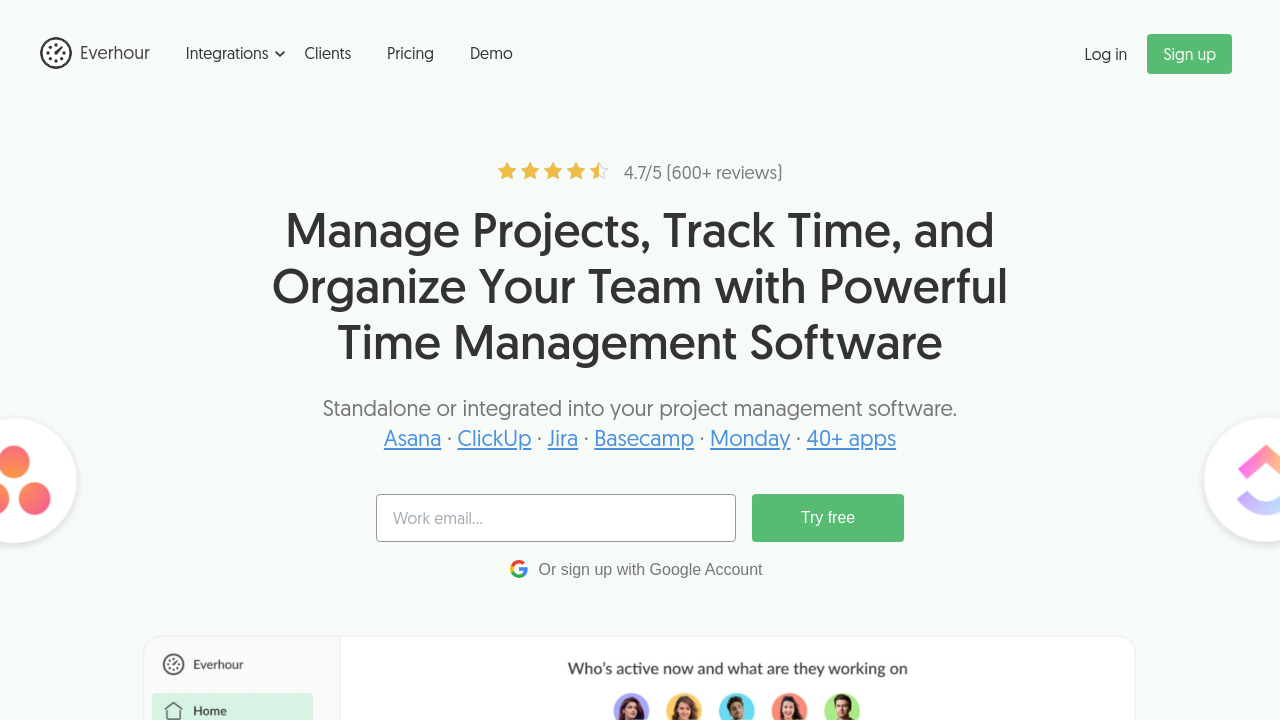
Everhour is a dynamic time management tool built for teams that need precision in tracking work hours, budgets, and overall productivity. As a leader in the Time Tracking category, Everhour integrates seamlessly with popular project management applications such as Asana, Trello, Jira, and GitHub. This native integration ensures that users can log time directly within their existing workflows while reducing the friction of switching between platforms.

Everhour offers extensive features designed to enhance team efficiency and accountability. This platform not only simplifies gathering work hour data but also provides in-depth reporting capabilities, project budget management, and resource planning. With options to create custom reports and generate professional invoices, Everhour serves as an all-in-one solution for optimizing operational workflows and ensuring that every hour is properly accounted for.

Why Use Everhour?

  • Effortless Time Tracking: Log hours directly on tasks using an intuitive interface with simple timesheet entry, manual time logs, and automated reminders.
  • Seamless Integration: Connect your favorite project management tools so that time tracking happens naturally within your workflow. This reduces duplicate data entry while maintaining real-time visibility of project progress.
  • Robust Reporting: Build any kind of custom report to analyze team performance, billable hours, and project expenses. Visual dashboards offer a clear snapshot of team activity and budget utilization.
  • Resource Management: Monitor team workloads and identify overutilized or underused resources. With threshold alerts and proactive planning, managers can allocate workloads more effectively.
  • Client Invoicing: Easily produce and deliver branded invoices that reflect accurate work data, ensuring transparency in client billing.

Who is Everhour For?

  • Project Managers: Need precise and real-time data on project progress and resource allocation to keep workflows on track.
  • Team Leaders: Benefit from comprehensive insights into team performance, ensuring that no one is overworked or underutilized.
  • Freelancers and Small Teams: Enjoy streamlined time tracking and reporting without the complexity of larger enterprise solutions.
  • Accounting and Finance Professionals: Leverage detailed project accounting to manage budgets, support revenue recognition, and generate accurate invoices.

Explore exclusive deals on Everhour to experience its full range of features. If you’re considering alternatives, you might also look into JIRA, Paymo, and NetSuite for additional project and time management solutions. Everhour’s powerful integrations, robust analytical tools, and customizable settings make it an invaluable resource for any business aiming to elevate operational efficiency and turn time into a strategic asset.

Everhour Summary

Everhour is a dynamic time management tool built for teams that need precision in tracking work hours, budgets, and overall productivity. As a leader in the Time Tracking category, Everhour integrates seamlessly with popular project management applications such as Asana, Trello, Jira, and GitHub. This native integration ensures that users can log time directly within their existing workflows while reducing the friction of switching between platforms.

Everhour offers extensive features designed to enhance team efficiency and accountability. This platform not only simplifies gathering work hour data but also provides in-depth reporting capabilities, project budget management, and resource planning. With options to create custom reports and generate professional invoices, Everhour serves as an all-in-one solution for optimizing operational workflows and ensuring that every hour is properly accounted for.

Why Use Everhour?

  • Effortless Time Tracking: Log hours directly on tasks using an intuitive interface with simple timesheet entry, manual time logs, and automated reminders.
  • Seamless Integration: Connect your favorite project management tools so that time tracking happens naturally within your workflow. This reduces duplicate data entry while maintaining real-time visibility of project progress.
  • Robust Reporting: Build any kind of custom report to analyze team performance, billable hours, and project expenses. Visual dashboards offer a clear snapshot of team activity and budget utilization.
  • Resource Management: Monitor team workloads and identify overutilized or underused resources. With threshold alerts and proactive planning, managers can allocate workloads more effectively.
  • Client Invoicing: Easily produce and deliver branded invoices that reflect accurate work data, ensuring transparency in client billing.

Who is Everhour For?

  • Project Managers: Need precise and real-time data on project progress and resource allocation to keep workflows on track.
  • Team Leaders: Benefit from comprehensive insights into team performance, ensuring that no one is overworked or underutilized.
  • Freelancers and Small Teams: Enjoy streamlined time tracking and reporting without the complexity of larger enterprise solutions.
  • Accounting and Finance Professionals: Leverage detailed project accounting to manage budgets, support revenue recognition, and generate accurate invoices.

Explore exclusive deals on Everhour to experience its full range of features. If you’re considering alternatives, you might also look into JIRA, Paymo, and NetSuite for additional project and time management solutions. Everhour’s powerful integrations, robust analytical tools, and customizable settings make it an invaluable resource for any business aiming to elevate operational efficiency and turn time into a strategic asset.

Everhour reviews and insights

Learn what people say about Everhour

N/A ★ ★ ★ ★ ★
0 Reviews

No Reviews Yet!

Be the first to share your experience and help others in the community.

Everhour logo

Everhour User Reviews

0 User Reviews

Reviews from G2, Capterra, Trustpilot
info Icon

These ratings come directly from third-party platforms like G2, Capterra, and Trustpilot. They reflect real user feedback collected independently on those sites.

Everhour pricing

Pricing model

Everhour logo
Pricing Range
info Icon

This only an estimated pricing range, visit Everhour pricing page to access all the information by clicking “Visit Now”.

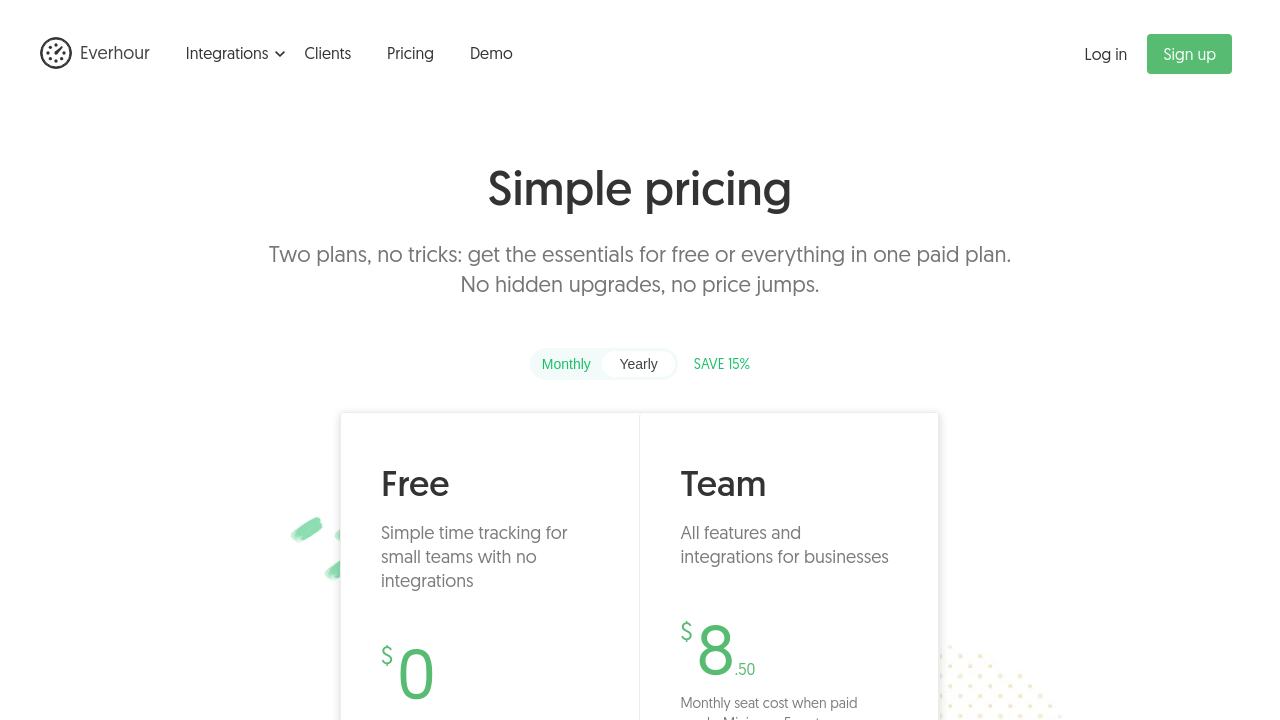
$6-$10 / Month
Deals Available

This product comes with a special deal, see details

Visit Now

Overview

Everhour is a dynamic time management tool built for teams that need precision in tracking work hours, budgets, and overall productivity. As a leader in the Time Tracking category, Everhour integrates seamlessly with popular project management applications such as Asana, Trello, Jira, and GitHub. This native integration ensures that users can log time directly within their existing workflows while reducing the friction of switching between platforms.

Everhour offers extensive features designed to enhance team efficiency and accountability. This platform not only simplifies gathering work hour data but also provides in-depth reporting capabilities, project budget management, and resource planning. With options to create custom reports and generate professional invoices, Everhour serves as an all-in-one solution for optimizing operational workflows and ensuring that every hour is properly accounted for.

Why Use Everhour?

  • Effortless Time Tracking: Log hours directly on tasks using an intuitive interface with simple timesheet entry, manual time logs, and automated reminders.
  • Seamless Integration: Connect your favorite project management tools so that time tracking happens naturally within your workflow. This reduces duplicate data entry while maintaining real-time visibility of project progress.
  • Robust Reporting: Build any kind of custom report to analyze team performance, billable hours, and project expenses. Visual dashboards offer a clear snapshot of team activity and budget utilization.
  • Resource Management: Monitor team workloads and identify overutilized or underused resources. With threshold alerts and proactive planning, managers can allocate workloads more effectively.
  • Client Invoicing: Easily produce and deliver branded invoices that reflect accurate work data, ensuring transparency in client billing.

Who is Everhour For?

  • Project Managers: Need precise and real-time data on project progress and resource allocation to keep workflows on track.
  • Team Leaders: Benefit from comprehensive insights into team performance, ensuring that no one is overworked or underutilized.
  • Freelancers and Small Teams: Enjoy streamlined time tracking and reporting without the complexity of larger enterprise solutions.
  • Accounting and Finance Professionals: Leverage detailed project accounting to manage budgets, support revenue recognition, and generate accurate invoices.

Explore exclusive deals on Everhour to experience its full range of features. If you’re considering alternatives, you might also look into JIRA, Paymo, and NetSuite for additional project and time management solutions. Everhour’s powerful integrations, robust analytical tools, and customizable settings make it an invaluable resource for any business aiming to elevate operational efficiency and turn time into a strategic asset.

Where Everhour performs best

What users like
  • Seamless Asana integration
  • Accurate time tracking
  • User-friendly interface
  • Customizable reports

Where Everhour falls short

What users dislike
  • Limited cost tracking features
  • No tag for task organization
  • Requires additional clicks for comments
  • Home page can be cluttered
Everhour Pricing Range
$6-$10 / Month

Everhour in action
info Icon

A curated gallery of real screenshots and use cases from the product, so you can see how it works before trying it.

Everhour screenshot 1 Full Screen Icon
Everhour screenshot 2 Full Screen Icon
https://www.youtube.com/watch?v=kcrv_d-FO-c
Full Screen Icon
https://www.youtube.com/watch?v=OoY-oV6nZRY
Full Screen Icon
Everhour screenshot 1
Everhour screenshot 2
Video thumbnail
Video thumbnail
Everhour screenshot 1
Everhour screenshot 2

Alternatives to Everhour
info Icon

A list of platforms similar to Everhour, helping you evaluate which tool best matches your needs.

How to cancel Everhour

Need to cancel Everhour? Here is how
info Icon

Thinking about how to cancel Everhour this is how you do it!

To cancel Everhour:

  • Go to the Billing page.
  • Click "Cancel plan."
  • Confirm cancellation and provide a reason.
  • Receive a confirmation email.

How to Cancel the Everhour

To cancel Everhour:

  • Go to the Billing page.
  • Click "Cancel plan."
  • Confirm cancellation and provide a reason.
  • Receive a confirmation email.

Manage your Everhour profile

Create profile

Want to list your product on Subscribed.fyi? Create a profile to reach more buyers.

Pricing Range
info Icon

This only an estimated pricing range, visit Everhour pricing page to access all the information by clicking “Visit Now”.

$6-$10 / Month
Visit Now
Deals Available

This product comes with a special deal, see details

This product comes with a special deal, see details