Docsumo Reviews 2026: Details, Pricing, & Features | Subscribed.fyi
Sign in to review
Join our community of software reviewers on Subscribed.fyi

Continue With Google
Continue With LinkedIn
Continue Review with Email
Continue with Email
Enter your email to continue.
Continue
Enter your password
Enter your password to finish setting up your account.
Continue
Activate your email
Enter activation code we sent to your email.
Submit
Reset your password
Enter activation code we sent to your email.
Submit
Set your new password
Enter a new password for your account.
Submit
Categories
For Business
Log in
Provide My Insights
Docsumo
Docsumo

Docsumo Reviews, Pricing, Features & Alternatives (2026)

4.5/5
(4)

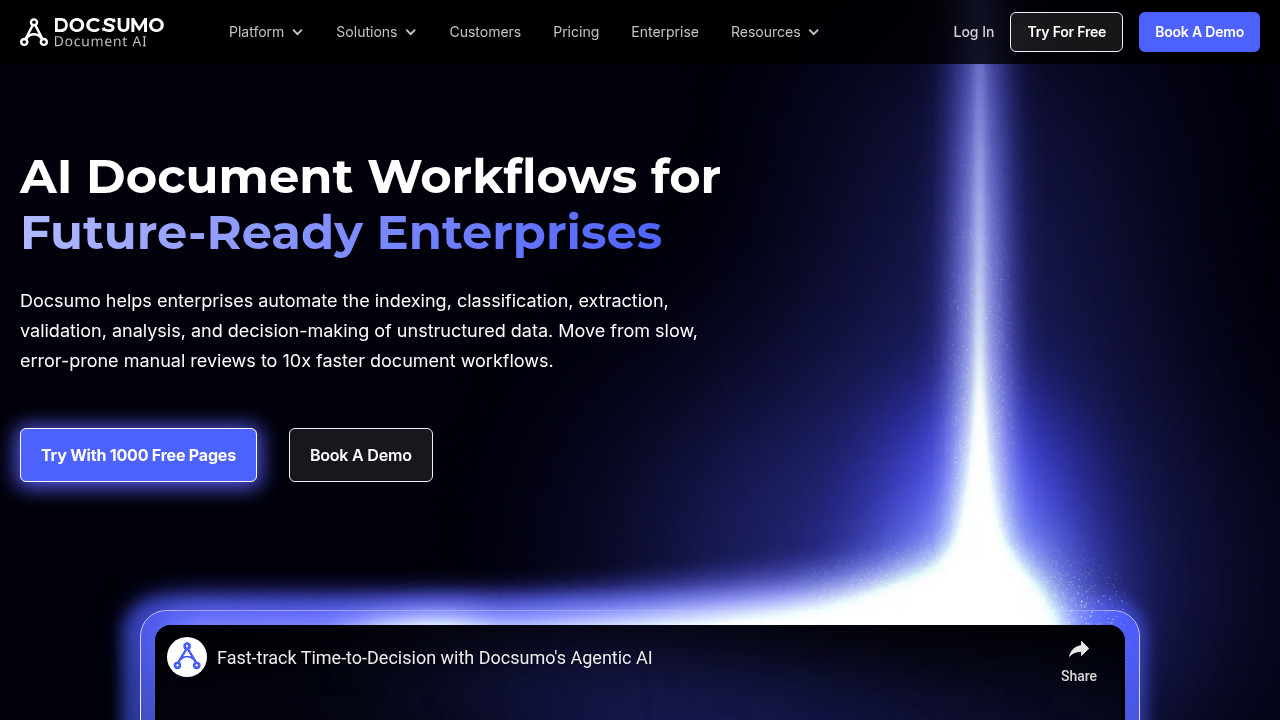
Docsumo is an advanced Intelligent Document Processing (IDP) software tailored for SMB lenders, insurers, and financial service providers. It automates data extraction from structured, semi-structured, and unstructured documents like invoices, forms, and compliance records. With AI-powered features like pre-trained APIs, OCR capabilities, and customizable templates, it streamlines workflows while ensuring data accuracy and security. Docsumo is SOC-2 certified, GDPR-compliant, and supports seamless integration for process automation.

Docsumo
Docsumo
Docsumo

Docsumo Overview

What is Docsumo?

4.5
4
Reviews
89%
Subscribed Score

Available for Claim - This listing is available to be claimed
Claim Profile For Free

Unclaimed

Manage profile with subsig, and unlock 23+ social and review monitoring. Get partnership options with

Claim Profile For Free

Why teams choose Docsumo

Key Features

Expert Support
Expert Support
Help available when you need it.
No-Code Simplicity
No-Code Simplicity
Launch without writing a single line of code.
Fast & Efficient
Fast & Efficient
Optimized for speed and performance.

Who is Docsumo for?

Docsumo is a dynamic, intelligent document processing solution designed to simplify and automate the arduous task of data entry from invoices, receipts, loan applications, and insurance compliance documents. Born out of the need to streamline invoice processing, Docsumo has evolved into an end-to-end data extraction and data migration platform serving financial services, commercial lenders, insurers, and investors across the USA.

Key Features

  • Data Capture and Extraction – Leverage advanced OCR capabilities along with pre-trained APIs to extract critical data from forms, unstructured or semi-structured documents, including a diverse range of file types.
  • Review and Edit Tool – Easily click on any document text to capture and validate data, eliminating the need for error-prone manual data entry.
  • Customizable Templates – Define templates for recurring documents and customize fields directly from the frontend, creating a scalable data integration process.
  • Self-Train Neural Networks – Enhance accuracy by training dedicated machine learning models based on your unique dataset, continuously improving data extraction quality.
  • Seamless Integration – Docsumo integrates effortlessly with major accounting software such as QuickBooks and Xero, ensuring data feeds remain error-free and up-to-date.

Why Choose Docsumo?

Docsumo empowers businesses to automate their entire document workflow while significantly reducing manual intervention and human error. Its intelligent design allows users to efficiently handle documents of all structures, making it a powerful tool for organizations looking to scale operations without increasing risk. By providing detailed analytics, robust data validation, and constant support, Docsumo ensures that business decisions are supported by reliable, real-time data. Additionally, its compliance with industry standards like SOC-2 and GDPR adds an extra layer of trust and security.

Who Can Benefit?

  • Financial Services Providers: Streamline invoice processing, automate bookkeeping tasks, and improve loan application management.
  • Lenders and Insurers: Quickly process and validate financial and compliance documents while mitigating risks.
  • SMBs and Investors: Enhance operational efficiency, reduce manual processes, and achieve greater business scalability.

Docsumo falls under the Data Migration Software category, making it an integral tool for organizations aiming to upgrade and automate their document workflows. The solution is accessible for both Windows and macOS environments, ensuring versatility and ease of integration with existing IT infrastructures.

For those interested in exceptional deals, be sure to explore the offerings on the Docsumo deal page.

When considering document automation solutions, also look at top alternatives such as Laserfiche and Rossum for a comprehensive view of what the market offers. With Docsumo’s innovative approach to transforming data capture and process automation, organizations find a partner dedicated to driving operational excellence and business growth.


Docsumo Summary

Docsumo is a dynamic, intelligent document processing solution designed to simplify and automate the arduous task of data entry from invoices, receipts, loan applications, and insurance compliance documents. Born out of the need to streamline invoice processing, Docsumo has evolved into an end-to-end data extraction and data migration platform serving financial services, commercial lenders, insurers, and investors across the USA.

Key Features

  • Data Capture and Extraction – Leverage advanced OCR capabilities along with pre-trained APIs to extract critical data from forms, unstructured or semi-structured documents, including a diverse range of file types.
  • Review and Edit Tool – Easily click on any document text to capture and validate data, eliminating the need for error-prone manual data entry.
  • Customizable Templates – Define templates for recurring documents and customize fields directly from the frontend, creating a scalable data integration process.
  • Self-Train Neural Networks – Enhance accuracy by training dedicated machine learning models based on your unique dataset, continuously improving data extraction quality.
  • Seamless Integration – Docsumo integrates effortlessly with major accounting software such as QuickBooks and Xero, ensuring data feeds remain error-free and up-to-date.

Why Choose Docsumo?

Docsumo empowers businesses to automate their entire document workflow while significantly reducing manual intervention and human error. Its intelligent design allows users to efficiently handle documents of all structures, making it a powerful tool for organizations looking to scale operations without increasing risk. By providing detailed analytics, robust data validation, and constant support, Docsumo ensures that business decisions are supported by reliable, real-time data. Additionally, its compliance with industry standards like SOC-2 and GDPR adds an extra layer of trust and security.

Who Can Benefit?

  • Financial Services Providers: Streamline invoice processing, automate bookkeeping tasks, and improve loan application management.
  • Lenders and Insurers: Quickly process and validate financial and compliance documents while mitigating risks.
  • SMBs and Investors: Enhance operational efficiency, reduce manual processes, and achieve greater business scalability.

Docsumo falls under the Data Migration Software category, making it an integral tool for organizations aiming to upgrade and automate their document workflows. The solution is accessible for both Windows and macOS environments, ensuring versatility and ease of integration with existing IT infrastructures.

For those interested in exceptional deals, be sure to explore the offerings on the Docsumo deal page.

When considering document automation solutions, also look at top alternatives such as Laserfiche and Rossum for a comprehensive view of what the market offers. With Docsumo’s innovative approach to transforming data capture and process automation, organizations find a partner dedicated to driving operational excellence and business growth.

Docsumo reviews and insights

Learn what people say about Docsumo

4.5
4 Reviews
89%
Subscribed Score

Lear more here about the Subscribed score on how it is composed. Learn more Click here

Overall rating

5
4
3
2
1
CX 6/6

How good is the customer support based on subscribed’s assessment

CX Icon
Security 6/6

How secure is the product based on Subscribed’s assessment?

Security Icon
Ease of Use 6/6

How easy is the product to use, based on Subscribed’s assessment?

EOU Icon
Value 6/6

What is the value for money based on Subscribed’s assessment?

coin Icon
Integration 5/6

How many integrations does the product offer?

gear Icon
Popularity 4/6

How popular is the product?

star
Shyane Novelle User Test Enabled
3 months ago
Share
What feature do you use most often?
It has fast setup for new document types, features like review and edit tool which helps to eliminate the error prone manual data entry. The platform helps us in handling rapid growth without hiring more data entry clerk.
What slows you down when using it?
When doing initial setup it is time consuming than expected and low resolution scan. So far, that are the things that I've encounter in using this platform
What’s still missing for your needs?
Instead of just extracting ideaa, it would be more interesting if it also interpret it. Improving the self service library with clearer codee examples.
Final thoughts, wrap up what you think
Instead of spending and wasting your time in error checking and manual typing, Docsumo is here to make work much more productive and not time consuming.
Upvote (1)
Quineybel Mag-usara Invitation
Marketing
3 months ago
Share
What exceeded your expectations?
The accuracy of the data extraction is really impressive, especially with its OCR and AI features. It exceeded my expectations with how easli it integrates with tools like Quickbooks and how it handles diff docs formats.
What’s been frustrating in your experience?
Setting up custom and templates and training the system can take some time at the beginning. If your're new to docs automation tools, there might be a learning curve.
What’s still missing for your needs?
It would be better if there were more ready-made templates. Also, improving the user interface to make navigation even simpler would help newbies.
Final thoughts, wrap up what you think
Still strongly recommended since it save a lot of time for businesses. Very useful for business that deal large volmue of documents.
Upvote (1)
Khim Cincoflores User Test Enabled
Customer Success
See My Portfolio
3 months ago
Share
How has it made your work/life easier?
Helps my team on extracting and organizing our documents such as invoices, bank statements, IDs, and as well as other important forms in my team. It helps provide clean, structured data to use instantly instead of manually typing it out.
What’s been frustrating in your experience?
None. The software works perfectly well especially on storing and organizing important documents. It limits cluttered documents in our computer space.
What problem did this product solve for you?
It has helped us have an organized document storing. Improves productivity and saved us the effort on manually typing out our documents.
Final thoughts, wrap up what you think
Highly recommended especially if you keep a lot of important documents. Really does its job and works perfectly fine.
Upvote (2)
Jiandale Ambal User Test Enabled
Full Stack Developer | QA Specialist | Embedded Systems Developer
See My Portfolio
4 months ago
Share
What’s the biggest benefit you’ve noticed?
The benefit is seeing how fast it extracts data from my financial documents. I also like that this software easily connects all our extracted numbers into the company accounting system.
What’s been frustrating in your experience?
Setting up those custom templates for our strange invoices took a lot of extra time. I also experienced some minor lag while processing an extremely large batch of loan application forms.
What’s still missing for your needs?
Adding more detailed video guides would help my new accounting staff learn the platform faster. I want a cheaper subscription plan for smaller businesses that only scan a few receipts every month.
Final thoughts, wrap up what you think
This data extraction tool is an amazing choice for any busy accounting office right now. Your whole finance team will love how it completely eliminates all the boring manual data entry work.
Upvote (4)
Docsumo

Docsumo User Reviews

4 User Reviews

Reviews from G2, Capterra, Trustpilot
info Icon

These ratings come directly from third-party platforms like G2, Capterra, and Trustpilot. They reflect real user feedback collected independently on those sites.

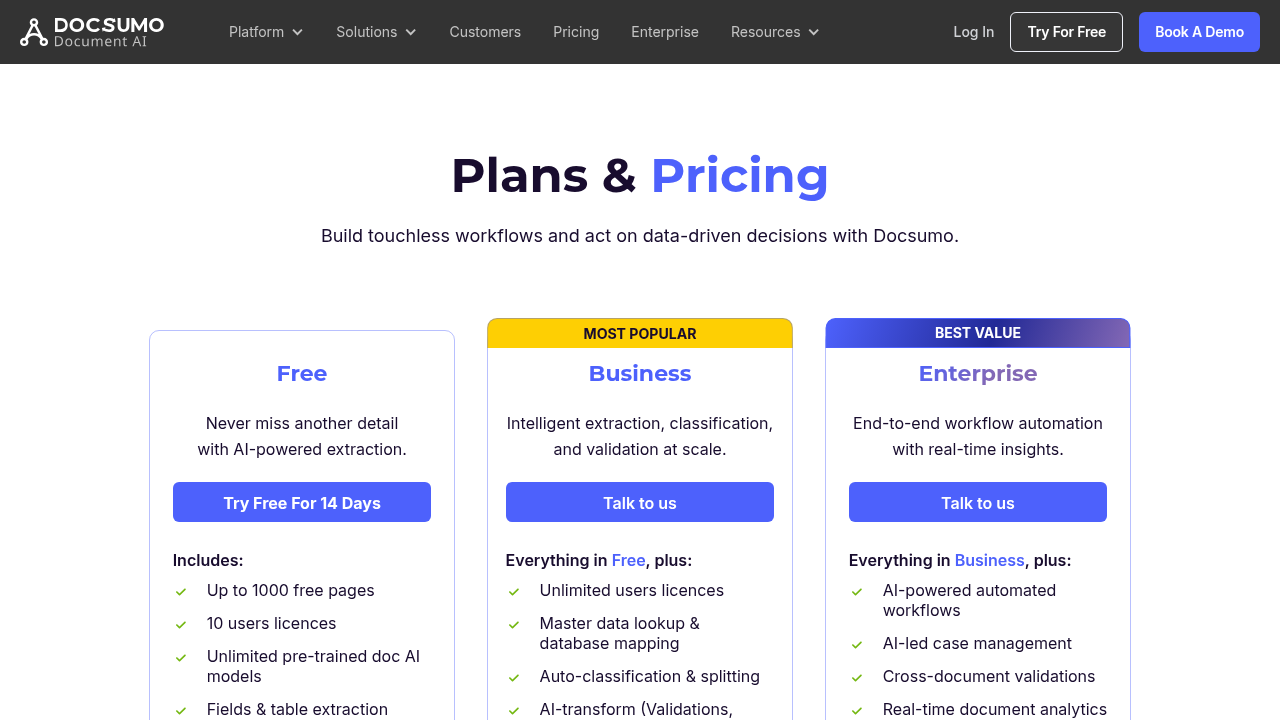
Docsumo pricing

Pricing model

Docsumo
Pricing Range
info Icon

This only an estimated pricing range, visit Docsumo pricing page to access all the information by clicking “Visit Now”.

Not specified.
Deals Available

This product comes with a special deal, see details

Visit Now
✨ Ask AI about pricing
89% Subscribed Score
info Icon

The Subscribed Score is an independent rating that combines user reviews, features, and value-for-money from multiple trusted sources. It’s designed as a quick benchmark, not a guarantee of individual experience.

Overview

Docsumo is a dynamic, intelligent document processing solution designed to simplify and automate the arduous task of data entry from invoices, receipts, loan applications, and insurance compliance documents. Born out of the need to streamline invoice processing, Docsumo has evolved into an end-to-end data extraction and data migration platform serving financial services, commercial lenders, insurers, and investors across the USA.

Key Features

  • Data Capture and Extraction – Leverage advanced OCR capabilities along with pre-trained APIs to extract critical data from forms, unstructured or semi-structured documents, including a diverse range of file types.
  • Review and Edit Tool – Easily click on any document text to capture and validate data, eliminating the need for error-prone manual data entry.
  • Customizable Templates – Define templates for recurring documents and customize fields directly from the frontend, creating a scalable data integration process.
  • Self-Train Neural Networks – Enhance accuracy by training dedicated machine learning models based on your unique dataset, continuously improving data extraction quality.
  • Seamless Integration – Docsumo integrates effortlessly with major accounting software such as QuickBooks and Xero, ensuring data feeds remain error-free and up-to-date.

Why Choose Docsumo?

Docsumo empowers businesses to automate their entire document workflow while significantly reducing manual intervention and human error. Its intelligent design allows users to efficiently handle documents of all structures, making it a powerful tool for organizations looking to scale operations without increasing risk. By providing detailed analytics, robust data validation, and constant support, Docsumo ensures that business decisions are supported by reliable, real-time data. Additionally, its compliance with industry standards like SOC-2 and GDPR adds an extra layer of trust and security.

Who Can Benefit?

  • Financial Services Providers: Streamline invoice processing, automate bookkeeping tasks, and improve loan application management.
  • Lenders and Insurers: Quickly process and validate financial and compliance documents while mitigating risks.
  • SMBs and Investors: Enhance operational efficiency, reduce manual processes, and achieve greater business scalability.

Docsumo falls under the Data Migration Software category, making it an integral tool for organizations aiming to upgrade and automate their document workflows. The solution is accessible for both Windows and macOS environments, ensuring versatility and ease of integration with existing IT infrastructures.

For those interested in exceptional deals, be sure to explore the offerings on the Docsumo deal page.

When considering document automation solutions, also look at top alternatives such as Laserfiche and Rossum for a comprehensive view of what the market offers. With Docsumo’s innovative approach to transforming data capture and process automation, organizations find a partner dedicated to driving operational excellence and business growth.

Where Docsumo performs best

What users like
  • Highly accurate data extraction
  • Supports multiple file formats
  • Customizable templates
  • Efficient OCR capabilities

Where Docsumo falls short

What users dislike
  • Limited mobile compatibility
  • Occasional data validation issues
  • Learning curve for setup
  • Relies on pre-built APIs
Subscribed Score Metrics
33/36 Metric achieved
MetricsScore
Customer Support6/6
Security6/6
Ease of Use6/6
Value of Money6/6
Integration5/6
Popularity4/6
Radar Chart Table View
Ease of Use
Measures how simple and intuitive the product is to use, including setup, navigation, and overall user experience
6/6 Metric Checks
Security
Compares the product`s features, quality, and pricing to determine its overall cost-effectiveness.
6/6 Metric Checks
Value of Money
Assesses the product`s ability to protect data, prevent breaches, and comply with industry standards.
6/6 Metric Checks
Customer Support
Reflects the responsiveness, helpfulness, and quality of assistance provided by the product`s support team.
6/6 Metric Checks
Integrations
Evaluates how well the product connects with other tools and platforms, enabling seamless workflows.
5/6 Metric Checks
Docsumo Pricing Range
Not specified.

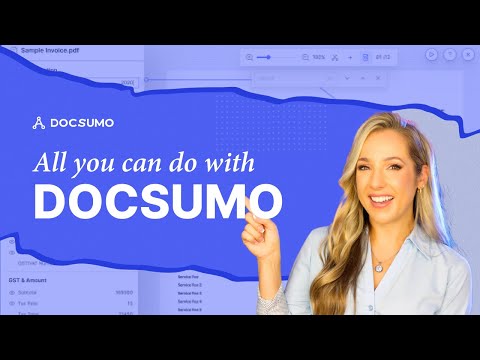
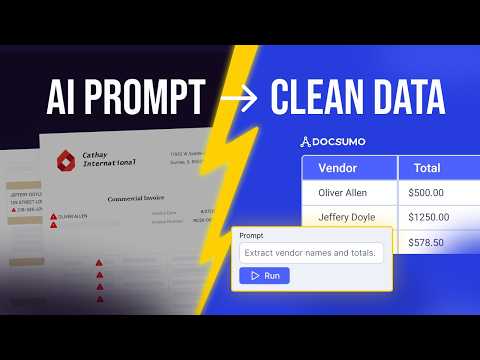
Docsumo in action
info Icon

A curated gallery of real screenshots and use cases from the product, so you can see how it works before trying it.

Docsumo Full Screen Icon
https://www.youtube.com/watch?v=Z57WTsVmTB8
Full Screen Icon
https://www.youtube.com/watch?v=TCLuOFMFFxE
Full Screen Icon
Docsumo
Docsumo
Video thumbnail
Video thumbnail
Docsumo
Docsumo

Alternatives to Docsumo
info Icon

A list of platforms similar to Docsumo, helping you evaluate which tool best matches your needs.

How to cancel Docsumo

Need to cancel Docsumo? Here is how
info Icon

Thinking about how to cancel Docsumo this is how you do it!

Docsumo Cancellation Outline (Preview):
Log into customer portal > Billing menu > Select cancel option. Active period completes, no renewal. No refunds; data auto-deletes post-term. (124 chars)

How to Cancel the Docsumo

Docsumo Cancellation Outline (Preview):
Log into customer portal > Billing menu > Select cancel option. Active period completes, no renewal. No refunds; data auto-deletes post-term. (124 chars)

FAQs about Docsumo

Every else you need to know about Docsumo
info Icon

A collection of FAQs, guides, alternatives, and comparisons to help you quickly understand if Docsumo is right for you.

Manage your Docsumo profile

Create profile

Want to list your product on Subscribed.fyi? Create a profile to reach more buyers.

Pricing Range
info Icon

This only an estimated pricing range, visit Docsumo pricing page to access all the information by clicking “Visit Now”.

Not specified.
Visit Now
Deals Available

This product comes with a special deal, see details

This product comes with a special deal, see details