Make.com Reviews 2026: Details, Pricing, & Features | Subscribed.fyi
Sign in to review
Join our community of software reviewers on Subscribed.fyi

Continue With Google
Continue With LinkedIn
Continue Review with Email
Continue with Email
Enter your email to continue.
Continue
Enter your password
Enter your password to finish setting up your account.
Continue
Activate your email
Enter activation code we sent to your email.
Submit
Reset your password
Enter activation code we sent to your email.
Submit
Set your new password
Enter a new password for your account.
Submit
Categories
For Business
Log in
Provide My Insights

Make.com Reviews, Pricing, Features & Alternatives (2026)

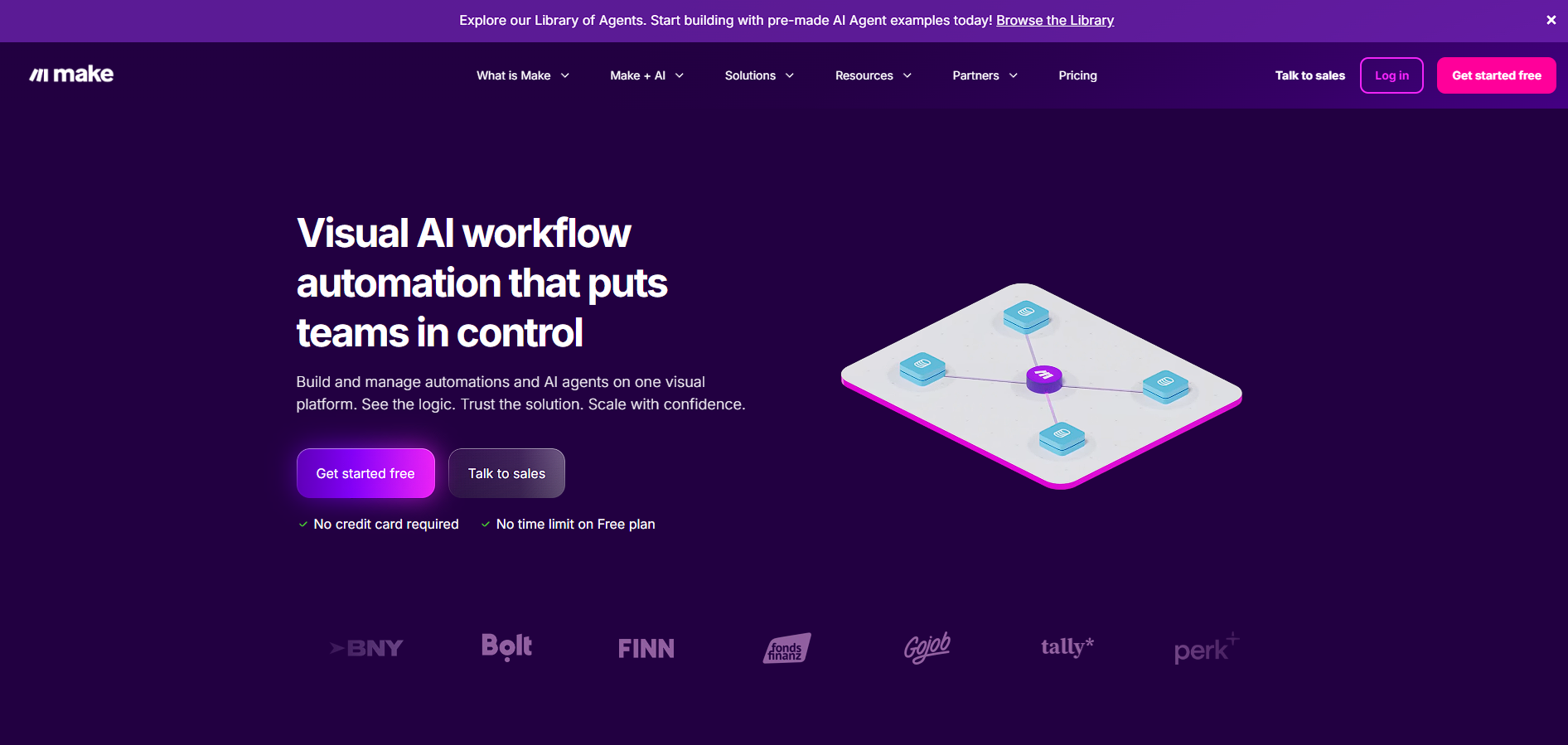
Make is a visual no-code automation platform that allows users to connect apps, build workflows, and orchestrate AI-powered processes using a drag-and-drop interface.

Make.com Overview

What is Make.com?

N/A
0
Reviews
73%
Subscribed Score

Available for Claim - This listing is available to be claimed
Claim Profile For Free

Unclaimed

Manage profile with subsig, and unlock 23+ social and review monitoring. Get partnership options with

Claim Profile For Free

Why teams choose Make.com

Key Features

Built for Flexibility
Adaptable for multiple use cases.
Collaborate Easily
Collaborate Easily
Built for teams and communication.
Trusted by Thousands
Proven by professionals worldwide.

Who is Make.com for?

Make is a cloud-based automation platform that enables users to create workflows, known as “scenarios,” by connecting different applications and services through a visual interface. It eliminates the need for coding by allowing users to design automations using drag-and-drop modules and logic-based flows.

The platform stands out for its flexibility and depth. Unlike simpler automation tools, Make supports advanced logic such as conditional branching, scheduling, and error handling, making it suitable for both simple tasks and complex business processes.

Make is widely used across teams for automating marketing, sales, operations, and IT workflows. With support for thousands of integrations and AI capabilities, it serves as a central orchestration layer for connecting tools and automating processes at scale.

Key Features and Benefits

  • Visual Workflow Builder: Drag-and-drop interface for building automations without code 
  • 3,000+ App Integrations: Connect popular tools like Slack, HubSpot, and OpenAI 
  • Advanced Logic Control: Use routers, filters, and conditions for complex workflows
  • AI Integration: Embed AI tasks and agents directly into automation pipelines 
  • Real-Time Monitoring: Track workflow performance with logs and analytics
  • API & Webhook Support: Connect to custom systems and trigger workflows dynamically
  • Scenario-Based Automation: Build multi-step processes triggered by events or schedules

Who Can Benefit from Make

  • Marketing Teams: Automate campaigns, lead flows, and CRM updates
  • Startups: Build scalable automation without hiring backend engineers
  • Operations Teams: Streamline repetitive internal processes
  • Developers: Integrate APIs and automate backend workflows quickly
  • Enterprises: Orchestrate complex systems across departments with visibility

Looking for alternative solutions?
Alternatives include Zapier for simpler automation, n8n for open-source flexibility, and tools like Airtable Automations or Pabbly Connect. Each differs in complexity, pricing model, and customization level.

Make.com Summary

Make is a cloud-based automation platform that enables users to create workflows, known as “scenarios,” by connecting different applications and services through a visual interface. It eliminates the need for coding by allowing users to design automations using drag-and-drop modules and logic-based flows.

The platform stands out for its flexibility and depth. Unlike simpler automation tools, Make supports advanced logic such as conditional branching, scheduling, and error handling, making it suitable for both simple tasks and complex business processes.

Make is widely used across teams for automating marketing, sales, operations, and IT workflows. With support for thousands of integrations and AI capabilities, it serves as a central orchestration layer for connecting tools and automating processes at scale.

Key Features and Benefits

  • Visual Workflow Builder: Drag-and-drop interface for building automations without code 
  • 3,000+ App Integrations: Connect popular tools like Slack, HubSpot, and OpenAI 
  • Advanced Logic Control: Use routers, filters, and conditions for complex workflows
  • AI Integration: Embed AI tasks and agents directly into automation pipelines 
  • Real-Time Monitoring: Track workflow performance with logs and analytics
  • API & Webhook Support: Connect to custom systems and trigger workflows dynamically
  • Scenario-Based Automation: Build multi-step processes triggered by events or schedules

Who Can Benefit from Make

  • Marketing Teams: Automate campaigns, lead flows, and CRM updates
  • Startups: Build scalable automation without hiring backend engineers
  • Operations Teams: Streamline repetitive internal processes
  • Developers: Integrate APIs and automate backend workflows quickly
  • Enterprises: Orchestrate complex systems across departments with visibility

Looking for alternative solutions?
Alternatives include Zapier for simpler automation, n8n for open-source flexibility, and tools like Airtable Automations or Pabbly Connect. Each differs in complexity, pricing model, and customization level.

Make.com reviews and insights

Learn what people say about Make.com

N/A
0 Reviews
73%
Subscribed Score

Lear more here about the Subscribed score on how it is composed. Learn more Click here

Overall rating

5
4
3
2
1
CX 3/6

How good is the customer support based on subscribed’s assessment

CX Icon
Security 4/6

How secure is the product based on Subscribed’s assessment?

Security Icon
Ease of Use 4/6

How easy is the product to use, based on Subscribed’s assessment?

EOU Icon
Value 5/6

What is the value for money based on Subscribed’s assessment?

coin Icon
Integration 5/6

How many integrations does the product offer?

gear Icon
Popularity 5/6

How popular is the product?

star

No Reviews Yet!

Be the first to share your experience and help others in the community.

Make.com User Reviews

0 User Reviews

Reviews from G2, Capterra, Trustpilot
info Icon

These ratings come directly from third-party platforms like G2, Capterra, and Trustpilot. They reflect real user feedback collected independently on those sites.

Make.com pricing

Pricing model

Pricing Range
info Icon

This only an estimated pricing range, visit Make.com pricing page to access all the information by clicking “Visit Now”.

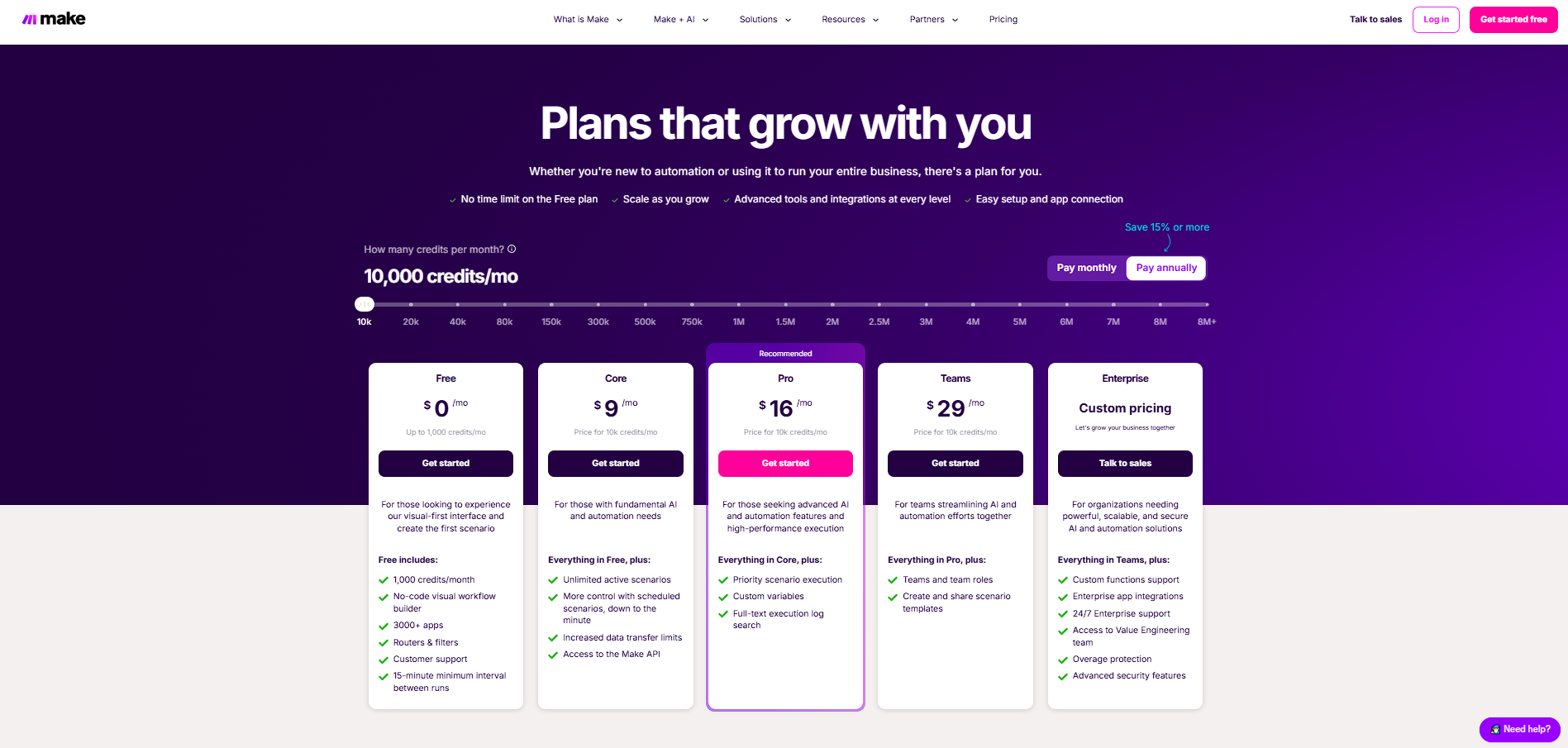
$0–$29 / Month
Visit Now
✨ Ask AI about pricing
73% Subscribed Score
info Icon

The Subscribed Score is an independent rating that combines user reviews, features, and value-for-money from multiple trusted sources. It’s designed as a quick benchmark, not a guarantee of individual experience.

Overview

Make is a cloud-based automation platform that enables users to create workflows, known as “scenarios,” by connecting different applications and services through a visual interface. It eliminates the need for coding by allowing users to design automations using drag-and-drop modules and logic-based flows.

The platform stands out for its flexibility and depth. Unlike simpler automation tools, Make supports advanced logic such as conditional branching, scheduling, and error handling, making it suitable for both simple tasks and complex business processes.

Make is widely used across teams for automating marketing, sales, operations, and IT workflows. With support for thousands of integrations and AI capabilities, it serves as a central orchestration layer for connecting tools and automating processes at scale.

Key Features and Benefits

  • Visual Workflow Builder: Drag-and-drop interface for building automations without code 
  • 3,000+ App Integrations: Connect popular tools like Slack, HubSpot, and OpenAI 
  • Advanced Logic Control: Use routers, filters, and conditions for complex workflows
  • AI Integration: Embed AI tasks and agents directly into automation pipelines 
  • Real-Time Monitoring: Track workflow performance with logs and analytics
  • API & Webhook Support: Connect to custom systems and trigger workflows dynamically
  • Scenario-Based Automation: Build multi-step processes triggered by events or schedules

Who Can Benefit from Make

  • Marketing Teams: Automate campaigns, lead flows, and CRM updates
  • Startups: Build scalable automation without hiring backend engineers
  • Operations Teams: Streamline repetitive internal processes
  • Developers: Integrate APIs and automate backend workflows quickly
  • Enterprises: Orchestrate complex systems across departments with visibility

Looking for alternative solutions?
Alternatives include Zapier for simpler automation, n8n for open-source flexibility, and tools like Airtable Automations or Pabbly Connect. Each differs in complexity, pricing model, and customization level.

Where Make.com performs best

What users like
  • Visual drag-and-drop builder enables complex workflow creation without coding
  • Supports over 3,000 integrations across apps, APIs, and AI tools
  • Advanced workflow logic including branching, scheduling, and error handling
  • Affordable credit-based pricing compared to many competitors
  • Allows creation of AI-powered automations and agents within workflows

Where Make.com falls short

What users dislike
  • Learning curve can be steep for complex multi-step automations
  • Credit-based pricing can be difficult to estimate at scale
  • Execution limits and intervals on lower plans restrict real-time use cases
  • UI can become cluttered when managing large automation scenarios
Subscribed Score Metrics
26/36 Metric achieved
MetricsScore
Customer Support3/6
Security4/6
Ease of Use4/6
Value of Money5/6
Integration5/6
Popularity5/6
Radar Chart Table View
Ease of Use
Measures how simple and intuitive the product is to use, including setup, navigation, and overall user experience
4/6 Metric Checks
Security
Compares the product`s features, quality, and pricing to determine its overall cost-effectiveness.
4/6 Metric Checks
Value of Money
Assesses the product`s ability to protect data, prevent breaches, and comply with industry standards.
5/6 Metric Checks
Customer Support
Reflects the responsiveness, helpfulness, and quality of assistance provided by the product`s support team.
3/6 Metric Checks
Integrations
Evaluates how well the product connects with other tools and platforms, enabling seamless workflows.
5/6 Metric Checks
Make.com Pricing Range
$0–$29 / Month

Make.com in action
info Icon

A curated gallery of real screenshots and use cases from the product, so you can see how it works before trying it.

Make.com Full Screen Icon
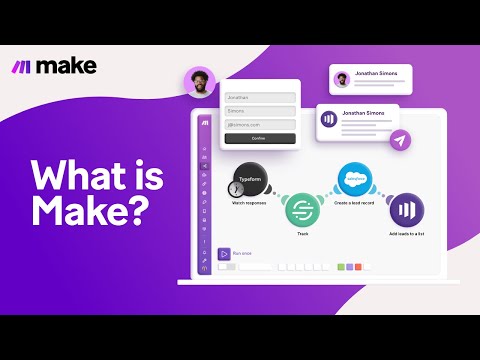
https://www.youtube.com/watch?v=ADpijI_TqnE
Full Screen Icon
Make.com
Make.com
Video thumbnail
Make.com
Make.com

Alternatives to Make.com
info Icon

A list of platforms similar to Make.com, helping you evaluate which tool best matches your needs.

How to cancel Make.com

Need to cancel Make.com? Here is how
info Icon

Thinking about how to cancel Make.com this is how you do it!

  • Log in to your Make account
  • Go to billing or subscription settings
  • Select your active plan
  • Cancel or downgrade to the free plan
  • Disable or delete active scenarios to stop credit usage

How to Cancel the Make.com

  • Log in to your Make account
  • Go to billing or subscription settings
  • Select your active plan
  • Cancel or downgrade to the free plan
  • Disable or delete active scenarios to stop credit usage

FAQs about Make.com

Every else you need to know about Make.com
info Icon

A collection of FAQs, guides, alternatives, and comparisons to help you quickly understand if Make.com is right for you.

Manage your Make.com profile

Create profile

Want to list your product on Subscribed.fyi? Create a profile to reach more buyers.

Pricing Range
info Icon

This only an estimated pricing range, visit Make.com pricing page to access all the information by clicking “Visit Now”.

$0–$29 / Month
Visit Now