MagicBell Reviews 2026: Details, Pricing, & Features | Subscribed.fyi
Sign in to review
Join our community of software reviewers on Subscribed.fyi

Continue With Google
Continue With LinkedIn
Continue Review with Email
Continue with Email
Enter your email to continue.
Continue
Enter your password
Enter your password to finish setting up your account.
Continue
Activate your email
Enter activation code we sent to your email.
Submit
Reset your password
Enter activation code we sent to your email.
Submit
Set your new password
Enter a new password for your account.
Submit
Categories
For Business
Log in
Provide My Insights
MagicBell
MagicBell

MagicBell Reviews, Pricing, Features & Alternatives (2026)

4.7/5
(3)

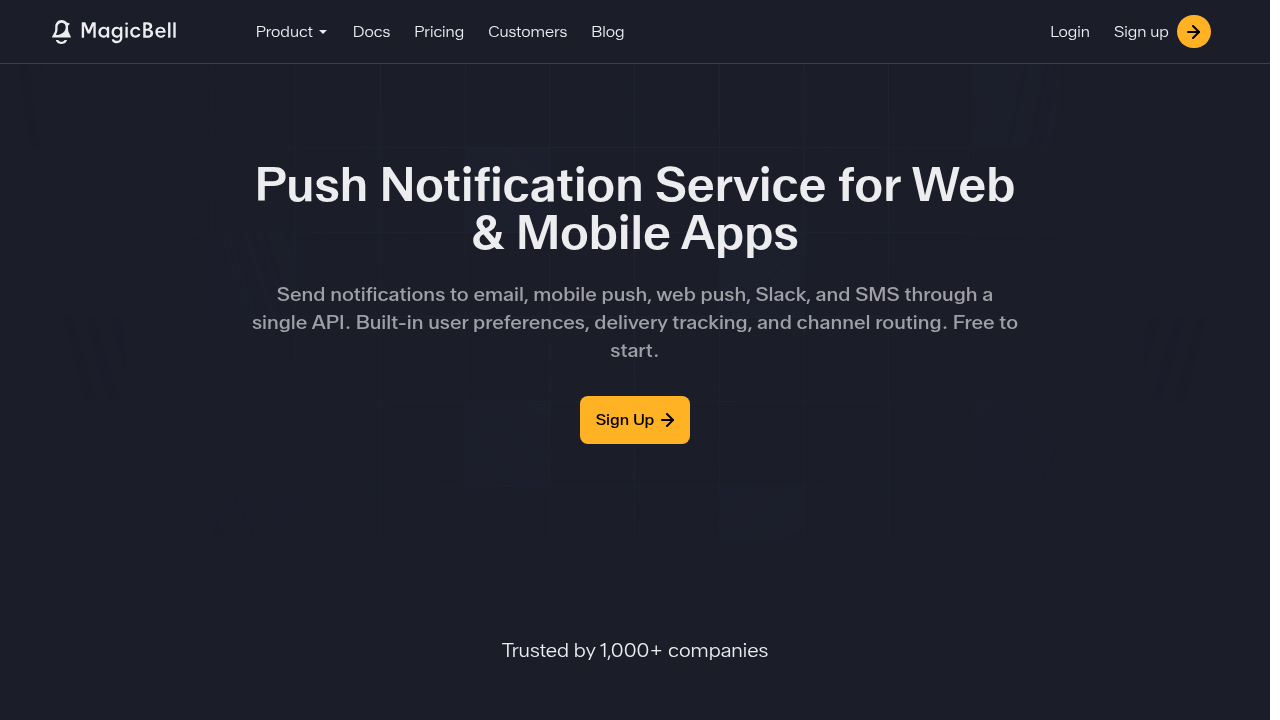
MagicBell is a multichannel notification inbox for web, mobile, and in-app use. It offers a unified API for push notifications, emails, SMS, and more, with built-in user preferences and smart delivery. Developers can deploy it quickly without building infrastructure from scratch.

MagicBell
MagicBell
MagicBell

MagicBell Overview

What is MagicBell?

4.7
3
Reviews
70%
Subscribed Score

Reliable Service - This seller has been verified by our team

Verified

Manage profile with subsig, and unlock 23+ social and review monitoring. Get partnership options with

Why teams choose MagicBell

Key Features

Scales with You
Scales with You
Grows with your business needs.
Collaborate Easily
Collaborate Easily
Built for teams and communication.
Plug & Play Setup
Plug & Play Setup
Get started in minutes, not weeks.

Who is MagicBell for?

MagicBell

MagicBell provides a full-stack notification system that handles multichannel deliveries across in-app, push, email, SMS, and web push, saving developers hundreds of hours of coding. With REST API and SDKs for React, Node.js, Ruby, Python, and Go, it manages device tokens, channel configurations, and delivery logic seamlessly.

Why Use MagicBell?

  • Unified Inbox: Single interface for all notifications with real-time sync and history tracking.
  • User Preferences: Built-in controls let users choose channels, automatically respected without custom UIs.
  • Smart Delivery: Fallback rules, priorities, delays, and metrics for opens, deliveries, and failures.
  • Quick Deployment: Deploy in a day with playground for testing and extensive docs.

Who is MagicBell For?

  • Developers building products needing scalable notifications.
  • SaaS teams wanting to avoid notification infrastructure hassle.
  • Businesses targeting web, mobile, iOS, Android users.

Key Features and Benefits

  • Multichannel Support: In-app, push (iOS/Android/Firebase), email (SendGrid/Mailgun), SMS, Slack, browser push.
  • Workflow Automation: Multi-step sequences with conditional logic, delays, webhooks.
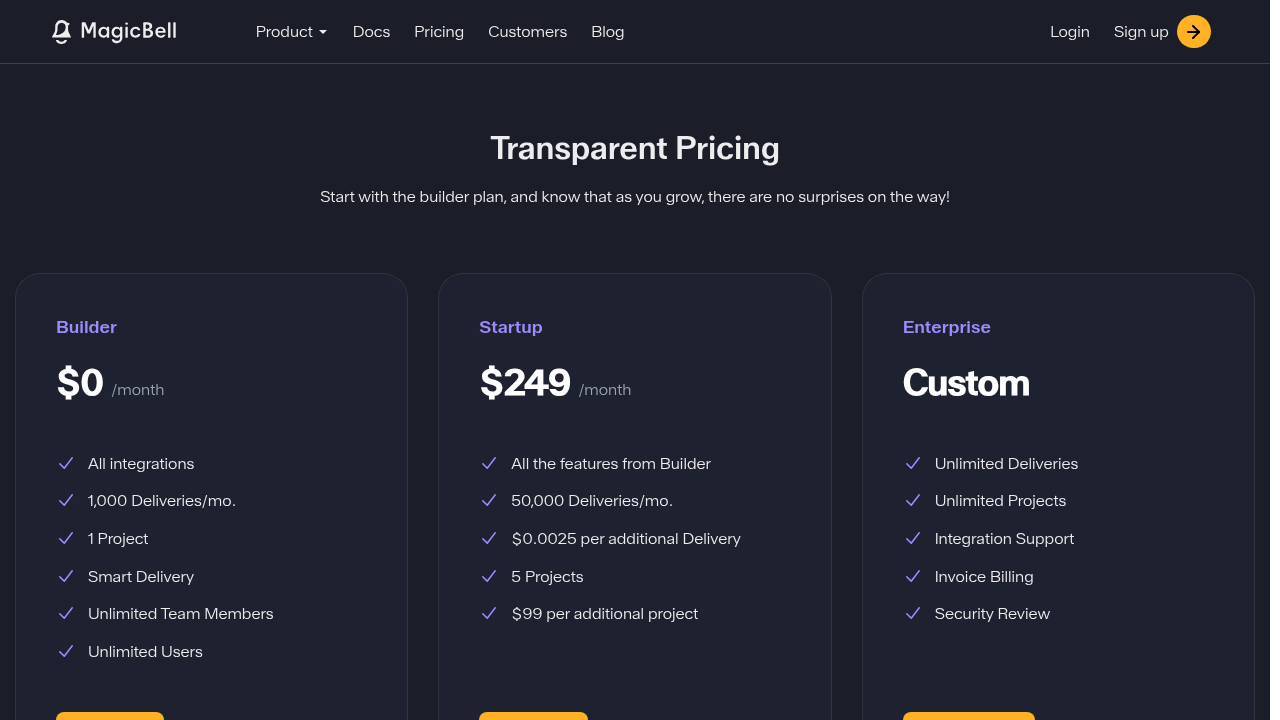
  • Scalable Pricing: Free for 1,000 deliveries/mo, paid from $249/mo based on volume.
  • Analytics Dashboards: Track sent, delivered, opened, failed notifications.

MagicBell respects user preferences to reduce noise and boost engagement with relevant, contextual notifications.

MagicBell Summary

MagicBell

MagicBell provides a full-stack notification system that handles multichannel deliveries across in-app, push, email, SMS, and web push, saving developers hundreds of hours of coding. With REST API and SDKs for React, Node.js, Ruby, Python, and Go, it manages device tokens, channel configurations, and delivery logic seamlessly.

Why Use MagicBell?

  • Unified Inbox: Single interface for all notifications with real-time sync and history tracking.
  • User Preferences: Built-in controls let users choose channels, automatically respected without custom UIs.
  • Smart Delivery: Fallback rules, priorities, delays, and metrics for opens, deliveries, and failures.
  • Quick Deployment: Deploy in a day with playground for testing and extensive docs.

Who is MagicBell For?

  • Developers building products needing scalable notifications.
  • SaaS teams wanting to avoid notification infrastructure hassle.
  • Businesses targeting web, mobile, iOS, Android users.

Key Features and Benefits

  • Multichannel Support: In-app, push (iOS/Android/Firebase), email (SendGrid/Mailgun), SMS, Slack, browser push.
  • Workflow Automation: Multi-step sequences with conditional logic, delays, webhooks.
  • Scalable Pricing: Free for 1,000 deliveries/mo, paid from $249/mo based on volume.
  • Analytics Dashboards: Track sent, delivered, opened, failed notifications.

MagicBell respects user preferences to reduce noise and boost engagement with relevant, contextual notifications.

MagicBell reviews and insights

Learn what people say about MagicBell

4.7
3 Reviews
70%
Subscribed Score

Lear more here about the Subscribed score on how it is composed. Learn more Click here

Overall rating

5
4
3
2
1
CX 4/6

How good is the customer support based on subscribed’s assessment

CX Icon
Security 4/6

How secure is the product based on Subscribed’s assessment?

Security Icon
Ease of Use 5/6

How easy is the product to use, based on Subscribed’s assessment?

EOU Icon
Value 5/6

What is the value for money based on Subscribed’s assessment?

coin Icon
Integration 5/6

How many integrations does the product offer?

gear Icon
Popularity 3/6

How popular is the product?

star
2 months ago
Share
How has it made your work/life easier?
It made my work easier by handling all notifications in one system, so I don’t have to build everything from scratch. It saves time and reduces effort by managing messages across different channels automatically.
What do you dislike about this product?
Sometimes it can be hard to understand how to set up all the features at first. It may also feel a bit complex when managing multiple notification channels.
What problem did this product solve for you?
It solved the problem of building and managing notifications across different channels from scratch. It made it easier by handling everything in one system, saving my time and effort.
Final thoughts, wrap up what you think
I would highly recommend it because it saves a lot of time and makes managing notifications easier.
Upvote (1)
Jovie Macalolo-oy User Test Enabled
Executive / Leadership
See My Portfolio
2 months ago
Share
How does this compare to similar products you’ve tried?
It feels way more complete. Most tools just send an email or a push, but this handles the actual notification tray inside the app too. I didn't have to build the bell icon or the unread counters from scratch, which saved me a ton of UI work.
What feels confusing or hard to use?
Managing the "wrappers" and templates across different channels was a bit of hard at first. It’s a little annoying to keep the branding consistent between an email when you’re first setting up the logic for how they look.
Is there a workflow that could be simpler?
Testing the different notification categories could be smoother. I found myself jumping back and forth between the dashboard and my code a lot just to make sure the right alert was triggering the right sound or priority level.
Final thoughts, wrap up what you think
If you don't want to spend months building a custom notification system, just use this. It centralizes everything like push, email, and in-app into one API.
Upvote
2 months ago
Share
What exceeded your expectations?
This made it easier for me to send notifications, just one API to send in multiple platform. That stuff typically takes a week to dev, this saved me some time.
What’s been frustrating in your experience?
The analytics dashboard is great but for more complex conditional flows it can get pretty fiddly. The visual planner feels alright but might need some catching up to what powerusers typically use.
Is there a workflow that could be simpler?
Initial setup is okay, easy to wire APNS, FCM and other things all at once. A guide flow would make the first few hours exploring this can make it better.
Final thoughts, wrap up what you think
Good for devs who want to make it easier to have their notification spaghetti handled. Dashboard and Analytics is very useful too.
Upvote (1)
MagicBell

MagicBell User Reviews

3 User Reviews

Reviews from G2, Capterra, Trustpilot
info Icon

These ratings come directly from third-party platforms like G2, Capterra, and Trustpilot. They reflect real user feedback collected independently on those sites.

MagicBell pricing

Pricing model

MagicBell
Pricing Range
info Icon

This only an estimated pricing range, visit MagicBell pricing page to access all the information by clicking “Visit Now”.

Free - $249 / mo
Deals Available

This product comes with a special deal, see details

Visit Now
✨ Ask AI about pricing
70% Subscribed Score
info Icon

The Subscribed Score is an independent rating that combines user reviews, features, and value-for-money from multiple trusted sources. It’s designed as a quick benchmark, not a guarantee of individual experience.

Overview

MagicBell

MagicBell provides a full-stack notification system that handles multichannel deliveries across in-app, push, email, SMS, and web push, saving developers hundreds of hours of coding. With REST API and SDKs for React, Node.js, Ruby, Python, and Go, it manages device tokens, channel configurations, and delivery logic seamlessly.

Why Use MagicBell?

  • Unified Inbox: Single interface for all notifications with real-time sync and history tracking.
  • User Preferences: Built-in controls let users choose channels, automatically respected without custom UIs.
  • Smart Delivery: Fallback rules, priorities, delays, and metrics for opens, deliveries, and failures.
  • Quick Deployment: Deploy in a day with playground for testing and extensive docs.

Who is MagicBell For?

  • Developers building products needing scalable notifications.
  • SaaS teams wanting to avoid notification infrastructure hassle.
  • Businesses targeting web, mobile, iOS, Android users.

Key Features and Benefits

  • Multichannel Support: In-app, push (iOS/Android/Firebase), email (SendGrid/Mailgun), SMS, Slack, browser push.
  • Workflow Automation: Multi-step sequences with conditional logic, delays, webhooks.
  • Scalable Pricing: Free for 1,000 deliveries/mo, paid from $249/mo based on volume.
  • Analytics Dashboards: Track sent, delivered, opened, failed notifications.

MagicBell respects user preferences to reduce noise and boost engagement with relevant, contextual notifications.

Where MagicBell performs best

What users like
  • Quick deployment in a day
  • Free plan with full features
  • Built-in user preferences
  • Multichannel support

Where MagicBell falls short

What users dislike
  • Delivery-based pricing
  • Custom enterprise only
  • Additional costs over limits
  • Limited free deliveries
Subscribed Score Metrics
26/36 Metric achieved
MetricsScore
Customer Support4/6
Security4/6
Ease of Use5/6
Value of Money5/6
Integration5/6
Popularity3/6
Radar Chart Table View
Ease of Use
Measures how simple and intuitive the product is to use, including setup, navigation, and overall user experience
5/6 Metric Checks
Security
Compares the product`s features, quality, and pricing to determine its overall cost-effectiveness.
4/6 Metric Checks
Value of Money
Assesses the product`s ability to protect data, prevent breaches, and comply with industry standards.
5/6 Metric Checks
Customer Support
Reflects the responsiveness, helpfulness, and quality of assistance provided by the product`s support team.
4/6 Metric Checks
Integrations
Evaluates how well the product connects with other tools and platforms, enabling seamless workflows.
5/6 Metric Checks
MagicBell Pricing Range
Free - $249 / mo

MagicBell in action
info Icon

A curated gallery of real screenshots and use cases from the product, so you can see how it works before trying it.

MagicBell Full Screen Icon
MagicBell
MagicBell
MagicBell
MagicBell

Alternatives to MagicBell
info Icon

A list of platforms similar to MagicBell, helping you evaluate which tool best matches your needs.

How to cancel MagicBell

Need to cancel MagicBell? Here is how
info Icon

Thinking about how to cancel MagicBell this is how you do it!

Log into MagicBell dashboard, navigate to Billing/Settings, select cancel/downgrade option, and confirm. Receive email verification; access continues to period end. Contact support if needed.

How to Cancel the MagicBell

Log into MagicBell dashboard, navigate to Billing/Settings, select cancel/downgrade option, and confirm. Receive email verification; access continues to period end. Contact support if needed.

FAQs about MagicBell

Every else you need to know about MagicBell
info Icon

A collection of FAQs, guides, alternatives, and comparisons to help you quickly understand if MagicBell is right for you.

Manage your MagicBell profile

Create profile

Want to list your product on Subscribed.fyi? Create a profile to reach more buyers.

Pricing Range
info Icon

This only an estimated pricing range, visit MagicBell pricing page to access all the information by clicking “Visit Now”.

Free - $249 / mo
Visit Now
Deals Available

This product comes with a special deal, see details

This product comes with a special deal, see details