Timebase Reviews 2026: Details, Pricing, & Features | Subscribed.fyi
Sign in to review
Join our community of software reviewers on Subscribed.fyi

Continue With Google
Continue With LinkedIn
Continue Review with Email
Continue with Email
Enter your email to continue.
Continue
Enter your password
Enter your password to finish setting up your account.
Continue
Activate your email
Enter activation code we sent to your email.
Submit
Reset your password
Enter activation code we sent to your email.
Submit
Set your new password
Enter a new password for your account.
Submit
Categories
For Business
Log in
Provide My Insights
Timebase
Timebase

Timebase Reviews, Pricing, Features & Alternatives (2026)

4/5
(3)

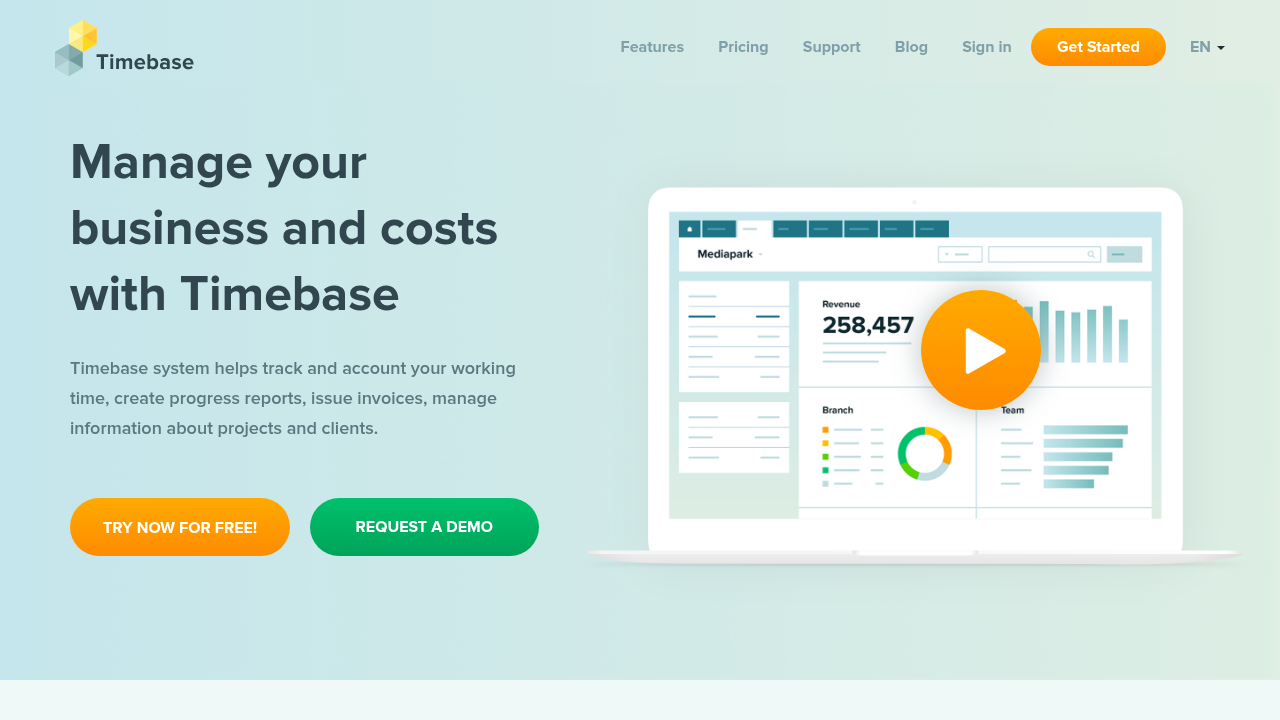
Timebase is an online time tracking and invoicing system designed for teams and individuals. It enables easy time logging via timer or manual timesheets, project and client management, and report generation. Syncs seamlessly with iOS and Android apps for on-the-go tracking.

Timebase
Timebase
Timebase

Timebase Overview

What is Timebase?

4
3
Reviews
63%
Subscribed Score

Available for Claim - This listing is available to be claimed
Claim Profile For Free

Unclaimed

Manage profile with subsig, and unlock 23+ social and review monitoring. Get partnership options with

Claim Profile For Free

Why teams choose Timebase

Key Features

Secure by Design
Secure by Design
Data protection and compliance built in.
Scales with You
Scales with You
Grows with your business needs.
Plug & Play Setup
Plug & Play Setup
Get started in minutes, not weeks.

Who is Timebase for?

Timebase

Timebase is a comprehensive online time tracking and billing software that simplifies work hour management, project oversight, and invoicing for teams and freelancers. Users can start timers, manually enter timesheets, generate detailed reports, and handle client and project data efficiently. With mobile apps for iOS and Android, it ensures flexibility across devices while prioritizing data security and admin controls.

Why Use Timebase?

  • Simple Time Tracking: Start timers or manually log hours with unlimited clients and projects supported even on free plan.
  • Reporting and Exports: Access basic to advanced reports and export data for billing or analysis.
  • Team Management: Admin roles, timesheet locking, and historic data access for oversight.
  • Mobile Accessibility: Full sync with iOS and Android apps for real-time tracking.

Who is Timebase For?

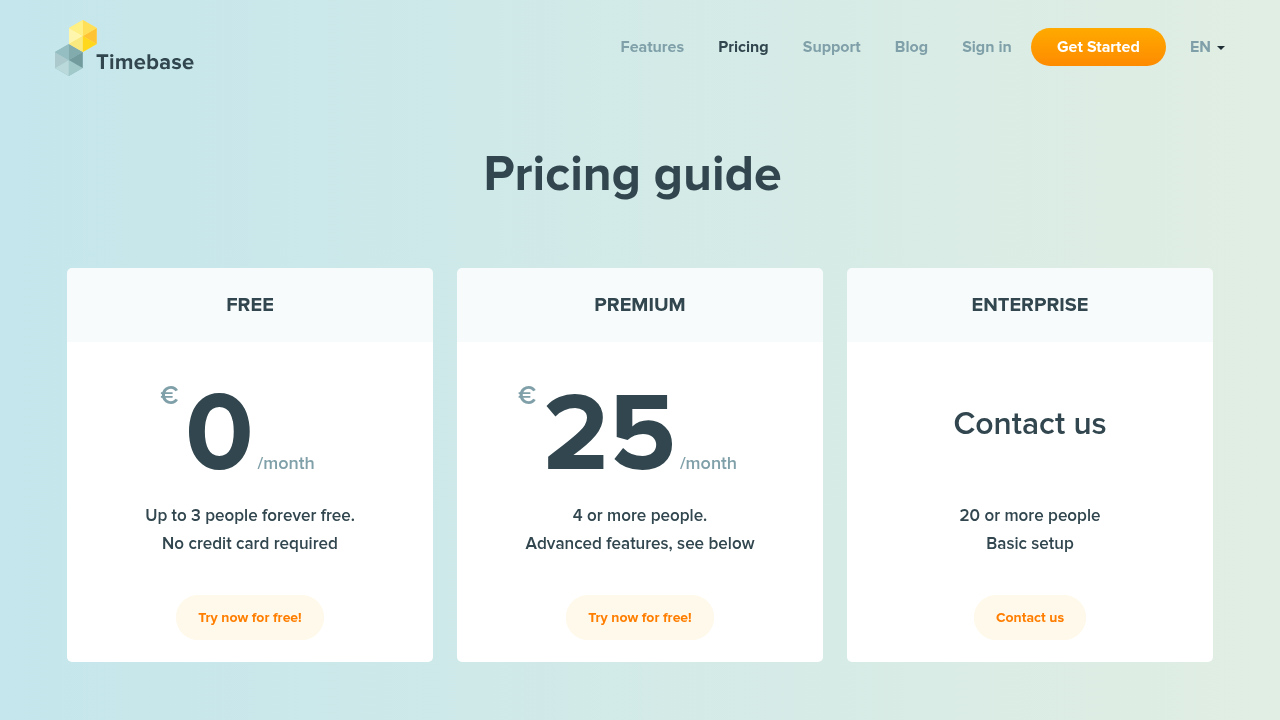
  • Freelancers and Small Teams: Ideal for up to 3 users on free plan with core features.
  • Growing Businesses: Premium unlocks unlimited users and advanced tools like integrations.
  • Project-Based Workers: Perfect for tracking profitability, client details, and invoicing.

Key Features and Benefits

  • Unlimited Clients & Projects: Manage as many as needed without limits.
  • Data Security & Roles: Secure access with admin controls and role-based permissions.
  • Invoicing Support: Track billable hours and generate profitability insights.
  • Advanced Premium Tools: Timesheet lock, historic data, and local account integrations for larger teams.

Timebase stands out for its straightforward interface and freemium model, making professional time management accessible without upfront costs.

Timebase Summary

Timebase

Timebase is a comprehensive online time tracking and billing software that simplifies work hour management, project oversight, and invoicing for teams and freelancers. Users can start timers, manually enter timesheets, generate detailed reports, and handle client and project data efficiently. With mobile apps for iOS and Android, it ensures flexibility across devices while prioritizing data security and admin controls.

Why Use Timebase?

  • Simple Time Tracking: Start timers or manually log hours with unlimited clients and projects supported even on free plan.
  • Reporting and Exports: Access basic to advanced reports and export data for billing or analysis.
  • Team Management: Admin roles, timesheet locking, and historic data access for oversight.
  • Mobile Accessibility: Full sync with iOS and Android apps for real-time tracking.

Who is Timebase For?

  • Freelancers and Small Teams: Ideal for up to 3 users on free plan with core features.
  • Growing Businesses: Premium unlocks unlimited users and advanced tools like integrations.
  • Project-Based Workers: Perfect for tracking profitability, client details, and invoicing.

Key Features and Benefits

  • Unlimited Clients & Projects: Manage as many as needed without limits.
  • Data Security & Roles: Secure access with admin controls and role-based permissions.
  • Invoicing Support: Track billable hours and generate profitability insights.
  • Advanced Premium Tools: Timesheet lock, historic data, and local account integrations for larger teams.

Timebase stands out for its straightforward interface and freemium model, making professional time management accessible without upfront costs.

Timebase reviews and insights

Learn what people say about Timebase

4
3 Reviews
63%
Subscribed Score

Lear more here about the Subscribed score on how it is composed. Learn more Click here

Overall rating

5
4
3
2
1
CX 3/6

How good is the customer support based on subscribed’s assessment

CX Icon
Security 4/6

How secure is the product based on Subscribed’s assessment?

Security Icon
Ease of Use 5/6

How easy is the product to use, based on Subscribed’s assessment?

EOU Icon
Value 5/6

What is the value for money based on Subscribed’s assessment?

coin Icon
Integration 3/6

How many integrations does the product offer?

gear Icon
Popularity 3/6

How popular is the product?

star
Jovie Macalolo-oy User Test Enabled
Executive / Leadership
See My Portfolio
3 months ago
Share
What exceeded your expectations?
I was really surprised by how smoothly the calendar syncs across all my different devices without any annoying delays or booked slots. The visual layout is much cleaner than I expected and it makes my entire weekly schedule look very easy to understand.
What feels confusing or hard to use?
Some of the advanced filtering options in the task list feel a bit hidden and took me a while to find when I was trying to organize a big project. I also find it a little bit difficult to navigate the settings menu because there are so many small toggles for notifications.
How could the product save you more time or money?
The app could save me more time if it had a faster way to create tasks without having to manually input the details for every single new entry. I would also save more money if the team plan was a bit more flexible for startups that only need to add one or two extra seats.
Final thoughts, wrap up what you think
I would recommend it because it is a very reliable and simple way to keep your professional and personal life organized in one spot.
Upvote (3)
Quineybel Mag-usara User Test Enabled
Marketing
3 months ago
Share
What do you like best about this product?
I personnaly use this tool and I like that it makes time tracking and billing very simple, especially with its easy timer and manual entry options. The fact that it works across mobile and desktop makes it very convenient for tracking work anywhere.
What feature doesn’t work as expected?
Soemtimes reporting features can feel a bit limited in the free version, especially for more detailed analysis. It may also take time to fully explore all admin controls and settings.
What problem did this product solve for you?
It solved the problem of messy and inconsistent time tracking by centralizing everything in one tool. It also makes billing and project tracking more accurate and organized.
Final thoughts, wrap up what you think
I would recommend it because it is simple, accessible, and effective for managing work hours and billing. It’s a great choice for freelancers and small teams that need an easy time tracking solution.
Upvote (1)
Khim Cincoflores User Test Enabled
Customer Success
See My Portfolio
3 months ago
Share
What’s the biggest benefit you’ve noticed?
It has been a great workforce tracking system. It has a digital timesheet and attendance that accurately tracks time spent on tasks, projects, assignments or during working hours. It improves operational efficiency.
What feels confusing or hard to use?
The interface may not be as intuitive as the other simpler tools or softwares. Setup and configuration takes time to load too.
Is there a workflow that could be simpler?
Many features or tools overwhelms users with datas. It might be better to only show what's needed like the time of the day, active tasks, and maybe weekly summary.
Final thoughts, wrap up what you think
Highly recommended. Really does its job.
Upvote (1)
Timebase

Timebase User Reviews

3 User Reviews

Reviews from G2, Capterra, Trustpilot
info Icon

These ratings come directly from third-party platforms like G2, Capterra, and Trustpilot. They reflect real user feedback collected independently on those sites.

Timebase pricing

Pricing model

Timebase
Pricing Range
info Icon

This only an estimated pricing range, visit Timebase pricing page to access all the information by clicking “Visit Now”.

Free - $25 / mo
Deals Available

This product comes with a special deal, see details

Visit Now
✨ Ask AI about pricing
63% Subscribed Score
info Icon

The Subscribed Score is an independent rating that combines user reviews, features, and value-for-money from multiple trusted sources. It’s designed as a quick benchmark, not a guarantee of individual experience.

Overview

Timebase

Timebase is a comprehensive online time tracking and billing software that simplifies work hour management, project oversight, and invoicing for teams and freelancers. Users can start timers, manually enter timesheets, generate detailed reports, and handle client and project data efficiently. With mobile apps for iOS and Android, it ensures flexibility across devices while prioritizing data security and admin controls.

Why Use Timebase?

  • Simple Time Tracking: Start timers or manually log hours with unlimited clients and projects supported even on free plan.
  • Reporting and Exports: Access basic to advanced reports and export data for billing or analysis.
  • Team Management: Admin roles, timesheet locking, and historic data access for oversight.
  • Mobile Accessibility: Full sync with iOS and Android apps for real-time tracking.

Who is Timebase For?

  • Freelancers and Small Teams: Ideal for up to 3 users on free plan with core features.
  • Growing Businesses: Premium unlocks unlimited users and advanced tools like integrations.
  • Project-Based Workers: Perfect for tracking profitability, client details, and invoicing.

Key Features and Benefits

  • Unlimited Clients & Projects: Manage as many as needed without limits.
  • Data Security & Roles: Secure access with admin controls and role-based permissions.
  • Invoicing Support: Track billable hours and generate profitability insights.
  • Advanced Premium Tools: Timesheet lock, historic data, and local account integrations for larger teams.

Timebase stands out for its straightforward interface and freemium model, making professional time management accessible without upfront costs.

Where Timebase performs best

What users like
  • Free for up to 3 users
  • Unlimited clients/projects
  • Mobile iOS/Android apps
  • Simple reporting & exports

Where Timebase falls short

What users dislike
  • Limited to 3 users on free
  • Premium required for advanced features
  • No public API
  • Basic integrations only
Subscribed Score Metrics
23/36 Metric achieved
MetricsScore
Customer Support3/6
Security4/6
Ease of Use5/6
Value of Money5/6
Integration3/6
Popularity3/6
Radar Chart Table View
Ease of Use
Measures how simple and intuitive the product is to use, including setup, navigation, and overall user experience
5/6 Metric Checks
Security
Compares the product`s features, quality, and pricing to determine its overall cost-effectiveness.
4/6 Metric Checks
Value of Money
Assesses the product`s ability to protect data, prevent breaches, and comply with industry standards.
5/6 Metric Checks
Customer Support
Reflects the responsiveness, helpfulness, and quality of assistance provided by the product`s support team.
3/6 Metric Checks
Integrations
Evaluates how well the product connects with other tools and platforms, enabling seamless workflows.
3/6 Metric Checks
Timebase Pricing Range
Free - $25 / mo

Timebase in action
info Icon

A curated gallery of real screenshots and use cases from the product, so you can see how it works before trying it.

Timebase Full Screen Icon
Timebase
Timebase
Timebase
Timebase

Alternatives to Timebase
info Icon

A list of platforms similar to Timebase, helping you evaluate which tool best matches your needs.

empty stats

No Alternatives Found

Looks like we cannot found any other relevant product at this moment

✨ Ask All alternative with AI

How to cancel Timebase

Need to cancel Timebase? Here is how
info Icon

Thinking about how to cancel Timebase this is how you do it!

Log into your Timebase account, navigate to billing settings, and select cancel or downgrade to free. Confirmation is sent via email, with access ending at cycle close. Data persists on free plan for up to 3 users.

How to Cancel the Timebase

Log into your Timebase account, navigate to billing settings, and select cancel or downgrade to free. Confirmation is sent via email, with access ending at cycle close. Data persists on free plan for up to 3 users.

FAQs about Timebase

Every else you need to know about Timebase
info Icon

A collection of FAQs, guides, alternatives, and comparisons to help you quickly understand if Timebase is right for you.

Manage your Timebase profile

Create profile

Want to list your product on Subscribed.fyi? Create a profile to reach more buyers.

Pricing Range
info Icon

This only an estimated pricing range, visit Timebase pricing page to access all the information by clicking “Visit Now”.

Free - $25 / mo
Visit Now
Deals Available

This product comes with a special deal, see details

This product comes with a special deal, see details