KonarkPro Reviews 2026: Details, Pricing, & Features | Subscribed.fyi
Sign in to review
Join our community of software reviewers on Subscribed.fyi

Continue With Google
Continue With LinkedIn
Continue Review with Email
Continue with Email
Enter your email to continue.
Continue
Enter your password
Enter your password to finish setting up your account.
Continue
Activate your email
Enter activation code we sent to your email.
Submit
Reset your password
Enter activation code we sent to your email.
Submit
Set your new password
Enter a new password for your account.
Submit
Categories
For Business
Log in
Provide My Insights
KonarkPro
KonarkPro

KonarkPro Reviews, Pricing, Features & Alternatives (2026)

4.3/5
(3)

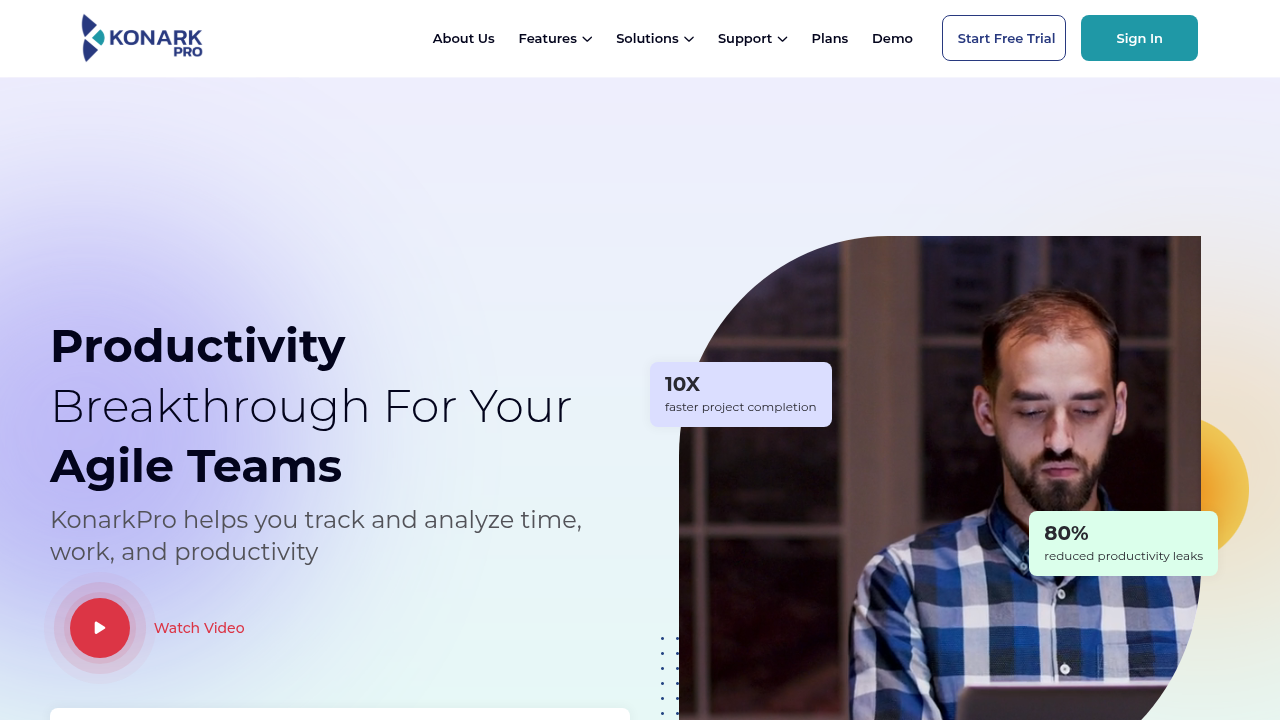
KonarkPro is a comprehensive time tracking and productivity platform for agile teams and remote workforces. It offers precise time monitoring, activity insights, and workforce analytics to optimize efficiency. Ideal for businesses managing outsourced teams, it supports seamless billing, payroll, and performance tracking.

KonarkPro
KonarkPro
KonarkPro

KonarkPro Overview

What is KonarkPro?

4.3
3
Reviews
65%
Subscribed Score

Available for Claim - This listing is available to be claimed
Claim Profile For Free

Unclaimed

Manage profile with subsig, and unlock 23+ social and review monitoring. Get partnership options with

Claim Profile For Free

Why teams choose KonarkPro

Key Features

No-Code Simplicity
No-Code Simplicity
Launch without writing a single line of code.
Secure by Design
Secure by Design
Data protection and compliance built in.
Scales with You
Scales with You
Grows with your business needs.

Who is KonarkPro for?

KonarkPro

KonarkPro is an advanced SaaS time tracking and workforce management tool designed to enhance productivity for remote, outsourced, and in-house teams. By providing real-time insights into time spent on tasks, projects, and activities, it enables precise billing, payroll, and resource allocation. Supporting desktop, web, and offline usage across major OS platforms, KonarkPro runs discreetly in the background for effortless tracking without compromising privacy or performance.

Why Use KonarkPro?

  • Precise Time Tracking: Automatically tracks time down to the second on tasks and projects for accurate billing and payroll.
  • Productivity Insights: Monitors metrics via an intuitive online dashboard, helping identify improvement areas and drive data-driven decisions.
  • Workforce Management: Ideal for outsourced teams, eliminating manual timesheet errors and maximizing profitability.
  • Seamless Integration: Customizable features for workflows, offline sync, and multi-platform support (Windows, macOS, Linux, Chrome OS).

Who is KonarkPro For?

  • Growing businesses and agile teams needing robust time and activity monitoring.
  • Managers of remote or outsourced workforces seeking reliable performance data.
  • Freelancers requiring proof of work, simplified invoicing, and workflow tools.

Key Features and Benefits

  • Automatic & Manual Tracking: Discreet background tracking with task switching; no data recorded when idle.
  • Analytics Dashboard: Customizable productivity metrics for team performance insights.
  • Offline Mode: Secure local storage until sync, available globally.
  • Free Plan: Basic features for individuals, with scalable options for teams.

KonarkPro Summary

KonarkPro

KonarkPro is an advanced SaaS time tracking and workforce management tool designed to enhance productivity for remote, outsourced, and in-house teams. By providing real-time insights into time spent on tasks, projects, and activities, it enables precise billing, payroll, and resource allocation. Supporting desktop, web, and offline usage across major OS platforms, KonarkPro runs discreetly in the background for effortless tracking without compromising privacy or performance.

Why Use KonarkPro?

  • Precise Time Tracking: Automatically tracks time down to the second on tasks and projects for accurate billing and payroll.
  • Productivity Insights: Monitors metrics via an intuitive online dashboard, helping identify improvement areas and drive data-driven decisions.
  • Workforce Management: Ideal for outsourced teams, eliminating manual timesheet errors and maximizing profitability.
  • Seamless Integration: Customizable features for workflows, offline sync, and multi-platform support (Windows, macOS, Linux, Chrome OS).

Who is KonarkPro For?

  • Growing businesses and agile teams needing robust time and activity monitoring.
  • Managers of remote or outsourced workforces seeking reliable performance data.
  • Freelancers requiring proof of work, simplified invoicing, and workflow tools.

Key Features and Benefits

  • Automatic & Manual Tracking: Discreet background tracking with task switching; no data recorded when idle.
  • Analytics Dashboard: Customizable productivity metrics for team performance insights.
  • Offline Mode: Secure local storage until sync, available globally.
  • Free Plan: Basic features for individuals, with scalable options for teams.

KonarkPro reviews and insights

Learn what people say about KonarkPro

4.3
3 Reviews
65%
Subscribed Score

Lear more here about the Subscribed score on how it is composed. Learn more Click here

Overall rating

5
4
3
2
1
CX 4/6

How good is the customer support based on subscribed’s assessment

CX Icon
Security 4/6

How secure is the product based on Subscribed’s assessment?

Security Icon
Ease of Use 5/6

How easy is the product to use, based on Subscribed’s assessment?

EOU Icon
Value 5/6

What is the value for money based on Subscribed’s assessment?

coin Icon
Integration 3/6

How many integrations does the product offer?

gear Icon
Popularity 3/6

How popular is the product?

star
Shyane Novelle User Test Enabled
3 months ago
Share
How has it made your work/life easier?
Comparing it to other products, the offline sync helps to save data if ever you have slow network connect and upload it once back online. It also identifies which task consume more time.
What do you dislike about this product?
So far, the product is good and useful and in my case I dont find any problem in using this but maybe I can encounter one but the platform easily solves problem
What could make it even better?
It could upgrade more by adding a machine learning that could recognize my active windows. When doing a lot of work maybe the system could silent phone notification to reduce distraction.
Final thoughts, wrap up what you think
Aside form being a budget friendly platform and every information that you need are all in the dashboard.
Upvote
Jovie Macalolo-oy User Test Enabled
Executive / Leadership
See My Portfolio
3 months ago
Share
What’s the biggest benefit you’ve noticed?
It makes tracking time across different projects very clear. I can see exactly where my team’s hours are going without having to ask for updates and how much work is actually getting done each day is also visible.
What slows you down when using it?
Setting up the initial tasks and assigning them to the right people takes a bit of clicking. If I have a lot of small jobs to add at once, the interface feels a little repetitive
If you could change one thing, what would it be?
I’d simplify the reporting dashboard. There are a lot of charts and numbers available, but I’d prefer a more basic view that just shows me the most important stats without having to filter through so many options.
Final thoughts, wrap up what you think
It keeps everyone honest and organized without being too intrusive. If you need to prove where time is spent to your clients, this is a huge help.
Upvote (1)
Khim Cincoflores User Test Enabled
Customer Success
See My Portfolio
4 months ago
Share
What do you like best about this product?
It helps me monitor how my employees spend their time on their tasks, track productivity, and manage projects especially we're in remote and hybrid setup.
Have you experienced any bugs or errors?
If your device is can't handle heavy softwares, this might be a hindrance to users since this software requires a greater capacity to run efficiently. It can slow down devices and consume system resources.
What problem did this product solve for you?
Helps me save time and effort. It automatically tracks your employees for you.
Final thoughts, wrap up what you think
Highly recommended especially for remote jobs set up. Very convenient to use.
Upvote (2)
KonarkPro

KonarkPro User Reviews

3 User Reviews

Reviews from G2, Capterra, Trustpilot
info Icon

These ratings come directly from third-party platforms like G2, Capterra, and Trustpilot. They reflect real user feedback collected independently on those sites.

KonarkPro pricing

Pricing model

KonarkPro
Pricing Range
info Icon

This only an estimated pricing range, visit KonarkPro pricing page to access all the information by clicking “Visit Now”.

Free
Deals Available

This product comes with a special deal, see details

Visit Now
✨ Ask AI about pricing
65% Subscribed Score
info Icon

The Subscribed Score is an independent rating that combines user reviews, features, and value-for-money from multiple trusted sources. It’s designed as a quick benchmark, not a guarantee of individual experience.

Overview

KonarkPro

KonarkPro is an advanced SaaS time tracking and workforce management tool designed to enhance productivity for remote, outsourced, and in-house teams. By providing real-time insights into time spent on tasks, projects, and activities, it enables precise billing, payroll, and resource allocation. Supporting desktop, web, and offline usage across major OS platforms, KonarkPro runs discreetly in the background for effortless tracking without compromising privacy or performance.

Why Use KonarkPro?

  • Precise Time Tracking: Automatically tracks time down to the second on tasks and projects for accurate billing and payroll.
  • Productivity Insights: Monitors metrics via an intuitive online dashboard, helping identify improvement areas and drive data-driven decisions.
  • Workforce Management: Ideal for outsourced teams, eliminating manual timesheet errors and maximizing profitability.
  • Seamless Integration: Customizable features for workflows, offline sync, and multi-platform support (Windows, macOS, Linux, Chrome OS).

Who is KonarkPro For?

  • Growing businesses and agile teams needing robust time and activity monitoring.
  • Managers of remote or outsourced workforces seeking reliable performance data.
  • Freelancers requiring proof of work, simplified invoicing, and workflow tools.

Key Features and Benefits

  • Automatic & Manual Tracking: Discreet background tracking with task switching; no data recorded when idle.
  • Analytics Dashboard: Customizable productivity metrics for team performance insights.
  • Offline Mode: Secure local storage until sync, available globally.
  • Free Plan: Basic features for individuals, with scalable options for teams.

Where KonarkPro performs best

What users like
  • Precise automatic time tracking
  • Offline support and multi-OS
  • Productivity analytics dashboard
  • Free plan for individuals
  • Ideal for remote/outsourced teams

Where KonarkPro falls short

What users dislike
  • Limited free plan features
  • No mobile app details
  • Desktop-focused tracking
  • Customization learning curve
  • No public advanced pricing
Subscribed Score Metrics
24/36 Metric achieved
MetricsScore
Customer Support4/6
Security4/6
Ease of Use5/6
Value of Money5/6
Integration3/6
Popularity3/6
Radar Chart Table View
Ease of Use
Measures how simple and intuitive the product is to use, including setup, navigation, and overall user experience
5/6 Metric Checks
Security
Compares the product`s features, quality, and pricing to determine its overall cost-effectiveness.
4/6 Metric Checks
Value of Money
Assesses the product`s ability to protect data, prevent breaches, and comply with industry standards.
5/6 Metric Checks
Customer Support
Reflects the responsiveness, helpfulness, and quality of assistance provided by the product`s support team.
4/6 Metric Checks
Integrations
Evaluates how well the product connects with other tools and platforms, enabling seamless workflows.
3/6 Metric Checks
KonarkPro Pricing Range
Free

KonarkPro in action
info Icon

A curated gallery of real screenshots and use cases from the product, so you can see how it works before trying it.

KonarkPro Full Screen Icon
KonarkPro
KonarkPro
KonarkPro
KonarkPro

Alternatives to KonarkPro
info Icon

A list of platforms similar to KonarkPro, helping you evaluate which tool best matches your needs.

How to cancel KonarkPro

Need to cancel KonarkPro? Here is how
info Icon

Thinking about how to cancel KonarkPro this is how you do it!

Log into your KonarkPro dashboard, go to billing settings, and select cancel or downgrade to free. Confirm to stop charges at billing cycle end. Contact support for help if needed.

How to Cancel the KonarkPro

Log into your KonarkPro dashboard, go to billing settings, and select cancel or downgrade to free. Confirm to stop charges at billing cycle end. Contact support for help if needed.

FAQs about KonarkPro

Every else you need to know about KonarkPro
info Icon

A collection of FAQs, guides, alternatives, and comparisons to help you quickly understand if KonarkPro is right for you.

Manage your KonarkPro profile

Create profile

Want to list your product on Subscribed.fyi? Create a profile to reach more buyers.

Pricing Range
info Icon

This only an estimated pricing range, visit KonarkPro pricing page to access all the information by clicking “Visit Now”.

Free
Visit Now
Deals Available

This product comes with a special deal, see details

This product comes with a special deal, see details