Lido Reviews 2026: Details, Pricing, & Features | Subscribed.fyi
Sign in to review
Join our community of software reviewers on Subscribed.fyi

Continue With Google
Continue With LinkedIn
Continue Review with Email
Continue with Email
Enter your email to continue.
Continue
Enter your password
Enter your password to finish setting up your account.
Continue
Activate your email
Enter activation code we sent to your email.
Submit
Reset your password
Enter activation code we sent to your email.
Submit
Set your new password
Enter a new password for your account.
Submit
Categories
For Business
Log in
Provide My Insights

Lido Reviews, Pricing, Features & Alternatives (2026)

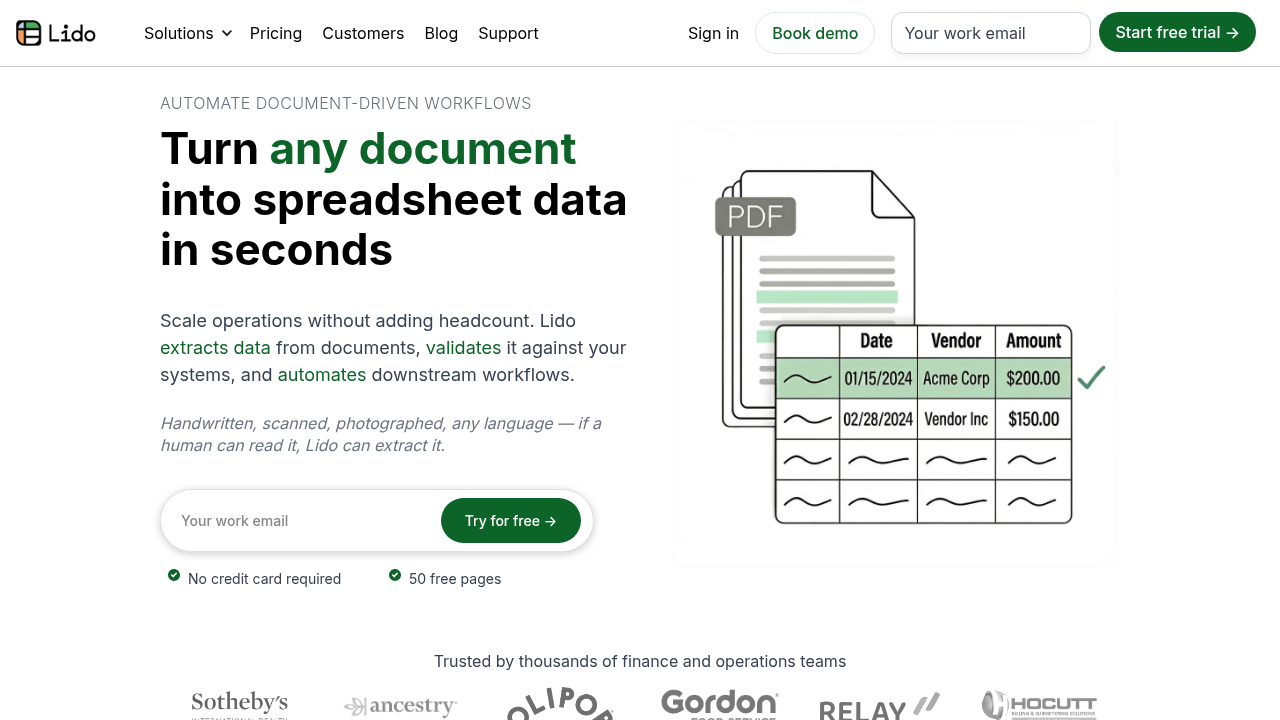
Lido is a no-code spreadsheet platform that automates workflows and connects to over 10 external data sources. It enables users to create real-time dashboards, automate repetitive tasks, and trigger actions using spreadsheet formulas. Designed for efficiency, it simplifies data management and operational scaling with ease.

Lido Overview

What is Lido?

N/A
0
Reviews
36%
Subscribed Score

Available for Claim - This listing is available to be claimed
Claim Profile For Free

Unclaimed

Manage profile with subsig, and unlock 23+ social and review monitoring. Get partnership options with

Claim Profile For Free

Why teams choose Lido

Key Features

Secure by Design
Secure by Design
Data protection and compliance built in.
Plug & Play Setup
Plug & Play Setup
Get started in minutes, not weeks.
No-Code Simplicity
No-Code Simplicity
Launch without writing a single line of code.

Who is Lido for?

Lido is a dynamic solution redefining how work gets automated through spreadsheets. Designed as a no-code platform, Lido connects live to over 10 external data sources and empowers businesses with an intelligent spreadsheet interface built to optimize operations. By automating repetitive tasks, triggering actions based on dates, cell value changes or new row entries, and enabling the creation of custom workflows and real-time dashboards, Lido streamlines data management—all without requiring any coding expertise. Its ease of use and flexibility make it an indispensable tool for teams looking to reduce manual effort and improve accuracy in daily operations.

Why Use Lido?

  • Automation Without Coding: Lido’s spreadsheet-centric platform allows users to automate complex workflows using familiar formulas. This no-code approach removes technical barriers and accelerates process improvements.
  • Seamless Data Connectivity: With live integration to multiple external data sources, Lido keeps your data current and actionable. This connectivity ensures that insights and decisions are based on real-time information.
  • Customizable Workflows: The platform enables the creation of tailored automation workflows that trigger based on specific events. Whether it’s sending automated emails or updating dashboards, Lido adapts to your unique operational needs.
  • Operational Efficiency: By transforming traditional spreadsheets into interactive, automation-driven workspaces, Lido helps businesses eliminate mundane tasks and reallocate resources to higher-value activities.

Who is Lido For?

  • Small to Large Enterprises: Organizations seeking to modernize routine workflows will find Lido an excellent choice for driving efficiency across departments.
  • Data Analysts and Business Managers: With real-time dashboards and seamless data connections, decision-makers can gain immediate insights and act on critical information without the delays of manual data compilation.
  • Marketing and Sales Teams: By automating follow-ups and routine data management tasks, teams can concentrate on strategy and client engagement rather than administrative chores.

Lido stands out in the competitive world of no-code platforms by offering an innovative, spreadsheet-based solution that bridges the gap between data management and automation. By revolutionizing the way work is assigned, tracked, and executed, it provides businesses with tools that are both powerful and user-friendly. Companies looking to improve operational flow and integrate real-time data into decision-making processes will find Lido a critical asset for day-to-day efficiency.

Discover exclusive Lido deals here and explore how Lido can transform your operations. For those interested in exploring similar solutions, consider alternatives such as Google Workspace and Microsoft 365. These options provide additional flexibility depending on your organization’s specific needs.

Elevate your workflow management and embrace the future of automated spreadsheets by choosing Lido—a solution that truly works for you.


Lido Summary

Lido is a dynamic solution redefining how work gets automated through spreadsheets. Designed as a no-code platform, Lido connects live to over 10 external data sources and empowers businesses with an intelligent spreadsheet interface built to optimize operations. By automating repetitive tasks, triggering actions based on dates, cell value changes or new row entries, and enabling the creation of custom workflows and real-time dashboards, Lido streamlines data management—all without requiring any coding expertise. Its ease of use and flexibility make it an indispensable tool for teams looking to reduce manual effort and improve accuracy in daily operations.

Why Use Lido?

  • Automation Without Coding: Lido’s spreadsheet-centric platform allows users to automate complex workflows using familiar formulas. This no-code approach removes technical barriers and accelerates process improvements.
  • Seamless Data Connectivity: With live integration to multiple external data sources, Lido keeps your data current and actionable. This connectivity ensures that insights and decisions are based on real-time information.
  • Customizable Workflows: The platform enables the creation of tailored automation workflows that trigger based on specific events. Whether it’s sending automated emails or updating dashboards, Lido adapts to your unique operational needs.
  • Operational Efficiency: By transforming traditional spreadsheets into interactive, automation-driven workspaces, Lido helps businesses eliminate mundane tasks and reallocate resources to higher-value activities.

Who is Lido For?

  • Small to Large Enterprises: Organizations seeking to modernize routine workflows will find Lido an excellent choice for driving efficiency across departments.
  • Data Analysts and Business Managers: With real-time dashboards and seamless data connections, decision-makers can gain immediate insights and act on critical information without the delays of manual data compilation.
  • Marketing and Sales Teams: By automating follow-ups and routine data management tasks, teams can concentrate on strategy and client engagement rather than administrative chores.

Lido stands out in the competitive world of no-code platforms by offering an innovative, spreadsheet-based solution that bridges the gap between data management and automation. By revolutionizing the way work is assigned, tracked, and executed, it provides businesses with tools that are both powerful and user-friendly. Companies looking to improve operational flow and integrate real-time data into decision-making processes will find Lido a critical asset for day-to-day efficiency.

Discover exclusive Lido deals here and explore how Lido can transform your operations. For those interested in exploring similar solutions, consider alternatives such as Google Workspace and Microsoft 365. These options provide additional flexibility depending on your organization’s specific needs.

Elevate your workflow management and embrace the future of automated spreadsheets by choosing Lido—a solution that truly works for you.

Lido reviews and insights

Learn what people say about Lido

N/A
0 Reviews
36%
Subscribed Score

Lear more here about the Subscribed score on how it is composed. Learn more Click here

Overall rating

5
4
3
2
1
CX 1/6

How good is the customer support based on subscribed’s assessment

CX Icon
Security 0/6

How secure is the product based on Subscribed’s assessment?

Security Icon
Ease of Use 3/6

How easy is the product to use, based on Subscribed’s assessment?

EOU Icon
Value 3/6

What is the value for money based on Subscribed’s assessment?

coin Icon
Integration 4/6

How many integrations does the product offer?

gear Icon
Popularity 2/6

How popular is the product?

star

No Reviews Yet!

Be the first to share your experience and help others in the community.

Lido User Reviews

0 User Reviews

Reviews from G2, Capterra, Trustpilot
info Icon

These ratings come directly from third-party platforms like G2, Capterra, and Trustpilot. They reflect real user feedback collected independently on those sites.

Lido pricing

Pricing model

Pricing Range
info Icon

This only an estimated pricing range, visit Lido pricing page to access all the information by clicking “Visit Now”.

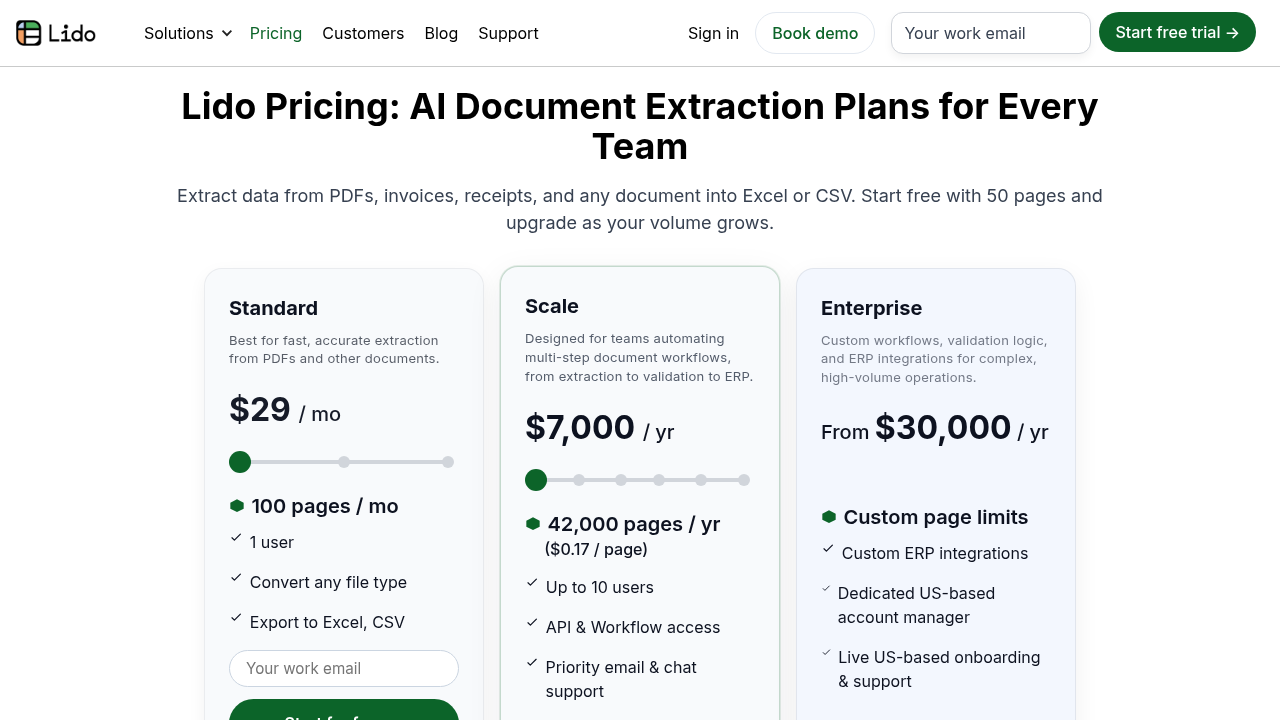
$29-2.5k / Month
Deals Available

This product comes with a special deal, see details

Visit Now
✨ Ask AI about pricing
36% Subscribed Score
info Icon

The Subscribed Score is an independent rating that combines user reviews, features, and value-for-money from multiple trusted sources. It’s designed as a quick benchmark, not a guarantee of individual experience.

Overview

Lido is a dynamic solution redefining how work gets automated through spreadsheets. Designed as a no-code platform, Lido connects live to over 10 external data sources and empowers businesses with an intelligent spreadsheet interface built to optimize operations. By automating repetitive tasks, triggering actions based on dates, cell value changes or new row entries, and enabling the creation of custom workflows and real-time dashboards, Lido streamlines data management—all without requiring any coding expertise. Its ease of use and flexibility make it an indispensable tool for teams looking to reduce manual effort and improve accuracy in daily operations.

Why Use Lido?

  • Automation Without Coding: Lido’s spreadsheet-centric platform allows users to automate complex workflows using familiar formulas. This no-code approach removes technical barriers and accelerates process improvements.
  • Seamless Data Connectivity: With live integration to multiple external data sources, Lido keeps your data current and actionable. This connectivity ensures that insights and decisions are based on real-time information.
  • Customizable Workflows: The platform enables the creation of tailored automation workflows that trigger based on specific events. Whether it’s sending automated emails or updating dashboards, Lido adapts to your unique operational needs.
  • Operational Efficiency: By transforming traditional spreadsheets into interactive, automation-driven workspaces, Lido helps businesses eliminate mundane tasks and reallocate resources to higher-value activities.

Who is Lido For?

  • Small to Large Enterprises: Organizations seeking to modernize routine workflows will find Lido an excellent choice for driving efficiency across departments.
  • Data Analysts and Business Managers: With real-time dashboards and seamless data connections, decision-makers can gain immediate insights and act on critical information without the delays of manual data compilation.
  • Marketing and Sales Teams: By automating follow-ups and routine data management tasks, teams can concentrate on strategy and client engagement rather than administrative chores.

Lido stands out in the competitive world of no-code platforms by offering an innovative, spreadsheet-based solution that bridges the gap between data management and automation. By revolutionizing the way work is assigned, tracked, and executed, it provides businesses with tools that are both powerful and user-friendly. Companies looking to improve operational flow and integrate real-time data into decision-making processes will find Lido a critical asset for day-to-day efficiency.

Discover exclusive Lido deals here and explore how Lido can transform your operations. For those interested in exploring similar solutions, consider alternatives such as Google Workspace and Microsoft 365. These options provide additional flexibility depending on your organization’s specific needs.

Elevate your workflow management and embrace the future of automated spreadsheets by choosing Lido—a solution that truly works for you.

Where Lido performs best

What users like
  • Automates tasks effectively
  • Connects to multiple data sources
  • No coding required
  • Streamlines workflow creation

Where Lido falls short

What users dislike
  • Limited user reviews available
  • No detailed pricing information
  • Support for other languages missing
  • Undefined annual revenue
Subscribed Score Metrics
13/36 Metric achieved
MetricsScore
Customer Support1/6
Security0/6
Ease of Use3/6
Value of Money3/6
Integration4/6
Popularity2/6
Radar Chart Table View
Ease of Use
Measures how simple and intuitive the product is to use, including setup, navigation, and overall user experience
3/6 Metric Checks
Security
Compares the product`s features, quality, and pricing to determine its overall cost-effectiveness.
0/6 Metric Checks
Value of Money
Assesses the product`s ability to protect data, prevent breaches, and comply with industry standards.
3/6 Metric Checks
Customer Support
Reflects the responsiveness, helpfulness, and quality of assistance provided by the product`s support team.
1/6 Metric Checks
Integrations
Evaluates how well the product connects with other tools and platforms, enabling seamless workflows.
4/6 Metric Checks
Lido Pricing Range
$29-2.5k / Month

Lido in action
info Icon

A curated gallery of real screenshots and use cases from the product, so you can see how it works before trying it.

Lido Full Screen Icon
https://www.youtube.com/watch?v=gKcYySTXeRk
Full Screen Icon
https://www.youtube.com/watch?v=kEIauuUf-40
Full Screen Icon
Lido
Lido
Video thumbnail
Video thumbnail
Lido
Lido

Alternatives to Lido
info Icon

A list of platforms similar to Lido, helping you evaluate which tool best matches your needs.

How to cancel Lido

Need to cancel Lido? Here is how
info Icon

Thinking about how to cancel Lido this is how you do it!

Lido Subscription Cancel Outline (Preview):

  • Log in to Lido Billing portal.
  • Select Manage subscription > Cancel.
  • Effective end of current billing cycle; access until then, then free plan. (124 chars)

How to Cancel the Lido

Lido Subscription Cancel Outline (Preview):

  • Log in to Lido Billing portal.
  • Select Manage subscription > Cancel.
  • Effective end of current billing cycle; access until then, then free plan. (124 chars)

FAQs about Lido

Every else you need to know about Lido
info Icon

A collection of FAQs, guides, alternatives, and comparisons to help you quickly understand if Lido is right for you.

Manage your Lido profile

Create profile

Want to list your product on Subscribed.fyi? Create a profile to reach more buyers.

Pricing Range
info Icon

This only an estimated pricing range, visit Lido pricing page to access all the information by clicking “Visit Now”.

$29-2.5k / Month
Visit Now
Deals Available

This product comes with a special deal, see details

This product comes with a special deal, see details