Sign in to review
Join our community of software reviewers on Subscribed.fyi

Continue With Google
Continue With LinkedIn
Continue Review with Email
Continue with Email
Enter your email to continue.
Continue
Enter your password
Enter your password to finish setting up your account.
Continue
Activate your email
Enter activation code we sent to your email.
Submit
Reset your password
Enter activation code we sent to your email.
Submit
Set your new password
Enter a new password for your account.
Submit
Log in
Provide My Insights
Granola
Granola

Granola Reviews, Pricing, Features & Alternatives (2026)

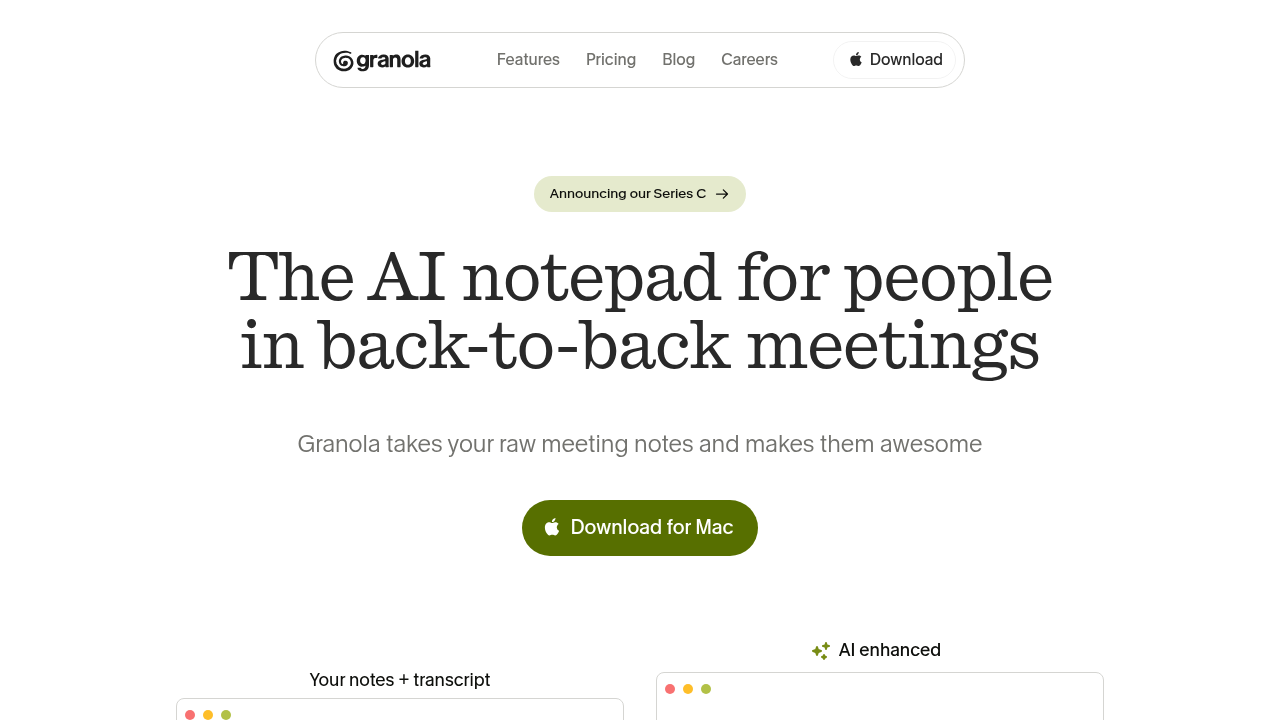
Granola is an AI-powered notepad designed for users in back-to-back meetings. It transcribes audio directly from your device without bots, enhances your manual notes with AI context from transcripts, and turns conversations into searchable memories. Ideal for staying present while capturing key details effortlessly.

Granola
Granola
Granola

Granola Overview

What is Granola?

N/A
★ ★ ★ ★ ★
0
Reviews

Available for Claim - This listing is available to be claimed
Claim Profile

Unclaimed

Claim this profile to manage it.

Claim Profile

Why teams choose Granola

Key Features

Expert Support
Expert Support
Help available when you need it.
Works Anywhere
Works Anywhere
Accessible from any device, anytime.
No-Code Simplicity
No-Code Simplicity
Launch without writing a single line of code.

Who is Granola for?

Granola

Granola is an AI notepad tailored for professionals juggling frequent meetings, transforming raw notes and audio into structured, actionable insights without intrusive bots.

Why Use Granola?

  • Seamless Transcription: Captures audio directly from your computer across any platform, ensuring privacy and no meeting disruptions.
  • Note Enhancement: Automatically weaves transcript context into your live notes post-meeting, making them richer and scannable.
  • AI-Powered Actions: Leverages advanced models to generate post-meeting action items, summaries, and organized sections.
  • Searchable Memory: Builds a rich archive of conversations for quick reference and momentum on priorities.

Who is Granola For?

  • Professionals in back-to-back meetings like founders, VCs, recruiters, and sales teams.
  • Users needing to stay present without manual note-taking overload.
  • Teams handling interviews, sales calls, or client discussions requiring detailed follow-ups.

Key Features and Benefits

  • Live Notepad Interface: Feels like familiar apps (e.g., Apple Notes) but with AI superpowers for transcription and enhancement.
  • No Bot Integration: Records locally, integrates with Google Calendar, and supports Zapier for workflows.
  • Templates and Folders: Organizes notes by meeting type, adds files for context like pitch decks.
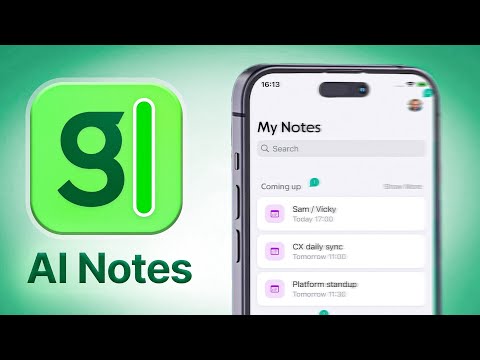
  • Mobile Accessibility: iOS app for on-the-go note-taking and review.
  • Recipes for Efficiency: Customizable AI prompts for faster action item extraction and summarization.

Granola stands out by prioritizing human notes enhanced by AI, rather than replacing them. It supports daily workflows for remote work, team syncs, and solo brainstorming, available on desktop and iOS with free tier access. (398 words)

Granola Summary

Granola

Granola is an AI notepad tailored for professionals juggling frequent meetings, transforming raw notes and audio into structured, actionable insights without intrusive bots.

Why Use Granola?

  • Seamless Transcription: Captures audio directly from your computer across any platform, ensuring privacy and no meeting disruptions.
  • Note Enhancement: Automatically weaves transcript context into your live notes post-meeting, making them richer and scannable.
  • AI-Powered Actions: Leverages advanced models to generate post-meeting action items, summaries, and organized sections.
  • Searchable Memory: Builds a rich archive of conversations for quick reference and momentum on priorities.

Who is Granola For?

  • Professionals in back-to-back meetings like founders, VCs, recruiters, and sales teams.
  • Users needing to stay present without manual note-taking overload.
  • Teams handling interviews, sales calls, or client discussions requiring detailed follow-ups.

Key Features and Benefits

  • Live Notepad Interface: Feels like familiar apps (e.g., Apple Notes) but with AI superpowers for transcription and enhancement.
  • No Bot Integration: Records locally, integrates with Google Calendar, and supports Zapier for workflows.
  • Templates and Folders: Organizes notes by meeting type, adds files for context like pitch decks.
  • Mobile Accessibility: iOS app for on-the-go note-taking and review.
  • Recipes for Efficiency: Customizable AI prompts for faster action item extraction and summarization.

Granola stands out by prioritizing human notes enhanced by AI, rather than replacing them. It supports daily workflows for remote work, team syncs, and solo brainstorming, available on desktop and iOS with free tier access. (398 words)

Granola reviews and insights

Learn what people say about Granola

N/A ★ ★ ★ ★ ★
0 Reviews

No Reviews Yet!

Be the first to share your experience and help others in the community.

Granola

Granola User Reviews

0 User Reviews

Reviews from G2, Capterra, Trustpilot
info Icon

These ratings come directly from third-party platforms like G2, Capterra, and Trustpilot. They reflect real user feedback collected independently on those sites.

Granola pricing

Pricing model

Granola
Pricing Range
info Icon

This only an estimated pricing range, visit Granola pricing page to access all the information by clicking “Visit Now”.

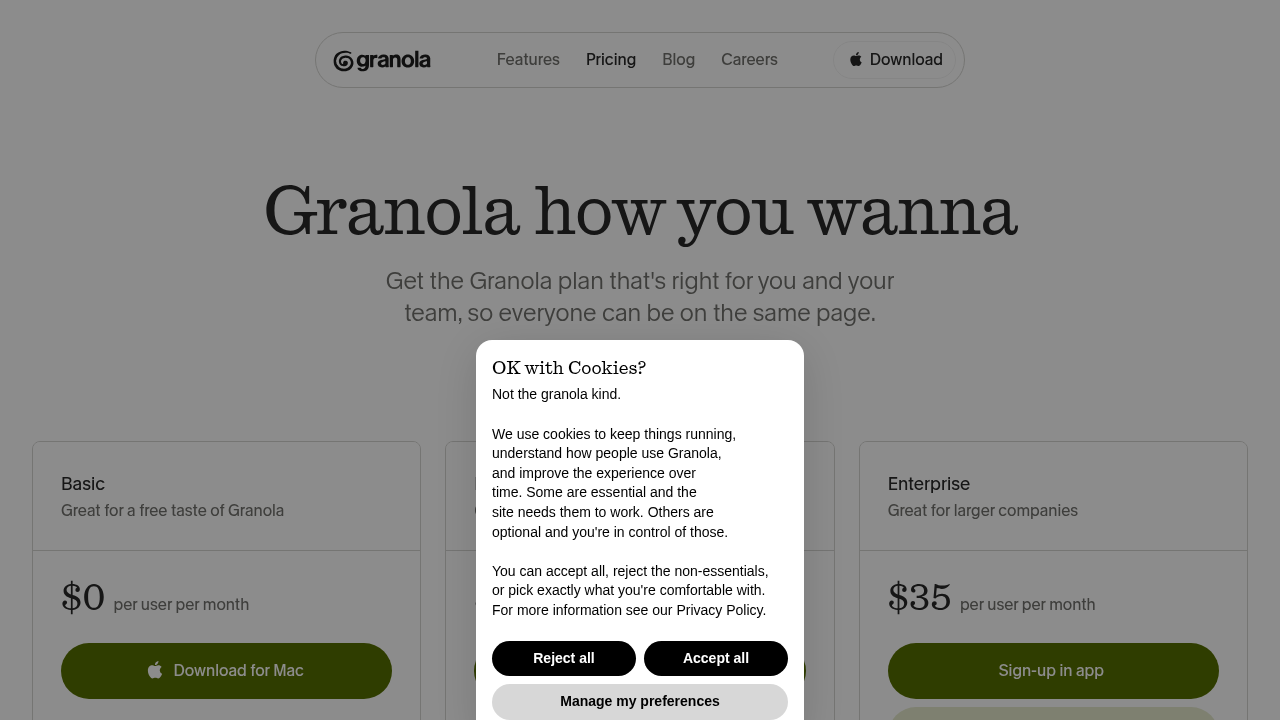
Free - $14 / mo
Deals Available

This product comes with a special deal, see details

Visit Now

Overview

Granola

Granola is an AI notepad tailored for professionals juggling frequent meetings, transforming raw notes and audio into structured, actionable insights without intrusive bots.

Why Use Granola?

  • Seamless Transcription: Captures audio directly from your computer across any platform, ensuring privacy and no meeting disruptions.
  • Note Enhancement: Automatically weaves transcript context into your live notes post-meeting, making them richer and scannable.
  • AI-Powered Actions: Leverages advanced models to generate post-meeting action items, summaries, and organized sections.
  • Searchable Memory: Builds a rich archive of conversations for quick reference and momentum on priorities.

Who is Granola For?

  • Professionals in back-to-back meetings like founders, VCs, recruiters, and sales teams.
  • Users needing to stay present without manual note-taking overload.
  • Teams handling interviews, sales calls, or client discussions requiring detailed follow-ups.

Key Features and Benefits

  • Live Notepad Interface: Feels like familiar apps (e.g., Apple Notes) but with AI superpowers for transcription and enhancement.
  • No Bot Integration: Records locally, integrates with Google Calendar, and supports Zapier for workflows.
  • Templates and Folders: Organizes notes by meeting type, adds files for context like pitch decks.
  • Mobile Accessibility: iOS app for on-the-go note-taking and review.
  • Recipes for Efficiency: Customizable AI prompts for faster action item extraction and summarization.

Granola stands out by prioritizing human notes enhanced by AI, rather than replacing them. It supports daily workflows for remote work, team syncs, and solo brainstorming, available on desktop and iOS with free tier access. (398 words)

Where Granola performs best

What users like
  • No meeting bots needed
  • Enhances your own notes
  • Direct audio transcription
  • AI action items

Where Granola falls short

What users dislike
  • iOS only (no Android)
  • Teams plan required for full integrations
  • Desktop-focused
  • Limited free tier
Granola Pricing Range
Free - $14 / mo

Granola in action
info Icon

A curated gallery of real screenshots and use cases from the product, so you can see how it works before trying it.

Granola screenshot 1 Full Screen Icon
Granola screenshot 2 Full Screen Icon
https://www.youtube.com/watch?v=fuiiLJ7bPyE&pp=ygUXaHR0cHM6Ly93d3cuZ3Jhbm9sYS5haS8%3D
Full Screen Icon
Granola screenshot 1
Granola screenshot 2
Video thumbnail
Granola screenshot 1
Granola screenshot 2

Alternatives to Granola
info Icon

A list of platforms similar to Granola, helping you evaluate which tool best matches your needs.

How to cancel Granola

Need to cancel Granola? Here is how
info Icon

Thinking about how to cancel Granola this is how you do it!

Cancel Granola via account billing settings on web or iOS Subscriptions menu. It ends at billing cycle close with no prorated refunds. Reach support for help.

How to Cancel the Granola

Cancel Granola via account billing settings on web or iOS Subscriptions menu. It ends at billing cycle close with no prorated refunds. Reach support for help.

Manage your Granola profile

Create profile

Want to list your product on Subscribed.fyi? Create a profile to reach more buyers.

Pricing Range
info Icon

This only an estimated pricing range, visit Granola pricing page to access all the information by clicking “Visit Now”.

Free - $14 / mo
Visit Now
Deals Available

This product comes with a special deal, see details

This product comes with a special deal, see details