Sign in to review
Join our community of software reviewers on Subscribed.fyi

Continue With Google
Continue With LinkedIn
Continue Review with Email
Continue with Email
Enter your email to continue.
Continue
Enter your password
Enter your password to finish setting up your account.
Continue
Activate your email
Enter activation code we sent to your email.
Submit
Reset your password
Enter activation code we sent to your email.
Submit
Set your new password
Enter a new password for your account.
Submit
Log in
Provide My Insights
Google Datastream logo

Google Datastream Reviews, Pricing, Features & Alternatives (2026)

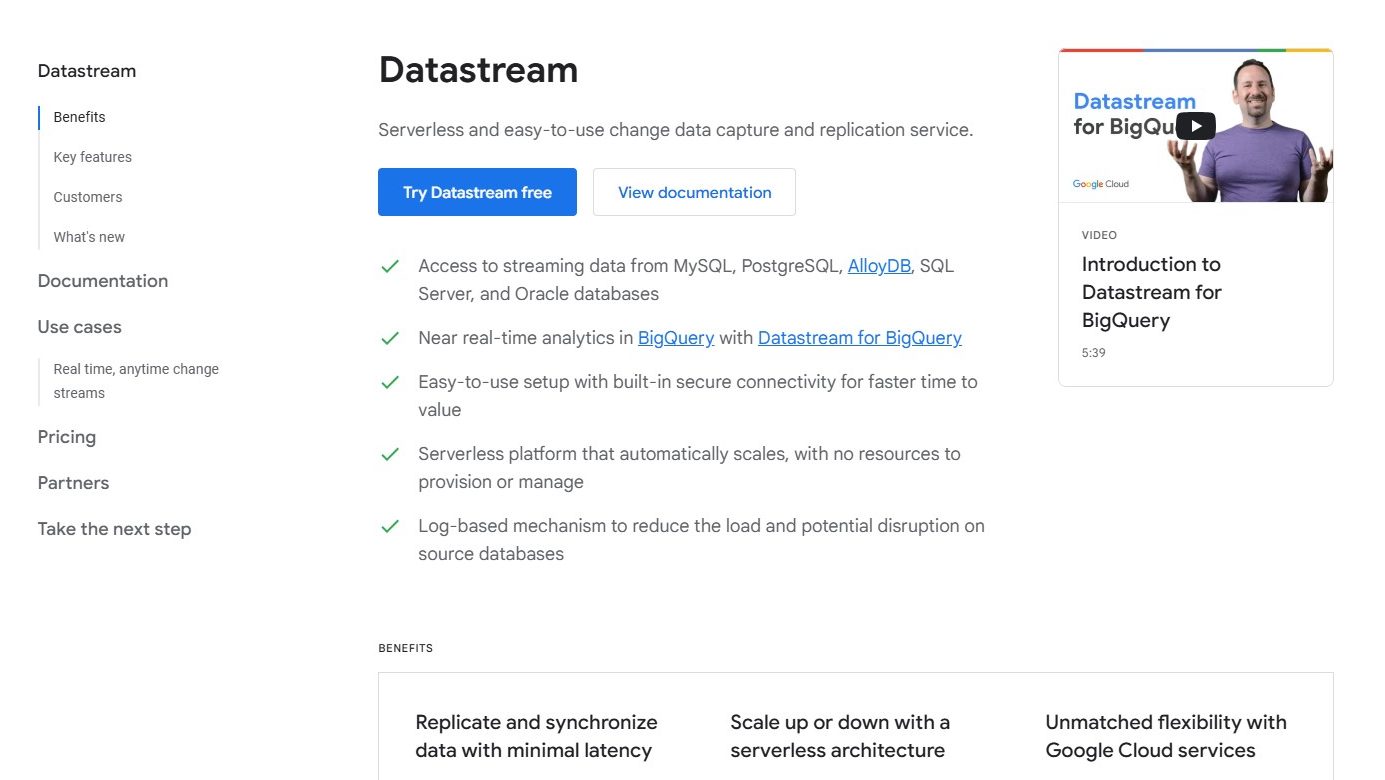
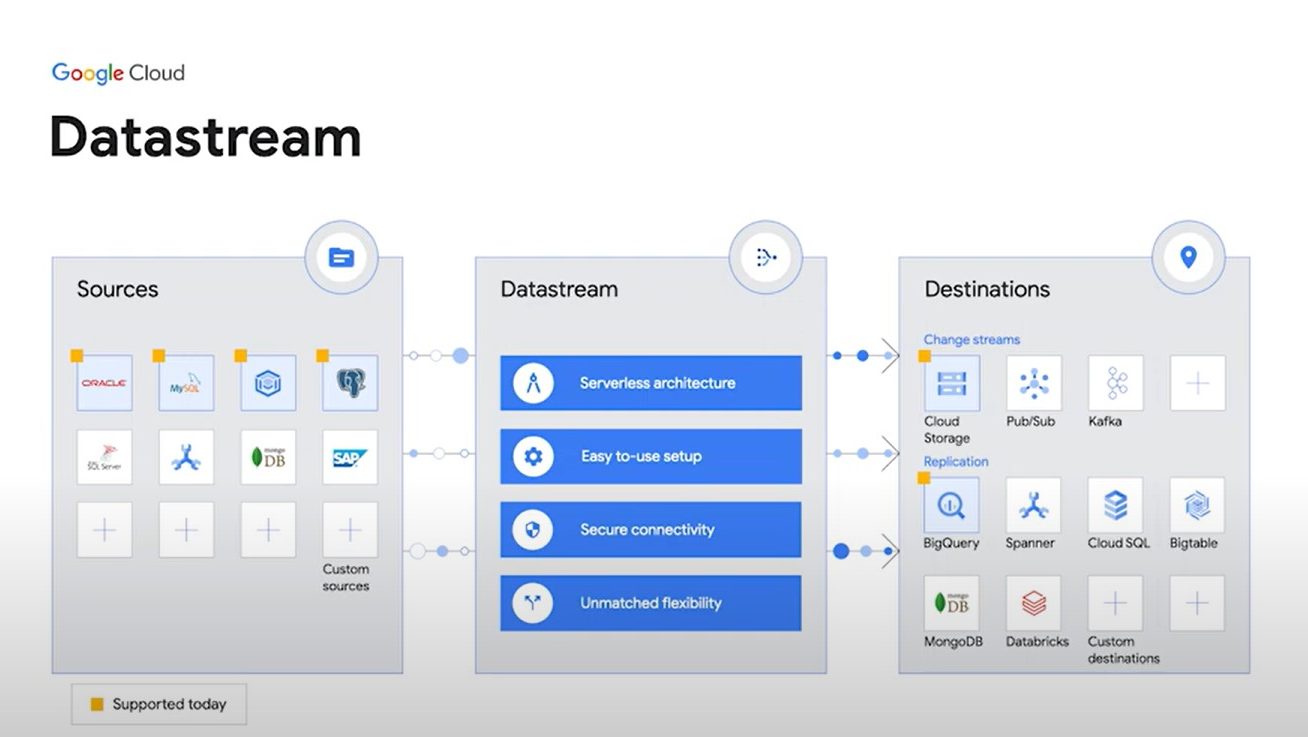
Google Datastream is a serverless data integration service enabling real-time data movement and synchronization across databases. It offers minimal latency, seamless integration with Google Cloud, and benefits data engineers, IT teams, analysts, and developers.

Google Datastream logo

Google Datastream Overview

What is Google Datastream?

N/A
★ ★ ★ ★ ★
0
Reviews

Available for Claim - This listing is available to be claimed
Claim Profile

Unclaimed

Claim this profile to manage it.

Claim Profile

Why teams choose Google Datastream

Key Features

No-Code Simplicity
No-Code Simplicity
Launch without writing a single line of code.
Smart Automation
Smart Automation
Save time with AI-powered workflows.
Secure by Design
Secure by Design
Data protection and compliance built in.

Who is Google Datastream for?

Google Datastream, a leading service in the Data as a Service Software category by Google, revolutionizes data integration with its serverless change data capture and replication capabilities. It enables real-time data movement and synchronization across databases and applications, ensuring minimal latency and seamless analytics. Ready to streamline your data processes? Discover exclusive deals. For more data solutions, explore Similarweb, Crunchbase, and IBM Watsonx Data.

Why Use Google Datastream?

In the realm of data integration tools, Google Datastream stands out by:

  1. Real-Time Data Movement: Google Datastream facilitates real-time data replication and synchronization, ensuring that data is always up-to-date across various platforms and systems.
  2. Serverless Architecture: With its serverless design, Datastream eliminates the need for infrastructure management, allowing users to focus on data insights rather than operational overhead.
  3. Seamless Integration: Datastream integrates effortlessly with Google Cloud services, providing a cohesive ecosystem for data processing, storage, and analytics.
  4. Minimal Latency: The service is optimized for low-latency data movement, making it ideal for applications that require timely data updates and analytics.

Who is Google Datastream For?

Google Datastream caters to a wide range of users:

  1. Data Engineers: Data engineers use Datastream to streamline data pipelines and ensure real-time data availability for analytics and reporting.
  2. IT Teams: IT teams leverage Datastream for efficient data replication and synchronization across different systems, reducing the complexity of data management.
  3. Business Analysts: Business analysts benefit from timely data updates, enabling them to make informed decisions based on the latest information.
  4. Developers: Developers use Datastream to build applications that require real-time data access and synchronization, enhancing the user experience.

In conclusion, Google Datastream is an essential tool for organizations looking to enhance their data integration and analytics capabilities. Whether you’re a data engineer, part of an IT team, a business analyst, or a developer, Datastream provides the tools needed for efficient and real-time data management.

Google Datastream Summary

Google Datastream, a leading service in the Data as a Service Software category by Google, revolutionizes data integration with its serverless change data capture and replication capabilities. It enables real-time data movement and synchronization across databases and applications, ensuring minimal latency and seamless analytics. Ready to streamline your data processes? Discover exclusive deals. For more data solutions, explore Similarweb, Crunchbase, and IBM Watsonx Data.

Why Use Google Datastream?

In the realm of data integration tools, Google Datastream stands out by:

  1. Real-Time Data Movement: Google Datastream facilitates real-time data replication and synchronization, ensuring that data is always up-to-date across various platforms and systems.
  2. Serverless Architecture: With its serverless design, Datastream eliminates the need for infrastructure management, allowing users to focus on data insights rather than operational overhead.
  3. Seamless Integration: Datastream integrates effortlessly with Google Cloud services, providing a cohesive ecosystem for data processing, storage, and analytics.
  4. Minimal Latency: The service is optimized for low-latency data movement, making it ideal for applications that require timely data updates and analytics.

Who is Google Datastream For?

Google Datastream caters to a wide range of users:

  1. Data Engineers: Data engineers use Datastream to streamline data pipelines and ensure real-time data availability for analytics and reporting.
  2. IT Teams: IT teams leverage Datastream for efficient data replication and synchronization across different systems, reducing the complexity of data management.
  3. Business Analysts: Business analysts benefit from timely data updates, enabling them to make informed decisions based on the latest information.
  4. Developers: Developers use Datastream to build applications that require real-time data access and synchronization, enhancing the user experience.

In conclusion, Google Datastream is an essential tool for organizations looking to enhance their data integration and analytics capabilities. Whether you’re a data engineer, part of an IT team, a business analyst, or a developer, Datastream provides the tools needed for efficient and real-time data management.

Google Datastream reviews and insights

Learn what people say about Google Datastream

N/A ★ ★ ★ ★ ★
0 Reviews

No Reviews Yet!

Be the first to share your experience and help others in the community.

Google Datastream logo

Google Datastream User Reviews

0 User Reviews

Reviews from G2, Capterra, Trustpilot
info Icon

These ratings come directly from third-party platforms like G2, Capterra, and Trustpilot. They reflect real user feedback collected independently on those sites.

Google Datastream pricing

Pricing model

Google Datastream logo

No Pricing Yet

We’re still collecting pricing info for this product, Check the website for the latest details.

Deals Available

This product comes with a special deal, see details

Visit Now

Overview

Google Datastream, a leading service in the Data as a Service Software category by Google, revolutionizes data integration with its serverless change data capture and replication capabilities. It enables real-time data movement and synchronization across databases and applications, ensuring minimal latency and seamless analytics. Ready to streamline your data processes? Discover exclusive deals. For more data solutions, explore Similarweb, Crunchbase, and IBM Watsonx Data.

Why Use Google Datastream?

In the realm of data integration tools, Google Datastream stands out by:

  1. Real-Time Data Movement: Google Datastream facilitates real-time data replication and synchronization, ensuring that data is always up-to-date across various platforms and systems.
  2. Serverless Architecture: With its serverless design, Datastream eliminates the need for infrastructure management, allowing users to focus on data insights rather than operational overhead.
  3. Seamless Integration: Datastream integrates effortlessly with Google Cloud services, providing a cohesive ecosystem for data processing, storage, and analytics.
  4. Minimal Latency: The service is optimized for low-latency data movement, making it ideal for applications that require timely data updates and analytics.

Who is Google Datastream For?

Google Datastream caters to a wide range of users:

  1. Data Engineers: Data engineers use Datastream to streamline data pipelines and ensure real-time data availability for analytics and reporting.
  2. IT Teams: IT teams leverage Datastream for efficient data replication and synchronization across different systems, reducing the complexity of data management.
  3. Business Analysts: Business analysts benefit from timely data updates, enabling them to make informed decisions based on the latest information.
  4. Developers: Developers use Datastream to build applications that require real-time data access and synchronization, enhancing the user experience.

In conclusion, Google Datastream is an essential tool for organizations looking to enhance their data integration and analytics capabilities. Whether you’re a data engineer, part of an IT team, a business analyst, or a developer, Datastream provides the tools needed for efficient and real-time data management.

Google Datastream Pricing Range
No Pricing Yet

Google Datastream in action
info Icon

A curated gallery of real screenshots and use cases from the product, so you can see how it works before trying it.

Google Datastream screenshot 1 Full Screen Icon
Google Datastream screenshot 2 Full Screen Icon
https://www.youtube.com/watch?v=vMo6Zgkvt40?feature=oembed
Full Screen Icon
Google Datastream screenshot 1
Google Datastream screenshot 2
Video thumbnail
Google Datastream screenshot 1
Google Datastream screenshot 2

Alternatives to Google Datastream
info Icon

A list of platforms similar to Google Datastream, helping you evaluate which tool best matches your needs.

empty stats

No Alternatives Found

Looks like we cannot found any other relevant product at this moment

How to cancel Google Datastream

Need to cancel Google Datastream? Here is how
info Icon

Thinking about how to cancel Google Datastream this is how you do it!

Steps to Cancel Google Datastream Subscription.

Canceling your Google Datastream Subscription is a straightforward process. You can follow a few simple steps to initiate the cancellation or explore options to switch to a different plan. For detailed instructions, refer to Google Datastream Cancellation Guide.

How to Cancel the Google Datastream

Steps to Cancel Google Datastream Subscription.

Canceling your Google Datastream Subscription is a straightforward process. You can follow a few simple steps to initiate the cancellation or explore options to switch to a different plan. For detailed instructions, refer to Google Datastream Cancellation Guide.

Manage your Google Datastream profile

Create profile

Want to list your product on Subscribed.fyi? Create a profile to reach more buyers.

No Pricing Yet

Visit Now
Deals Available

This product comes with a special deal, see details

This product comes with a special deal, see details