Top software categories
Business Intelligence, Data Integration and SEO Analytics.
Fintech and Banking and Financial Management.
Project Management, Time Tracking and Collaboration Tools.
AI Tools, Video Editing, AI Writing Assistant and Audio Editing Software.
CRM, Call Center Software and Customer Feedback Software.
Web Development & Design, Software Testing Tools and API Tools.
Medical Practice Management and Digital Health Solutions.
HR Management, Recruiting and Payroll Software.
Marketing Automation, Email Marketing and SMS Marketing.
Cybersecurity, Data Protection and Email Security.
Create Your Product Profile
Buyers and AI assistants check what others say about your product long before they talk to sales. Own that reputation and turn it into pipeline.
Want help? we set it up with you, Book a call
Top service categories
Oracle Cloud, AWS and Azure partners for migration, DevOps and managed cloud.
Webflow, Framer and Shopify agencies, and UX/UI studios.
Oracle, NetSuite, SAP and Microsoft Dynamics implementation partners.
Workday and BambooHR implementers, payroll and HR outsourcing.
AI implementation, data engineering and BI teams.
Fractional CFOs, bookkeeping and QuickBooks or Xero advisors.
Salesforce, HubSpot and Zoho partners for setup, migration and RevOps.
Branding, design and video production studios.
Cybersecurity, SOC 2 and ISO 27001 consultants.
Zapier, Make and n8n experts who build and maintain workflows.
SEO, paid ads, content and marketing automation agencies.
Custom software, mobile apps, QA and low-code builds.

Create Your Company Profile
Show up as the verified expert on the products you work with, and get calls booked by teams ready to buy.
Want help? we set it up with you, Book a call

Claim this profile to manage it.
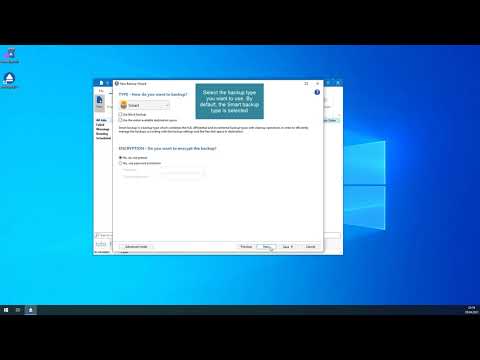
Backup4all is an advanced data protection solution designed exclusively for Windows systems. It offers a comprehensive approach to data backup and recovery, ensuring your files and folders remain secure against partial or total data loss. Positioned within the Data Backup and Recovery category, this solution automates the backup process, thereby saving you valuable time and reducing the risk of human error.
At its core, Backup4all provides an efficient and reliable mechanism to safeguard your digital assets. The software compresses data using the standard zip format, which not only speeds up the backup process but also optimizes storage usage. In addition, it encrypts your backups to ensure that your sensitive information remains protected against unauthorized access.
One of the defining advantages of Backup4all is its versatility when it comes to backup destinations. Whether you prefer cloud storage services such as Google Drive, Microsoft OneDrive, Dropbox, or enterprise-grade platforms like Amazon S3, Microsoft Azure, and BOX, Backup4all supports them all. Additionally, you can easily store backups on local or network drives, FTP/SFTP servers, DVDs, CDs, Blu-ray disks, or other removable media like USB hard drives and flash drives. This diverse compatibility ensures that you can tailor your backup strategy to meet your specific needs.
Key Features and Benefits:
Designed with user-friendliness and efficiency in mind, Backup4all not only protects your data but also simplifies the recovery process. The intuitive interface allows even non-technical users to set up and manage backup jobs without hassle. For those looking for exclusive deals and offers, check out the special deals page to explore subscription options and pricing plans.
Alternatives:
Backup4all remains a robust solution for both personal and business data backup needs. Its range of features, combined with ease of use and broad compatibility, makes it an ideal choice for those looking to secure their digital world. Whether you are a small business owner or an IT professional, Backup4all provides peace of mind by ensuring that your critical data remains consistently protected.
Backup4all is an advanced data protection solution designed exclusively for Windows systems. It offers a comprehensive approach to data backup and recovery, ensuring your files and folders remain secure against partial or total data loss. Positioned within the Data Backup and Recovery category, this solution automates the backup process, thereby saving you valuable time and reducing the risk of human error.
At its core, Backup4all provides an efficient and reliable mechanism to safeguard your digital assets. The software compresses data using the standard zip format, which not only speeds up the backup process but also optimizes storage usage. In addition, it encrypts your backups to ensure that your sensitive information remains protected against unauthorized access.
One of the defining advantages of Backup4all is its versatility when it comes to backup destinations. Whether you prefer cloud storage services such as Google Drive, Microsoft OneDrive, Dropbox, or enterprise-grade platforms like Amazon S3, Microsoft Azure, and BOX, Backup4all supports them all. Additionally, you can easily store backups on local or network drives, FTP/SFTP servers, DVDs, CDs, Blu-ray disks, or other removable media like USB hard drives and flash drives. This diverse compatibility ensures that you can tailor your backup strategy to meet your specific needs.
Key Features and Benefits:
Designed with user-friendliness and efficiency in mind, Backup4all not only protects your data but also simplifies the recovery process. The intuitive interface allows even non-technical users to set up and manage backup jobs without hassle. For those looking for exclusive deals and offers, check out the special deals page to explore subscription options and pricing plans.
Alternatives:
Backup4all remains a robust solution for both personal and business data backup needs. Its range of features, combined with ease of use and broad compatibility, makes it an ideal choice for those looking to secure their digital world. Whether you are a small business owner or an IT professional, Backup4all provides peace of mind by ensuring that your critical data remains consistently protected.
Learn what people say about Backup4all
Be the first to share your experience and help others in the community.
Backup4all is an advanced data protection solution designed exclusively for Windows systems. It offers a comprehensive approach to data backup and recovery, ensuring your files and folders remain secure against partial or total data loss. Positioned within the Data Backup and Recovery category, this solution automates the backup process, thereby saving you valuable time and reducing the risk of human error.
At its core, Backup4all provides an efficient and reliable mechanism to safeguard your digital assets. The software compresses data using the standard zip format, which not only speeds up the backup process but also optimizes storage usage. In addition, it encrypts your backups to ensure that your sensitive information remains protected against unauthorized access.
One of the defining advantages of Backup4all is its versatility when it comes to backup destinations. Whether you prefer cloud storage services such as Google Drive, Microsoft OneDrive, Dropbox, or enterprise-grade platforms like Amazon S3, Microsoft Azure, and BOX, Backup4all supports them all. Additionally, you can easily store backups on local or network drives, FTP/SFTP servers, DVDs, CDs, Blu-ray disks, or other removable media like USB hard drives and flash drives. This diverse compatibility ensures that you can tailor your backup strategy to meet your specific needs.
Key Features and Benefits:
Designed with user-friendliness and efficiency in mind, Backup4all not only protects your data but also simplifies the recovery process. The intuitive interface allows even non-technical users to set up and manage backup jobs without hassle. For those looking for exclusive deals and offers, check out the special deals page to explore subscription options and pricing plans.
Alternatives:
Backup4all remains a robust solution for both personal and business data backup needs. Its range of features, combined with ease of use and broad compatibility, makes it an ideal choice for those looking to secure their digital world. Whether you are a small business owner or an IT professional, Backup4all provides peace of mind by ensuring that your critical data remains consistently protected.
To deactivate Backup4all:
This process deactivates the license, allowing it to be used on another computer.
To deactivate Backup4all:
This process deactivates the license, allowing it to be used on another computer.
Want to list your product on Subscribed.fyi? Create a profile to reach more buyers.