Sign in to review
Join our community of software reviewers on Subscribed.fyi

Continue With Google
Continue With LinkedIn
Continue Review with Email
Continue with Email
Enter your email to continue.
Continue
Enter your password
Enter your password to finish setting up your account.
Continue
Activate your email
Enter activation code we sent to your email.
Submit
Reset your password
Enter activation code we sent to your email.
Submit
Set your new password
Enter a new password for your account.
Submit
Log in
Provide My Insights
Facilities Booking logo

Facilities Booking Reviews, Pricing, Features & Alternatives (2026)

Facilities Booking simplifies the management of meeting rooms, desks, equipment, and other resources with its user-friendly interface accessible via web, mobile app, or digital tablets. It enhances workplace productivity, optimizes space utilization, and provides insightful analytics on usage patterns. With integrations like Microsoft 365, Google Workspace, and real-time occupancy tracking, it ensures seamless bookings and efficient facility management.

Facilities Booking logo

Facilities Booking Overview

What is Facilities Booking?

N/A
★ ★ ★ ★ ★
0
Reviews

Available for Claim - This listing is available to be claimed
Claim Profile

Unclaimed

Claim this profile to manage it.

Claim Profile

Why teams choose Facilities Booking

Key Features

Data-Driven Insights
Make better decisions with analytics.
Seamless Integrations
Connect easily with your favorite tools.
Secure by Design
Secure by Design
Data protection and compliance built in.

Who is Facilities Booking for?

Facilities Booking is a standout product in the Facility Management category, designed to streamline the management of meeting rooms, venues, equipment, vehicles, and more. This feature-rich tool integrates multifunctional booking systems into a single, unified interface, helping organizations optimize space utilization and enhance workplace efficiency. With comprehensive compatibility, including Microsoft 365 and Google Workspace, and additional modules for visitor management and digital signage, Facilities Booking provides a holistic solution to workplace resource management.

Why Use Facilities Booking?

Choosing Facilities Booking offers several benefits:

  • Comprehensive Booking Solution: Seamlessly manage meeting rooms, desks, and resources with its integrated interface. Employees can book resources anytime, anywhere, through web, mobile apps, or signage tablets.
  • Enhanced Employee Productivity: Eliminates conflicts like double bookings and optimizes the booking process through advanced features such as drag-and-drop scheduling and real-time availability tracking.
  • Workplace Insights: Gain valuable data on space utilization using integrated analytics, helping management make informed decisions about workplace optimization.
  • Flexible Integrations: Works with leading platforms like Microsoft 365, Google Workspace, and real-time occupancy solutions such as Milesight and Vergesense, enabling seamless automation and tracking.
  • Cost and Time Effectiveness: The user-friendly design and minimal training requirements reduce administrative overhead while ensuring quick deployment across organizations.

Who is Facilities Booking For?

Facilities Booking is a versatile solution tailored for a wide range of users:

  • Small to Large Enterprises: Ideal for organizations looking to improve space management and streamline the booking process for resources.
  • Facility Managers: Provides tools for real-time space utilization tracking and resource management, offering improved operational efficiency.
  • HR and Administrative Teams: Helps coordinate workplace logistics with ease, reducing scheduling conflicts and improving employee experience.
  • IT Professionals: Eases integration with existing systems and platforms, ensuring a smooth deployment process.

Facilities Booking is a robust solution for any business aiming to optimize its workplace operations and improve the resource booking experience. Explore exclusive deals. For similar solutions, consider Clearooms, Tactic, and Whatspot.

Facilities Booking Summary

Facilities Booking is a standout product in the Facility Management category, designed to streamline the management of meeting rooms, venues, equipment, vehicles, and more. This feature-rich tool integrates multifunctional booking systems into a single, unified interface, helping organizations optimize space utilization and enhance workplace efficiency. With comprehensive compatibility, including Microsoft 365 and Google Workspace, and additional modules for visitor management and digital signage, Facilities Booking provides a holistic solution to workplace resource management.

Why Use Facilities Booking?

Choosing Facilities Booking offers several benefits:

  • Comprehensive Booking Solution: Seamlessly manage meeting rooms, desks, and resources with its integrated interface. Employees can book resources anytime, anywhere, through web, mobile apps, or signage tablets.
  • Enhanced Employee Productivity: Eliminates conflicts like double bookings and optimizes the booking process through advanced features such as drag-and-drop scheduling and real-time availability tracking.
  • Workplace Insights: Gain valuable data on space utilization using integrated analytics, helping management make informed decisions about workplace optimization.
  • Flexible Integrations: Works with leading platforms like Microsoft 365, Google Workspace, and real-time occupancy solutions such as Milesight and Vergesense, enabling seamless automation and tracking.
  • Cost and Time Effectiveness: The user-friendly design and minimal training requirements reduce administrative overhead while ensuring quick deployment across organizations.

Who is Facilities Booking For?

Facilities Booking is a versatile solution tailored for a wide range of users:

  • Small to Large Enterprises: Ideal for organizations looking to improve space management and streamline the booking process for resources.
  • Facility Managers: Provides tools for real-time space utilization tracking and resource management, offering improved operational efficiency.
  • HR and Administrative Teams: Helps coordinate workplace logistics with ease, reducing scheduling conflicts and improving employee experience.
  • IT Professionals: Eases integration with existing systems and platforms, ensuring a smooth deployment process.

Facilities Booking is a robust solution for any business aiming to optimize its workplace operations and improve the resource booking experience. Explore exclusive deals. For similar solutions, consider Clearooms, Tactic, and Whatspot.

Facilities Booking reviews and insights

Learn what people say about Facilities Booking

N/A ★ ★ ★ ★ ★
0 Reviews

No Reviews Yet!

Be the first to share your experience and help others in the community.

Facilities Booking logo

Facilities Booking User Reviews

0 User Reviews

Reviews from G2, Capterra, Trustpilot
info Icon

These ratings come directly from third-party platforms like G2, Capterra, and Trustpilot. They reflect real user feedback collected independently on those sites.

Facilities Booking pricing

Pricing model

Facilities Booking logo
Pricing Range
info Icon

This only an estimated pricing range, visit Facilities Booking pricing page to access all the information by clicking “Visit Now”.

Not specified
Deals Available

This product comes with a special deal, see details

Visit Now

Overview

Facilities Booking is a standout product in the Facility Management category, designed to streamline the management of meeting rooms, venues, equipment, vehicles, and more. This feature-rich tool integrates multifunctional booking systems into a single, unified interface, helping organizations optimize space utilization and enhance workplace efficiency. With comprehensive compatibility, including Microsoft 365 and Google Workspace, and additional modules for visitor management and digital signage, Facilities Booking provides a holistic solution to workplace resource management.

Why Use Facilities Booking?

Choosing Facilities Booking offers several benefits:

  • Comprehensive Booking Solution: Seamlessly manage meeting rooms, desks, and resources with its integrated interface. Employees can book resources anytime, anywhere, through web, mobile apps, or signage tablets.
  • Enhanced Employee Productivity: Eliminates conflicts like double bookings and optimizes the booking process through advanced features such as drag-and-drop scheduling and real-time availability tracking.
  • Workplace Insights: Gain valuable data on space utilization using integrated analytics, helping management make informed decisions about workplace optimization.
  • Flexible Integrations: Works with leading platforms like Microsoft 365, Google Workspace, and real-time occupancy solutions such as Milesight and Vergesense, enabling seamless automation and tracking.
  • Cost and Time Effectiveness: The user-friendly design and minimal training requirements reduce administrative overhead while ensuring quick deployment across organizations.

Who is Facilities Booking For?

Facilities Booking is a versatile solution tailored for a wide range of users:

  • Small to Large Enterprises: Ideal for organizations looking to improve space management and streamline the booking process for resources.
  • Facility Managers: Provides tools for real-time space utilization tracking and resource management, offering improved operational efficiency.
  • HR and Administrative Teams: Helps coordinate workplace logistics with ease, reducing scheduling conflicts and improving employee experience.
  • IT Professionals: Eases integration with existing systems and platforms, ensuring a smooth deployment process.

Facilities Booking is a robust solution for any business aiming to optimize its workplace operations and improve the resource booking experience. Explore exclusive deals. For similar solutions, consider Clearooms, Tactic, and Whatspot.

Where Facilities Booking performs best

What users like
  • Ease of use and intuitive features.
  • Efficient booking and conflict avoidance.
  • Useful plugins for integration.
  • Responsive customer support.

Where Facilities Booking falls short

What users dislike
  • Occasional plugin issues on certain devices.
  • Limited deployment communication.
  • Manual updates required in some cases.
  • Reports lack detailed time breakdowns.
Facilities Booking Pricing Range
Not specified

Facilities Booking in action
info Icon

A curated gallery of real screenshots and use cases from the product, so you can see how it works before trying it.

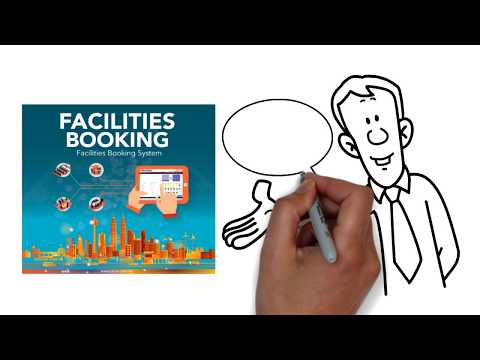
Facilities Booking screenshot 1 Full Screen Icon
https://www.youtube.com/watch?v=tgstY4U_w6A
Full Screen Icon
Facilities Booking screenshot 1
Video thumbnail
Facilities Booking screenshot 1

Alternatives to Facilities Booking
info Icon

A list of platforms similar to Facilities Booking, helping you evaluate which tool best matches your needs.

How to cancel Facilities Booking

Need to cancel Facilities Booking? Here is how
info Icon

Thinking about how to cancel Facilities Booking this is how you do it!

To cancel a Facilities Booking product, follow these steps:

  • Log in to your account.
  • Navigate to the subscription or plan management section.
  • Select the relevant plan and choose the ‘Cancel Subscription’ or ‘Terminate Contract’ option.
  • Confirm the cancellation and review any outstanding obligations or refunds.
  • Receive a confirmation email once the cancellation is processed.

For specific platforms like Booking.com, go to the Extranet, select ‘Account’ and ‘Terminate contract’ to initiate the process.

How to Cancel the Facilities Booking

To cancel a Facilities Booking product, follow these steps:

  • Log in to your account.
  • Navigate to the subscription or plan management section.
  • Select the relevant plan and choose the ‘Cancel Subscription’ or ‘Terminate Contract’ option.
  • Confirm the cancellation and review any outstanding obligations or refunds.
  • Receive a confirmation email once the cancellation is processed.

For specific platforms like Booking.com, go to the Extranet, select ‘Account’ and ‘Terminate contract’ to initiate the process.

Manage your Facilities Booking profile

Create profile

Want to list your product on Subscribed.fyi? Create a profile to reach more buyers.

Pricing Range
info Icon

This only an estimated pricing range, visit Facilities Booking pricing page to access all the information by clicking “Visit Now”.

Not specified
Visit Now
Deals Available

This product comes with a special deal, see details

This product comes with a special deal, see details