Door Tablet Reviews 2026: Details, Pricing, & Features | Subscribed.fyi
Sign in to review
Join our community of software reviewers on Subscribed.fyi

Continue With Google
Continue With LinkedIn
Continue Review with Email
Continue with Email
Enter your email to continue.
Continue
Enter your password
Enter your password to finish setting up your account.
Continue
Activate your email
Enter activation code we sent to your email.
Submit
Reset your password
Enter activation code we sent to your email.
Submit
Set your new password
Enter a new password for your account.
Submit
Categories
For Business
Log in
Provide My Insights

Door Tablet Reviews, Pricing, Features & Alternatives (2026)

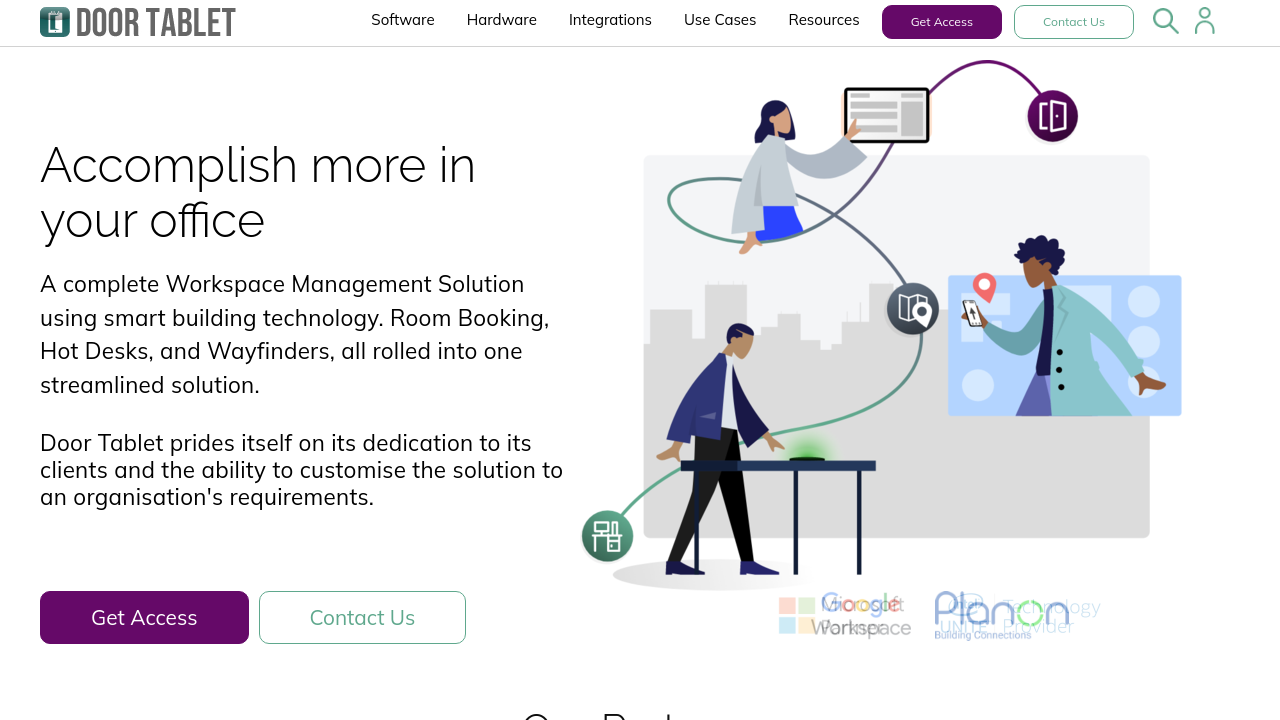
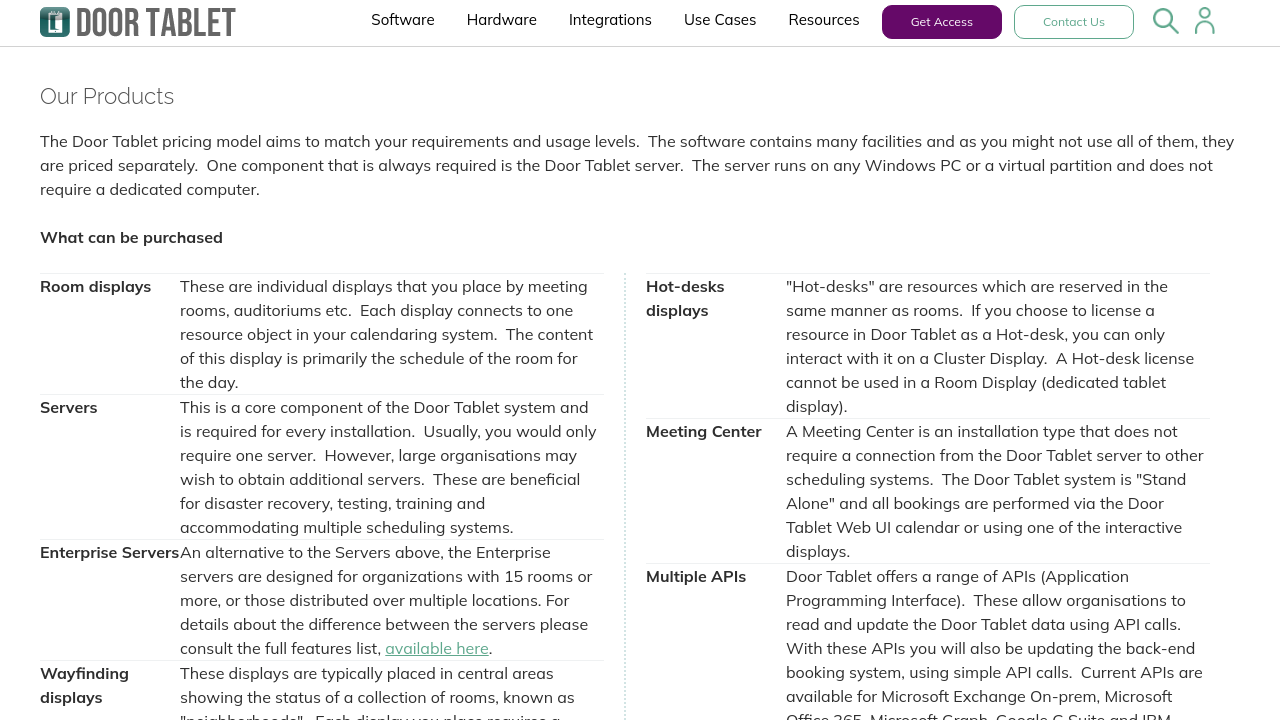
Door Tablet is a versatile workspace management solution offering meeting room bookings, hot desking, wayfinding displays, and occupancy sensors. It integrates seamlessly with popular scheduling systems and supports custom business rules for enhanced flexibility. Designed for diverse environments, it delivers enterprise-grade reliability, customization, and ease of use. Suitable for deployments of all sizes, Door Tablet optimizes workspace utilization efficiently.

Door Tablet Overview

What is Door Tablet?

N/A
0
Reviews
70%
Subscribed Score

Available for Claim - This listing is available to be claimed
Claim Profile For Free

Unclaimed

Manage profile with subsig, and unlock 23+ social and review monitoring. Get partnership options with

Claim Profile For Free

Why teams choose Door Tablet

Key Features

Eco-Friendly
Eco-Friendly
Designed with sustainability in mind.
Data-Driven Insights
Make better decisions with analytics.
Exclusive Perks
Exclusive Perks
Special offers and discounts available.

Who is Door Tablet for?

Door Tablet is a comprehensive facility management software solution designed to optimize workplace environments and enhance resource scheduling. Serving a diverse range of organizations, this end-to-end system provides interactive signage for meeting room bookings, hot desking, huddle spaces, phone booths, and large Wayfinder kiosks. With native integrations to modern scheduling systems like Microsoft 365, Google Workspace, and many specialized systems for academic, medical, and hospitality sectors, Door Tablet delivers a flexible, reliable, and highly customizable platform.

Accessible as a native app on iOS, Android, and Windows, the solution is engineered to work with professional, purpose-built displays that come complete with mounting kits, LED lighting, PoE capabilities, and advanced RFID/NFC/HiD readers when required. For organizations prioritizing security alongside ease of use, Door Tablet seamlessly integrates with motion sensors and access control systems to provide robust facility management tools across office spaces.

Key Features

  • Interactive signage and resource status displays
  • Seamless integration with popular scheduling systems
  • Customizable interfaces and business rules
  • Compatibility with multiple tablet operating systems
  • Extendable hardware options for diverse needs

Every feature has been crafted to ensure that workplace scheduling and management become more efficient. The product offers extensive customization, allowing businesses to implement their design preferences and specific operational rules while providing visual clarity for end-users.

Drawing on years of industry expertise since its founding in 2002, Door Tablet is ideal for any organization, no matter the deployment scale. Its modular architecture means that whether you are managing a single meeting room or a campus-sized facility, the solution adapts quickly to meet evolving demands. The clear and intuitive interface minimizes training requirements, and the vast array of configuration options empowers IT teams to tailor the system precisely to site-specific requirements.

For exclusive deals, explore the offerings on the dedicated deal page. Additionally, consider alternative solutions such as Clearooms, Wayleadr, and Tactic if you are weighing multiple options. To learn more or get started with Door Tablet, visit the homepage at Door Tablet and revolutionize your facility management experience today. For further insights into facility management software, check out the Facility Management Software category.

Enhance your organization’s operational efficiency with a solution that evolves with your business. Door Tablet not only optimizes space management but also drives innovation in workplace technology, ensuring every meeting, desk, and area is utilized to its fullest potential consistently.


Door Tablet Summary

Door Tablet is a comprehensive facility management software solution designed to optimize workplace environments and enhance resource scheduling. Serving a diverse range of organizations, this end-to-end system provides interactive signage for meeting room bookings, hot desking, huddle spaces, phone booths, and large Wayfinder kiosks. With native integrations to modern scheduling systems like Microsoft 365, Google Workspace, and many specialized systems for academic, medical, and hospitality sectors, Door Tablet delivers a flexible, reliable, and highly customizable platform.

Accessible as a native app on iOS, Android, and Windows, the solution is engineered to work with professional, purpose-built displays that come complete with mounting kits, LED lighting, PoE capabilities, and advanced RFID/NFC/HiD readers when required. For organizations prioritizing security alongside ease of use, Door Tablet seamlessly integrates with motion sensors and access control systems to provide robust facility management tools across office spaces.

Key Features

  • Interactive signage and resource status displays
  • Seamless integration with popular scheduling systems
  • Customizable interfaces and business rules
  • Compatibility with multiple tablet operating systems
  • Extendable hardware options for diverse needs

Every feature has been crafted to ensure that workplace scheduling and management become more efficient. The product offers extensive customization, allowing businesses to implement their design preferences and specific operational rules while providing visual clarity for end-users.

Drawing on years of industry expertise since its founding in 2002, Door Tablet is ideal for any organization, no matter the deployment scale. Its modular architecture means that whether you are managing a single meeting room or a campus-sized facility, the solution adapts quickly to meet evolving demands. The clear and intuitive interface minimizes training requirements, and the vast array of configuration options empowers IT teams to tailor the system precisely to site-specific requirements.

For exclusive deals, explore the offerings on the dedicated deal page. Additionally, consider alternative solutions such as Clearooms, Wayleadr, and Tactic if you are weighing multiple options. To learn more or get started with Door Tablet, visit the homepage at Door Tablet and revolutionize your facility management experience today. For further insights into facility management software, check out the Facility Management Software category.

Enhance your organization’s operational efficiency with a solution that evolves with your business. Door Tablet not only optimizes space management but also drives innovation in workplace technology, ensuring every meeting, desk, and area is utilized to its fullest potential consistently.

Door Tablet reviews and insights

Learn what people say about Door Tablet

N/A
0 Reviews
70%
Subscribed Score

Lear more here about the Subscribed score on how it is composed. Learn more Click here

Overall rating

5
4
3
2
1
CX 5/6

How good is the customer support based on subscribed’s assessment

CX Icon
Security 4/6

How secure is the product based on Subscribed’s assessment?

Security Icon
Ease of Use 5/6

How easy is the product to use, based on Subscribed’s assessment?

EOU Icon
Value 4/6

What is the value for money based on Subscribed’s assessment?

coin Icon
Integration 5/6

How many integrations does the product offer?

gear Icon
Popularity 3/6

How popular is the product?

star

No Reviews Yet!

Be the first to share your experience and help others in the community.

Door Tablet User Reviews

0 User Reviews

Reviews from G2, Capterra, Trustpilot
info Icon

These ratings come directly from third-party platforms like G2, Capterra, and Trustpilot. They reflect real user feedback collected independently on those sites.

Door Tablet pricing

Pricing model

Pricing Range
info Icon

This only an estimated pricing range, visit Door Tablet pricing page to access all the information by clicking “Visit Now”.

Not specified
Deals Available

This product comes with a special deal, see details

Visit Now
✨ Ask AI about pricing
70% Subscribed Score
info Icon

The Subscribed Score is an independent rating that combines user reviews, features, and value-for-money from multiple trusted sources. It’s designed as a quick benchmark, not a guarantee of individual experience.

Overview

Door Tablet is a comprehensive facility management software solution designed to optimize workplace environments and enhance resource scheduling. Serving a diverse range of organizations, this end-to-end system provides interactive signage for meeting room bookings, hot desking, huddle spaces, phone booths, and large Wayfinder kiosks. With native integrations to modern scheduling systems like Microsoft 365, Google Workspace, and many specialized systems for academic, medical, and hospitality sectors, Door Tablet delivers a flexible, reliable, and highly customizable platform.

Accessible as a native app on iOS, Android, and Windows, the solution is engineered to work with professional, purpose-built displays that come complete with mounting kits, LED lighting, PoE capabilities, and advanced RFID/NFC/HiD readers when required. For organizations prioritizing security alongside ease of use, Door Tablet seamlessly integrates with motion sensors and access control systems to provide robust facility management tools across office spaces.

Key Features

  • Interactive signage and resource status displays
  • Seamless integration with popular scheduling systems
  • Customizable interfaces and business rules
  • Compatibility with multiple tablet operating systems
  • Extendable hardware options for diverse needs

Every feature has been crafted to ensure that workplace scheduling and management become more efficient. The product offers extensive customization, allowing businesses to implement their design preferences and specific operational rules while providing visual clarity for end-users.

Drawing on years of industry expertise since its founding in 2002, Door Tablet is ideal for any organization, no matter the deployment scale. Its modular architecture means that whether you are managing a single meeting room or a campus-sized facility, the solution adapts quickly to meet evolving demands. The clear and intuitive interface minimizes training requirements, and the vast array of configuration options empowers IT teams to tailor the system precisely to site-specific requirements.

For exclusive deals, explore the offerings on the dedicated deal page. Additionally, consider alternative solutions such as Clearooms, Wayleadr, and Tactic if you are weighing multiple options. To learn more or get started with Door Tablet, visit the homepage at Door Tablet and revolutionize your facility management experience today. For further insights into facility management software, check out the Facility Management Software category.

Enhance your organization’s operational efficiency with a solution that evolves with your business. Door Tablet not only optimizes space management but also drives innovation in workplace technology, ensuring every meeting, desk, and area is utilized to its fullest potential consistently.

Where Door Tablet performs best

What users like
  • Easy integration with multiple systems
  • Customizable and user-friendly
  • Robust hardware and bright displays
  • Support simplifies setup challenges

Where Door Tablet falls short

What users dislike
  • Admin interface needs improvement
  • Reporting services require enhancements
  • Some bugs and unclear admin features
  • Support knowledge can vary
Subscribed Score Metrics
26/36 Metric achieved
MetricsScore
Customer Support5/6
Security4/6
Ease of Use5/6
Value of Money4/6
Integration5/6
Popularity3/6
Radar Chart Table View
Ease of Use
Measures how simple and intuitive the product is to use, including setup, navigation, and overall user experience
5/6 Metric Checks
Security
Compares the product`s features, quality, and pricing to determine its overall cost-effectiveness.
4/6 Metric Checks
Value of Money
Assesses the product`s ability to protect data, prevent breaches, and comply with industry standards.
4/6 Metric Checks
Customer Support
Reflects the responsiveness, helpfulness, and quality of assistance provided by the product`s support team.
5/6 Metric Checks
Integrations
Evaluates how well the product connects with other tools and platforms, enabling seamless workflows.
5/6 Metric Checks
Door Tablet Pricing Range
Not specified

Door Tablet in action
info Icon

A curated gallery of real screenshots and use cases from the product, so you can see how it works before trying it.

Door Tablet Full Screen Icon
https://www.youtube.com/watch?v=DQx3WUFwsu0
Full Screen Icon
Door Tablet
Door Tablet
Video thumbnail
Door Tablet
Door Tablet

Alternatives to Door Tablet
info Icon

A list of platforms similar to Door Tablet, helping you evaluate which tool best matches your needs.

How to cancel Door Tablet

Need to cancel Door Tablet? Here is how
info Icon

Thinking about how to cancel Door Tablet this is how you do it!

To cancel a Door Tablet product, contact their support team directly. They offer a no-cost trial with a 30-day return policy for hardware. For more details, visit their website or contact their customer service.

How to Cancel the Door Tablet

To cancel a Door Tablet product, contact their support team directly. They offer a no-cost trial with a 30-day return policy for hardware. For more details, visit their website or contact their customer service.

FAQs about Door Tablet

Every else you need to know about Door Tablet
info Icon

A collection of FAQs, guides, alternatives, and comparisons to help you quickly understand if Door Tablet is right for you.

Manage your Door Tablet profile

Create profile

Want to list your product on Subscribed.fyi? Create a profile to reach more buyers.

Pricing Range
info Icon

This only an estimated pricing range, visit Door Tablet pricing page to access all the information by clicking “Visit Now”.

Not specified
Visit Now
Deals Available

This product comes with a special deal, see details

This product comes with a special deal, see details