Top software categories
Business Intelligence, Data Integration and SEO Analytics.
Fintech and Banking and Financial Management.
Project Management, Time Tracking and Collaboration Tools.
AI Tools, Video Editing, AI Writing Assistant and Audio Editing Software.
CRM, Call Center Software and Customer Feedback Software.
Web Development & Design, Software Testing Tools and API Tools.
Medical Practice Management and Digital Health Solutions.
HR Management, Recruiting and Payroll Software.
Marketing Automation, Email Marketing and SMS Marketing.
Cybersecurity, Data Protection and Email Security.
Create Your Product Profile
Buyers and AI assistants check what others say about your product long before they talk to sales. Own that reputation and turn it into pipeline.
Want help? we set it up with you, Book a call
Top service categories
Oracle Cloud, AWS and Azure partners for migration, DevOps and managed cloud.
Webflow, Framer and Shopify agencies, and UX/UI studios.
Oracle, NetSuite, SAP and Microsoft Dynamics implementation partners.
Workday and BambooHR implementers, payroll and HR outsourcing.
AI implementation, data engineering and BI teams.
Fractional CFOs, bookkeeping and QuickBooks or Xero advisors.
Salesforce, HubSpot and Zoho partners for setup, migration and RevOps.
Branding, design and video production studios.
Cybersecurity, SOC 2 and ISO 27001 consultants.
Zapier, Make and n8n experts who build and maintain workflows.
SEO, paid ads, content and marketing automation agencies.
Custom software, mobile apps, QA and low-code builds.

Create Your Company Profile
Show up as the verified expert on the products you work with, and get calls booked by teams ready to buy.
Want help? we set it up with you, Book a call

Claim this profile to manage it.
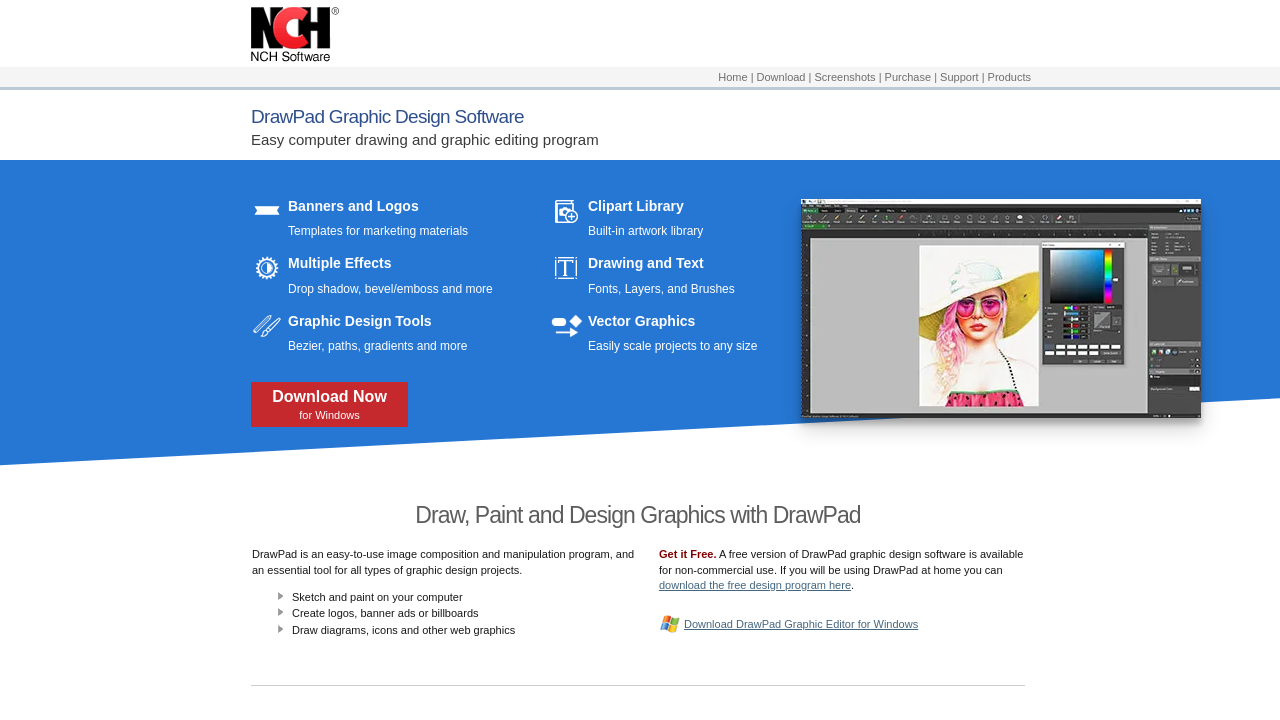
DrawPad is a versatile Vector Graphics Editor ideal for creating graphic designs, illustrations, and digital art. It offers tools for both beginners and professionals, making it suitable for a variety of projects, including logos, banners, sketches, invitations, and more. With features like pencil and brush tools, support for both raster and vector images, and comprehensive editing options—including crop, rotate, resize, and flip—DrawPad empowers users to bring their design ideas to life easily.
This software is equipped with advanced capabilities such as layering for non-destructive editing and effects like bevels, shadows, and gradients. Users can insert shape objects, text, and thought bubbles while leveraging fill options such as solid colors, patterns, textures, or gradients. DrawPad supports popular file formats, including PNG, JPG, GIF, PDF, BMP, and SVG, ensuring compatibility for both digital and print workflows.
Why Use DrawPad?
Choosing DrawPad offers the following benefits:
Who is DrawPad For?
DrawPad caters to a range of creators, including:
Explore exclusive deals on DrawPad today. For alternative options, consider Sketch, Adobe Illustrator, and Inkscape.
DrawPad is a versatile Vector Graphics Editor ideal for creating graphic designs, illustrations, and digital art. It offers tools for both beginners and professionals, making it suitable for a variety of projects, including logos, banners, sketches, invitations, and more. With features like pencil and brush tools, support for both raster and vector images, and comprehensive editing options—including crop, rotate, resize, and flip—DrawPad empowers users to bring their design ideas to life easily.
This software is equipped with advanced capabilities such as layering for non-destructive editing and effects like bevels, shadows, and gradients. Users can insert shape objects, text, and thought bubbles while leveraging fill options such as solid colors, patterns, textures, or gradients. DrawPad supports popular file formats, including PNG, JPG, GIF, PDF, BMP, and SVG, ensuring compatibility for both digital and print workflows.
Why Use DrawPad?
Choosing DrawPad offers the following benefits:
Who is DrawPad For?
DrawPad caters to a range of creators, including:
Explore exclusive deals on DrawPad today. For alternative options, consider Sketch, Adobe Illustrator, and Inkscape.
Learn what people say about DrawPad
Be the first to share your experience and help others in the community.
DrawPad is a versatile Vector Graphics Editor ideal for creating graphic designs, illustrations, and digital art. It offers tools for both beginners and professionals, making it suitable for a variety of projects, including logos, banners, sketches, invitations, and more. With features like pencil and brush tools, support for both raster and vector images, and comprehensive editing options—including crop, rotate, resize, and flip—DrawPad empowers users to bring their design ideas to life easily.
This software is equipped with advanced capabilities such as layering for non-destructive editing and effects like bevels, shadows, and gradients. Users can insert shape objects, text, and thought bubbles while leveraging fill options such as solid colors, patterns, textures, or gradients. DrawPad supports popular file formats, including PNG, JPG, GIF, PDF, BMP, and SVG, ensuring compatibility for both digital and print workflows.
Why Use DrawPad?
Choosing DrawPad offers the following benefits:
Who is DrawPad For?
DrawPad caters to a range of creators, including:
Explore exclusive deals on DrawPad today. For alternative options, consider Sketch, Adobe Illustrator, and Inkscape.
To cancel a DrawPad product, typically you would need to contact the vendor directly. Details on cancellation procedures are usually found in the product’s support or contact section. Check the official website for specific instructions.
Want to list your product on Subscribed.fyi? Create a profile to reach more buyers.