DBeaver Reviews 2026: Details, Pricing, & Features | Subscribed.fyi
Sign in to review
Join our community of software reviewers on Subscribed.fyi

Continue With Google
Continue With LinkedIn
Continue Review with Email
Continue with Email
Enter your email to continue.
Continue
Enter your password
Enter your password to finish setting up your account.
Continue
Activate your email
Enter activation code we sent to your email.
Submit
Reset your password
Enter activation code we sent to your email.
Submit
Set your new password
Enter a new password for your account.
Submit
Categories
For Business
Log in
Provide My Insights

DBeaver Reviews, Pricing, Features & Alternatives (2026)

4/5
(2)

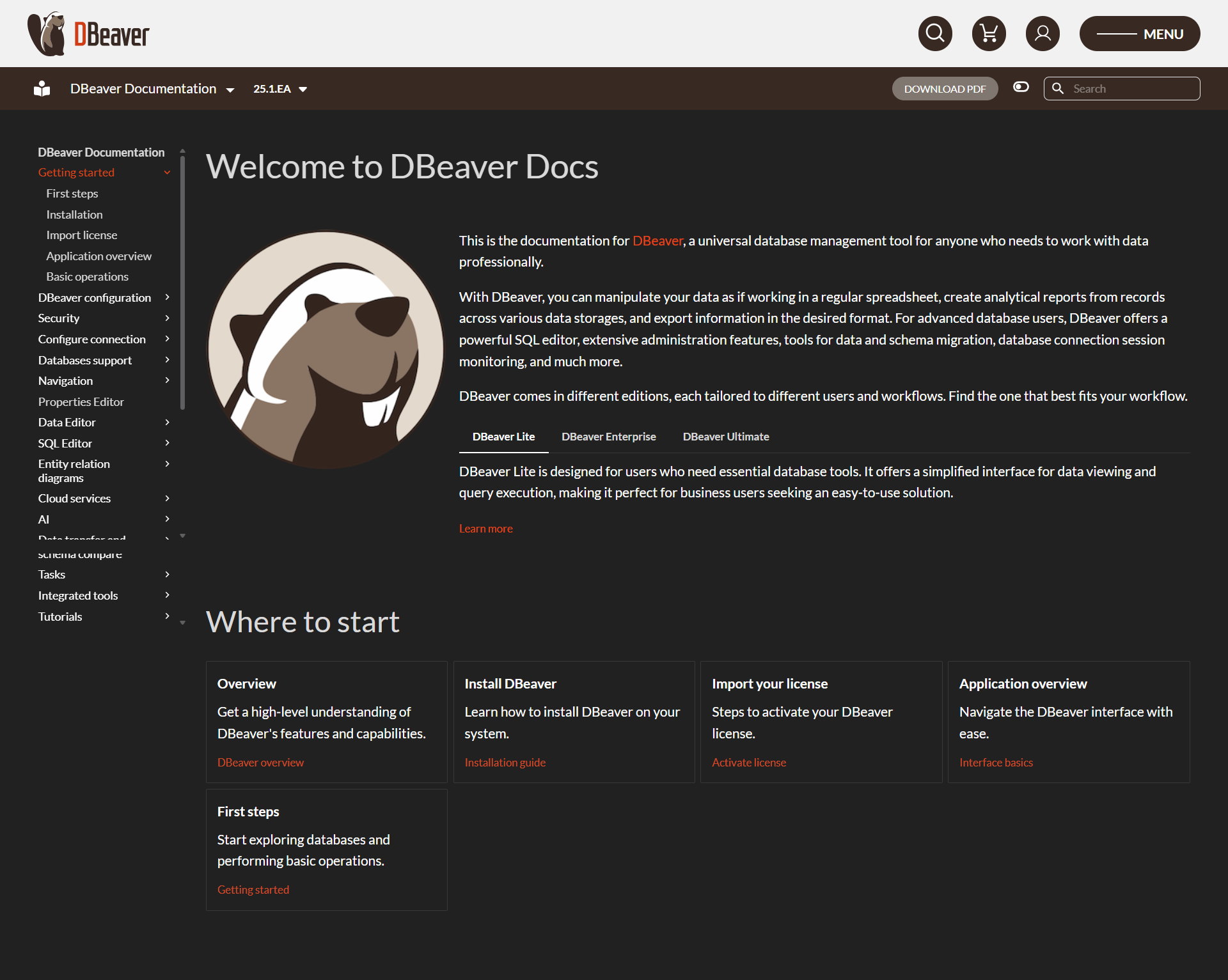
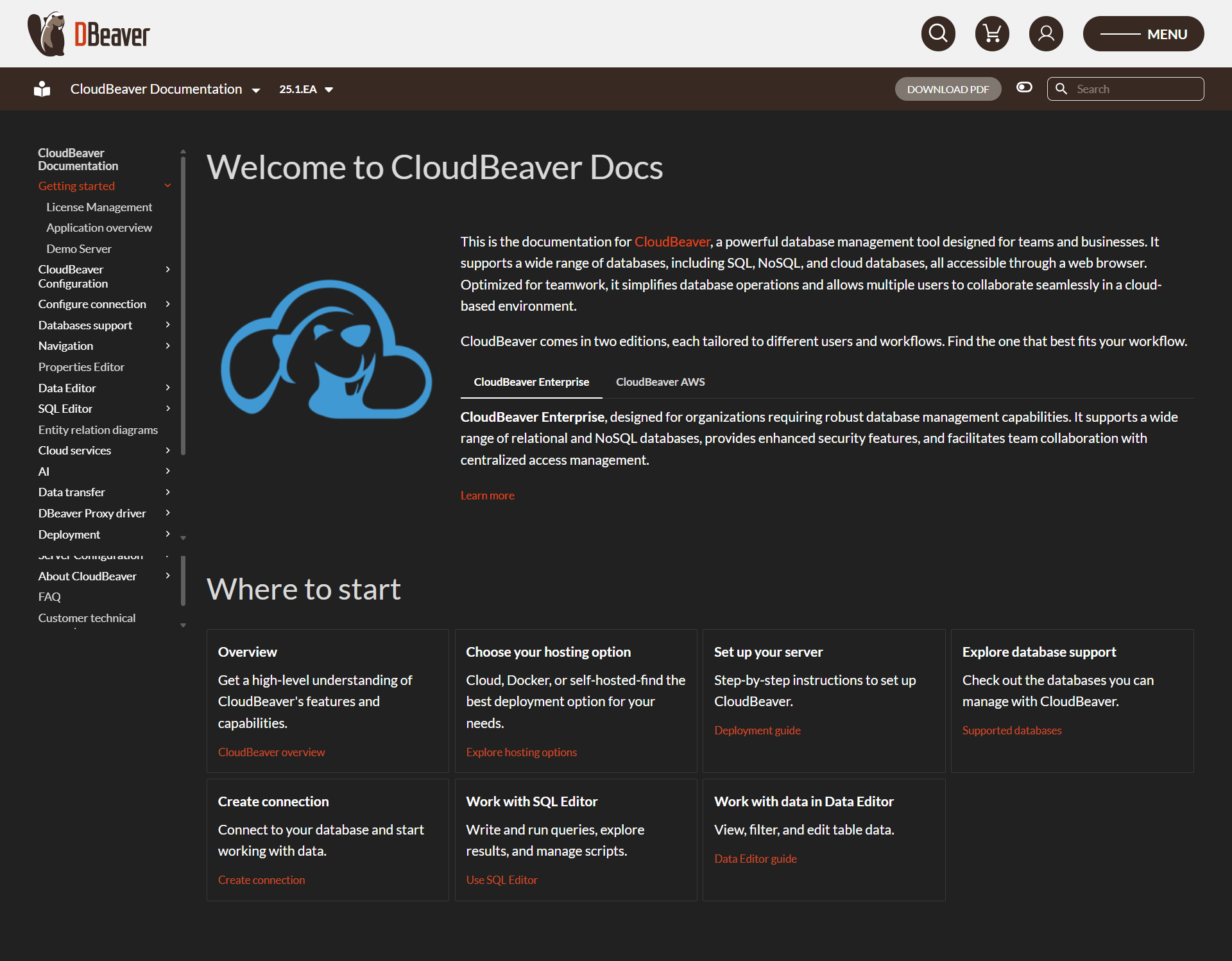
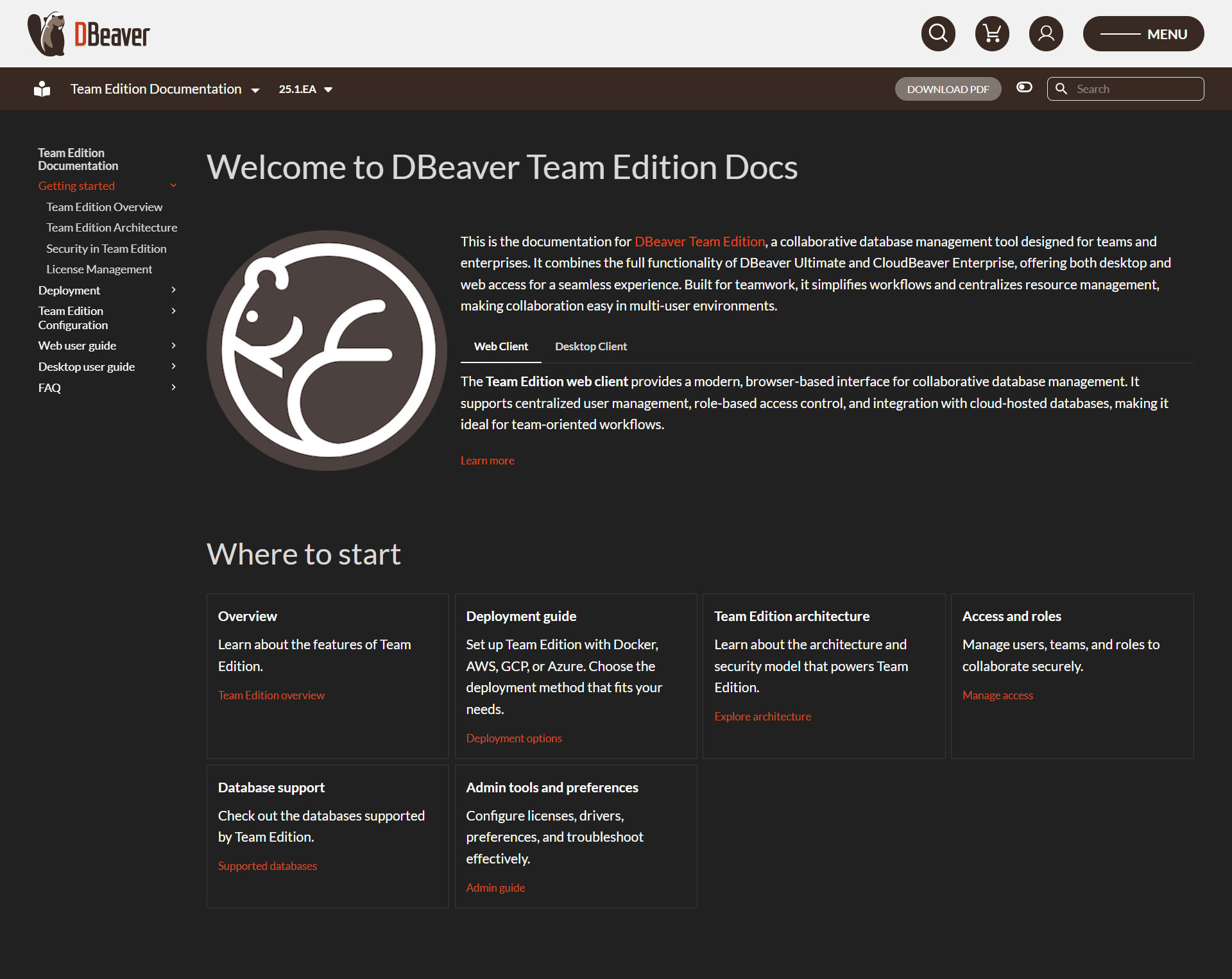
DBeaver is a versatile database management tool supporting SQL, NoSQL, and cloud databases. It offers advanced features for data exploration, administration, and visualization, making it ideal for technical and non-technical users alike. With high-level security and extensive integration capabilities, DBeaver streamlines data operations across multiple formats and databases. Its user-friendly interface facilitates efficient workflows, including tasks like data migration, query execution, and performance analysis.

DBeaver Overview

What is DBeaver?

4
2
Reviews
83%
Subscribed Score

Available for Claim - This listing is available to be claimed
Claim Profile For Free

Unclaimed

Manage profile with subsig, and unlock 23+ social and review monitoring. Get partnership options with

Claim Profile For Free

Why teams choose DBeaver

Key Features

Fast & Efficient
Fast & Efficient
Optimized for speed and performance.
Trusted by Thousands
Proven by professionals worldwide.
Expert Support
Expert Support
Help available when you need it.

Who is DBeaver for?

DBeaver is a versatile solution in the Database Management Tools category, designed to simplify database administration and management across SQL, NoSQL, and cloud databases. With powerful features tailored for both technical and non-technical users, DBeaver streamlines data exploration, visualization, and management, making it a go-to choice for businesses of all sizes. Explore exclusive deals. For alternatives, consider AirtableDbVisualizer, and TablePlus.

Why Use DBeaver?

Choosing DBeaver ensures seamless database management with standout advantages:

  • Comprehensive Database Connectivity: Effortlessly connect to a broad range of database types, including SQL databases like MySQL and Oracle, NoSQL databases, and cloud platforms.
  • Advanced Data Management: Features such as a SQL editor, data editor, query builder, and the ability to transfer and compare data enhance productivity and simplify complex operations.
  • Versatile Configuration: The platform supports advanced tasks like data modeling, performance analysis, and exporting/importing data across multiple formats.
  • High-Level Security: Benefit from robust security measures, including Single Sign-On (SSO), multi-factor authentication, and granular user access control.
  • User-Friendly Design: With a customizable interface and intuitive tools, both beginners and experts can easily navigate tasks such as running queries, managing schema, or synchronizing data.
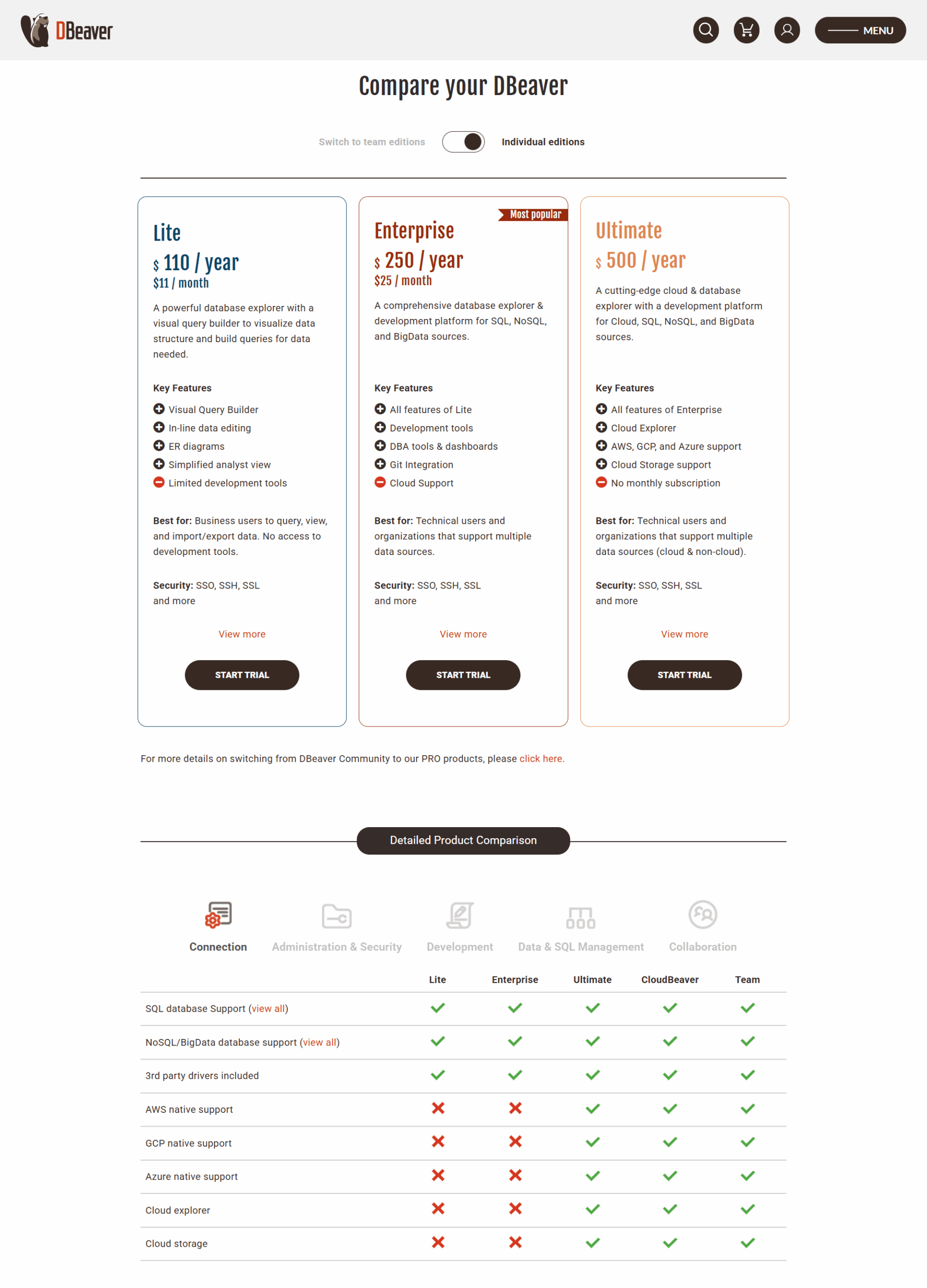
  • Free and Paid Options: The community version offers extensive features for free, while DBeaver PRO includes additional enterprise-level functionalities at affordable subscription rates.

Who is DBeaver For?

DBeaver is ideal for:

  • Database Administrators: Simplify database management across multiple environments, analyze performance, and perform efficient backups and migrations.
  • Data Analysts: Analyze and visualize data with advanced query capabilities and integrated data visualization tools.
  • Developers: Streamline development with SQL scripting tools, debugging support, and intelligent code completion.
  • Technical Teams: Collaborate effectively in multi-user environments with comprehensive task automation and data integration features.

Whether you’re managing databases, running advanced SQL queries, or conducting data transfers, DBeaver empowers users with its wide array of features and unmatched flexibility. Enhance your database management journey with this comprehensive solution today.


DBeaver Summary

DBeaver is a versatile solution in the Database Management Tools category, designed to simplify database administration and management across SQL, NoSQL, and cloud databases. With powerful features tailored for both technical and non-technical users, DBeaver streamlines data exploration, visualization, and management, making it a go-to choice for businesses of all sizes. Explore exclusive deals. For alternatives, consider AirtableDbVisualizer, and TablePlus.

Why Use DBeaver?

Choosing DBeaver ensures seamless database management with standout advantages:

  • Comprehensive Database Connectivity: Effortlessly connect to a broad range of database types, including SQL databases like MySQL and Oracle, NoSQL databases, and cloud platforms.
  • Advanced Data Management: Features such as a SQL editor, data editor, query builder, and the ability to transfer and compare data enhance productivity and simplify complex operations.
  • Versatile Configuration: The platform supports advanced tasks like data modeling, performance analysis, and exporting/importing data across multiple formats.
  • High-Level Security: Benefit from robust security measures, including Single Sign-On (SSO), multi-factor authentication, and granular user access control.
  • User-Friendly Design: With a customizable interface and intuitive tools, both beginners and experts can easily navigate tasks such as running queries, managing schema, or synchronizing data.
  • Free and Paid Options: The community version offers extensive features for free, while DBeaver PRO includes additional enterprise-level functionalities at affordable subscription rates.

Who is DBeaver For?

DBeaver is ideal for:

  • Database Administrators: Simplify database management across multiple environments, analyze performance, and perform efficient backups and migrations.
  • Data Analysts: Analyze and visualize data with advanced query capabilities and integrated data visualization tools.
  • Developers: Streamline development with SQL scripting tools, debugging support, and intelligent code completion.
  • Technical Teams: Collaborate effectively in multi-user environments with comprehensive task automation and data integration features.

Whether you’re managing databases, running advanced SQL queries, or conducting data transfers, DBeaver empowers users with its wide array of features and unmatched flexibility. Enhance your database management journey with this comprehensive solution today.

DBeaver reviews and insights

Learn what people say about DBeaver

4
2 Reviews
83%
Subscribed Score

Lear more here about the Subscribed score on how it is composed. Learn more Click here

Overall rating

5
4
3
2
1
CX 4/6

How good is the customer support based on subscribed’s assessment

CX Icon
Security 4/6

How secure is the product based on Subscribed’s assessment?

Security Icon
Ease of Use 5/6

How easy is the product to use, based on Subscribed’s assessment?

EOU Icon
Value 5/6

What is the value for money based on Subscribed’s assessment?

coin Icon
Integration 5/6

How many integrations does the product offer?

gear Icon
Popularity 6/6

How popular is the product?

star
Hans Benson Dy Tuan Organic
Cyber and Information Security Associate
See My Portfolio
3 months ago
Share
How does this compare to similar products you’ve tried?
At first, I was a little bit confused on how to use this but a bit of hovering and getting used to it makes me realize that this a good tool for managing database. It makes easier to manage databases. It also has wonderful support for such a wide range of databases.
What feature doesn’t work as expected?
The confusing part was how crowded the buttons are, I get confused how to navigate into my databases. Additionally, the thing that really irritates me is it's encumbered with Eclipse's terrible support for dark system themes.
What’s still missing for your needs?
Apparently it's a bit slow on macbooks. There's also a bunch of other small annoyances here and there (such as changing the sort order of a column not cancelling an existing running query, which causes funny results if you want to quickly sort a column in descending order)
Final thoughts, wrap up what you think
DBeaver is really nice - supports many DBMSes, lots of options. This is a good alternative for managing databases. It's a pretty good tool. It's cross-platform, and has lots of useful features.
Upvote (1)
M Raza Akhter Invitation
QA Engineer
3 months ago
Share
How does this compare to similar products you’ve tried?
From what I have used, DBeaver feels more useful than many similar tools because I can manage different databases in one place. It saves me from switching between different tools.
Is there something that almost made you stop using it?
Sometimes the interface feels a bit heavy, especially when I have many tabs or connections open. A few settings also took me time to understand.
What’s still missing for your needs?
I would like a cleaner layout and an easier way to manage advanced settings. Better speed in some areas would also help.
Final thoughts, wrap up what you think
I would recommend DBeaver because it is useful for working with different databases in one place. It saves time and makes database work easier.
Upvote

DBeaver User Reviews

2 User Reviews

Reviews from G2, Capterra, Trustpilot
info Icon

These ratings come directly from third-party platforms like G2, Capterra, and Trustpilot. They reflect real user feedback collected independently on those sites.

DBeaver pricing

Pricing model

Pricing Range
info Icon

This only an estimated pricing range, visit DBeaver pricing page to access all the information by clicking “Visit Now”.

$11-$133 / Month
Deals Available

This product comes with a special deal, see details

Visit Now
✨ Ask AI about pricing
83% Subscribed Score
info Icon

The Subscribed Score is an independent rating that combines user reviews, features, and value-for-money from multiple trusted sources. It’s designed as a quick benchmark, not a guarantee of individual experience.

Overview

DBeaver is a versatile solution in the Database Management Tools category, designed to simplify database administration and management across SQL, NoSQL, and cloud databases. With powerful features tailored for both technical and non-technical users, DBeaver streamlines data exploration, visualization, and management, making it a go-to choice for businesses of all sizes. Explore exclusive deals. For alternatives, consider AirtableDbVisualizer, and TablePlus.

Why Use DBeaver?

Choosing DBeaver ensures seamless database management with standout advantages:

  • Comprehensive Database Connectivity: Effortlessly connect to a broad range of database types, including SQL databases like MySQL and Oracle, NoSQL databases, and cloud platforms.
  • Advanced Data Management: Features such as a SQL editor, data editor, query builder, and the ability to transfer and compare data enhance productivity and simplify complex operations.
  • Versatile Configuration: The platform supports advanced tasks like data modeling, performance analysis, and exporting/importing data across multiple formats.
  • High-Level Security: Benefit from robust security measures, including Single Sign-On (SSO), multi-factor authentication, and granular user access control.
  • User-Friendly Design: With a customizable interface and intuitive tools, both beginners and experts can easily navigate tasks such as running queries, managing schema, or synchronizing data.
  • Free and Paid Options: The community version offers extensive features for free, while DBeaver PRO includes additional enterprise-level functionalities at affordable subscription rates.

Who is DBeaver For?

DBeaver is ideal for:

  • Database Administrators: Simplify database management across multiple environments, analyze performance, and perform efficient backups and migrations.
  • Data Analysts: Analyze and visualize data with advanced query capabilities and integrated data visualization tools.
  • Developers: Streamline development with SQL scripting tools, debugging support, and intelligent code completion.
  • Technical Teams: Collaborate effectively in multi-user environments with comprehensive task automation and data integration features.

Whether you’re managing databases, running advanced SQL queries, or conducting data transfers, DBeaver empowers users with its wide array of features and unmatched flexibility. Enhance your database management journey with this comprehensive solution today.

Where DBeaver performs best

What users like
  • Supports multiple database engines in one tool
  • User-friendly interface for easy navigation
  • Highly customizable tabs and panels
  • Efficient data migration and replication

Where DBeaver falls short

What users dislike
  • Frequent updates may disrupt compatibility
  • Cluttered UI for new users
  • Reconnection process can be slow
  • Limited compatibility with certain database features
Subscribed Score Metrics
29/36 Metric achieved
MetricsScore
Customer Support4/6
Security4/6
Ease of Use5/6
Value of Money5/6
Integration5/6
Popularity6/6
Radar Chart Table View
Ease of Use
Measures how simple and intuitive the product is to use, including setup, navigation, and overall user experience
5/6 Metric Checks
Security
Compares the product`s features, quality, and pricing to determine its overall cost-effectiveness.
4/6 Metric Checks
Value of Money
Assesses the product`s ability to protect data, prevent breaches, and comply with industry standards.
5/6 Metric Checks
Customer Support
Reflects the responsiveness, helpfulness, and quality of assistance provided by the product`s support team.
4/6 Metric Checks
Integrations
Evaluates how well the product connects with other tools and platforms, enabling seamless workflows.
5/6 Metric Checks
DBeaver Pricing Range
$11-$133 / Month

DBeaver in action
info Icon

A curated gallery of real screenshots and use cases from the product, so you can see how it works before trying it.

DBeaver screenshot Full Screen Icon
https://www.youtube.com/watch?v=f-25oCrVcRE
Full Screen Icon
https://www.youtube.com/watch?v=X_3VGQqRawY
Full Screen Icon
Video thumbnail
Video thumbnail
DBeaver screenshot
DBeaver screenshot
DBeaver screenshot
DBeaver screenshot
DBeaver screenshot

Alternatives to DBeaver
info Icon

A list of platforms similar to DBeaver, helping you evaluate which tool best matches your needs.

How to cancel DBeaver

Need to cancel DBeaver? Here is how
info Icon

Thinking about how to cancel DBeaver this is how you do it!

To cancel a DBeaver product, manage your subscription through your profile or the FastSpring system. For detailed steps, visit the DBeaver website or contact their support. Ensure you have internet access for subscription management.

How to Cancel the DBeaver

To cancel a DBeaver product, manage your subscription through your profile or the FastSpring system. For detailed steps, visit the DBeaver website or contact their support. Ensure you have internet access for subscription management.

FAQs about DBeaver

Every else you need to know about DBeaver
info Icon

A collection of FAQs, guides, alternatives, and comparisons to help you quickly understand if DBeaver is right for you.

Manage your DBeaver profile

Create profile

Want to list your product on Subscribed.fyi? Create a profile to reach more buyers.

Pricing Range
info Icon

This only an estimated pricing range, visit DBeaver pricing page to access all the information by clicking “Visit Now”.

$11-$133 / Month
Visit Now
Deals Available

This product comes with a special deal, see details

This product comes with a special deal, see details