Kandji Reviews 2026: Details, Pricing, & Features | Subscribed.fyi
Sign in to review
Join our community of software reviewers on Subscribed.fyi

Continue With Google
Continue With LinkedIn
Continue Review with Email
Continue with Email
Enter your email to continue.
Continue
Enter your password
Enter your password to finish setting up your account.
Continue
Activate your email
Enter activation code we sent to your email.
Submit
Reset your password
Enter activation code we sent to your email.
Submit
Set your new password
Enter a new password for your account.
Submit
✨ Ask AI Search
Categories
For Business
Log in
Provide My Insights

Kandji

5/5
(1)

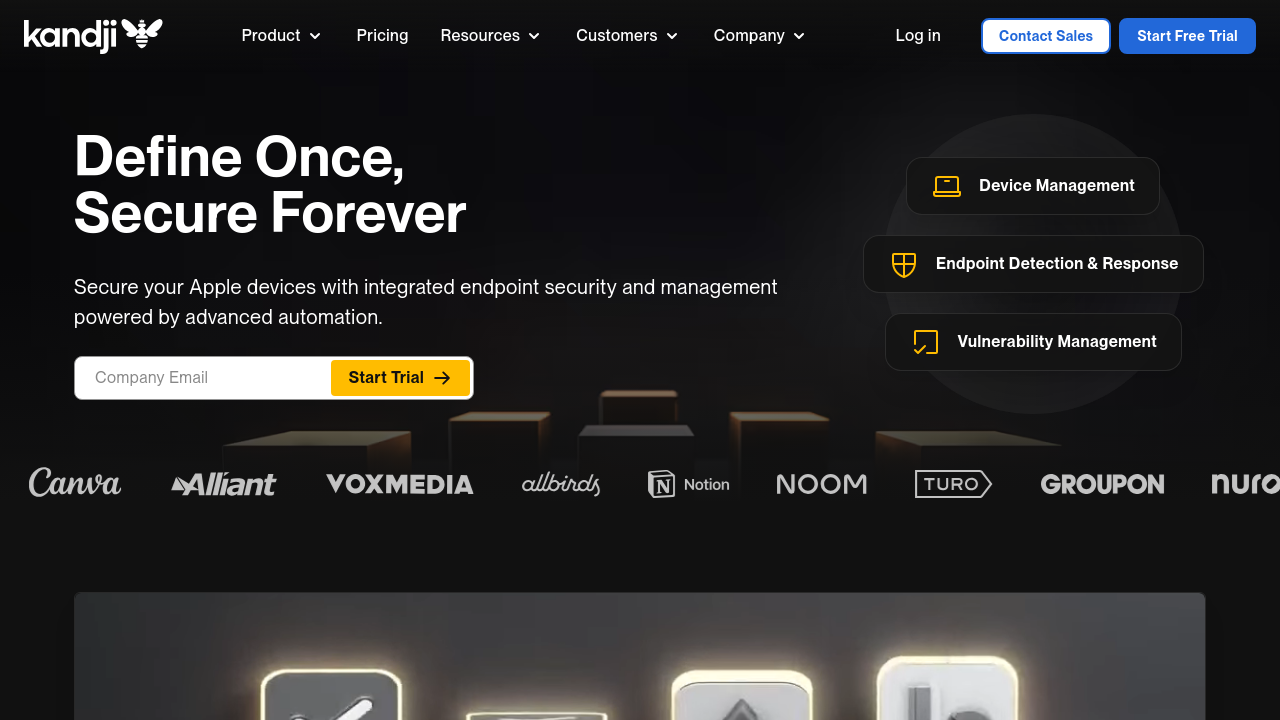
Kandji is a sleek Apple device management platform designed for seamless automation, robust security controls, and zero-touch deployment. It simplifies endpoint management with a powerful library of pre-built automations and workflows, ensuring compliance with minimal manual effort. Tailored for modern organizations, Kandji enhances productivity while providing an intuitive interface for IT administrators.

Kandji

5
1
Reviews
90%
Subscribed Score

Managed by a Seller - This listing has been claimed by a seller
Hide the Ads

Claimed

Curated and listed by Subscribed Team

Plug & Play Setup
Plug & Play Setup
Get started in minutes, not weeks.
Eco-Friendly
Eco-Friendly
Designed with sustainability in mind.
Secure by Design
Secure by Design
Data protection and compliance built in.

Kandji is a top-tier solution in the Remote Device Management category, built specifically for managing and securing Apple devices across organizations. Its platform ensures streamlined deployment, security compliance, and ease of management for diverse Apple ecosystems, including macOS, iOS, iPadOS, and tvOS. With automated device management, Kandji offers capabilities such as zero-touch deployment, endpoint monitoring, automated policy enforcement, app deployment, and OS updates. Explore exclusive deals. For additional solutions, consider Jamf Pro and Addigy.

Why Use Kandji?

Choosing Kandji for Apple device management comes with numerous innovative features and benefits:

  • Focus on Automation: Automate repetitive tasks through a library of pre-built workflows and blueprint templates, saving time and effort.
  • Advanced Security Compliance: Configure and enforce advanced macOS security measures with simplicity, including features such as remote wipe and custom alerts.
  • Zero-Touch Deployment: Streamline the initial device setup process, enabling team members to receive ready-to-use Apple devices out of the box.
  • Seamless Application Management: Efficiently roll out applications and system updates while managing whitelists and blacklists to control access.
  • User-Friendly Interface: Intuitive dashboard for managing device configurations, suitable for IT professionals with varying levels of expertise.
  • Regulation Compliance: Ensure devices meet business regulations via automated compliance features.

Who is Kandji For?

Kandji caters to a range of users and organizational setups:

  • IT Teams: Offering seamless device management, Kandji helps IT professionals configure and maintain secure Apple environments efficiently.
  • Companies with Remote/Hybrid Workforces: Facilitate global deployment of Apple hardware with zero-touch provisioning and robust policy enforcement.
  • Security-Sensitive Organizations: Ideal for industries such as healthcare, finance, and education requiring strict adherence to compliance standards.
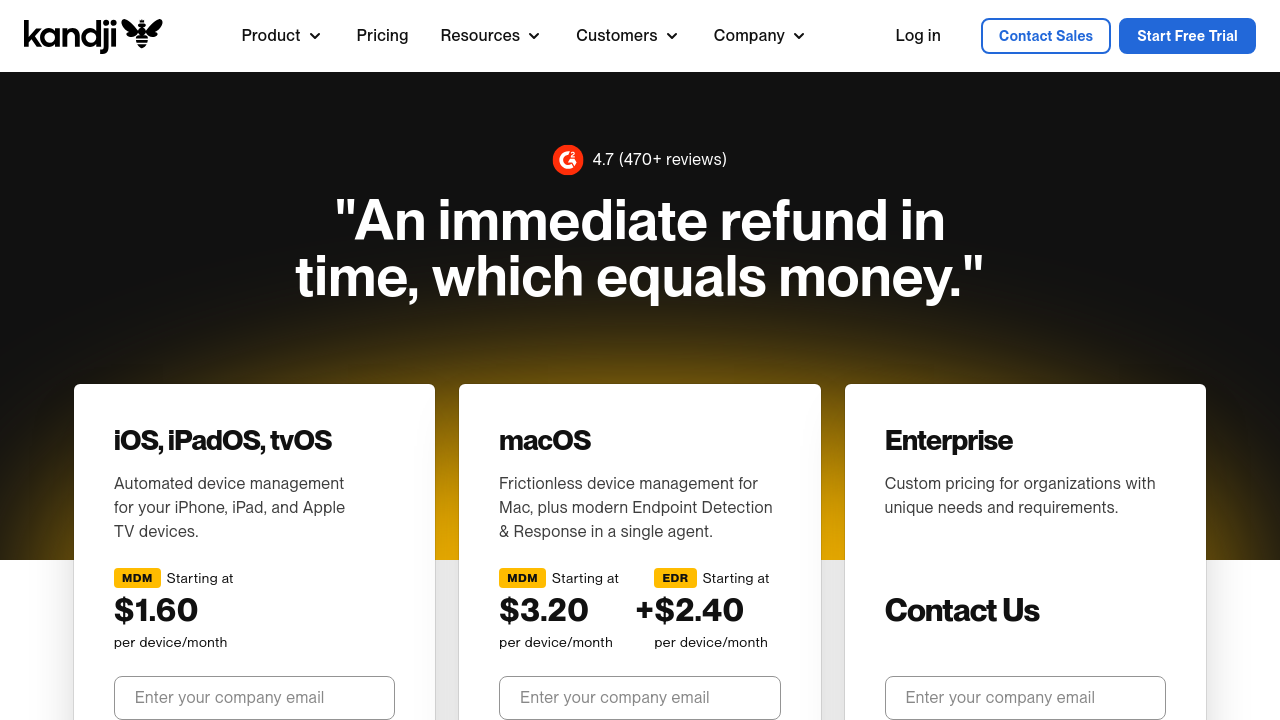
  • Small to Enterprise-Level Businesses: Flexible pricing plans starting at $2/device per month cater to businesses of all sizes.

Kandji offers advanced automation, intuitive interface design, and robust security capabilities, making it an excellent choice for organizations seeking to enhance their Apple device management while maximizing efficiency.


Kandji Summary

Kandji is a top-tier solution in the Remote Device Management category, built specifically for managing and securing Apple devices across organizations. Its platform ensures streamlined deployment, security compliance, and ease of management for diverse Apple ecosystems, including macOS, iOS, iPadOS, and tvOS. With automated device management, Kandji offers capabilities such as zero-touch deployment, endpoint monitoring, automated policy enforcement, app deployment, and OS updates. Explore exclusive deals. For additional solutions, consider Jamf Pro and Addigy.

Why Use Kandji?

Choosing Kandji for Apple device management comes with numerous innovative features and benefits:

  • Focus on Automation: Automate repetitive tasks through a library of pre-built workflows and blueprint templates, saving time and effort.
  • Advanced Security Compliance: Configure and enforce advanced macOS security measures with simplicity, including features such as remote wipe and custom alerts.
  • Zero-Touch Deployment: Streamline the initial device setup process, enabling team members to receive ready-to-use Apple devices out of the box.
  • Seamless Application Management: Efficiently roll out applications and system updates while managing whitelists and blacklists to control access.
  • User-Friendly Interface: Intuitive dashboard for managing device configurations, suitable for IT professionals with varying levels of expertise.
  • Regulation Compliance: Ensure devices meet business regulations via automated compliance features.

Who is Kandji For?

Kandji caters to a range of users and organizational setups:

  • IT Teams: Offering seamless device management, Kandji helps IT professionals configure and maintain secure Apple environments efficiently.
  • Companies with Remote/Hybrid Workforces: Facilitate global deployment of Apple hardware with zero-touch provisioning and robust policy enforcement.
  • Security-Sensitive Organizations: Ideal for industries such as healthcare, finance, and education requiring strict adherence to compliance standards.
  • Small to Enterprise-Level Businesses: Flexible pricing plans starting at $2/device per month cater to businesses of all sizes.

Kandji offers advanced automation, intuitive interface design, and robust security capabilities, making it an excellent choice for organizations seeking to enhance their Apple device management while maximizing efficiency.

Kandji reviews

Learn what people say about Kandji

5
1 Reviews
90%
Subscribed Score

Lear more here about the Subscribed score on how it is composed. Learn more Click here

Overall rating

5
4
3
2
1
CX 6/6

How good is the customer support based on subscribed’s assessment

CX Icon
Security 5/6

How secure is the product based on Subscribed’s assessment?

Security Icon
Ease of Use 6/6

How easy is the product to use, based on Subscribed’s assessment?

EOU Icon
Value 5/6

What is the value for money based on Subscribed’s assessment?

coin Icon
Integration 4/6

How many integrations does the product offer?

gear Icon
Popularity 6/6

How popular is the product?

star
M Raza Akhter Invitation
QA Engineer
4 days ago
Share
How has it made your work/life easier?
Kandji is user-friendly and it also assists management of Apple devices in a straightforward manner. It has simplified the work by sparing time in setting up, updating and security functions of the devices.
What feature doesn’t work as expected?
There are aspects of Kandji which may be restrictive when more sophisticated customization is required. I would prefer to have better flexibility and better details in some management and reporting functions.
If you could change one thing, what would it be?
Kandji may be further enhanced with more sophisticated customization and better reporting. Given a chance to make a change, I would make the management of the devices a bit more accommodative to the complicated requirements.
Final thoughts, wrap up what you think
I would suggest Kandji to peers and friends since it simplifies the management of Apple devices and organizes it better. It is quite convenient in time-saving, but some of the complex options could be more adaptable.
Upvote

Kandji User Reviews

1 User Reviews

M Raza Akhter Invitation
QA Engineer
4 days ago
Share
How has it made your work/life easier?
Kandji is user-friendly and it also assists management of Apple devices in a straightforward manner. It has simplified the work by sparing time in setting up, updating and security functions of the devices.
What feature doesn’t work as expected?
There are aspects of Kandji which may be restrictive when more sophisticated customization is required. I would prefer to have better flexibility and better details in some management and reporting functions.
If you could change one thing, what would it be?
Kandji may be further enhanced with more sophisticated customization and better reporting. Given a chance to make a change, I would make the management of the devices a bit more accommodative to the complicated requirements.
Final thoughts, wrap up what you think
I would suggest Kandji to peers and friends since it simplifies the management of Apple devices and organizes it better. It is quite convenient in time-saving, but some of the complex options could be more adaptable.
Upvote
Reviews from G2, Capterra, Trustpilot
info Icon

These ratings come directly from third-party platforms like G2, Capterra, and Trustpilot. They reflect real user feedback collected independently on those sites.

Kandji

Pricing Range
info Icon

This only an estimated pricing range, visit Kandji pricing page to access all the information by clicking “Visit Now”.

Not specified
Deals Available

This product comes with a special deal, see details

Visit Now
✨ Ask AI about pricing
90% Subscribed Score
info Icon

The Subscribed Score is an independent rating that combines user reviews, features, and value-for-money from multiple trusted sources. It’s designed as a quick benchmark, not a guarantee of individual experience.

Analysis

Kandji is a top-tier solution in the Remote Device Management category, built specifically for managing and securing Apple devices across organizations. Its platform ensures streamlined deployment, security compliance, and ease of management for diverse Apple ecosystems, including macOS, iOS, iPadOS, and tvOS. With automated device management, Kandji offers capabilities such as zero-touch deployment, endpoint monitoring, automated policy enforcement, app deployment, and OS updates. Explore exclusive deals. For additional solutions, consider Jamf Pro and Addigy.

Why Use Kandji?

Choosing Kandji for Apple device management comes with numerous innovative features and benefits:

  • Focus on Automation: Automate repetitive tasks through a library of pre-built workflows and blueprint templates, saving time and effort.
  • Advanced Security Compliance: Configure and enforce advanced macOS security measures with simplicity, including features such as remote wipe and custom alerts.
  • Zero-Touch Deployment: Streamline the initial device setup process, enabling team members to receive ready-to-use Apple devices out of the box.
  • Seamless Application Management: Efficiently roll out applications and system updates while managing whitelists and blacklists to control access.
  • User-Friendly Interface: Intuitive dashboard for managing device configurations, suitable for IT professionals with varying levels of expertise.
  • Regulation Compliance: Ensure devices meet business regulations via automated compliance features.

Who is Kandji For?

Kandji caters to a range of users and organizational setups:

  • IT Teams: Offering seamless device management, Kandji helps IT professionals configure and maintain secure Apple environments efficiently.
  • Companies with Remote/Hybrid Workforces: Facilitate global deployment of Apple hardware with zero-touch provisioning and robust policy enforcement.
  • Security-Sensitive Organizations: Ideal for industries such as healthcare, finance, and education requiring strict adherence to compliance standards.
  • Small to Enterprise-Level Businesses: Flexible pricing plans starting at $2/device per month cater to businesses of all sizes.

Kandji offers advanced automation, intuitive interface design, and robust security capabilities, making it an excellent choice for organizations seeking to enhance their Apple device management while maximizing efficiency.

Pros
  • Intuitive and user-friendly UI
  • Excellent customer support
  • Easy implementation and setup
  • Reliable automation features
Cons
  • Limited advanced functionalities
  • Blueprint scoping can be rigid
  • High pricing compared to competitors
  • Occasional delay in feature updates
Subscribed Score Metrics
32/36 Metric achieved
MetricsScore
Customer Support6/6
Security5/6
Ease of Use6/6
Value of Money5/6
Integration4/6
Popularity6/6
Radar Chart Table View
Ease of Use
Measures how simple and intuitive the product is to use, including setup, navigation, and overall user experience
6/6 Metric Checks
Security
Compares the product`s features, quality, and pricing to determine its overall cost-effectiveness.
5/6 Metric Checks
Value of Money
Assesses the product`s ability to protect data, prevent breaches, and comply with industry standards.
5/6 Metric Checks
Customer Support
Reflects the responsiveness, helpfulness, and quality of assistance provided by the product`s support team.
6/6 Metric Checks
Integrations
Evaluates how well the product connects with other tools and platforms, enabling seamless workflows.
4/6 Metric Checks
Kandji Pricing Range
Not specified

Kandji Showcase
info Icon

A curated gallery of real screenshots and use cases from the product, so you can see how it works before trying it.

Kandji Full Screen Icon
https://www.youtube.com/watch?v=P8qo82gChxk
Full Screen Icon
https://www.youtube.com/watch?v=XQJelQ7Qttg
Full Screen Icon
Kandji
Kandji

What else exists next to Kandji
info Icon

A list of platforms similar to Kandji, helping you evaluate which tool best matches your needs.

Need to cancel Kandji? Here is how
info Icon

Thinking about how to cancel Kandji this is how you do it!

To cancel a Kandji product, review the Master Subscription Agreement for termination terms. You may need to contact Kandji or a channel partner for assistance. Deleting device records in Kandji involves removing the device from management, which cannot be undone.

How to Cancel the Kandji

To cancel a Kandji product, review the Master Subscription Agreement for termination terms. You may need to contact Kandji or a channel partner for assistance. Deleting device records in Kandji involves removing the device from management, which cannot be undone.

Every else you need to know about Kandji
info Icon

A collection of FAQs, guides, alternatives, and comparisons to help you quickly understand if Kandji is right for you.

Pricing Range
info Icon

This only an estimated pricing range, visit Kandji pricing page to access all the information by clicking “Visit Now”.

Not specified
Visit Now
Deals Available

This product comes with a special deal, see details

This product comes with a special deal, see details