LoadView Reviews 2026: Details, Pricing, & Features | Subscribed.fyi
Sign in to review
Join our community of software reviewers on Subscribed.fyi

Continue With Google
Continue With LinkedIn
Continue Review with Email
Continue with Email
Enter your email to continue.
Continue
Enter your password
Enter your password to finish setting up your account.
Continue
Activate your email
Enter activation code we sent to your email.
Submit
Reset your password
Enter activation code we sent to your email.
Submit
Set your new password
Enter a new password for your account.
Submit
Categories
For Business
Log in
Provide My Insights

LoadView Reviews, Pricing, Features & Alternatives (2026)

LoadView is a powerful cloud-based load testing solution designed for DevOps teams and performance engineers. It enables testing of websites, web applications, APIs, and streaming media using real browsers with thousands of concurrent connections. With an intuitive interface and tools like the EveryStep Web Recorder, users can effortlessly design and execute complex test scenarios to uncover performance bottlenecks. LoadView also supports Postman Collections and JMeter scripts for comprehensive testing capabilities.

LoadView Overview

What is LoadView?

N/A
0
Reviews
66%
Subscribed Score

Available for Claim - This listing is available to be claimed
Claim Profile For Free

Unclaimed

Manage profile with subsig, and unlock 23+ social and review monitoring. Get partnership options with

Claim Profile For Free

Why teams choose LoadView

Key Features

Real-Time Updates
Real-Time Updates
See changes instantly, no delays.
Affordable Pricing
Affordable Pricing
Transparent plans to fit any budget.
Save Time
Save Time
Focus on impact, not repetitive tasks.

Who is LoadView for?

LoadView is a cutting-edge solution in the Load Testing Tools category, designed for DevOps teams and performance testing engineers. It facilitates robust load testing of websites, web applications, APIs, and streaming media with thousands of concurrent connections using real browsers from a fully managed cloud infrastructure. With its powerful capabilities, LoadView ensures your applications are scalable and deliver optimal performance even under heavy loads. Explore exclusive deals. For alternatives, consider Ranorex Studio, Apache JMeter, and PFLB.

Why Use LoadView?

Choosing LoadView brings significant advantages for performance testing:

  • Real Browser Testing: LoadView uses real browsers to simulate user interactions, giving authentic insights into user experience and application performance.
  • Extensive Scripting Capabilities: The EveryStep Web Recorder enables seamless scripting of complex user scenarios, empowering teams to design diverse test paths for advanced testing needs.
  • Wide Application Support: LoadView supports testing APIs, Postman collections, JMeter scripts, chat applications, Salesforce setups, and streaming platforms, making it versatile for numerous use cases.
  • Flexible Deployment: Offers tests through over 40 geo-locations using Amazon and Azure cloud networks, ensuring distributed load testing for varied user demographics.
  • Detailed Reporting: Comprehensive reports help identify bottlenecks, improve backend performance, and enhance user experiences.

Who is LoadView For?

LoadView caters to a variety of professionals and industries:

  • DevOps Teams: Simplifies the testing process to simulate and visualize real-world usage scenarios.
  • Performance Testing Engineers: Enables efficient stress testing and scalability assessments.
  • Startups and Enterprises: From startups launching websites to enterprises managing high-traffic events, LoadView addresses varying levels of load testing requirements.
  • E-commerce and SaaS Providers: Ensures websites and applications maintain high performance during peak traffic events.

Whether testing new features, launching applications, or prepping for large events, LoadView is the trusted solution for optimizing web application performance under any load. Its flexibility, scalability, and comprehensive insights make it ideal for businesses aiming to deliver seamless user experiences.


LoadView Summary

LoadView is a cutting-edge solution in the Load Testing Tools category, designed for DevOps teams and performance testing engineers. It facilitates robust load testing of websites, web applications, APIs, and streaming media with thousands of concurrent connections using real browsers from a fully managed cloud infrastructure. With its powerful capabilities, LoadView ensures your applications are scalable and deliver optimal performance even under heavy loads. Explore exclusive deals. For alternatives, consider Ranorex Studio, Apache JMeter, and PFLB.

Why Use LoadView?

Choosing LoadView brings significant advantages for performance testing:

  • Real Browser Testing: LoadView uses real browsers to simulate user interactions, giving authentic insights into user experience and application performance.
  • Extensive Scripting Capabilities: The EveryStep Web Recorder enables seamless scripting of complex user scenarios, empowering teams to design diverse test paths for advanced testing needs.
  • Wide Application Support: LoadView supports testing APIs, Postman collections, JMeter scripts, chat applications, Salesforce setups, and streaming platforms, making it versatile for numerous use cases.
  • Flexible Deployment: Offers tests through over 40 geo-locations using Amazon and Azure cloud networks, ensuring distributed load testing for varied user demographics.
  • Detailed Reporting: Comprehensive reports help identify bottlenecks, improve backend performance, and enhance user experiences.

Who is LoadView For?

LoadView caters to a variety of professionals and industries:

  • DevOps Teams: Simplifies the testing process to simulate and visualize real-world usage scenarios.
  • Performance Testing Engineers: Enables efficient stress testing and scalability assessments.
  • Startups and Enterprises: From startups launching websites to enterprises managing high-traffic events, LoadView addresses varying levels of load testing requirements.
  • E-commerce and SaaS Providers: Ensures websites and applications maintain high performance during peak traffic events.

Whether testing new features, launching applications, or prepping for large events, LoadView is the trusted solution for optimizing web application performance under any load. Its flexibility, scalability, and comprehensive insights make it ideal for businesses aiming to deliver seamless user experiences.

LoadView reviews and insights

Learn what people say about LoadView

N/A
0 Reviews
66%
Subscribed Score

Lear more here about the Subscribed score on how it is composed. Learn more Click here

Overall rating

5
4
3
2
1
CX 5/6

How good is the customer support based on subscribed’s assessment

CX Icon
Security 0/6

How secure is the product based on Subscribed’s assessment?

Security Icon
Ease of Use 5/6

How easy is the product to use, based on Subscribed’s assessment?

EOU Icon
Value 4/6

What is the value for money based on Subscribed’s assessment?

coin Icon
Integration 4/6

How many integrations does the product offer?

gear Icon
Popularity 5/6

How popular is the product?

star

No Reviews Yet!

Be the first to share your experience and help others in the community.

LoadView User Reviews

0 User Reviews

Reviews from G2, Capterra, Trustpilot
info Icon

These ratings come directly from third-party platforms like G2, Capterra, and Trustpilot. They reflect real user feedback collected independently on those sites.

LoadView pricing

Pricing model

Pricing Range
info Icon

This only an estimated pricing range, visit LoadView pricing page to access all the information by clicking “Visit Now”.

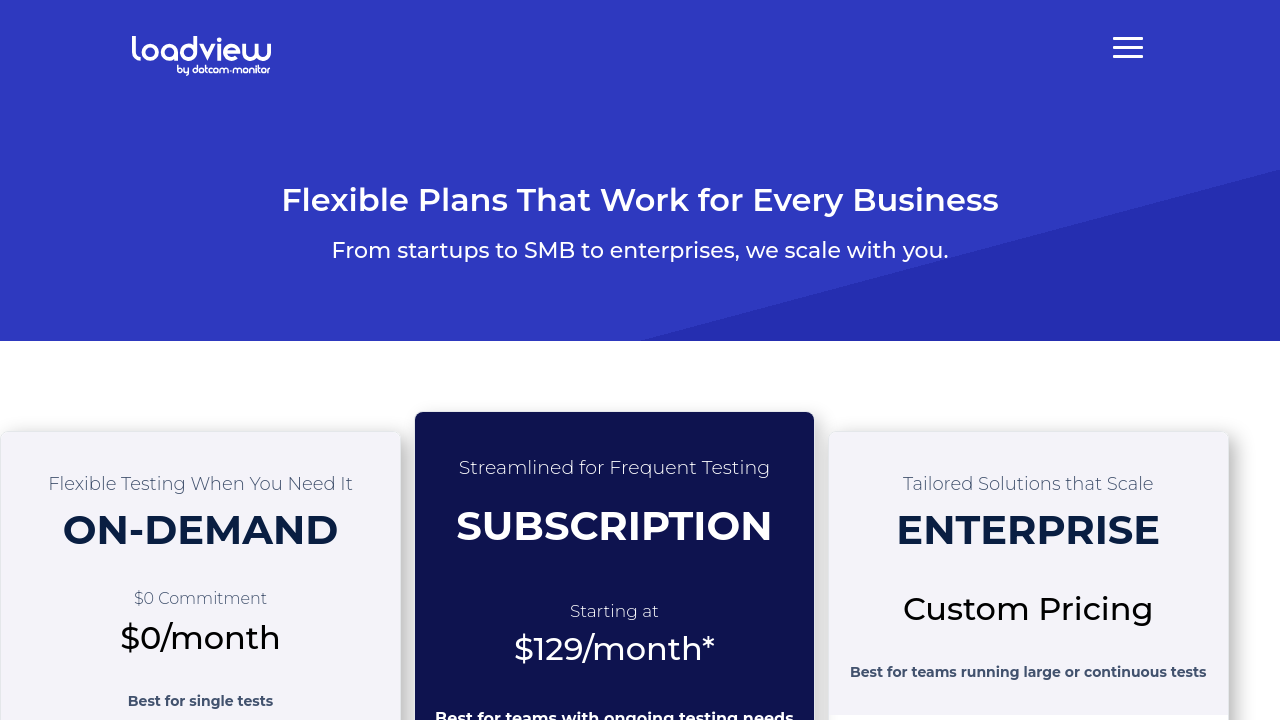
$199-1.5k / Month
Deals Available

This product comes with a special deal, see details

Visit Now
✨ Ask AI about pricing
66% Subscribed Score
info Icon

The Subscribed Score is an independent rating that combines user reviews, features, and value-for-money from multiple trusted sources. It’s designed as a quick benchmark, not a guarantee of individual experience.

Overview

LoadView is a cutting-edge solution in the Load Testing Tools category, designed for DevOps teams and performance testing engineers. It facilitates robust load testing of websites, web applications, APIs, and streaming media with thousands of concurrent connections using real browsers from a fully managed cloud infrastructure. With its powerful capabilities, LoadView ensures your applications are scalable and deliver optimal performance even under heavy loads. Explore exclusive deals. For alternatives, consider Ranorex Studio, Apache JMeter, and PFLB.

Why Use LoadView?

Choosing LoadView brings significant advantages for performance testing:

  • Real Browser Testing: LoadView uses real browsers to simulate user interactions, giving authentic insights into user experience and application performance.
  • Extensive Scripting Capabilities: The EveryStep Web Recorder enables seamless scripting of complex user scenarios, empowering teams to design diverse test paths for advanced testing needs.
  • Wide Application Support: LoadView supports testing APIs, Postman collections, JMeter scripts, chat applications, Salesforce setups, and streaming platforms, making it versatile for numerous use cases.
  • Flexible Deployment: Offers tests through over 40 geo-locations using Amazon and Azure cloud networks, ensuring distributed load testing for varied user demographics.
  • Detailed Reporting: Comprehensive reports help identify bottlenecks, improve backend performance, and enhance user experiences.

Who is LoadView For?

LoadView caters to a variety of professionals and industries:

  • DevOps Teams: Simplifies the testing process to simulate and visualize real-world usage scenarios.
  • Performance Testing Engineers: Enables efficient stress testing and scalability assessments.
  • Startups and Enterprises: From startups launching websites to enterprises managing high-traffic events, LoadView addresses varying levels of load testing requirements.
  • E-commerce and SaaS Providers: Ensures websites and applications maintain high performance during peak traffic events.

Whether testing new features, launching applications, or prepping for large events, LoadView is the trusted solution for optimizing web application performance under any load. Its flexibility, scalability, and comprehensive insights make it ideal for businesses aiming to deliver seamless user experiences.

Where LoadView performs best

What users like
  • Easy to use and user-friendly interface.
  • Effective in identifying load and stress bottlenecks.
  • Comprehensive and clear test reports.
  • Helpful customer service and support.

Where LoadView falls short

What users dislike
  • Pricing can be expensive for startups or low-budget users.
  • Script recorder and test setup need improvements.
  • Reports could include more details and parameters.
  • Sometimes confusing pricing information for trials.
Subscribed Score Metrics
23/36 Metric achieved
MetricsScore
Customer Support5/6
Security0/6
Ease of Use5/6
Value of Money4/6
Integration4/6
Popularity5/6
Radar Chart Table View
Ease of Use
Measures how simple and intuitive the product is to use, including setup, navigation, and overall user experience
5/6 Metric Checks
Security
Compares the product`s features, quality, and pricing to determine its overall cost-effectiveness.
0/6 Metric Checks
Value of Money
Assesses the product`s ability to protect data, prevent breaches, and comply with industry standards.
4/6 Metric Checks
Customer Support
Reflects the responsiveness, helpfulness, and quality of assistance provided by the product`s support team.
5/6 Metric Checks
Integrations
Evaluates how well the product connects with other tools and platforms, enabling seamless workflows.
4/6 Metric Checks
LoadView Pricing Range
$199-1.5k / Month

LoadView in action
info Icon

A curated gallery of real screenshots and use cases from the product, so you can see how it works before trying it.

LoadView Full Screen Icon
https://www.youtube.com/watch?v=MfGtiHXcT6E
Full Screen Icon
https://www.youtube.com/watch?v=skwhI0AUeb4
Full Screen Icon
LoadView
LoadView
Video thumbnail
Video thumbnail
LoadView
LoadView

Alternatives to LoadView
info Icon

A list of platforms similar to LoadView, helping you evaluate which tool best matches your needs.

How to cancel LoadView

Need to cancel LoadView? Here is how
info Icon

Thinking about how to cancel LoadView this is how you do it!

To cancel a LoadView product, go to Account > Account Settings > Subscriptions > Load Testing. If you don’t have admin rights, request cancellation through a user with admin access. Cancellation takes effect at the start of the next billing cycle.

How to Cancel the LoadView

To cancel a LoadView product, go to Account > Account Settings > Subscriptions > Load Testing. If you don’t have admin rights, request cancellation through a user with admin access. Cancellation takes effect at the start of the next billing cycle.

FAQs about LoadView

Every else you need to know about LoadView
info Icon

A collection of FAQs, guides, alternatives, and comparisons to help you quickly understand if LoadView is right for you.

Manage your LoadView profile

Create profile

Want to list your product on Subscribed.fyi? Create a profile to reach more buyers.

Pricing Range
info Icon

This only an estimated pricing range, visit LoadView pricing page to access all the information by clicking “Visit Now”.

$199-1.5k / Month
Visit Now
Deals Available

This product comes with a special deal, see details

This product comes with a special deal, see details