SalesOutlook CRM Reviews 2026: Details, Pricing, & Features | Subscribed.fyi
Sign in to review
Join our community of software reviewers on Subscribed.fyi

Continue With Google
Continue With LinkedIn
Continue Review with Email
Continue with Email
Enter your email to continue.
Continue
Enter your password
Enter your password to finish setting up your account.
Continue
Activate your email
Enter activation code we sent to your email.
Submit
Reset your password
Enter activation code we sent to your email.
Submit
Set your new password
Enter a new password for your account.
Submit
Categories
For Business
Log in
Provide My Insights

SalesOutlook CRM Reviews, Pricing, Features & Alternatives (2026)

SalesOutlook CRM is a comprehensive solution that seamlessly integrates with Microsoft Outlook to streamline customer relationship management and email marketing. It centralizes customer data, files, and communications in one place, eliminating the need for additional databases. Designed for ease of use and efficiency, it enhances lead management, task organization, and sales reporting. The platform is suitable for businesses seeking simplicity, customization, and robust Outlook integration.

SalesOutlook CRM Overview

What is SalesOutlook CRM?

N/A
0
Reviews
55%
Subscribed Score

Available for Claim - This listing is available to be claimed
Claim Profile For Free

Unclaimed

Manage profile with subsig, and unlock 23+ social and review monitoring. Get partnership options with

Claim Profile For Free

Why teams choose SalesOutlook CRM

Key Features

Built for Flexibility
Adaptable for multiple use cases.
Trusted by Thousands
Proven by professionals worldwide.
Secure by Design
Secure by Design
Data protection and compliance built in.

Who is SalesOutlook CRM for?

SalesOutlook CRM is a comprehensive customer relationship management solution that works seamlessly within Microsoft Outlook. Designed to centralize your customer data, this tool automatically syncs emails, files, and interactions directly into each contact’s profile. In doing so, it enhances productivity and ensures that every sales opportunity is captured, making it a top choice within the Customer Relationship Management (CRM) category.

Why Use SalesOutlook CRM?

  • Outlook Integration: With its native integration into Microsoft Outlook, SalesOutlook CRM eliminates the need for separate databases. All customer communications and files are stored automatically, creating a seamless experience for users who rely on Outlook for everyday tasks.
  • Comprehensive Data Management: The system consolidates customer interactions, emails, and documents into one easily accessible location. This centralization enables sales teams to quickly access historical data and maintain meaningful customer relationships.
  • User-Friendly Interface: SalesOutlook CRM is built with simplicity in mind. The intuitive interface allows team members to navigate efficiently and customize views to match their unique workflow needs.
  • Enhanced Productivity: By automating data syncing and simplifying task management, the CRM allows sales professionals to devote more time to closing deals and less time on administrative tasks.
  • Email Marketing Built-In: Not only does SalesOutlook CRM track customer interactions, but it also supports email marketing functionalities. This dual capability makes it an all-in-one solution for businesses seeking to manage both sales pipelines and marketing campaigns.

SalesOutlook CRM is ideal for businesses of all sizes, particularly those that depend on Microsoft Outlook as their primary communication hub. The system’s ability to store files, emails, and contact information in one streamlined platform ensures that no lead is ever lost. Additionally, its straightforward setup and ease of use allow teams to begin benefiting from its robust features quickly.

For exclusive deals and pricing options, check out the SalesOutlook CRM deal page. If you are considering other CRM solutions to compare features, explore alternatives like Zoho CRM, ActiveCampaign, and Bigin by Zoho CRM. These options provide a range of functionalities that can be tailored to your business’s unique needs.

Overall, SalesOutlook CRM delivers a powerful, integrated solution that transforms Microsoft Outlook into a central hub for managing customer relationships and sales processes. With its automatic synchronization, customizable features, and built-in email marketing, it streamlines daily operations and empowers sales teams to drive business growth.


SalesOutlook CRM Summary

SalesOutlook CRM is a comprehensive customer relationship management solution that works seamlessly within Microsoft Outlook. Designed to centralize your customer data, this tool automatically syncs emails, files, and interactions directly into each contact’s profile. In doing so, it enhances productivity and ensures that every sales opportunity is captured, making it a top choice within the Customer Relationship Management (CRM) category.

Why Use SalesOutlook CRM?

  • Outlook Integration: With its native integration into Microsoft Outlook, SalesOutlook CRM eliminates the need for separate databases. All customer communications and files are stored automatically, creating a seamless experience for users who rely on Outlook for everyday tasks.
  • Comprehensive Data Management: The system consolidates customer interactions, emails, and documents into one easily accessible location. This centralization enables sales teams to quickly access historical data and maintain meaningful customer relationships.
  • User-Friendly Interface: SalesOutlook CRM is built with simplicity in mind. The intuitive interface allows team members to navigate efficiently and customize views to match their unique workflow needs.
  • Enhanced Productivity: By automating data syncing and simplifying task management, the CRM allows sales professionals to devote more time to closing deals and less time on administrative tasks.
  • Email Marketing Built-In: Not only does SalesOutlook CRM track customer interactions, but it also supports email marketing functionalities. This dual capability makes it an all-in-one solution for businesses seeking to manage both sales pipelines and marketing campaigns.

SalesOutlook CRM is ideal for businesses of all sizes, particularly those that depend on Microsoft Outlook as their primary communication hub. The system’s ability to store files, emails, and contact information in one streamlined platform ensures that no lead is ever lost. Additionally, its straightforward setup and ease of use allow teams to begin benefiting from its robust features quickly.

For exclusive deals and pricing options, check out the SalesOutlook CRM deal page. If you are considering other CRM solutions to compare features, explore alternatives like Zoho CRM, ActiveCampaign, and Bigin by Zoho CRM. These options provide a range of functionalities that can be tailored to your business’s unique needs.

Overall, SalesOutlook CRM delivers a powerful, integrated solution that transforms Microsoft Outlook into a central hub for managing customer relationships and sales processes. With its automatic synchronization, customizable features, and built-in email marketing, it streamlines daily operations and empowers sales teams to drive business growth.

SalesOutlook CRM reviews and insights

Learn what people say about SalesOutlook CRM

N/A
0 Reviews
55%
Subscribed Score

Lear more here about the Subscribed score on how it is composed. Learn more Click here

Overall rating

5
4
3
2
1
CX 4/6

How good is the customer support based on subscribed’s assessment

CX Icon
Security 0/6

How secure is the product based on Subscribed’s assessment?

Security Icon
Ease of Use 5/6

How easy is the product to use, based on Subscribed’s assessment?

EOU Icon
Value 5/6

What is the value for money based on Subscribed’s assessment?

coin Icon
Integration 3/6

How many integrations does the product offer?

gear Icon
Popularity 3/6

How popular is the product?

star

No Reviews Yet!

Be the first to share your experience and help others in the community.

SalesOutlook CRM User Reviews

0 User Reviews

Reviews from G2, Capterra, Trustpilot
info Icon

These ratings come directly from third-party platforms like G2, Capterra, and Trustpilot. They reflect real user feedback collected independently on those sites.

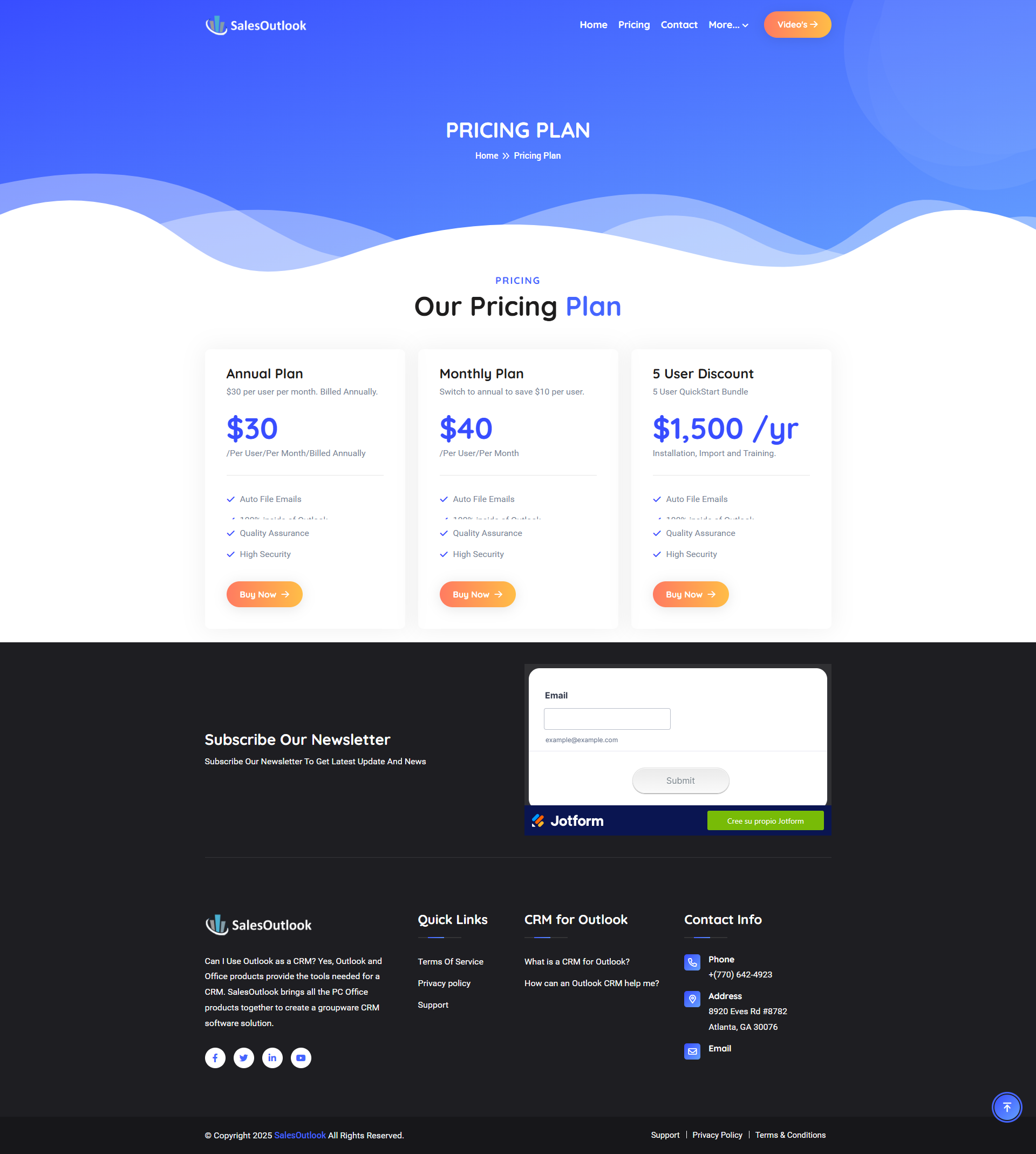
SalesOutlook CRM pricing

Pricing model

Pricing Range
info Icon

This only an estimated pricing range, visit SalesOutlook CRM pricing page to access all the information by clicking “Visit Now”.

$30-$40 / Month
Deals Available

This product comes with a special deal, see details

Visit Now
✨ Ask AI about pricing
55% Subscribed Score
info Icon

The Subscribed Score is an independent rating that combines user reviews, features, and value-for-money from multiple trusted sources. It’s designed as a quick benchmark, not a guarantee of individual experience.

Overview

SalesOutlook CRM is a comprehensive customer relationship management solution that works seamlessly within Microsoft Outlook. Designed to centralize your customer data, this tool automatically syncs emails, files, and interactions directly into each contact’s profile. In doing so, it enhances productivity and ensures that every sales opportunity is captured, making it a top choice within the Customer Relationship Management (CRM) category.

Why Use SalesOutlook CRM?

  • Outlook Integration: With its native integration into Microsoft Outlook, SalesOutlook CRM eliminates the need for separate databases. All customer communications and files are stored automatically, creating a seamless experience for users who rely on Outlook for everyday tasks.
  • Comprehensive Data Management: The system consolidates customer interactions, emails, and documents into one easily accessible location. This centralization enables sales teams to quickly access historical data and maintain meaningful customer relationships.
  • User-Friendly Interface: SalesOutlook CRM is built with simplicity in mind. The intuitive interface allows team members to navigate efficiently and customize views to match their unique workflow needs.
  • Enhanced Productivity: By automating data syncing and simplifying task management, the CRM allows sales professionals to devote more time to closing deals and less time on administrative tasks.
  • Email Marketing Built-In: Not only does SalesOutlook CRM track customer interactions, but it also supports email marketing functionalities. This dual capability makes it an all-in-one solution for businesses seeking to manage both sales pipelines and marketing campaigns.

SalesOutlook CRM is ideal for businesses of all sizes, particularly those that depend on Microsoft Outlook as their primary communication hub. The system’s ability to store files, emails, and contact information in one streamlined platform ensures that no lead is ever lost. Additionally, its straightforward setup and ease of use allow teams to begin benefiting from its robust features quickly.

For exclusive deals and pricing options, check out the SalesOutlook CRM deal page. If you are considering other CRM solutions to compare features, explore alternatives like Zoho CRM, ActiveCampaign, and Bigin by Zoho CRM. These options provide a range of functionalities that can be tailored to your business’s unique needs.

Overall, SalesOutlook CRM delivers a powerful, integrated solution that transforms Microsoft Outlook into a central hub for managing customer relationships and sales processes. With its automatic synchronization, customizable features, and built-in email marketing, it streamlines daily operations and empowers sales teams to drive business growth.

Where SalesOutlook CRM performs best

What users like
  • Seamless Outlook integration with automatic syncing
  • User-friendly navigation and interface
  • Boosts sales and customer retention
  • Customizable to fit organizational needs

Where SalesOutlook CRM falls short

What users dislike
  • Challenging setup and learning curve
  • Limited mobile app functionality
  • Manual data entry can be time-consuming
  • Interface looks outdated compared to competitors
Subscribed Score Metrics
20/36 Metric achieved
MetricsScore
Customer Support4/6
Security0/6
Ease of Use5/6
Value of Money5/6
Integration3/6
Popularity3/6
Radar Chart Table View
Ease of Use
Measures how simple and intuitive the product is to use, including setup, navigation, and overall user experience
5/6 Metric Checks
Security
Compares the product`s features, quality, and pricing to determine its overall cost-effectiveness.
0/6 Metric Checks
Value of Money
Assesses the product`s ability to protect data, prevent breaches, and comply with industry standards.
5/6 Metric Checks
Customer Support
Reflects the responsiveness, helpfulness, and quality of assistance provided by the product`s support team.
4/6 Metric Checks
Integrations
Evaluates how well the product connects with other tools and platforms, enabling seamless workflows.
3/6 Metric Checks
SalesOutlook CRM Pricing Range
$30-$40 / Month

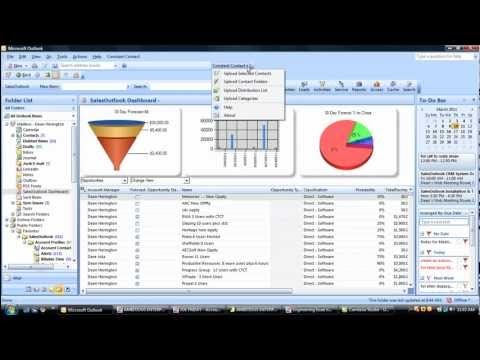
SalesOutlook CRM in action
info Icon

A curated gallery of real screenshots and use cases from the product, so you can see how it works before trying it.

SalesOutlook CRM screenshot Full Screen Icon
https://www.youtube.com/watch?v=Wzifeg9nLS4
Full Screen Icon
https://www.youtube.com/watch?v=NEkfJ8DEynY
Full Screen Icon
Video thumbnail
Video thumbnail
SalesOutlook CRM screenshot

Alternatives to SalesOutlook CRM
info Icon

A list of platforms similar to SalesOutlook CRM, helping you evaluate which tool best matches your needs.

How to cancel SalesOutlook CRM

Need to cancel SalesOutlook CRM? Here is how
info Icon

Thinking about how to cancel SalesOutlook CRM this is how you do it!

To cancel SalesOutlook CRM, contact their support team directly. Details on cancellation procedures are not publicly listed, so reaching out is necessary. Cancellation specifics may vary based on subscription terms.

How to Cancel the SalesOutlook CRM

To cancel SalesOutlook CRM, contact their support team directly. Details on cancellation procedures are not publicly listed, so reaching out is necessary. Cancellation specifics may vary based on subscription terms.

FAQs about SalesOutlook CRM

Every else you need to know about SalesOutlook CRM
info Icon

A collection of FAQs, guides, alternatives, and comparisons to help you quickly understand if SalesOutlook CRM is right for you.

Manage your SalesOutlook CRM profile

Create profile

Want to list your product on Subscribed.fyi? Create a profile to reach more buyers.

Pricing Range
info Icon

This only an estimated pricing range, visit SalesOutlook CRM pricing page to access all the information by clicking “Visit Now”.

$30-$40 / Month
Visit Now
Deals Available

This product comes with a special deal, see details

This product comes with a special deal, see details