AgentOps Reviews 2026: Details, Pricing, & Features | Subscribed.fyi
Sign in to review
Join our community of software reviewers on Subscribed.fyi

Continue With Google
Continue With LinkedIn
Continue Review with Email
Continue with Email
Enter your email to continue.
Continue
Enter your password
Enter your password to finish setting up your account.
Continue
Activate your email
Enter activation code we sent to your email.
Submit
Reset your password
Enter activation code we sent to your email.
Submit
Set your new password
Enter a new password for your account.
Submit
✨ Ask AI Search
Categories
For Business
Log in
Provide My Insights

AgentOps

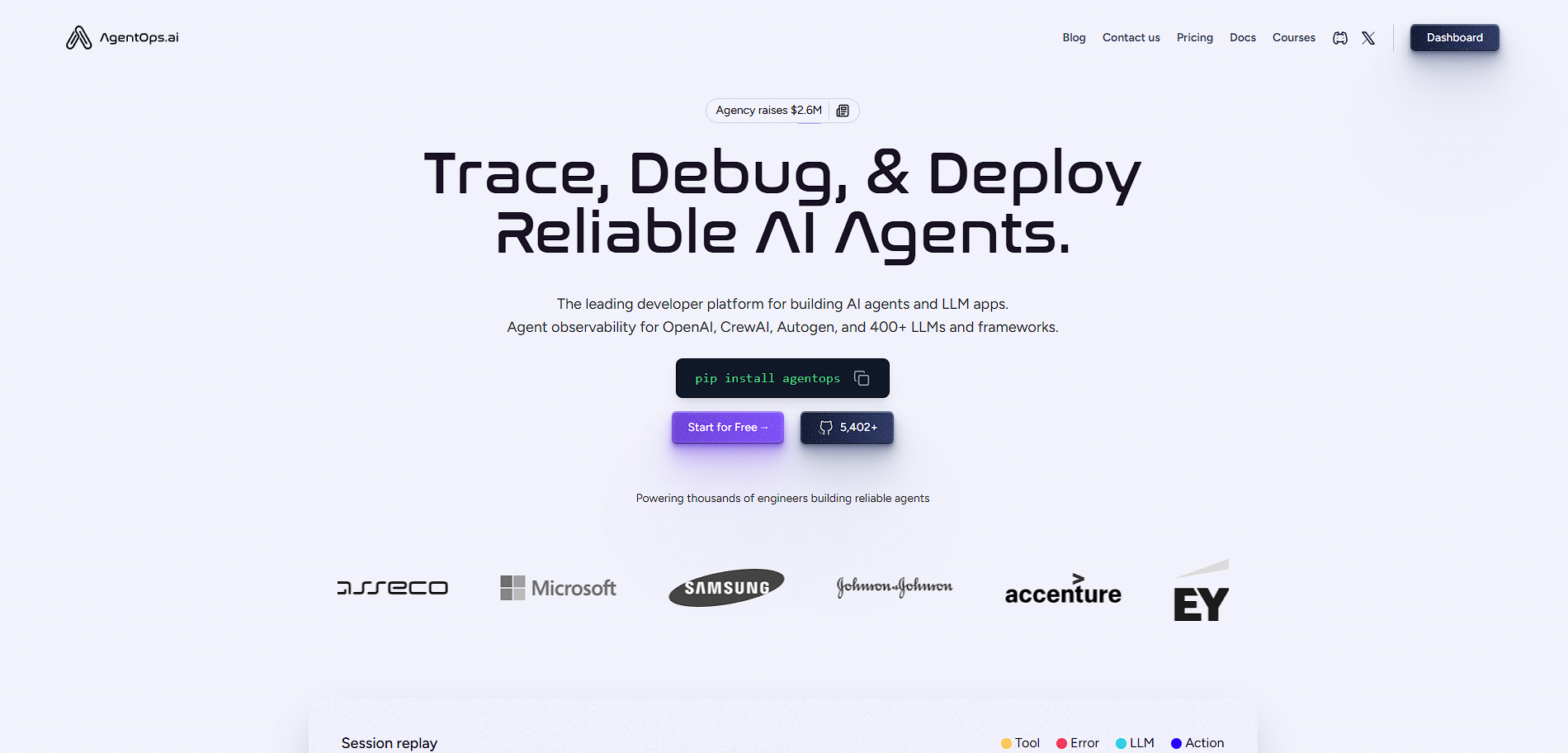
AgentOps is a developer platform for monitoring, debugging, and optimizing AI agents, providing full visibility into agent behavior, costs, and performance across their lifecycle.

AgentOps

N/A
0
Reviews
72%
Subscribed Score

Available for Claim - This listing is available to be claimed
Claim For Free

Unclaimed

Curated and listed by Subscribed Team

Claim For Free
Built for Flexibility
Adaptable for multiple use cases.
Data-Driven Insights
Make better decisions with analytics.
Works Anywhere
Works Anywhere
Accessible from any device, anytime.

AgentOps is an observability and operations platform specifically built for AI agents and LLM-based applications. It provides developers with tools to monitor, debug, and evaluate agent behavior in real time, helping ensure reliability and performance from prototype to production.

Positioned similarly to DevOps or MLOps but for agent-based systems, AgentOps acts as a control layer for AI workflows. It captures detailed telemetry such as LLM calls, token usage, latency, and errors, allowing teams to understand exactly how their agents behave and where issues arise.

In practice, developers integrate AgentOps into their applications with minimal code, after which it automatically tracks interactions, logs events, and provides dashboards for analysis. This makes it especially useful for debugging complex multi-agent systems, optimizing costs, and improving reliability at scale.

Key Features and Benefits

  • Session replay: View step-by-step agent execution for debugging and analysis
  • LLM cost tracking: Monitor token usage and spending across models
  • Event logging & tracing: Capture all agent actions, API calls, and workflows
  • Time-travel debugging: Rewind and inspect agent behavior at any point
  • Multi-agent observability: Track interactions across multiple agents
  • Alerts & anomaly detection: Identify failures, loops, or abnormal behavior
  • Framework integrations: Works with LangChain, AutoGen, CrewAI, and more

Who Can Benefit from AgentOps

  • AI engineers: Monitor and debug LLM-based agents in production
  • Startups building AI products: Optimize cost and performance early
  • Enterprise teams: Ensure reliability and compliance for AI systems
  • ML engineers: Evaluate agent behavior and improve outputs
  • DevOps/SRE teams: Add observability to AI-driven systems

Looking for alternative solutions?
If you are exploring similar tools, platforms like Datadog, Sentry, and Dynatrace provide overlapping capabilities in tracing, evaluation, and monitoring of AI systems.

AgentOps Summary

AgentOps is an observability and operations platform specifically built for AI agents and LLM-based applications. It provides developers with tools to monitor, debug, and evaluate agent behavior in real time, helping ensure reliability and performance from prototype to production.

Positioned similarly to DevOps or MLOps but for agent-based systems, AgentOps acts as a control layer for AI workflows. It captures detailed telemetry such as LLM calls, token usage, latency, and errors, allowing teams to understand exactly how their agents behave and where issues arise.

In practice, developers integrate AgentOps into their applications with minimal code, after which it automatically tracks interactions, logs events, and provides dashboards for analysis. This makes it especially useful for debugging complex multi-agent systems, optimizing costs, and improving reliability at scale.

Key Features and Benefits

  • Session replay: View step-by-step agent execution for debugging and analysis
  • LLM cost tracking: Monitor token usage and spending across models
  • Event logging & tracing: Capture all agent actions, API calls, and workflows
  • Time-travel debugging: Rewind and inspect agent behavior at any point
  • Multi-agent observability: Track interactions across multiple agents
  • Alerts & anomaly detection: Identify failures, loops, or abnormal behavior
  • Framework integrations: Works with LangChain, AutoGen, CrewAI, and more

Who Can Benefit from AgentOps

  • AI engineers: Monitor and debug LLM-based agents in production
  • Startups building AI products: Optimize cost and performance early
  • Enterprise teams: Ensure reliability and compliance for AI systems
  • ML engineers: Evaluate agent behavior and improve outputs
  • DevOps/SRE teams: Add observability to AI-driven systems

Looking for alternative solutions?
If you are exploring similar tools, platforms like Datadog, Sentry, and Dynatrace provide overlapping capabilities in tracing, evaluation, and monitoring of AI systems.

AgentOps reviews

Learn what people say about AgentOps

N/A
0 Reviews
72%
Subscribed Score

Lear more here about the Subscribed score on how it is composed. Learn more Click here

Overall rating

5
4
3
2
1
CX 4/6

How good is the customer support based on subscribed’s assessment

CX Icon
Security 5/6

How secure is the product based on Subscribed’s assessment?

Security Icon
Ease of Use 3/6

How easy is the product to use, based on Subscribed’s assessment?

EOU Icon
Value 5/6

What is the value for money based on Subscribed’s assessment?

coin Icon
Integration 5/6

How many integrations does the product offer?

gear Icon
Popularity 4/6

How popular is the product?

star

No Reviews Yet!

Be the first to share your experience and help others in the community.

AgentOps User Reviews

0 User Reviews

Reviews from G2, Capterra, Trustpilot
info Icon

These ratings come directly from third-party platforms like G2, Capterra, and Trustpilot. They reflect real user feedback collected independently on those sites.

AgentOps

Pricing Range
info Icon

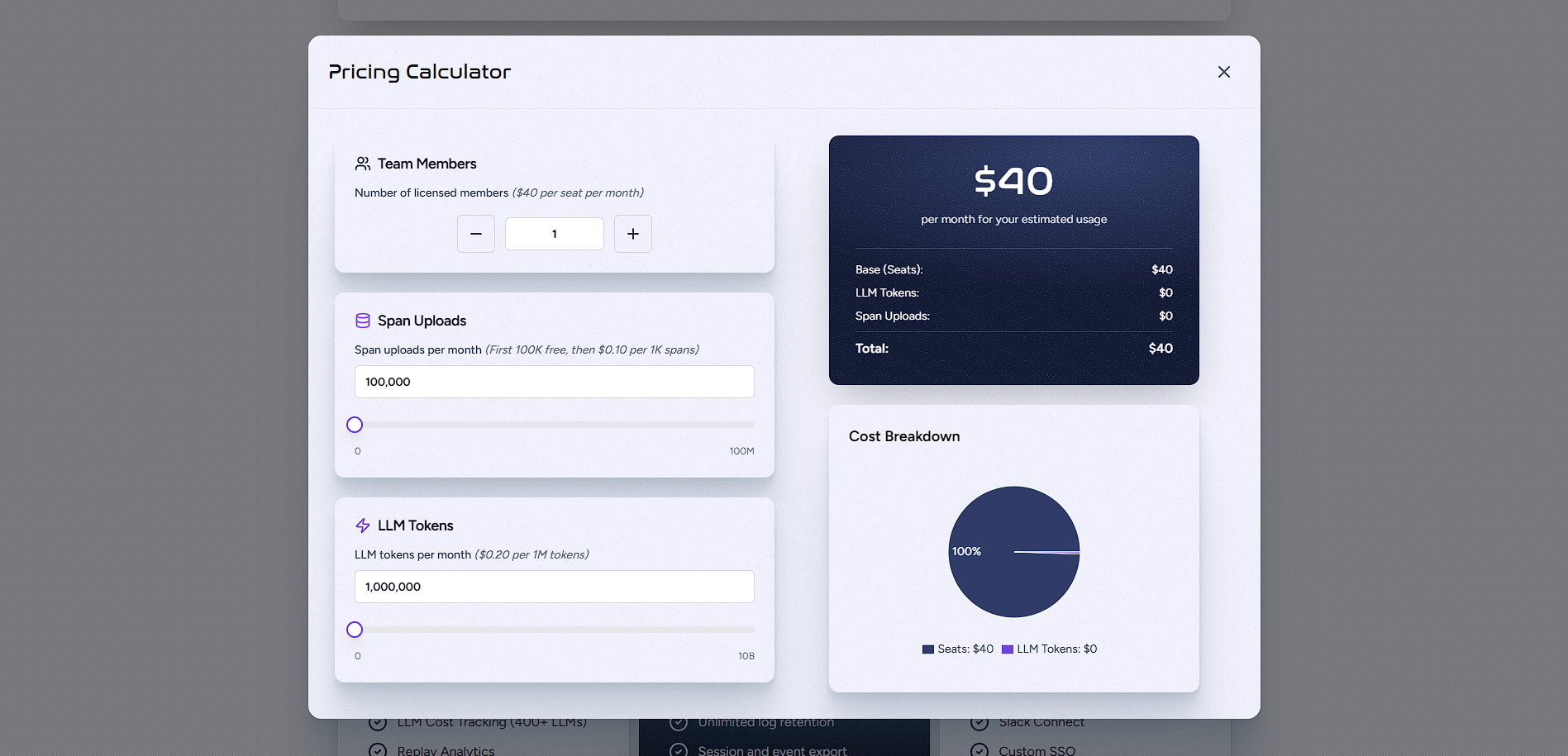
This only an estimated pricing range, visit AgentOps pricing page to access all the information by clicking “Visit Now”.

$20–Custom
Visit Now
✨ Ask AI about pricing
72% Subscribed Score
info Icon

The Subscribed Score is an independent rating that combines user reviews, features, and value-for-money from multiple trusted sources. It’s designed as a quick benchmark, not a guarantee of individual experience.

Analysis

AgentOps is an observability and operations platform specifically built for AI agents and LLM-based applications. It provides developers with tools to monitor, debug, and evaluate agent behavior in real time, helping ensure reliability and performance from prototype to production.

Positioned similarly to DevOps or MLOps but for agent-based systems, AgentOps acts as a control layer for AI workflows. It captures detailed telemetry such as LLM calls, token usage, latency, and errors, allowing teams to understand exactly how their agents behave and where issues arise.

In practice, developers integrate AgentOps into their applications with minimal code, after which it automatically tracks interactions, logs events, and provides dashboards for analysis. This makes it especially useful for debugging complex multi-agent systems, optimizing costs, and improving reliability at scale.

Key Features and Benefits

  • Session replay: View step-by-step agent execution for debugging and analysis
  • LLM cost tracking: Monitor token usage and spending across models
  • Event logging & tracing: Capture all agent actions, API calls, and workflows
  • Time-travel debugging: Rewind and inspect agent behavior at any point
  • Multi-agent observability: Track interactions across multiple agents
  • Alerts & anomaly detection: Identify failures, loops, or abnormal behavior
  • Framework integrations: Works with LangChain, AutoGen, CrewAI, and more

Who Can Benefit from AgentOps

  • AI engineers: Monitor and debug LLM-based agents in production
  • Startups building AI products: Optimize cost and performance early
  • Enterprise teams: Ensure reliability and compliance for AI systems
  • ML engineers: Evaluate agent behavior and improve outputs
  • DevOps/SRE teams: Add observability to AI-driven systems

Looking for alternative solutions?
If you are exploring similar tools, platforms like Datadog, Sentry, and Dynatrace provide overlapping capabilities in tracing, evaluation, and monitoring of AI systems.

Pros
  • Provides deep observability into AI agents including logs, metrics, and session replays
  • Tracks LLM usage and costs across 400+ models for better budget control
  • Supports multiple frameworks like LangChain, AutoGen, and CrewAI
  • Enables time-travel debugging and replay analytics for troubleshooting
  • Offers flexible deployment including self-hosting and enterprise-grade security
Cons
  • Primarily built for developers, making it less accessible for non-technical users
  • Requires integration into codebase for full functionality
  • UI and workflows can feel complex for smaller teams or simple projects
  • Limited value if not working with AI agents or LLM-based systems
Subscribed Score Metrics
26/36 Metric achieved
MetricsScore
Customer Support4/6
Security5/6
Ease of Use3/6
Value of Money5/6
Integration5/6
Popularity4/6
Radar Chart Table View
Ease of Use
Measures how simple and intuitive the product is to use, including setup, navigation, and overall user experience
3/6 Metric Checks
Security
Compares the product`s features, quality, and pricing to determine its overall cost-effectiveness.
5/6 Metric Checks
Value of Money
Assesses the product`s ability to protect data, prevent breaches, and comply with industry standards.
5/6 Metric Checks
Customer Support
Reflects the responsiveness, helpfulness, and quality of assistance provided by the product`s support team.
4/6 Metric Checks
Integrations
Evaluates how well the product connects with other tools and platforms, enabling seamless workflows.
5/6 Metric Checks
AgentOps Pricing Range
$20–Custom

AgentOps Showcase
info Icon

A curated gallery of real screenshots and use cases from the product, so you can see how it works before trying it.

AgentOps Full Screen Icon
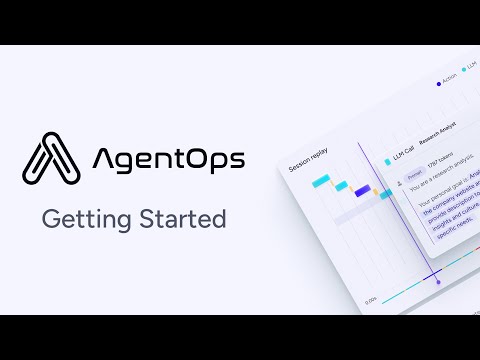
https://www.youtube.com/watch?v=EU_A3_ux09s
Full Screen Icon
AgentOps
AgentOps

What else exists next to AgentOps
info Icon

A list of platforms similar to AgentOps, helping you evaluate which tool best matches your needs.

Need to cancel AgentOps? Here is how
info Icon

Thinking about how to cancel AgentOps this is how you do it!

  1. Log in to your AgentOps account
  2. Go to billing or subscription settings
  3. Cancel your Pro or paid plan
  4. Stop sending events or API usage
  5. Confirm no further charges in billing dashboard

How to Cancel the AgentOps

  1. Log in to your AgentOps account
  2. Go to billing or subscription settings
  3. Cancel your Pro or paid plan
  4. Stop sending events or API usage
  5. Confirm no further charges in billing dashboard
Every else you need to know about AgentOps
info Icon

A collection of FAQs, guides, alternatives, and comparisons to help you quickly understand if AgentOps is right for you.

Pricing Range
info Icon

This only an estimated pricing range, visit AgentOps pricing page to access all the information by clicking “Visit Now”.

$20–Custom
Visit Now