Best Project Management Tools for Remote Teams
- AI Image Generators Software AI Writing Assistant Popular Tools AI Tools Project Management
Remote work has changed how teams communicate, manage deadlines, and track progress across projects. Businesses now rely on digital platforms that combine task management, communication, automation, and integrations in one place. Choosing the right solution can improve visibility, reduce delays, and help distributed teams stay aligned.
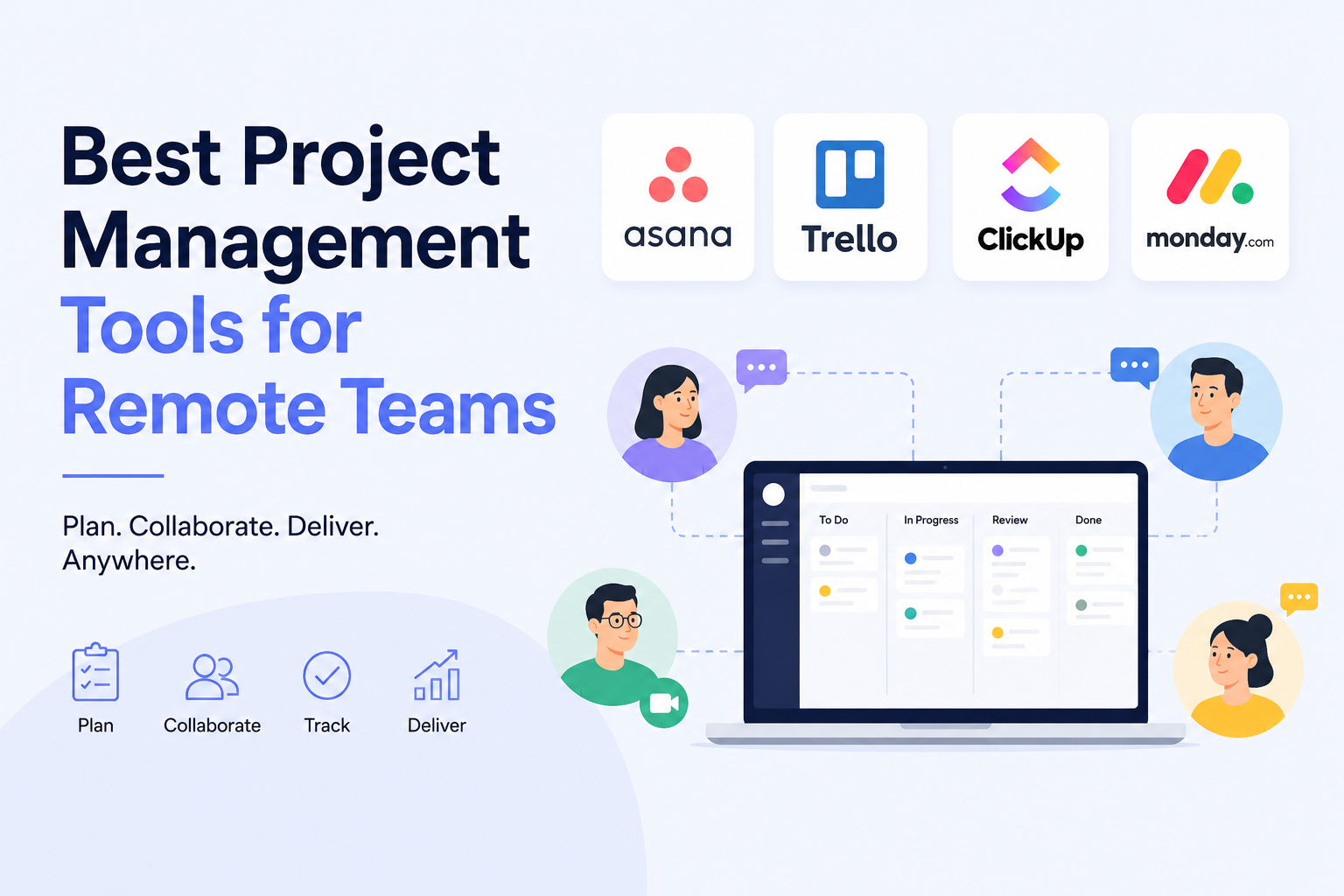
Platforms such as Asana, Trello, and ClickUp continue to lead the market for remote work project management because they support flexible workflows, real time collaboration, and automation features for growing teams. Whether you need online task management tools for a startup, enterprise collaboration software, or alternatives to traditional spreadsheets, the right platform can improve productivity across remote teams.
This guide explores the best project management tools for remote teams, including their features, strengths, and ideal use cases.
Why remote teams need project management software
Remote team collaboration software helps distributed teams manage tasks, track progress, and communicate efficiently from one centralized platform. These tools improve transparency, reduce missed deadlines, and support features like:
- Task tracking and deadlines
- Team communication and file sharing
- Workflow automation
- Calendar and timeline views
- Third-party integrations
- Real-time collaboration
- Reporting and analytics
For remote, freelance, and hybrid teams, project management software has become essential for productivity and coordination.
Asana for structured remote collaboration
Asana is a popular remote work project management platform designed for teams that need organized workflows, task tracking, and project visibility. Teams can manage projects through boards, lists, calendars, and timelines while automating workflows and integrating with tools like Slack, Google Drive, and Zoom.
Common use cases include:
- Marketing campaign planning
- Product development workflows
- Agency project management
- Cross-functional collaboration
- Enterprise task management
Many businesses compare Asana with ClickUp and Monday.com based on pricing, customization, and reporting features.
Trello for simple visual task management
Trello is a user-friendly project management platform that uses a Kanban-style system with boards, lists, and cards for simple visual task tracking. Its drag-and-drop interface makes it popular among startups, creative teams, freelancers, and small businesses managing remote collaboration.
Trello also includes automation through Butler to streamline recurring tasks and notifications.
Common use cases include:
- Content calendars
- Creative workflows
- Small business project tracking
- Freelancer collaboration
- Agile task management
Teams needing more advanced reporting and workload management often upgrade to platforms like ClickUp or Asana.
ClickUp for all in one project management
ClickUp is an all-in-one project management platform that combines task management, documentation, communication, dashboards, and workflow automation in one workspace. Its flexible customization options allow teams to create custom workflows, automate tasks, and manage projects through list, board, timeline, and calendar views.
Remote teams often use ClickUp to replace multiple collaboration tools with a single platform.
Common use cases include:
- Remote operations management
- Software development workflows
- Startup scaling
- Client management
- Internal process automation
Many businesses compare ClickUp with Asana because of its advanced customization and competitive pricing.
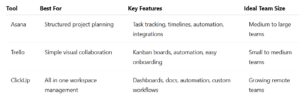
Comparison of the best project management tools
Features that matter most for remote teams
Task management and tracking
Task visibility is critical for remote teams. Employees need clear assignments, deadlines, and status updates to stay aligned. The best platforms allow managers to prioritize tasks, track dependencies, and monitor progress in real time.
Communication and collaboration
Modern team collaboration apps reduce communication silos by centralizing comments, updates, and file sharing within tasks and projects.
Integrated communication features also reduce the need for constant meetings, helping remote teams maintain productivity.
Workflow automation
Automation helps teams reduce repetitive work. Project management tools now support automated reminders, recurring tasks, approval workflows, and status updates.
Automation is especially useful for marketing, customer support, and operations teams managing multiple ongoing projects.
Integrations with existing tools
The best project management tools connect with communication, storage, and productivity platforms such as Slack, Google Workspace, Microsoft Teams, Zoom, and GitHub.
These integrations help remote teams create centralized workflows without switching between multiple platforms.
Real use cases for remote project management tools
A remote marketing agency may use Asana to manage campaign timelines, assign creative tasks, and monitor deadlines across clients.
A startup development team may rely on ClickUp project management tools to manage sprint planning, bug tracking, documentation, and internal communication.
A content creation team may choose Trello for remote teams because the visual board structure simplifies content approvals and publishing workflows.
Each platform supports different workflows, so businesses should evaluate features based on operational needs, team size, and collaboration style.
How to choose the right platform
When selecting remote work project management software, businesses should consider:
- Team size and growth plans
- Workflow complexity
- Budget requirements
- Integration needs
- Reporting capabilities
- Ease of onboarding
- Automation features
Small teams may prefer Trello because of its simplicity, while larger organizations may benefit from Asana or ClickUp for advanced workflow management.
The best platform is the one that improves visibility, simplifies collaboration, and supports long term scalability.
Final thoughts on the best project management tools
The rise of remote work has increased demand for reliable team collaboration apps that support communication, task management, and automation from anywhere.
Platforms like Asana, Trello, and ClickUp continue to stand out because they help distributed teams stay organized, productive, and connected.
Whether your business needs simple Kanban boards, advanced workflow automation, or comprehensive remote team collaboration software, investing in the right platform can improve efficiency and reduce operational friction.
For businesses exploring the best project management tools, evaluating features, integrations, and scalability will help identify the right solution for long term remote collaboration success.
Site related links
- Asana Reviews on Subscribed.fyi
- Trello Reviews on Subscribed.fyi
- ClickUp Reviews
- Categories on on Subscribed.fyi
- Subscribed.fyi
- Best Project Management Tools