Sign in to review
Join our community of software reviewers on Subscribed.fyi

Continue With Google
Continue With LinkedIn
Continue Review with Email
Continue with Email
Enter your email to continue.
Continue
Enter your password
Enter your password to finish setting up your account.
Continue
Activate your email
Enter activation code we sent to your email.
Submit
Reset your password
Enter activation code we sent to your email.
Submit
Set your new password
Enter a new password for your account.
Submit
Categories
For Business
Log in
Provide My Insights
Add Product
Suggested products People also compare with
Add to Comparison
Suggested products People also compare with

Compare Cerebro and WorkOtter

We are comparing Cerebro and WorkOtter to evaluate which one is the best product.

Suggested products People also compare with
Review Pricing Alternatives Experience

Review

58%
21/36 Metric achieved
86%
31/36 Metric achieved

Subscribed Metric

Customer Support 5/6
Security 0/6
Ease of Use 5/6
Value of Money 5/6
Integration 3/6
Popularity 3/6

Subscribed Metric

Customer Support 6/6
Security 4/6
Ease of Use 6/6
Value of Money 5/6
Integration 5/6
Popularity 5/6

Pros & Cons

Comprehensive project management tools
Highly collaborative for visual design
User-friendly interface
Mobile and desktop accessibility
Learning curve for new users
Pricing plans could be more flexible
Occasional technical issues
High CPU/RAM usage on some devices

Pros & Cons

Highly customizable dashboards and reports
Integrates well with JIRA and MS Project
Real-time data and 'What-If' scenarios
Excellent customer support
Can be overwhelming for new users
Occasional slow performance
Single-currency limitation
Interface feels cluttered to some

Conclusion

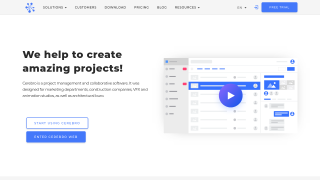
Cerebro is a project management tool tailored for animation, CGI, architecture, and media production teams handling complex visual materials. Key features include task tracking, Gantt charts, collaboration threads, resource allocation, media annotation (via Mirada), and easy file sharing. It offers desktop, cloud, and mobile support. Compared to tools like Trello or Asana, Cerebro excels in industry-specific features but has a steeper learning curve. Customer support is responsive, and its pricing is competitive for medium-to-large teams.

Conclusion

WorkOtter is a cost-effective, cloud-based Project Portfolio Management (PPM) tool tailored for PMOs in IT, Engineering, and Services. It offers Gantt and Kanban views, Agile features, resource optimization, "What-If" planning, financial tracking, and seamless integration with tools like JIRA and MS Project. Starting at $10/license, it’s ideal for managers and teams seeking an intuitive interface. Compared to alternatives like monday.com or MS Project, WorkOtter is more affordable and feature-packed but may have occasional performance lags. Customer support is renowned, ensuring smooth onboarding. Perfect fit for resource managers or project teams.

Pricing

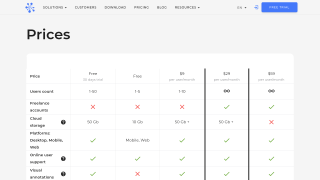
Cerebro Pricing

Pricing Range $6-$59/Month See Cerebro Pricing

WorkOtter Pricing

Pricing Range $0-$35/Month See WorkOtter Pricing

Alternatives

Cerebro Alternatives

Slack logo

Slack

90%
Trello logo

Trello

90%
WorkOtter logo

WorkOtter

86%
Smartsheet logo

Smartsheet

85%

WorkOtter Alternatives

Monday.com logo

Monday.com

90%
Monday CRM logo

Monday CRM

90%
Smartsheet logo

Smartsheet

85%
LiquidPlanner logo

LiquidPlanner

63%

Experience

Cerebro Screenshots

Cerebro screenshot 1
Cerebro screenshot 2

WorkOtter Screenshots

WorkOtter screenshot 1
WorkOtter screenshot 2