Sign in to review
Join our community of software reviewers on Subscribed.fyi

Continue With Google
Continue With LinkedIn
Continue Review with Email
Continue with Email
Enter your email to continue.
Continue
Enter your password
Enter your password to finish setting up your account.
Continue
Activate your email
Enter activation code we sent to your email.
Submit
Reset your password
Enter activation code we sent to your email.
Submit
Set your new password
Enter a new password for your account.
Submit
Categories
For Business
Log in
Provide My Insights
Add Product
Suggested products People also compare with
Add to Comparison
Suggested products People also compare with

Compare FileZilla and Cyberduck

We are comparing FileZilla and Cyberduck to evaluate which one is the best product.

Suggested products People also compare with
Review Pricing Alternatives Experience

Review

75%
26/36 Metric achieved
86%
31/36 Metric achieved

Subscribed Metric

Customer Support 3/6
Security 4/6
Ease of Use 5/6
Value of Money 5/6
Integration 3/6
Popularity 6/6

Subscribed Metric

Customer Support 4/6
Security 5/6
Ease of Use 6/6
Value of Money 6/6
Integration 5/6
Popularity 5/6

Pros & Cons

Easy to use drag-and-drop file transfer.
Supports multiple operating systems.
Offers secure and fast data transfer.
Free and regularly updated.
Outdated user interface.
Includes bloatware in installation.
Frequent updates required.
Limited customer support response time.

Pros & Cons

Free, open-source, and easy to use
Supports multiple cloud and server connections
Reliable file transfer with solid performance
Drag-and-drop functionality and remote editing
UI could be more modern and intuitive
Issues syncing and uploading large files
High memory usage for an FTP client
Limited enterprise-focused features

Conclusion

FileZilla is a free, open-source FTP solution offering robust file transfer capabilities, multi-platform compatibility (Windows, MacOS, Linux), secure encryption, and features like drag-and-drop, directory comparison, and multi-language support. It’s highly favored by web developers for managing server files. Compared to tools like WinSCP, FileZilla excels in ease of use but has an outdated UI. While its free version is cost-effective, customer support can be slow. It is less cloud-integrated versus paid competitors like CuteFTP.

Conclusion

Cyberduck is a free, cross-platform file and cloud storage browser supporting FTP, SFTP, WebDAV, and major cloud providers like Amazon S3, Google Drive, Dropbox, and Microsoft Azure. It offers seamless integrations, file organization tools, robust security, and intuitive drag-and-drop functionality. Ideal for designers and developers managing file transfers or server access, it surpasses alternatives like FileZilla or WinSCP in UI simplicity but lacks advanced automation. Support is community-driven. Cost-effective for small teams but not enterprise-ready.

Pricing

FileZilla Pricing

Pricing Range $1.67-16.67/Month

Cyberduck Pricing

Pricing Range Not specified

Alternatives

FileZilla Alternatives

Cerberus FTP Server logo

Cerberus FTP Server

86%
Cyberduck logo

Cyberduck

86%
WinSCP logo

WinSCP

81%
See All FileZilla Alternatives

Cyberduck Alternatives

WinSCP logo

WinSCP

81%
FileZilla logo

FileZilla

75%
See All Cyberduck Alternatives

Experience

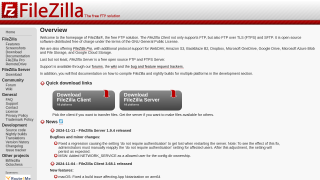
FileZilla Screenshots

FileZilla screenshot 1

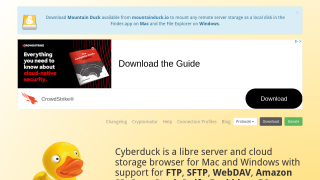
Cyberduck Screenshots

Cyberduck screenshot 1