Sign in to review
Join our community of software reviewers on Subscribed.fyi

Continue With Google
Continue With LinkedIn
Continue Review with Email
Continue with Email
Enter your email to continue.
Continue
Enter your password
Enter your password to finish setting up your account.
Continue
Activate your email
Enter activation code we sent to your email.
Submit
Reset your password
Enter activation code we sent to your email.
Submit
Set your new password
Enter a new password for your account.
Submit
Categories
For Business
Log in
Provide My Insights
Add Product
Suggested products People also compare with
Add to Comparison
Suggested products People also compare with

Compare GoToMyPC and RemotePC

We are comparing GoToMyPC and RemotePC to evaluate which one is the best product.

Suggested products People also compare with
Review Pricing Alternatives Experience

Review

76%
27/36 Metric achieved
90%
32/36 Metric achieved

Subscribed Metric

Customer Support 4/6
Security 5/6
Ease of Use 6/6
Value of Money 4/6
Integration 3/6
Popularity 5/6

Subscribed Metric

Customer Support 5/6
Security 5/6
Ease of Use 6/6
Value of Money 6/6
Integration 4/6
Popularity 6/6

Pros & Cons

Reliable and easy to use
Access from anywhere with fast connection
Remote printing works seamlessly
Supports flexibility for remote work
Expensive for small businesses
Occasional connection issues
Lacks advanced features like modern competitors
File transfer glitches reported

Pros & Cons

Easy setup and straightforward use.
Affordable pricing with great value.
Fast remote access and stable connection.
Useful features like file transfer and multi-monitor support.
Occasional lag or slow connection.
Limited support for Linux setup.
Connection sometimes drops unexpectedly.
Top menu bar placement not adjustable.

Conclusion

GoToMyPC is a reliable remote desktop tool for secure office PC/Mac access from any location. Features include remote printing, file transfers, multi-monitor support, drag-and-drop functionality, and robust encryption. It’s favored by professionals like accountants, lawyers, and marketers for its simplicity and performance. Pricing starts at $35/month for a single computer. It offers strong customer support. While pricier, GoToMyPC excels in usability but lags behind cheaper, feature-rich solutions like AnyDesk or RemotePC.

Conclusion

RemotePC is a cost-effective remote desktop solution for professionals like IT staff, developers, and designers. It offers cross-platform access, multi-user support, file transfers, session recording, and robust security (e.g., data encryption, HIPAA compliance). With plans starting at $29.50/year for personal use to $599.50/year for enterprises, it’s cheaper than TeamViewer or AnyDesk but sometimes slower. Ideal for SMBs, its streamlined interface and customer support enhance usability for remote work.

Pricing

GoToMyPC Pricing

Pricing Range $28.00-$44.00/Month See GoToMyPC Pricing

RemotePC Pricing

Pricing Range Not specified. See RemotePC Pricing

Alternatives

GoToMyPC Alternatives

Dropbox logo

Dropbox

90%
RemotePC logo

RemotePC

90%
Microsoft Teams logo

Microsoft Teams

88%
AnyDesk logo

AnyDesk

85%
See All GoToMyPC Alternatives

RemotePC Alternatives

AnyDesk logo

AnyDesk

85%
TeamViewer logo

TeamViewer

85%
GoToMyPC logo

GoToMyPC

76%
Chrome Remote Desktop logo

Chrome Remote Desktop

67%
See All RemotePC Alternatives

Experience

GoToMyPC Screenshots

GoToMyPC screenshot 1
GoToMyPC screenshot 2

RemotePC Screenshots

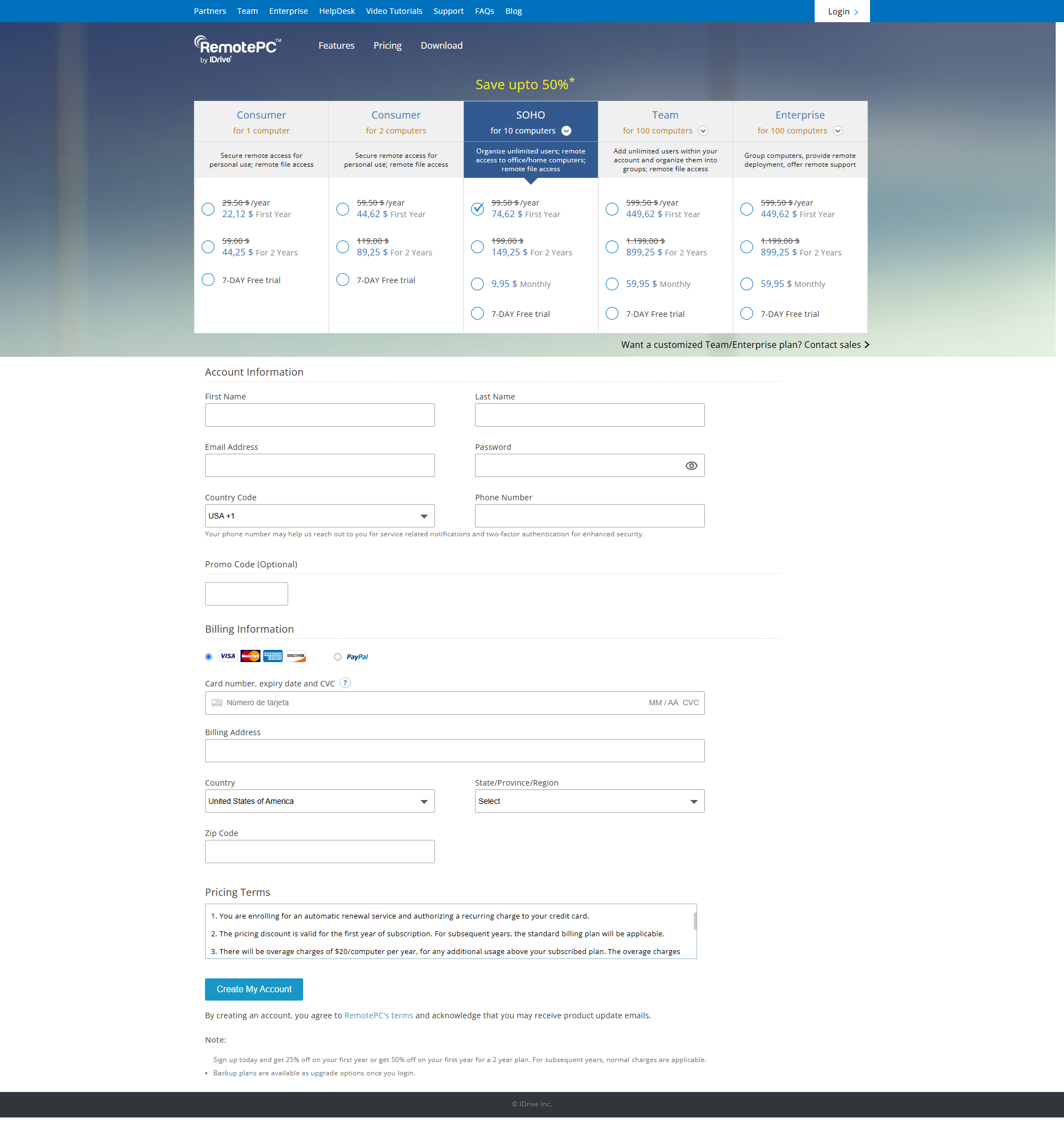
RemotePC screenshot 1
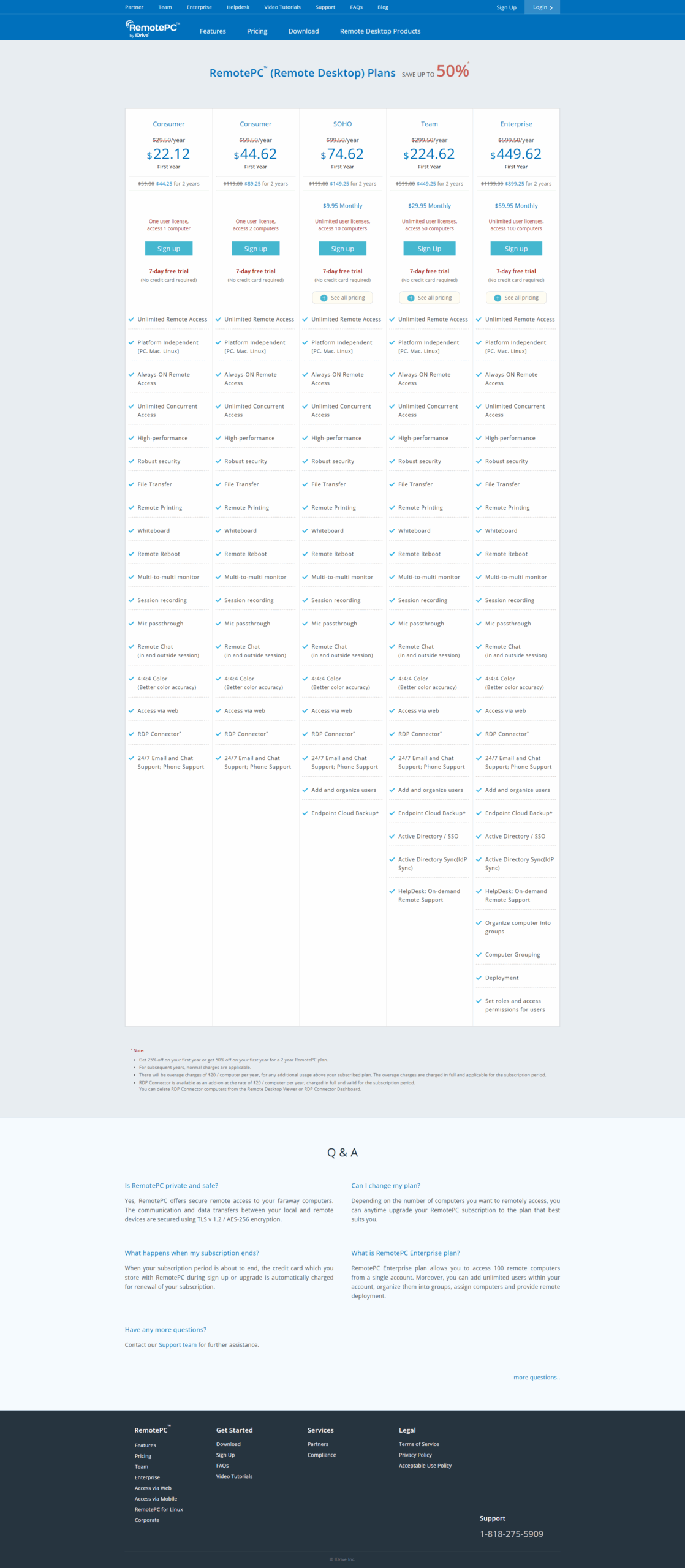
RemotePC screenshot 2