Sign in to review
Join our community of software reviewers on Subscribed.fyi

Continue With Google
Continue With LinkedIn
Continue Review with Email
Continue with Email
Enter your email to continue.
Continue
Enter your password
Enter your password to finish setting up your account.
Continue
Activate your email
Enter activation code we sent to your email.
Submit
Reset your password
Enter activation code we sent to your email.
Submit
Set your new password
Enter a new password for your account.
Submit
Categories
For Business
Log in
Provide My Insights
Add Product
Suggested products People also compare with
Add to Comparison
Suggested products People also compare with

Compare Greenshot and Lightshot

We are comparing Greenshot and Lightshot to evaluate which one is the best product.

Suggested products People also compare with
Review Pricing Alternatives Experience

Review

77%
28/36 Metric achieved
78%
28/36 Metric achieved

Subscribed Metric

Customer Support 4/6
Security 5/6
Ease of Use 6/6
Value of Money 6/6
Integration 3/6
Popularity 4/6

Subscribed Metric

Customer Support 5/6
Security 4/6
Ease of Use 6/6
Value of Money 6/6
Integration 2/6
Popularity 5/6

Pros & Cons

Free and efficient screenshot tool
Customizable hotkeys for quick use
Annotation and editing features
Lightweight and user-friendly
Limited advanced editing features
No video recording support
Periodic donation page at installation
Occasional tool response issues

Pros & Cons

Intuitive and user-friendly interface
Efficient screenshot editing tools
Lightweight and fast to use
Free with versatile sharing options
Limited annotation customization
Occasional slow loading times
No cloud storage feature
Requires internet for some functions

Conclusion

Greenshot is a free, open-source screenshot tool focused on productivity, ideal for project managers, developers, and technical writers. Key features include customizable hotkeys, scrolling capture, text extraction, basic image editing, and quick sharing options. Pros: simple, lightweight, and cost-effective. Cons: lacks advanced video recording or editing compared to tools like Snagit or Camtasia. Customer support is minimal, balancing a seamless experience for basic tasks. Accessible and excellent for budget-conscious users.

Conclusion

Lightshot is a free and user-friendly screenshot tool designed for designers, marketers, and developers. It enables easy area selection, screenshot editing, annotations, and instant sharing via short links. Lightweight and quick, users can upload captures or integrate them with software like Paint or Photoshop. Compared to alternatives like Snagit, Greenshot, and ShareX, Lightshot excels in simplicity but lacks advanced features like video capture or OCR found in pricier options. Customer support is responsive, and its cost-effectiveness makes it ideal for small teams or individuals. However, limited cloud storage and Linux/mobile compatibility may restrict some users.

Pricing

Greenshot Pricing

Pricing Range $1.99/Month

Lightshot Pricing

Pricing Range Not specified

Alternatives

Greenshot Alternatives

Snagit logo

Snagit

80%
Camtasia logo

Camtasia

80%
Lightshot logo

Lightshot

78%
ShareX logo

ShareX

62%
See All Greenshot Alternatives

Lightshot Alternatives

Snagit logo

Snagit

80%
Greenshot logo

Greenshot

77%
ShareX logo

ShareX

62%
See All Lightshot Alternatives

Experience

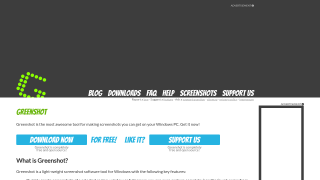
Greenshot Screenshots

Greenshot screenshot 1

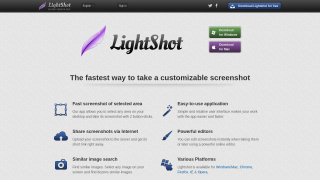
Lightshot Screenshots

Lightshot screenshot 1