Project management tools like , Notion, Basecamp, Lark, Slack, Asana and Trello.
AI chatbot tools like ChatGPT, Grok, Perplexity, Claude, Gemini and Copilot.
Marketing analytics platforms like Google Analytics, Similarweb and Semrush.
CRM systems like HubSpot, Apollo.io Pipedrive, Zoho CRM, and Salesforce.
VPNs, SSO providers, and password managers like NordVPN, Okta, and LastPass.
Email marketing and campaign tools like MailerLite, Instantly, and Mailchimp.
Website builders, hosting tools like Hostinger, Webflow, Framer, and Shopify
HR and recruiting software like ATS platforms, BambooHR, Workday, and Lever.
Automate finances with confidence like Quickbooks, Stripe, Brex, and Mercury.
Design and editing tools like Figma, Canva, Adobe Creative Cloud, CapCut.
Workflow automation tools like Zapier, Make, Clay, and Reclaim.ai.
No-code and AI-native dev tools like Cursor, Windsurf, Lovable and Bubble.

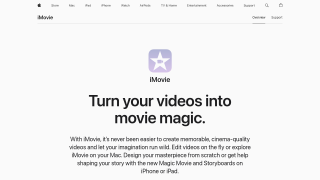
iMovie, a free video editing tool for macOS and iOS, is ideal for beginners, content creators, and educators seeking simplicity. Key features include drag-and-drop editing, customizable templates, 4K support, green-screen effects, and integrated audio tools. While limited in advanced options like color grading or professional-level effects available in Adobe Premiere Pro or DaVinci Resolve, iMovie provides cost-efficiency and smooth performance.
Pros: User-friendly interface, seamless Apple integration, and free availability.
Cons: Lacks collaboration tools, limited effects/transitions, and only supports Mac/iOS users.
Suitable for marketers and educators making quick promos or tutorials, it’s less fitting for professional editors requiring robust features. Support is Apple-standard but lacks detailed user guidance. It offers excellent value for budget-conscious users with basic video editing needs.
DaVinci Resolve is a professional-grade video editing software offering advanced tools for video editing, color grading, VFX, and audio post-production. Ideal for filmmakers, marketers, and creators, its free version outshines competitors like Adobe Premiere Pro and Final Cut Pro by providing extensive features, while the Studio version costs $357 as a one-time fee. Its feature-rich interface includes seamless editing, high-quality color grading, and GPU optimization for smoother workflows. However, beginners may face a steep learning curve, and hardware-intensive tasks could require robust systems. Unlike subscription-based Adobe tools, DaVinci is cost-effective long-term. While support is community-driven for the free version, detailed resources assist users effectively. This tool fits professionals seeking affordable yet powerful solutions without recurring subscription fees.