Sign in to review
Join our community of software reviewers on Subscribed.fyi

Continue With Google
Continue With LinkedIn
Continue Review with Email
Continue with Email
Enter your email to continue.
Continue
Enter your password
Enter your password to finish setting up your account.
Continue
Activate your email
Enter activation code we sent to your email.
Submit
Reset your password
Enter activation code we sent to your email.
Submit
Set your new password
Enter a new password for your account.
Submit
Categories
For Business
Log in
Provide My Insights
Add Product
Suggested products People also compare with
Add to Comparison
Suggested products People also compare with

Compare jAlbum and Adobe Bridge

We are comparing jAlbum and Adobe Bridge to evaluate which one is the best product.

Suggested products People also compare with
Review Pricing Alternatives Experience

Review

80%
28/36 Metric achieved
73%
26/36 Metric achieved

Subscribed Metric

Customer Support 5/6
Security 4/6
Ease of Use 5/6
Value of Money 5/6
Integration 3/6
Popularity 6/6

Subscribed Metric

Customer Support 3/6
Security 4/6
Ease of Use 5/6
Value of Money 4/6
Integration 5/6
Popularity 5/6

Pros & Cons

Easy to use for photo album creation.
Highly customizable skins and features.
Efficient for managing and updating large galleries.
Good value for money with useful functionalities.
Steep learning curve for new features and skins.
Limited customization in some templates.
Customer support can be slow or unhelpful at times.
Some find pricing models restrictive or costly.

Pros & Cons

Seamless integration with Adobe products.
Efficient file organization and retrieval.
Batch processing and image preview features.
Easy metadata management and tagging.
Can be slow with large batches of files.
Steep learning curve for beginners.
Higher cost when bundled with Adobe Suite.
Overloaded interface with unnecessary options.

Conclusion

jAlbum is a cross-platform photo management tool tailored for photographers, designers, and businesses seeking customizable, professional photo galleries. It offers control over hosting, versatile skins, and features like slideshow, metadata tagging, and responsive design. Pros include ease of use, customization, strong offline capabilities, and competitive pricing. However, its steep learning curve and limited advanced editing may deter some. Compared to alternatives like Lightroom, jAlbum excels in independence but lacks inbuilt editing tools. Its customer support is highly rated, with free support in the first year adding to its cost-effectiveness.

Conclusion

Adobe Bridge is a versatile digital asset management tool ideal for photographers, designers, and marketers. It allows batch processing, metadata editing, and seamless integration with Adobe Creative Cloud. Users appreciate its powerful file organization, image previews, and camera raw editing. However, it can feel overwhelming for beginners and slow with large files. Compared to tools like ACDSee or Capture One, Bridge lacks advanced editing features but excels in cost-effectiveness for Creative Cloud users. Customer support is reliable, but pricing may deter small businesses. Best suited for Adobe ecosystem users.

Pricing

jAlbum Pricing

Pricing Range $20.59/Month See jAlbum Pricing

Adobe Bridge Pricing

Pricing Range Not specified See Adobe Bridge Pricing

Alternatives

jAlbum Alternatives

Adobe Photoshop logo

Adobe Photoshop

80%
Adobe Bridge logo

Adobe Bridge

73%
See All jAlbum Alternatives

Adobe Bridge Alternatives

Photo Mechanic logo

Photo Mechanic

69%
See All Adobe Bridge Alternatives

Experience

jAlbum Screenshots

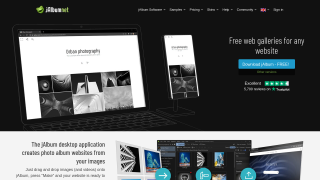
jAlbum screenshot 1
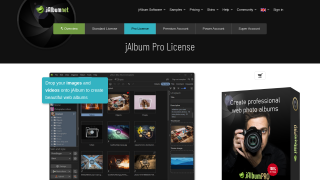
jAlbum screenshot 2

Adobe Bridge Screenshots

Adobe Bridge screenshot 1
Adobe Bridge screenshot 2