Project management tools like , Notion, Basecamp, Lark, Slack, Asana and Trello.
AI chatbot tools like ChatGPT, Grok, Perplexity, Claude, Gemini and Copilot.
Marketing analytics platforms like Google Analytics, Similarweb and Semrush.
CRM systems like HubSpot, Apollo.io Pipedrive, Zoho CRM, and Salesforce.
VPNs, SSO providers, and password managers like NordVPN, Okta, and LastPass.
Email marketing and campaign tools like MailerLite, Instantly, and Mailchimp.
Website builders, hosting tools like Hostinger, Webflow, Framer, and Shopify
HR and recruiting software like ATS platforms, BambooHR, Workday, and Lever.
Automate finances with confidence like Quickbooks, Stripe, Brex, and Mercury.
Design and editing tools like Figma, Canva, Adobe Creative Cloud, CapCut.
Workflow automation tools like Zapier, Make, Clay, and Reclaim.ai.
No-code and AI-native dev tools like Cursor, Windsurf, Lovable and Bubble.

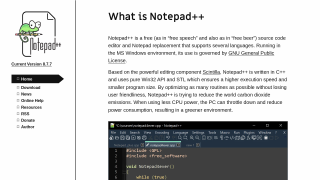
Notepad++ Product Overview
Notepad++ is a free, open-source text and code editor built for developers and IT professionals. Key features include syntax highlighting for numerous languages, code folding, autocomplete, multi-tab functionality, and plugin support to enhance productivity. Lightweight yet powerful, it is resource-efficient and versatile.
Comparison with Alternatives:
Compared to VS Code or Sublime Text, Notepad++ is simpler but lacks advanced collaboration features or visual debugging. Best for beginners or lightweight tasks.
Pros for Developers: Free, fast, customizable, and easy-to-use. Cons for Designers/Marketers: Limited beyond coding tasks.
Customer support is community-driven, and it’s highly cost-effective. Ideal for small budgets or personal use!
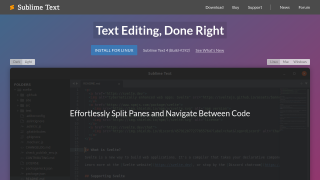
Sublime Text is a lightweight, high-performance text editor designed for developers, offering syntax highlighting, multi-cursor editing, and cross-platform support. It excels with a sleek UI, extensibility via plugins, and fast operation even for large files. However, it lacks built-in debugging and collaboration features, compared to tools like Visual Studio Code (free, advanced integrations) or Notepad++ (cost-effective alternative). Ideal for developers prioritizing speed and customization. Pricing is above average but reasonable for its performance. Customer support is effective but less frequent on updates. Cost-effective for professionals seeking simplicity minus the feature-rich complexity of IDEs.