Project management tools like , Notion, Basecamp, Lark, Slack, Asana and Trello.
AI chatbot tools like ChatGPT, Grok, Perplexity, Claude, Gemini and Copilot.
Marketing analytics platforms like Google Analytics, Similarweb and Semrush.
CRM systems like HubSpot, Apollo.io Pipedrive, Zoho CRM, and Salesforce.
VPNs, SSO providers, and password managers like NordVPN, Okta, and LastPass.
Email marketing and campaign tools like MailerLite, Instantly, and Mailchimp.
Website builders, hosting tools like Hostinger, Webflow, Framer, and Shopify
HR and recruiting software like ATS platforms, BambooHR, Workday, and Lever.
Automate finances with confidence like Quickbooks, Stripe, Brex, and Mercury.
Design and editing tools like Figma, Canva, Adobe Creative Cloud, CapCut.
Workflow automation tools like Zapier, Make, Clay, and Reclaim.ai.
No-code and AI-native dev tools like Cursor, Windsurf, Lovable and Bubble.

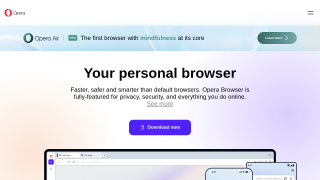
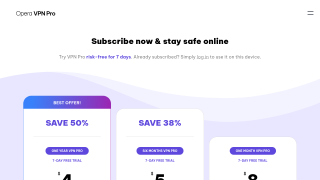
Opera is a lightweight, resource-efficient web browser offering built-in features like ad blocking, free VPN, and workspaces, making it ideal for minimalist users such as marketers and developers. Key pros include speed, a customizable UI, and integrated privacy tools. However, it lacks extensive extensions like Chrome or Firefox, and customer support can be less responsive. Opera is highly cost-effective, with most features free. Designers may favor its unique interface, while developers might find limited third-party tools a drawback.
Google Chrome is a free, fast, and widely-used web browser with features like tabbed browsing, auto-complete forms, built-in spell checker, and seamless synchronization across devices. Ideal for designers, marketers, and developers, it offers robust developer tools and an extensive extension library. However, its high RAM usage and privacy concerns may be a drawback. Compared to Firefox (battery efficiency) and Brave (privacy-focused), Chrome excels in versatility and ecosystem integration. Customer support is reliable, and its cost-free model makes it highly cost-effective.