Sign in to review
Join our community of software reviewers on Subscribed.fyi

Continue With Google
Continue With LinkedIn
Continue Review with Email
Continue with Email
Enter your email to continue.
Continue
Enter your password
Enter your password to finish setting up your account.
Continue
Activate your email
Enter activation code we sent to your email.
Submit
Reset your password
Enter activation code we sent to your email.
Submit
Set your new password
Enter a new password for your account.
Submit
Categories
For Business
Log in
Provide My Insights
Add Product
Suggested products People also compare with
Add to Comparison
Suggested products People also compare with

Compare PagerDuty and Dynatrace

We are comparing PagerDuty and Dynatrace to evaluate which one is the best product.

Suggested products People also compare with
Review Pricing Alternatives Experience

Review

85%
30/36 Metric achieved
85%
30/36 Metric achieved

Subscribed Metric

Customer Support 4/6
Security 4/6
Ease of Use 5/6
Value of Money 5/6
Integration 6/6
Popularity 6/6

Subscribed Metric

Customer Support 4/6
Security 5/6
Ease of Use 5/6
Value of Money 5/6
Integration 5/6
Popularity 6/6

Pros & Cons

Highly reliable for alerts and notifications.
Effective integration with various tools.
User-friendly mobile app functionality.
Configurable notification and escalation options.
Complexity in schedule setup for large teams.
Delayed alerts after acknowledging incidents.
Higher pricing compared to competitors.
UI and documentation improvements needed.

Pros & Cons

Comprehensive app performance monitoring
Exceptional AI-driven root cause analysis
Intuitive dashboards and visualizations
Scalability for large infrastructures
Steep learning curve for new users
High cost compared to alternatives
Occasional support response delays
Complexity in customizing metrics

Conclusion

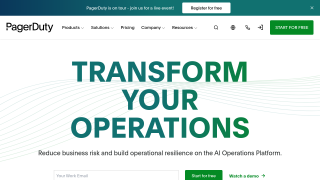
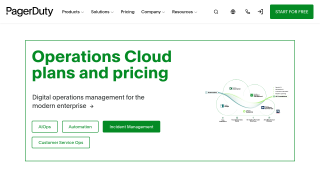
PagerDuty is a digital operations management tool designed for developers, IT teams, and support teams to handle incidents efficiently. Key features include real-time alerts, automated workflows, root-cause identification, and seamless integration with 700+ tools like Slack and Jira. With a user-friendly interface, it ensures minimized downtime and faster issue resolution. Pricing starts at $10/user per month, scaling up to $99 for enterprise plans.

Compared to alternatives like Opsgenie and xMatters, PagerDuty excels in integrations and ease of use but may seem costly for smaller teams. While perfect for IT teams, it may offer fewer direct benefits for marketers or designers. Customer support is reliable, and its robust features render it cost-effective for critical incident management. However, usability issues in UI and limited options for specific workflows can be drawbacks for some.

Conclusion

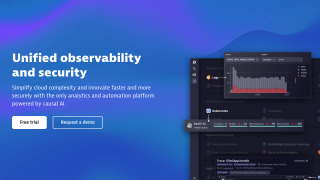
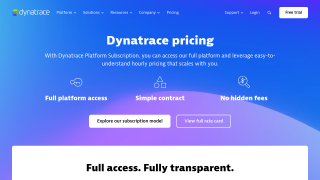
Dynatrace is a robust Application Performance Monitoring (APM) tool offering real-time, full-stack observability with AI-driven root cause analysis and automated problem resolution, ideal for developers and IT teams managing complex multi-cloud environments. Its intuitive dashboards deliver actionable insights, enhancing app performance and user experience. Pricing starts at $11/month for digital experience monitoring. Compared to Datadog/AWS tools, while pricier, it excels in automation and AI capabilities. Customer support is responsive, but onboarding has a learning curve. Cost-efficient for enterprises prioritizing scalability and automation.

Pricing

PagerDuty Pricing

Pricing Range Not specified. See PagerDuty Pricing

Dynatrace Pricing

Pricing Range Not specified. See Dynatrace Pricing

Alternatives

PagerDuty Alternatives

Freshservice logo

Freshservice

88%
Dynatrace logo

Dynatrace

85%
Solarwinds Service Desk logo

Solarwinds Service Desk

80%
xMatters logo

xMatters

80%
See All PagerDuty Alternatives

Dynatrace Alternatives

LogicMonitor logo

LogicMonitor

88%
Datadog logo

Datadog

88%
New Relic logo

New Relic

80%
See All Dynatrace Alternatives

Experience

PagerDuty Screenshots

PagerDuty screenshot 1
PagerDuty screenshot 2

Dynatrace Screenshots

Dynatrace screenshot 1
Dynatrace screenshot 2