Sign in to review
Join our community of software reviewers on Subscribed.fyi

Continue With Google
Continue With LinkedIn
Continue Review with Email
Continue with Email
Enter your email to continue.
Continue
Enter your password
Enter your password to finish setting up your account.
Continue
Activate your email
Enter activation code we sent to your email.
Submit
Reset your password
Enter activation code we sent to your email.
Submit
Set your new password
Enter a new password for your account.
Submit
Categories
For Business
Log in
Provide My Insights
Add Product
Suggested products People also compare with
Add to Comparison
Suggested products People also compare with

Compare PhotoWorks and Photoshop Elements

We are comparing PhotoWorks and Photoshop Elements to evaluate which one is the best product.

Suggested products People also compare with
Review Pricing Alternatives Experience

Review

73%
25/36 Metric achieved
75%
26/36 Metric achieved

Subscribed Metric

Customer Support 4/6
Security 3/6
Ease of Use 5/6
Value of Money 5/6
Integration 2/6
Popularity 6/6

Subscribed Metric

Customer Support 4/6
Security 4/6
Ease of Use 5/6
Value of Money 4/6
Integration 3/6
Popularity 6/6

Pros & Cons

User-friendly interface praised by many users
Efficient AI-powered editing features
Great value for money
Helpful video tutorials and support
Performance lag for some tools
Limited advanced features like layer editing
Object removal tool can be slow
Some users report poor customer support

Pros & Cons

Intuitive and beginner-friendly interface.
Variety of tools for professional-quality edits.
One-time purchase without subscription.
Offers guided edits and creative features.
Limited advanced features compared to full Photoshop.
Performance lags with large files or edits.
Higher cost than similar alternatives.
Steep learning curve for some users.

Conclusion

PhotoWorks is an AI-powered photo editing software designed for photographers, designers, and hobbyists seeking intuitive tools for image enhancement. Key features include AI-driven retouching, background replacement, and selective color grading. With over 150 effects, it balances ease of use and functionality, offering professional-grade tools without complexity. While priced slightly above average, its one-time payment structure is cost-effective compared to Adobe Photoshop’s subscription, though it lacks layered editing or advanced plugin integrations. Pros include simplicity and quick edits, but performance lags may arise during large-scale tasks. Customer support is highly rated, though some users note occasional unresponsiveness. Ideal for beginners and small businesses valuing simplicity over exhaustive editing capabilities.

Conclusion

Photoshop Elements is an easy-to-use photo editing software catering to hobbyists, marketers, and amateur designers. It supports guided edits, organizational tools, and AI-powered features like sky replacements and facial cleanup. With a one-time purchase model, it’s cost-effective but priced slightly higher than average competitors. Compared to GIMP (free, complex UI) and Canva (simpler, limited editing), it offers better advanced tools but lacks professional-grade features like CMYK support. Ideal for non-professionals, it’s user-friendly with accessible customer support, though limited for heavy designers. Pricing varies by tier.

Pricing

PhotoWorks Pricing

Pricing Range Not specified

Photoshop Elements Pricing

Pricing Range Not specified See Photoshop Elements Pricing

Alternatives

PhotoWorks Alternatives

Adobe Photoshop logo

Adobe Photoshop

80%
Photoshop Elements logo

Photoshop Elements

75%
GIMP logo

GIMP

68%
Luminar Neo logo

Luminar Neo

65%
See All PhotoWorks Alternatives

Photoshop Elements Alternatives

Affinity Photo logo

Affinity Photo

70%
Pixlr logo

Pixlr

68%
GIMP logo

GIMP

68%
Adobe Illustrator logo

Adobe Illustrator

68%
See All Photoshop Elements Alternatives

Experience

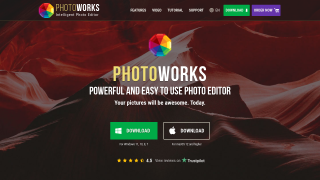
PhotoWorks Screenshots

PhotoWorks screenshot 1

Photoshop Elements Screenshots

Photoshop Elements screenshot 1
Photoshop Elements screenshot 2