Sign in to review
Join our community of software reviewers on Subscribed.fyi

Continue With Google
Continue With LinkedIn
Continue Review with Email
Continue with Email
Enter your email to continue.
Continue
Enter your password
Enter your password to finish setting up your account.
Continue
Activate your email
Enter activation code we sent to your email.
Submit
Reset your password
Enter activation code we sent to your email.
Submit
Set your new password
Enter a new password for your account.
Submit
Categories
For Business
Log in
Provide My Insights
Add Product
Suggested products People also compare with
Add to Comparison
Suggested products People also compare with

Compare Prewrite and Scrivener

We are comparing Prewrite and Scrivener to evaluate which one is the best product.

Suggested products People also compare with
Review Pricing Alternatives Experience

Review

55%
20/36 Metric achieved
61%
21/36 Metric achieved

Subscribed Metric

Customer Support 5/6
Security 0/6
Ease of Use 6/6
Value of Money 4/6
Integration 2/6
Popularity 3/6

Subscribed Metric

Customer Support 4/6
Security 0/6
Ease of Use 4/6
Value of Money 5/6
Integration 3/6
Popularity 5/6

Pros & Cons

Visual interface simplifies outlining
Templates and story examples are helpful
Customer service is highly praised
Feature-rich for character and scene development
Pricing is considered high by many
No offline mode available
Limited mobile app functionality
Issues with saving and editing at times

Pros & Cons

Highly versatile and feature-rich for writers.
Effective for organizing notes and scenes.
Allows easy rearrangement of text and documents.
One-time fee offers great value for money.
Steep learning curve to master features.
Formatting issues with exports reported.
Lacks comprehensive built-in grammar checking.
Windows version offers fewer features than macOS.

Conclusion

Prewrite is a browser-based screenwriting tool designed for writers, filmmakers, and creatives. It offers visual story planning with timelines, cards, emotional tracking, and character development. Key features include seamless integration with Final Draft and PDF export, a library of templates, and collaborative tools. Compared to Celtx or Final Draft, Prewrite excels in outlining and visuals but lacks offline functionality. Pricing spans free and paid tiers, making it cost-effective for freelancers but pricey for larger teams. Customer support is responsive, with customization options. Professionals seeking detailed outlining may prefer Prewrite over traditional single-tasking tools.

Conclusion

Scrivener is a comprehensive writing tool tailored for authors, researchers, and content creators. It excels in organizing, outlining, and writing long projects with features like split-screen views, drag-and-drop section rearrangement, and project templates. Compared to alternatives like Final Draft or WriterDuet, Scrivener is praised for its versatility and affordability (one-time fee starting at $51.95). However, its learning curve and lack of real-time collaboration can deter beginners. Ideal for writers prioritizing structure and deep organization, it offers solid value for money with responsive customer support.

Pricing

Prewrite Pricing

Pricing Range Not specified See Prewrite Pricing

Scrivener Pricing

Pricing Range Not specified

Alternatives

Prewrite Alternatives

Celtx logo

Celtx

78%
Scrivener logo

Scrivener

61%
Final Draft logo

Final Draft

60%
See All Prewrite Alternatives

Scrivener Alternatives

Microsoft Word logo

Microsoft Word

83%
Microsoft OneNote logo

Microsoft OneNote

78%
Final Draft logo

Final Draft

60%
See All Scrivener Alternatives

Experience

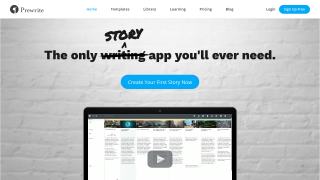
Prewrite Screenshots

Prewrite screenshot 1
Prewrite screenshot 2

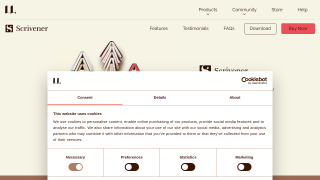
Scrivener Screenshots

Scrivener screenshot 1