Sign in to review
Join our community of software reviewers on Subscribed.fyi

Continue With Google
Continue With LinkedIn
Continue Review with Email
Continue with Email
Enter your email to continue.
Continue
Enter your password
Enter your password to finish setting up your account.
Continue
Activate your email
Enter activation code we sent to your email.
Submit
Reset your password
Enter activation code we sent to your email.
Submit
Set your new password
Enter a new password for your account.
Submit
Categories
For Business
Log in
Provide My Insights
Add Product
Suggested products People also compare with
Add to Comparison
Suggested products People also compare with

Compare Ramp and Brex

We are comparing Ramp and Brex to evaluate which one is the best product.

Suggested products People also compare with
Review Pricing Alternatives Experience

Review

86%
31/36 Metric achieved
88%
31/36 Metric achieved

Subscribed Metric

Customer Support 5/6
Security 5/6
Ease of Use 6/6
Value of Money 6/6
Integration 4/6
Popularity 5/6

Subscribed Metric

Customer Support 4/6
Security 5/6
Ease of Use 6/6
Value of Money 5/6
Integration 5/6
Popularity 6/6

Pros & Cons

Ease of use and intuitive interface
Receipts upload and matching automation
Real-time expense tracking and insights
Multiple card management options
Limited functionality for smaller businesses
Issues with credit limits and account freezing
Occasional delays in response times
Setup and configuration can be complex

Pros & Cons

Easy setup for accounts and cards
Seamless expense tracking and management
High credit limits for emerging businesses
User-friendly dashboard and interface
Inconsistent customer support experiences
Issues with foreign currency receipt matching
Some features still under development
Receipt upload can be tedious for high volumes

Conclusion

Ramp simplistically streamlines corporate expense management with automated receipt tracking, virtual and physical card issuance, expense categorization, real-time reporting, and robust spend controls, all while offering 1.5% cashback. Designers, developers, and accountants benefit from its ease of use and suitability for both small teams and large enterprises. Ramp is free, making it highly cost-effective compared to alternatives like Expensify or SAP Concur, which may be costlier or less intuitive.

While Ramp excels in user-friendliness, its limitations include occasional issues with credit limits and fewer AR functionalities compared to QuickBooks or Xero. Customer support is responsive, with an average 4.7/5 rating, ensuring issue resolution. For businesses prioritizing affordability, automation, and basic spend tracking functions, Ramp is an excellent choice.

Conclusion

Brex is a unified spend management platform offering corporate cards, expense tracking, bill pay, travel bookings, and global accounts—all in one system. Tailored for startups and scaling businesses, it enables real-time tracking, compliance automation, and streamlined workflows across 100+ countries. Plans include a free Essentials option and custom-priced Premium and Enterprise tiers, making it flexible and scalable. Compared to alternatives like Ramp or Expensify, Brex excels in international support and robust integrations, but may lack entry-level
features for small businesses due to higher eligibility requirements. Its reliable customer support and cost-effective tools make it ideal for tech startups, marketers, and global teams prioritizing efficiency.

Pricing

Ramp Pricing

Pricing Range $0-$15/Month See Ramp Pricing

Brex Pricing

Pricing Range $0-12/Month See Brex Pricing

Alternatives

Ramp Alternatives

Airbase logo

Airbase

95%
BILL Spend & Expense (Formerly Divvy) logo

BILL Spend & Expense (Formerly Divvy)

90%
Brex logo

Brex

88%
SAP Concur logo

SAP Concur

82%
See All Ramp Alternatives

Brex Alternatives

Airbase logo

Airbase

95%
BILL Spend & Expense (Formerly Divvy) logo

BILL Spend & Expense (Formerly Divvy)

90%
Ramp logo

Ramp

86%
Expensify logo

Expensify

80%
See All Brex Alternatives

Experience

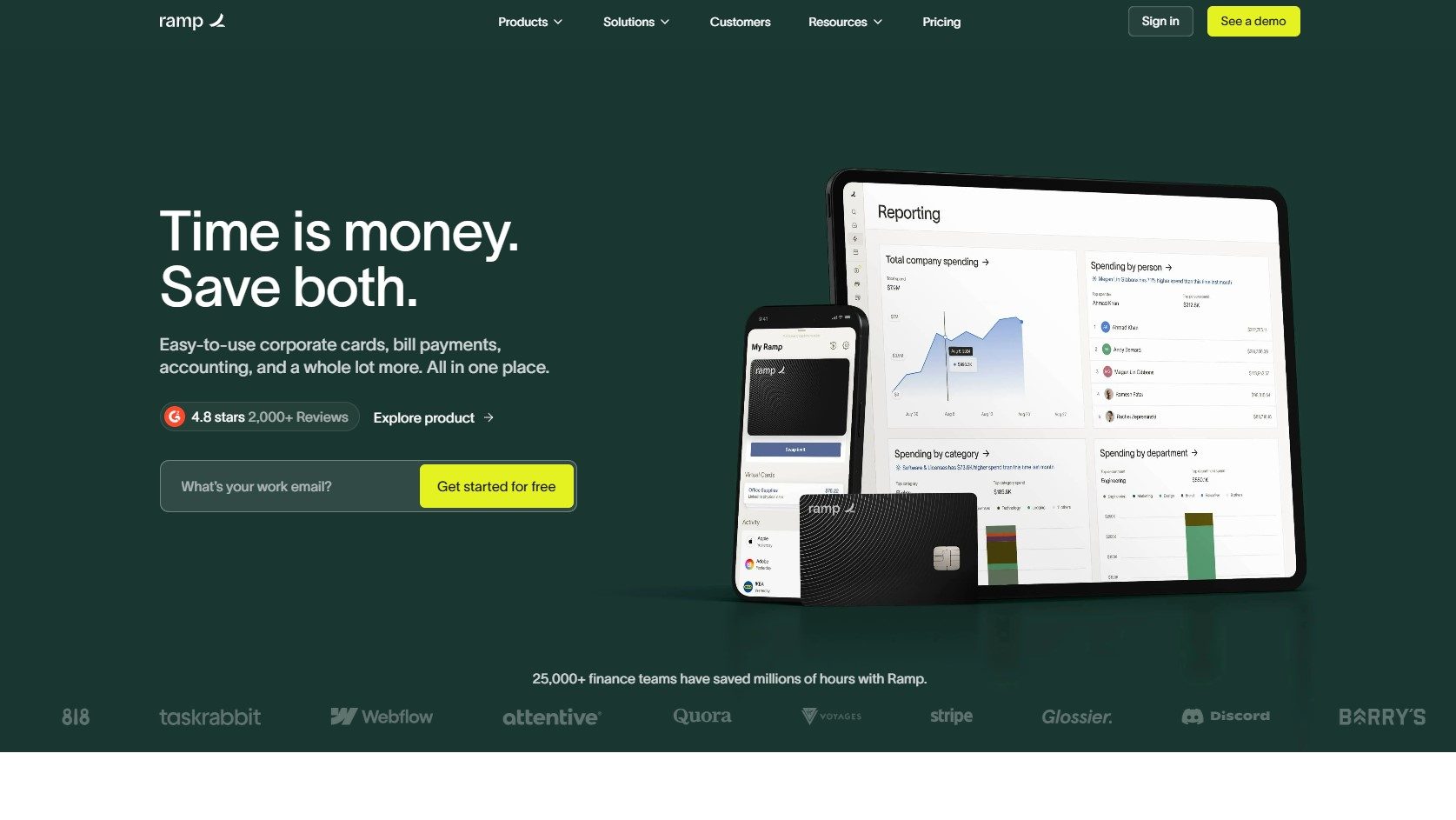
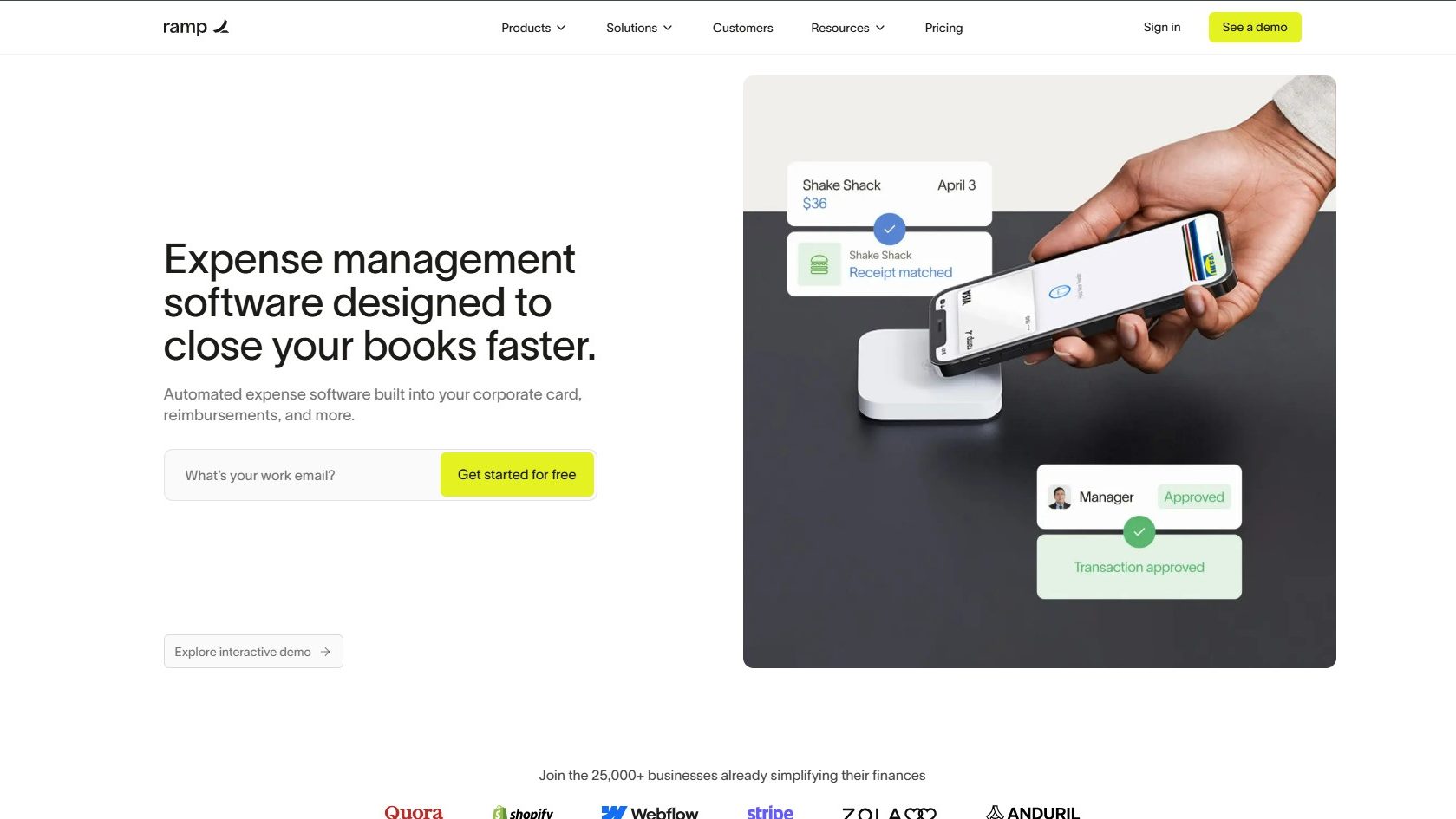
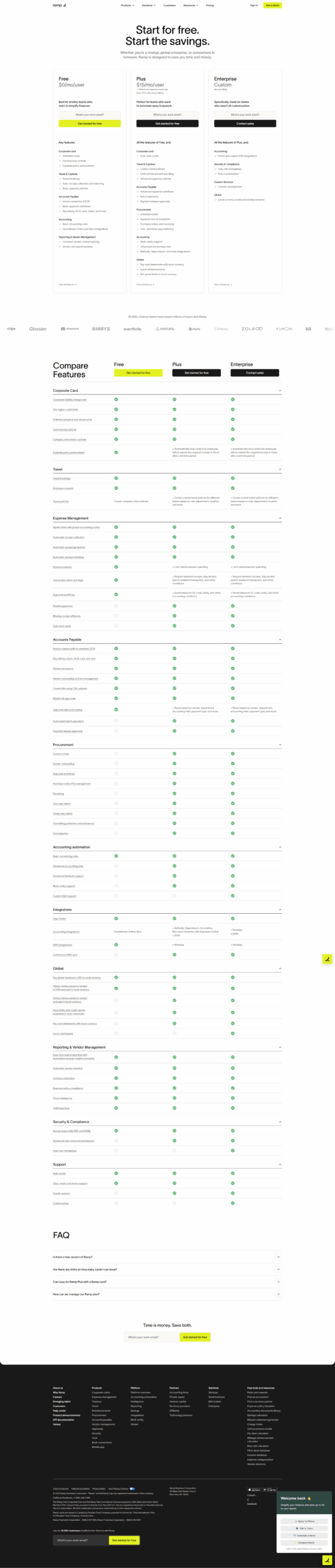
Ramp Screenshots

Ramp screenshot 1
Ramp screenshot 2
Ramp screenshot 3

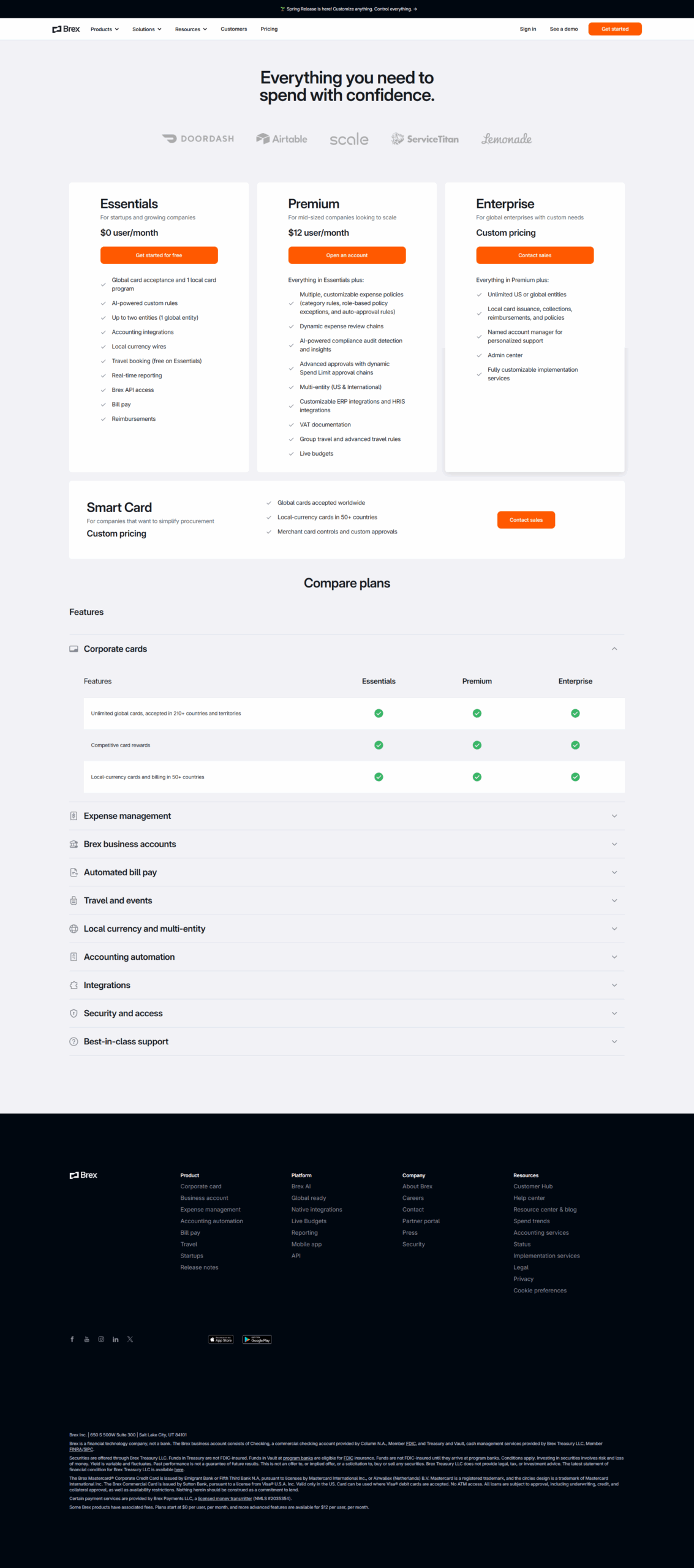
Brex Screenshots

Brex screenshot 1
Brex screenshot 2
Brex screenshot 3
Brex screenshot 4
Brex screenshot 5