Sign in to review
Join our community of software reviewers on Subscribed.fyi

Continue With Google
Continue With LinkedIn
Continue Review with Email
Continue with Email
Enter your email to continue.
Continue
Enter your password
Enter your password to finish setting up your account.
Continue
Activate your email
Enter activation code we sent to your email.
Submit
Reset your password
Enter activation code we sent to your email.
Submit
Set your new password
Enter a new password for your account.
Submit
Categories
For Business
Log in
Provide My Insights
Add Product
Suggested products People also compare with
Add to Comparison
Suggested products People also compare with

Compare Shapr3D and Onshape

We are comparing Shapr3D and Onshape to evaluate which one is the best product.

Suggested products People also compare with
Review Pricing Alternatives Experience

Review

80%
28/36 Metric achieved
85%
30/36 Metric achieved

Subscribed Metric

Customer Support 4/6
Security 4/6
Ease of Use 6/6
Value of Money 5/6
Integration 3/6
Popularity 6/6

Subscribed Metric

Customer Support 6/6
Security 4/6
Ease of Use 5/6
Value of Money 5/6
Integration 4/6
Popularity 6/6

Pros & Cons

Easy to use and intuitive interface
Supports Apple Pencil for precise design
Great for 3D modeling on-the-go
Regular updates with new features
High pricing for casual users
Limited to certain advanced CAD features
Requires Apple Pencil for full functionality
Occasional bugs requiring app restarts

Pros & Cons

Cloud-based accessibility across devices
Real-time collaboration and sharing
Responsive customer support
Regular updates with new features
Steep learning curve for beginners
Performance issues with large assemblies
Limited offline functionality
Some advanced features need improvement

Conclusion

Shapr3D is a cross-platform CAD tool built for designers and engineers, excelling in intuitive 3D modeling on iPad, Mac, and Windows with Apple Pencil optimization. Key features include seamless data exchange, parametric modeling, and real-time Vision Pro integration. Compared to alternatives like Fusion 360 and SketchUp, Shapr3D stands out for accessibility, ease of use, and mobile capabilities but lacks advanced simulation features. Free and Pro plans start at $299/year. Pros include swift learning, usability on the go, and responsive support, while cons include limited functionalities for power users. It remains cost-effective for SMEs and educators. Customer service is highly rated.

Conclusion

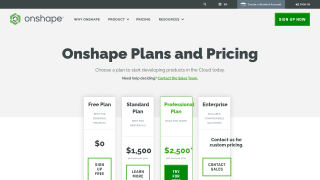
Onshape is a leading cloud-native CAD/PDM tool ideal for engineers and designers. It enables real-time collaboration, version control, and secure data access from any device. Unlike traditional tools (e.g., SolidWorks), Onshape requires no installation or hardware upgrades, streamlining workflows. Pricing starts at $1,500/year for individuals, with higher plans for teams and enterprises. While lacking some feature robustness of rivals like Fusion 360, it excels in collaborative flexibility and scalability. Customer support is highly responsive, enhancing its value for startups and small businesses.

Pricing

Shapr3D Pricing

Pricing Range $24.92/Month See Shapr3D Pricing

Onshape Pricing

Pricing Range $125-208.3/Month See Onshape Pricing

Alternatives

Shapr3D Alternatives

Onshape logo

Onshape

85%
SketchUp logo

SketchUp

70%
AutoCAD logo

AutoCAD

68%
See All Shapr3D Alternatives

Onshape Alternatives

Solid Edge logo

Solid Edge

71%
SketchUp logo

SketchUp

70%
See All Onshape Alternatives

Experience

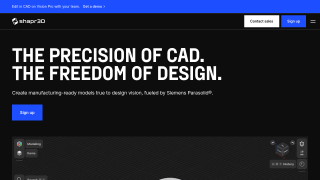
Shapr3D Screenshots

Shapr3D screenshot 1
Shapr3D screenshot 2

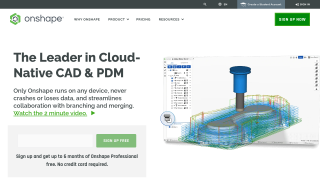
Onshape Screenshots

Onshape screenshot 1
Onshape screenshot 2