Sign in to review
Join our community of software reviewers on Subscribed.fyi

Continue With Google
Continue With LinkedIn
Continue Review with Email
Continue with Email
Enter your email to continue.
Continue
Enter your password
Enter your password to finish setting up your account.
Continue
Activate your email
Enter activation code we sent to your email.
Submit
Reset your password
Enter activation code we sent to your email.
Submit
Set your new password
Enter a new password for your account.
Submit
Categories
For Business
Log in
Provide My Insights
Add Product
Suggested products People also compare with
Add to Comparison
Suggested products People also compare with

Compare Tinkercad and AutoCAD

We are comparing Tinkercad and AutoCAD to evaluate which one is the best product.

Suggested products People also compare with
Review Pricing Alternatives Experience

Review

78%
27/36 Metric achieved
68%
23/36 Metric achieved

Subscribed Metric

Customer Support 5/6
Security 0/6
Ease of Use 6/6
Value of Money 6/6
Integration 4/6
Popularity 6/6

Subscribed Metric

Customer Support 4/6
Security 0/6
Ease of Use 5/6
Value of Money 4/6
Integration 4/6
Popularity 6/6

Pros & Cons

Easy to learn and use for beginners
Free and accessible with tutorials
Good for basic 3D modeling and circuits
Web-based, works on any device
Limited advanced features for complex designs
Requires stable internet connection
Size limits on imported files
Inconvenient project renaming and alignment tools

Pros & Cons

Highly precise and versatile for 2D and 3D designs.
Efficient tools streamline complex workflows.
Extensive customization options enhance productivity.
Widely compatible with other software and formats.
Steep learning curve for new users.
High cost limits accessibility for individuals.
Resource-intensive, requiring high-performance systems.
Collaboration features could be improved.

Conclusion

Tinkercad is a beginner-friendly, browser-based 3D CAD tool that allows users, such as educators, hobbyists, and students, to design 3D models, circuits, and Arduino simulations. It features an intuitive interface, preloaded shapes, and simple tools, suitable for quick prototyping or novice learning. Free of cost, Tinkercad is cost-effective but may lack advanced features like intricate modeling or 2D sketch-to-3D options found in tools like Blender or Fusion 360. While robust for beginners, professionals may find it limiting. Its strong customer support and online accessibility make it ideal for educational settings but reliant on stable internet.

Conclusion

AutoCAD by Autodesk is a leading CAD software tailored for professionals in architecture, engineering, and design. It offers advanced 2D and 3D drafting, precision modeling, and industry-specific toolsets for mechanical design, architecture, and more. Key features include rendering, dynamic updating, and file compatibility with the trusted DWG format. Monthly plans start at $185, or annual plans at $1470. Compared to SketchUp and MicroStation, AutoCAD excels in precision and robust features but has a steep learning curve and higher cost. Customer support is reliable with 1-on-1 online assistance. Though costly, it’s cost-effective for large-scale projects, prioritizing performance and flexibility.

Pricing

Tinkercad Pricing

Pricing Range Not specified

AutoCAD Pricing

Pricing Range Not specified

Alternatives

Tinkercad Alternatives

Onshape logo

Onshape

85%
SketchUp logo

SketchUp

70%
AutoCAD logo

AutoCAD

68%
See All Tinkercad Alternatives

AutoCAD Alternatives

ArchiCAD logo

ArchiCAD

80%
MicroStation logo

MicroStation

75%
SketchUp logo

SketchUp

70%
See All AutoCAD Alternatives

Experience

Tinkercad Screenshots

Tinkercad screenshot 1

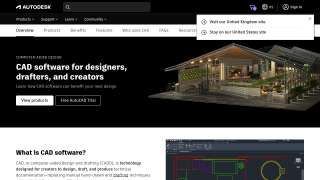
AutoCAD Screenshots

AutoCAD screenshot 1