Sign in to review
Join our community of software reviewers on Subscribed.fyi

Continue With Google
Continue With LinkedIn
Continue Review with Email
Continue with Email
Enter your email to continue.
Continue
Enter your password
Enter your password to finish setting up your account.
Continue
Activate your email
Enter activation code we sent to your email.
Submit
Reset your password
Enter activation code we sent to your email.
Submit
Set your new password
Enter a new password for your account.
Submit
Categories
For Business
Log in
Provide My Insights
Add Product
Suggested products People also compare with
Add to Comparison
Suggested products People also compare with

Compare Visio and SmartDraw

We are comparing Visio and SmartDraw to evaluate which one is the best product.

Suggested products People also compare with
Review Pricing Alternatives Experience

Review

80%
28/36 Metric achieved
80%
28/36 Metric achieved

Subscribed Metric

Customer Support 4/6
Security 4/6
Ease of Use 5/6
Value of Money 4/6
Integration 5/6
Popularity 6/6

Subscribed Metric

Customer Support 4/6
Security 4/6
Ease of Use 5/6
Value of Money 4/6
Integration 5/6
Popularity 6/6

Pros & Cons

Easy-to-use with drag-and-drop features.
Extensive templates and customization options.
Seamless integration with Microsoft tools.
Great for professional-quality diagrams.
Steep learning curve for beginners.
Higher cost compared to alternatives.
Limited features in web and mobile versions.
Struggles with compatibility on some devices.

Pros & Cons

Ease of use with intuitive UI and templates
Extensive symbol libraries and diagram types
Versatile integration with popular tools
Good customer support and functionality
Occasional bugs and crashes reported
Steep learning curve for some users
Expensive pricing for smaller businesses
Limited advanced customization options

Conclusion

Microsoft Visio is a robust diagramming tool tailored for professionals such as designers, developers, and process managers. Key features include an extensive library of templates and shapes, integration with Microsoft 365 for real-time collaboration, and advanced capabilities like data connectivity and database modeling. Visio is available in free, Plan 1 ($15/month), and Plan 2 ($20/month) tiers. Compared to competitors like Lucidchart or Miro, Visio excels in enterprise integration and advanced technical diagrams but has a steeper learning curve. While its pricing may deter casual users, it’s cost-effective for detailed workflows and IT mapping. Customer support is well-regarded for issue resolution.

Conclusion

SmartDraw Overview
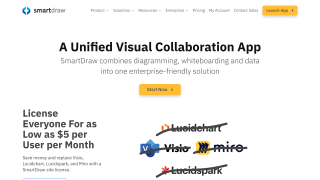
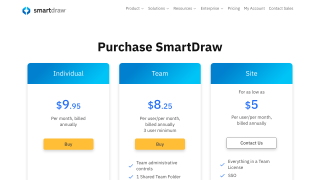
SmartDraw is an all-in-one diagramming, whiteboarding, and data visualization software tailored for professionals like designers, marketers, and developers. Its standout features include over 70 diagram templates, collaborative features, seamless integration with platforms like Microsoft Office, and advanced tools like Visio file compatibility and AWS/Azure data import. Pricing starts at $5/user/month (Enterprise).

Comparison with Alternatives
SmartDraw is more cost-effective than Visio and Lucidchart, offering unified features in one app, but lacks real-time multi-user collaboration seen in Lucidchart. Its robust templates and ease of use benefit marketers creating flowcharts and developers designing wireframes but might not appeal to those seeking advanced customization.

Support and Cost-Effectiveness
Renowned for responsive customer support, SmartDraw offers competitive value for enterprise features but could be pricey for smaller teams. Overall, it suits organizations seeking multi-purpose diagramming tools with minimal learning curves.

Pricing

Visio Pricing

Pricing Range $0-$4.9k/Month; $5-$15/Month See Visio Pricing

SmartDraw Pricing

Pricing Range $1-$9.95/Month See SmartDraw Pricing

Alternatives

Visio Alternatives

Miro logo

Miro

93%
Mural logo

Mural

80%
SmartDraw logo

SmartDraw

80%
See All Visio Alternatives

SmartDraw Alternatives

Visio logo

Visio

80%
Creately logo

Creately

80%
See All SmartDraw Alternatives

Experience

Visio Screenshots

Visio screenshot 1
Visio screenshot 2

SmartDraw Screenshots

SmartDraw screenshot 1
SmartDraw screenshot 2