Sign in to review
Join our community of software reviewers on Subscribed.fyi

Continue With Google
Continue With LinkedIn
Continue Review with Email
Continue with Email
Enter your email to continue.
Continue
Enter your password
Enter your password to finish setting up your account.
Continue
Activate your email
Enter activation code we sent to your email.
Submit
Reset your password
Enter activation code we sent to your email.
Submit
Set your new password
Enter a new password for your account.
Submit
Categories
For Business
Log in
Provide My Insights
Add Product
Suggested products People also compare with
Add to Comparison
Suggested products People also compare with

Compare VisualCron and Microsoft Power Automate

We are comparing VisualCron and Microsoft Power Automate to evaluate which one is the best product.

Suggested products People also compare with
Review Pricing Alternatives Experience

Review

79%
29/36 Metric achieved
83%
29/36 Metric achieved

Subscribed Metric

Customer Support 6/6
Security 4/6
Ease of Use 5/6
Value of Money 5/6
Integration 5/6
Popularity 4/6

Subscribed Metric

Customer Support 3/6
Security 4/6
Ease of Use 5/6
Value of Money 5/6
Integration 6/6
Popularity 6/6

Pros & Cons

Extensive automation and functionality
Reliable with customizable features
Exceptional customer support
Cost-effective compared to competitors
Steep learning curve for new users
License transfer requires support plan
Tasks may slow with large workloads
Cost steadily increasing over time

Pros & Cons

Seamless integration with Microsoft tools.
User-friendly drag-and-drop interface.
Reduces manual tasks and errors.
Extensive library of templates and connectors.
Steep learning curve for beginners.
Some flows fail without clear reasons.
Debugging errors can be tedious.
High licensing costs for small teams.

Conclusion

VisualCron is a Windows-based automation and task scheduling tool ideal for IT professionals, developers, and businesses looking to streamline workflows. It supports file processing, database integration, web services, and cross-platform integrations with popular services like SQL, SFTP, SAP, and more. With seamless scheduling and highly customizable automation capabilities, it reduces manual errors and boosts efficiency.

Performance: Reliable but has a learning curve; built-in monitoring and extensive logging enable effective troubleshooting. Handles complex automations well but may slow down with a high volume of jobs.

Pricing: Offers a 45-day free trial, followed by subscription-based licensing. Pricing is cost-effective compared to competitors yet criticized for mandatory support packages.

Pros: Extensive functionality, responsive customer support, and strong documentation.
Cons: Mandatory support fees and occasional interface lags with heavy job lists.

Versus Alternatives:

  • UiPath and Power Automate: Better for large enterprises due to advanced AI/ML. VisualCron is more budget-friendly but less suited for non-technical users.
  • JAMS: Comparable feature set, but VisualCron excels in cost-effectiveness and user support.

Support: Highly regarded, fast responses, customized solutions available. VisualCron strikes a good balance for small to medium teams needing accessible and robust automation solutions.

Conclusion

Data Unavailable This information for the product is not yet available. Please check back later or explore directly on product website.

Pricing

VisualCron Pricing

Pricing Range Not specified. See VisualCron Pricing

Microsoft Power Automate Pricing

Pricing Range $15-215/Month

Alternatives

VisualCron Alternatives

ActiveBatch Workload Automation logo

ActiveBatch Workload Automation

88%
Microsoft Power Automate logo

Microsoft Power Automate

83%
See All VisualCron Alternatives

Microsoft Power Automate Alternatives

Google Workspace logo

Google Workspace

90%
Appian logo

Appian

88%

Experience

VisualCron Screenshots

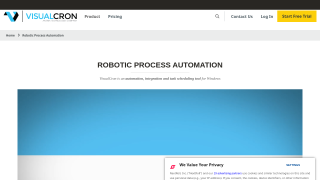
VisualCron screenshot 1
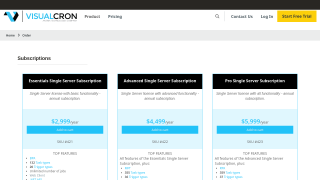
VisualCron screenshot 2

Microsoft Power Automate Screenshots

Microsoft Power Automate screenshot 1